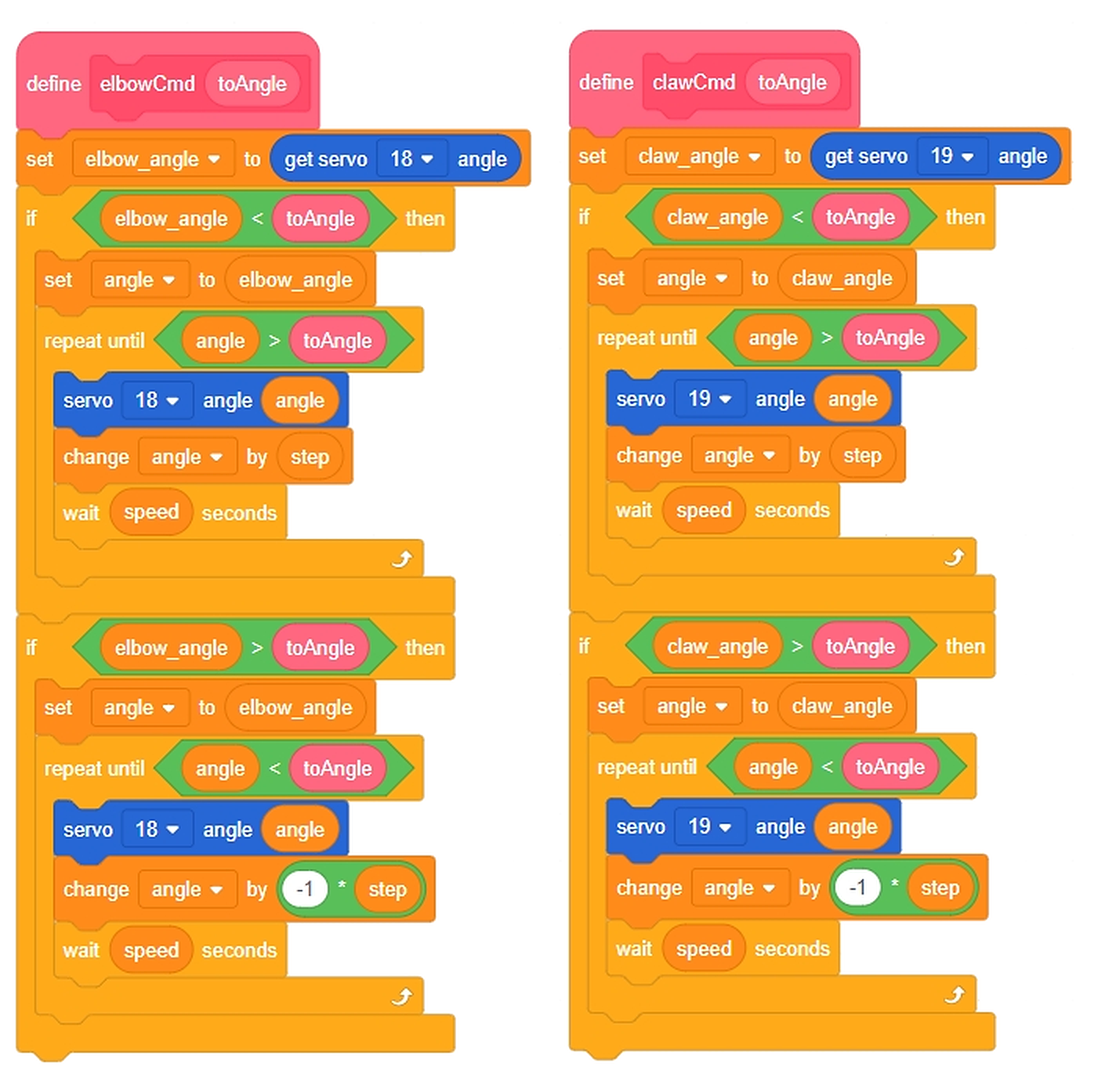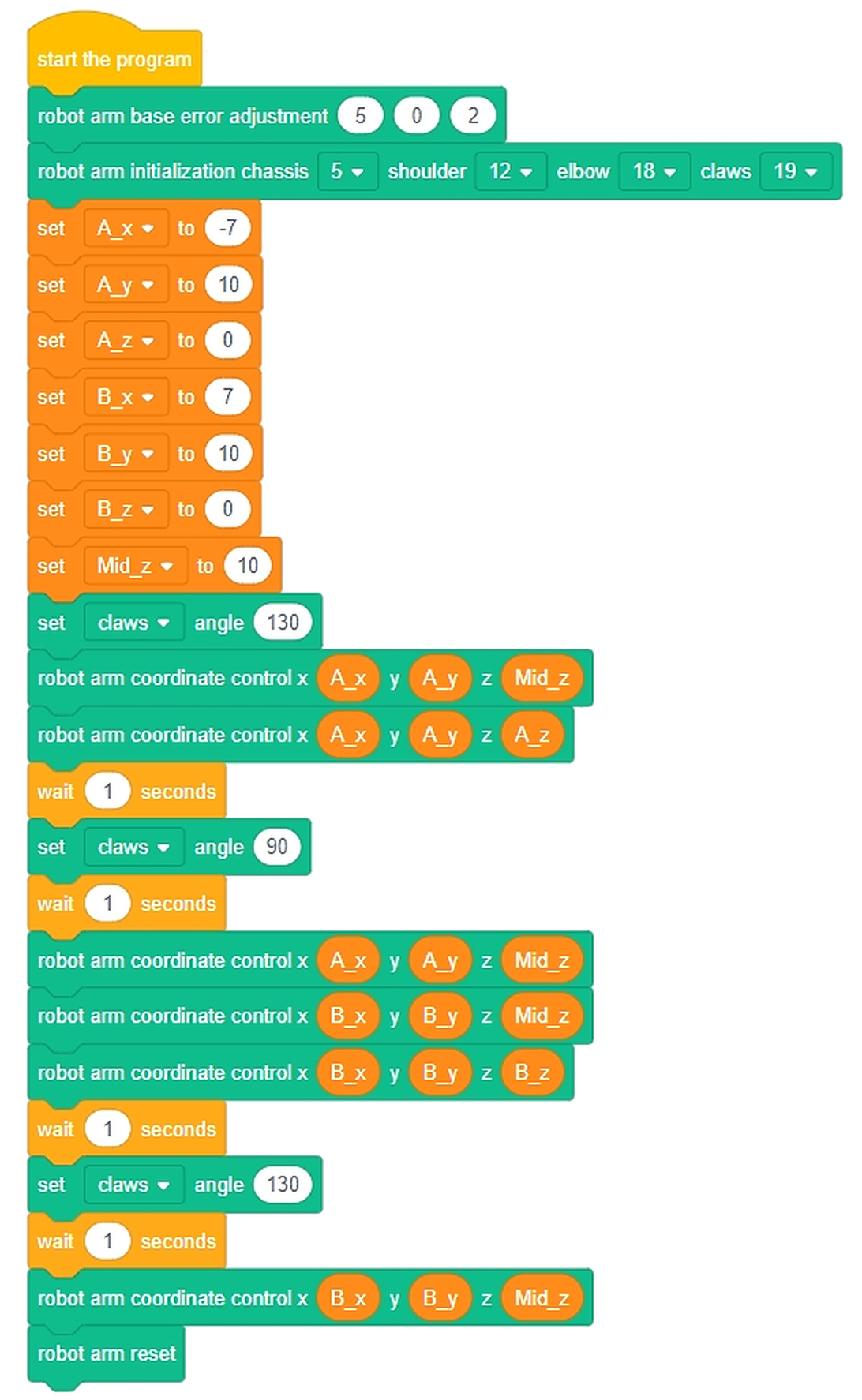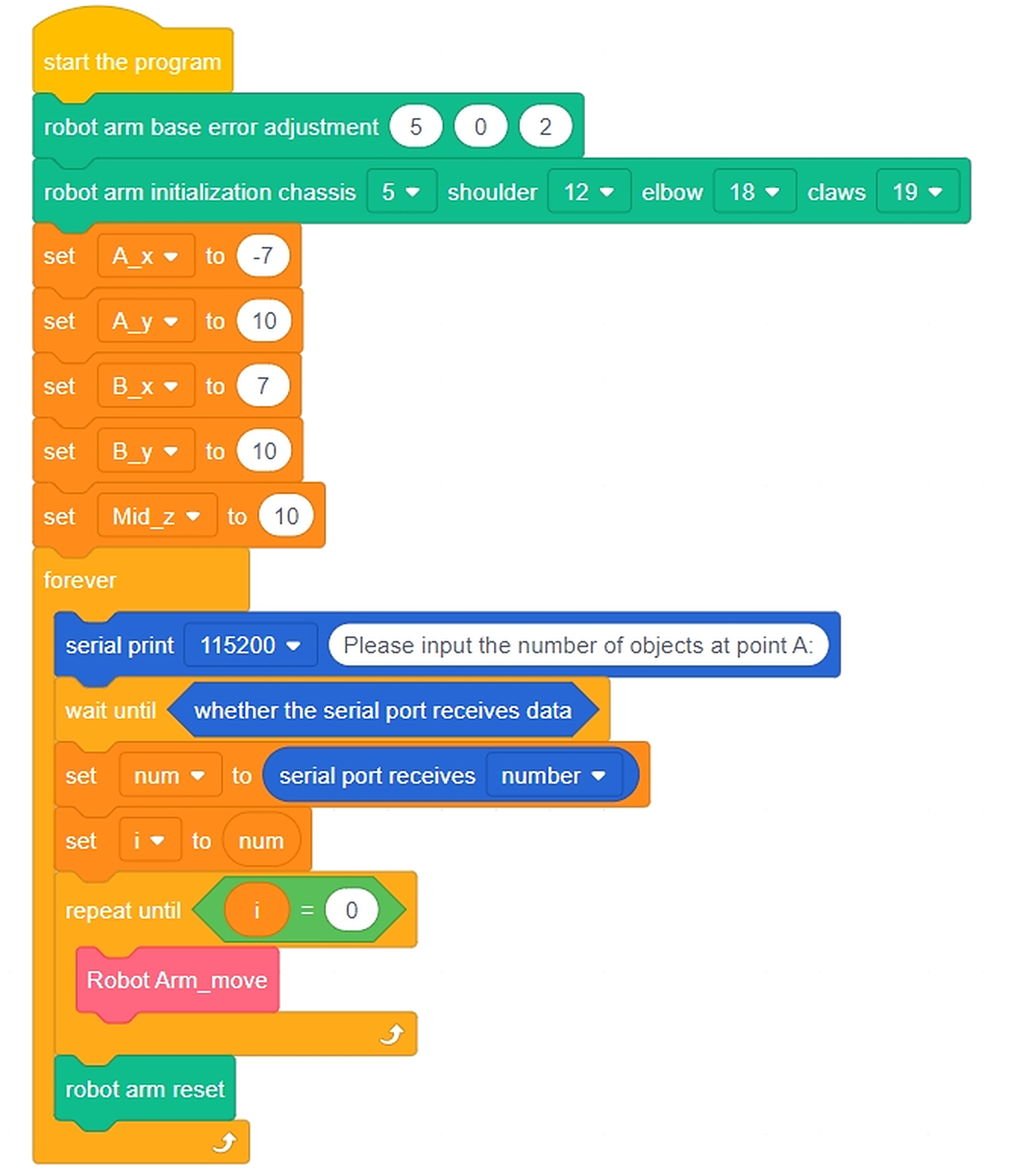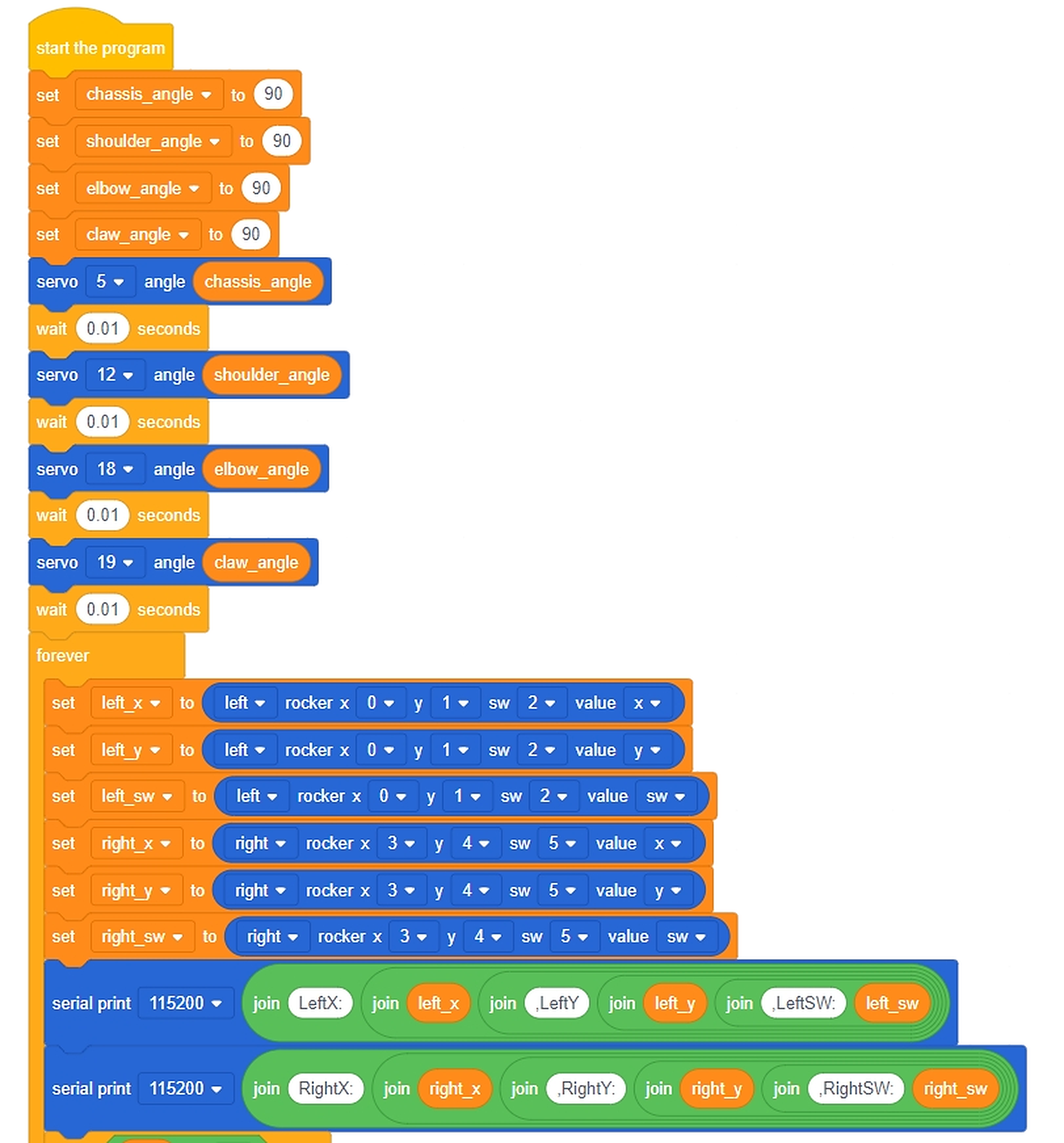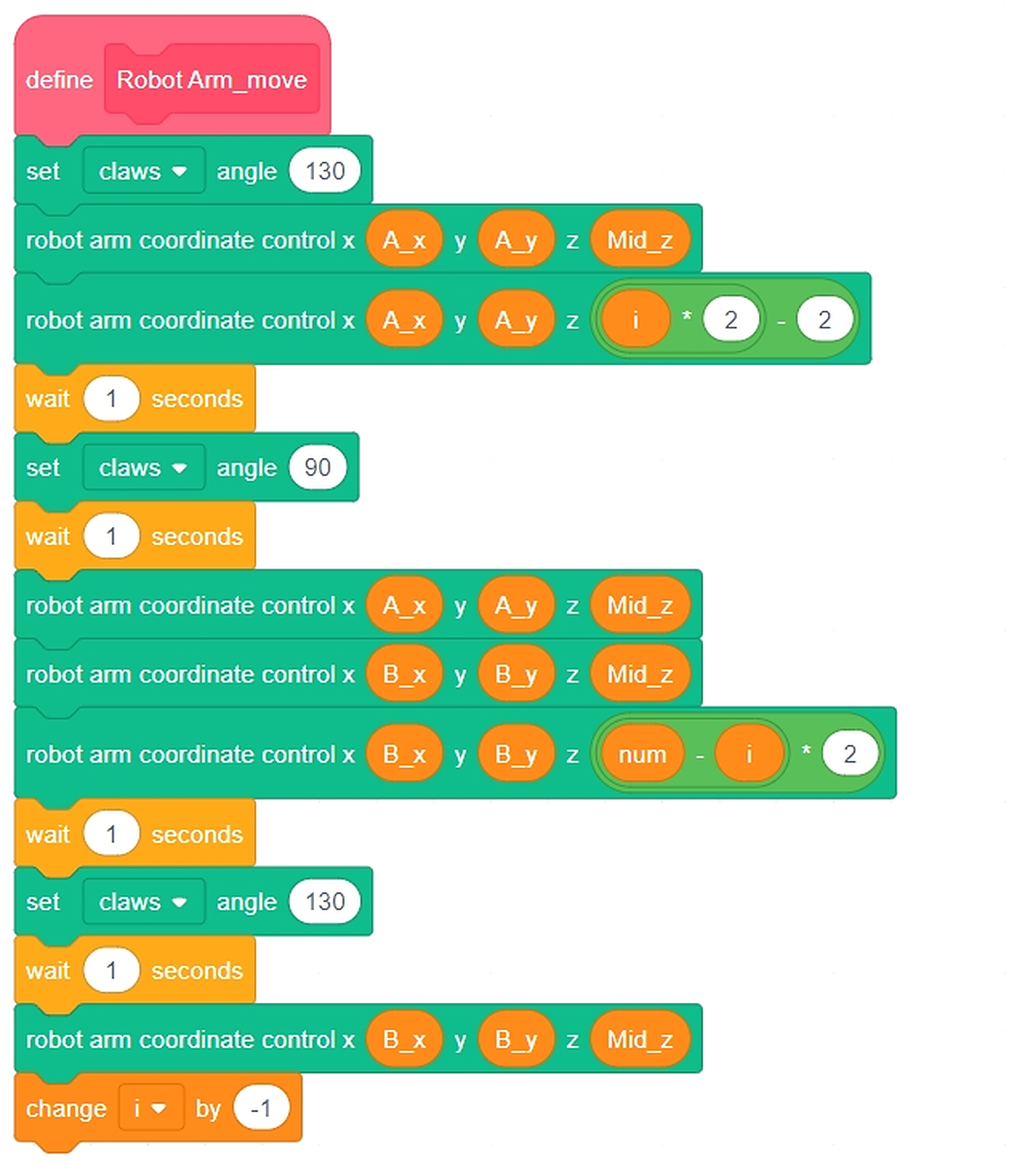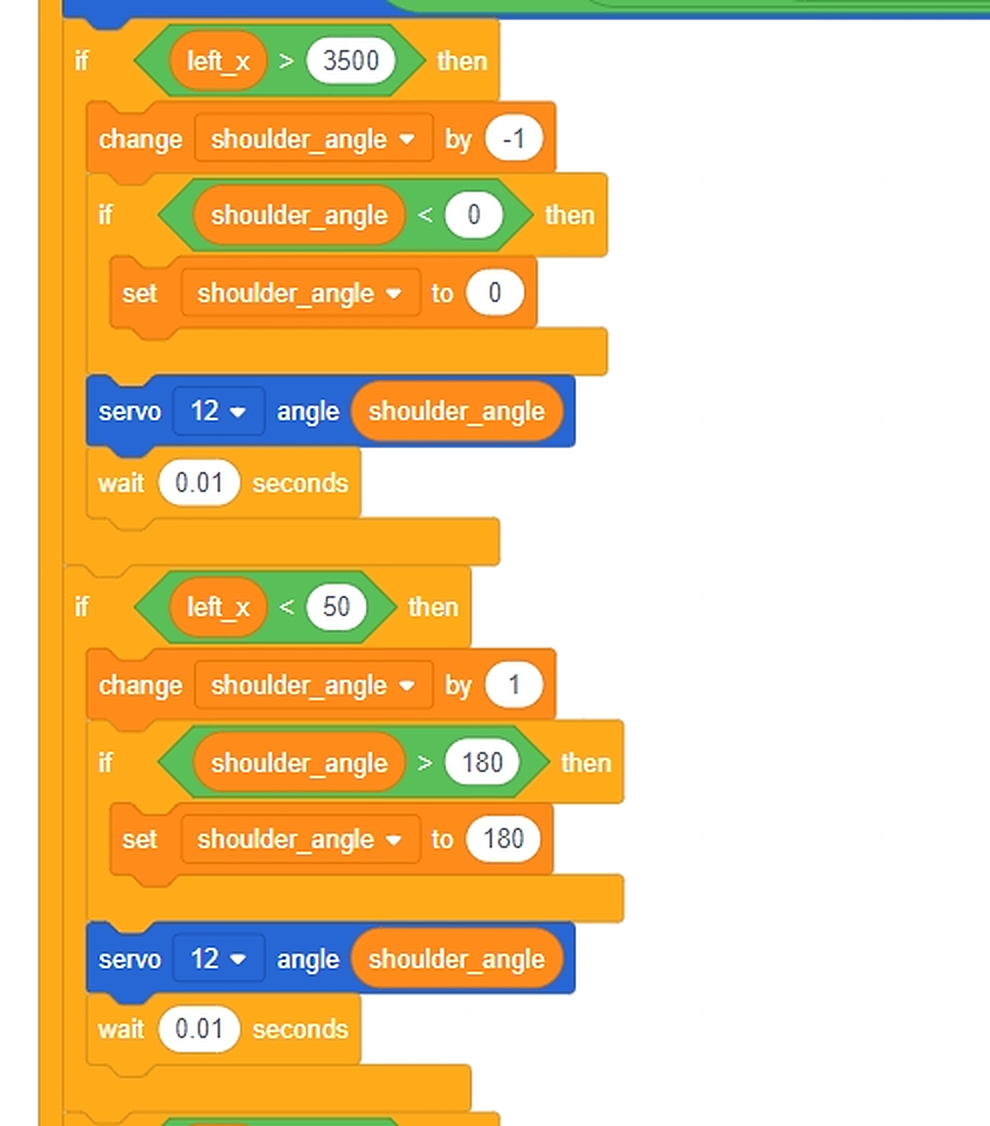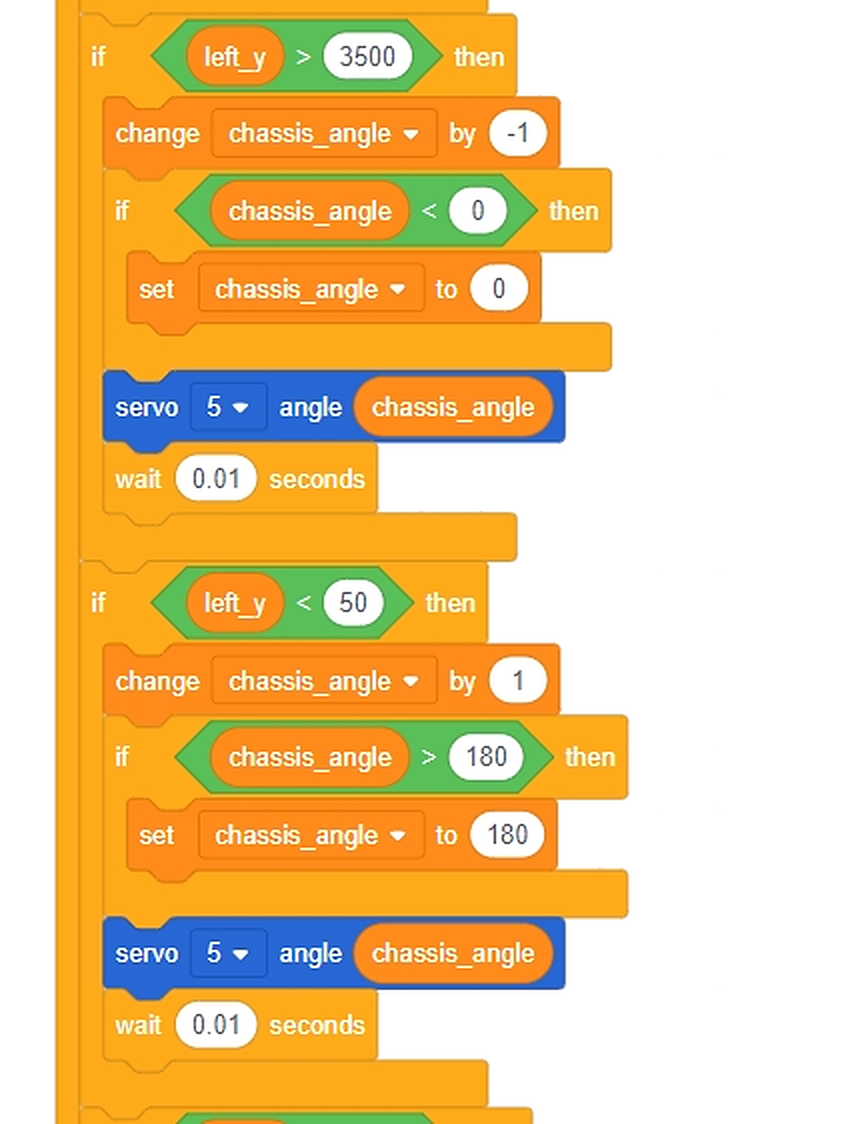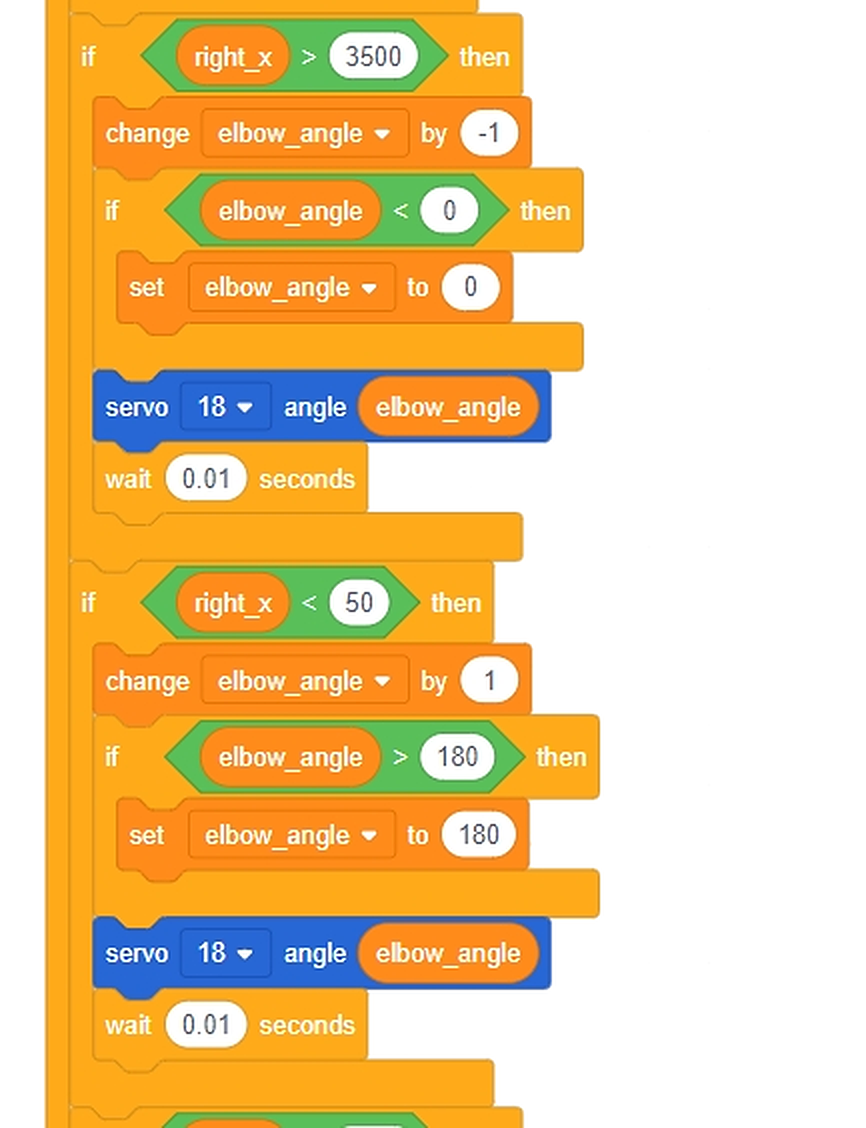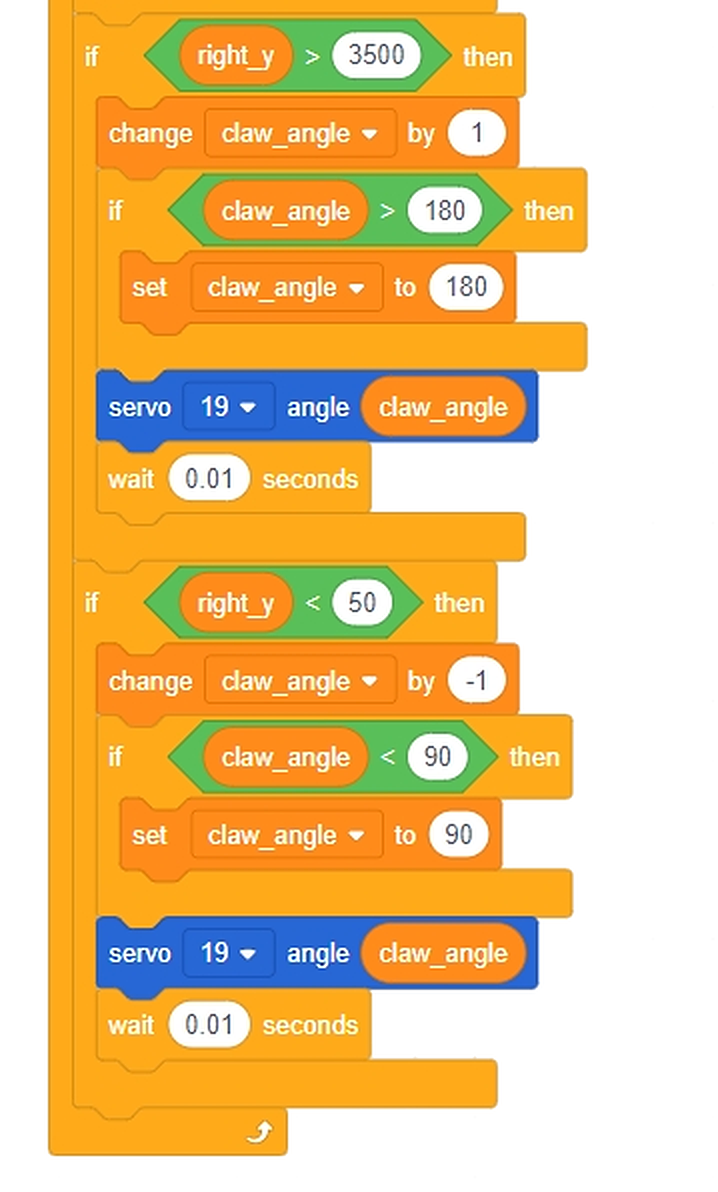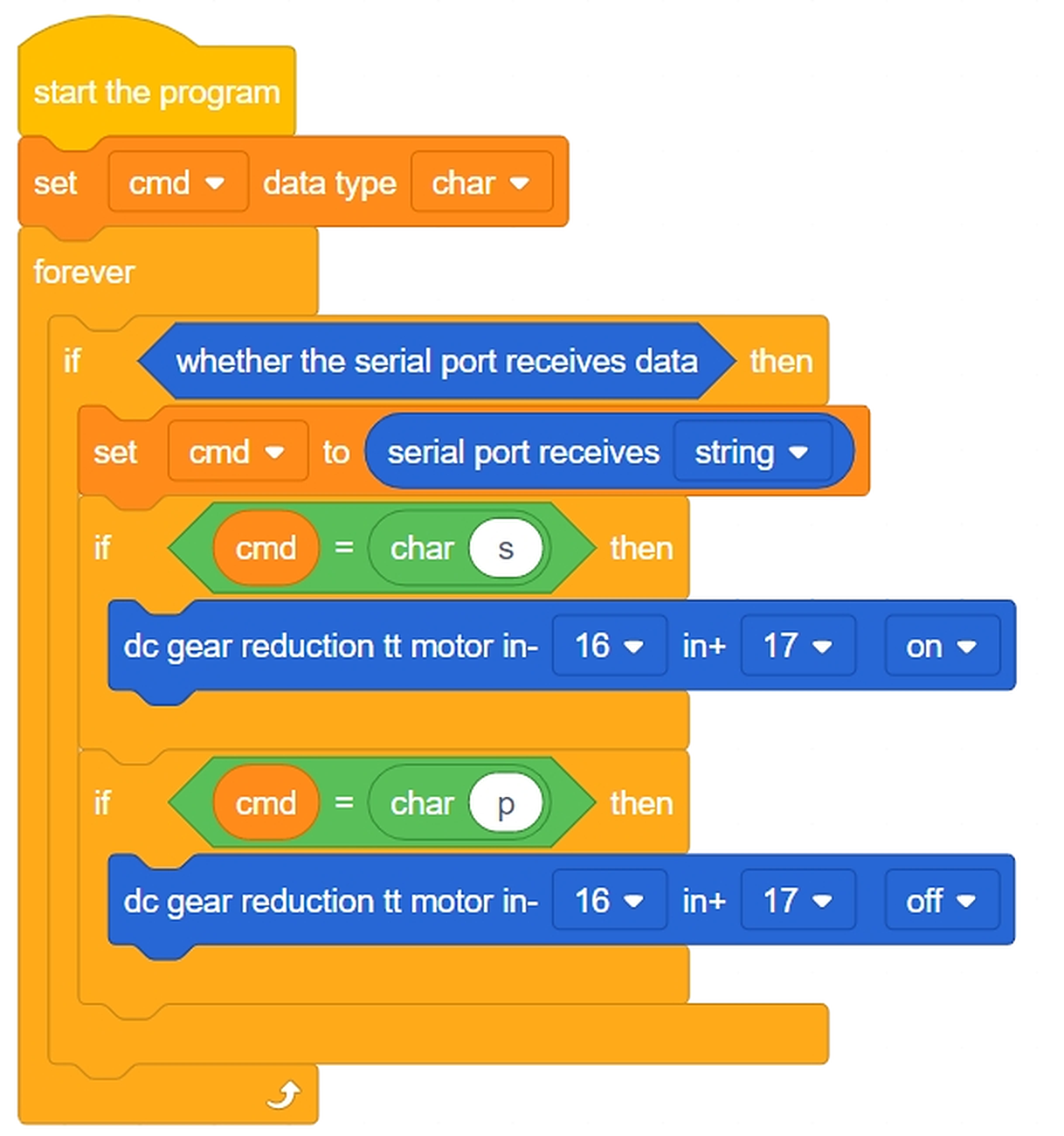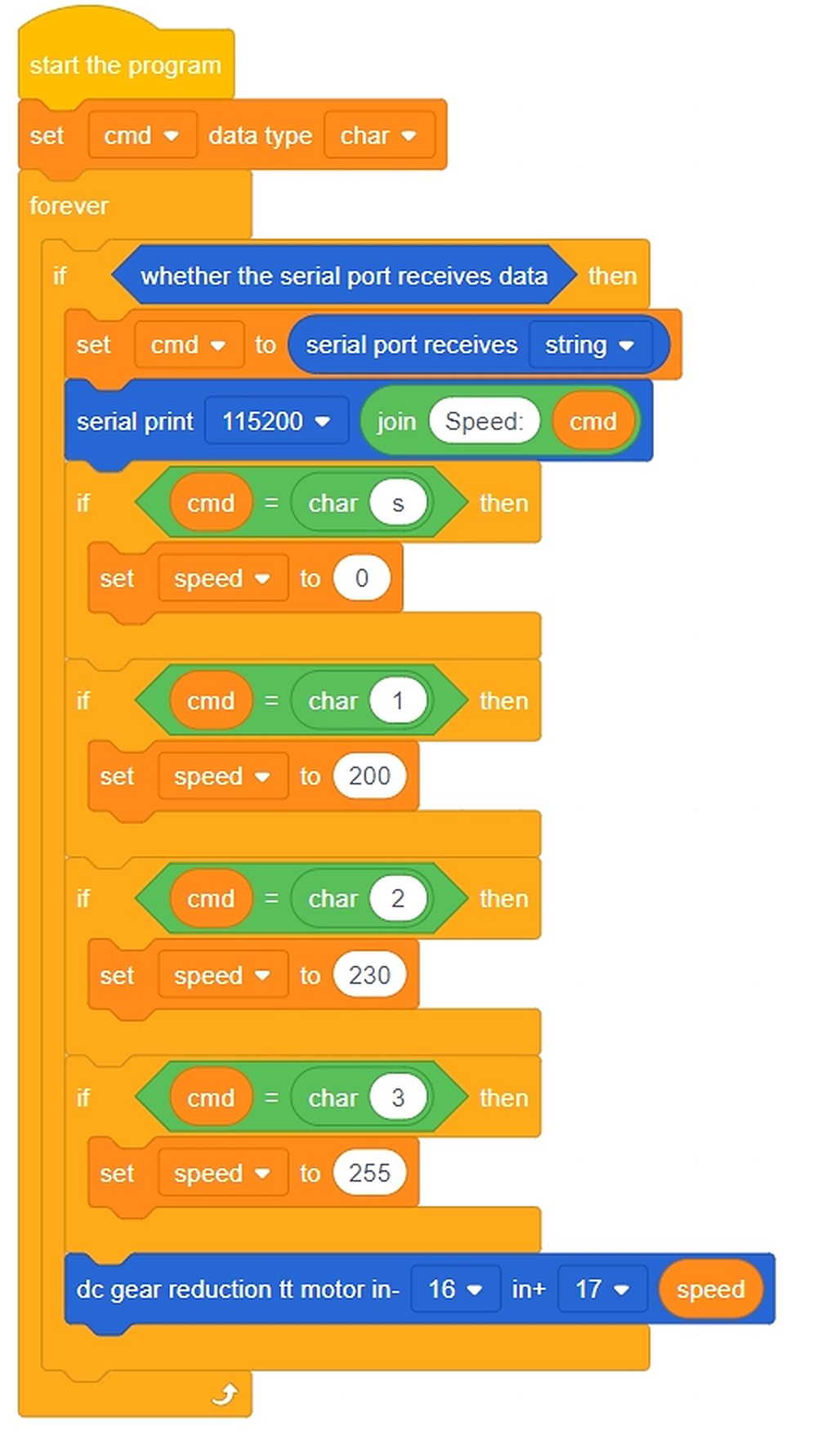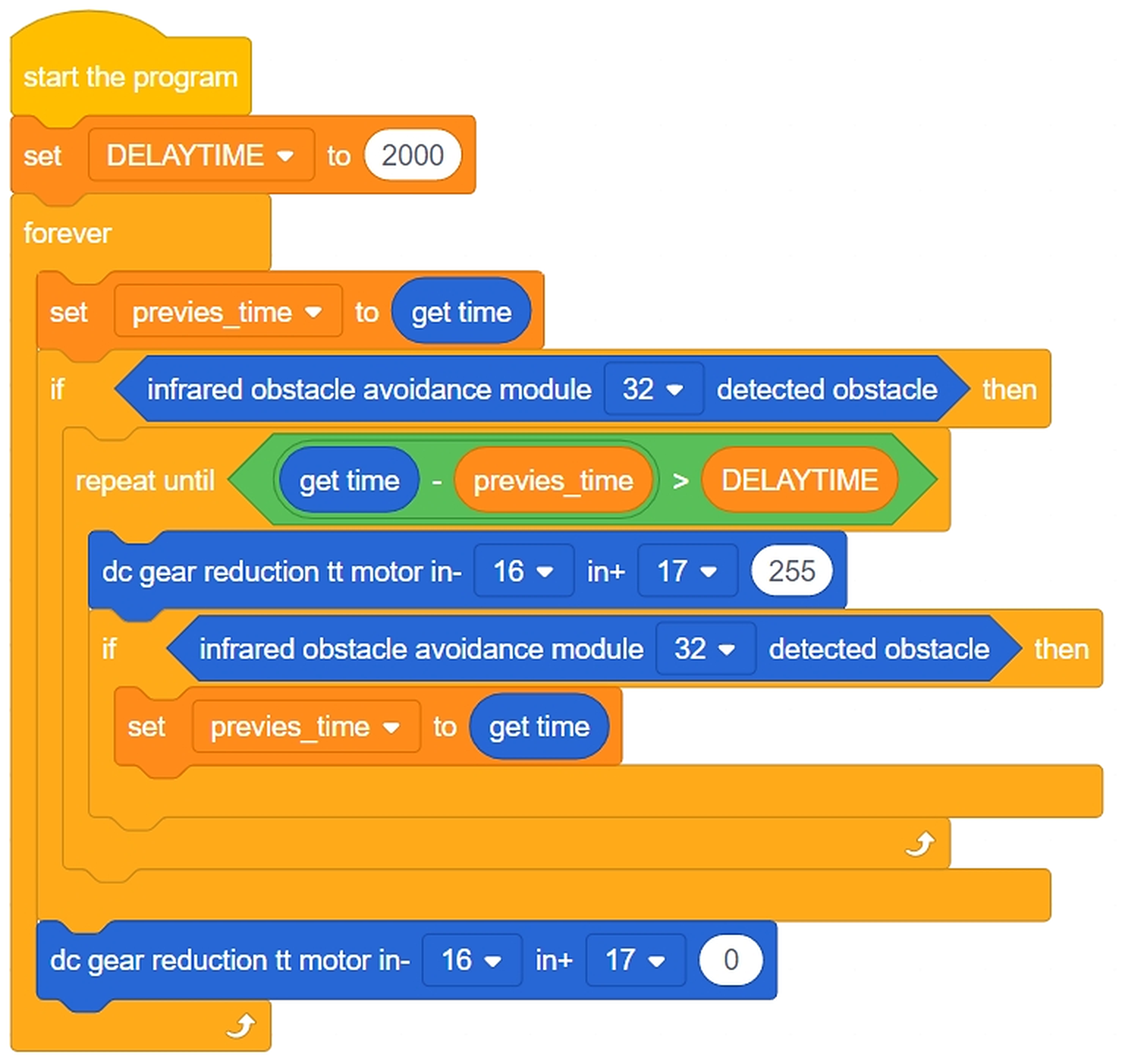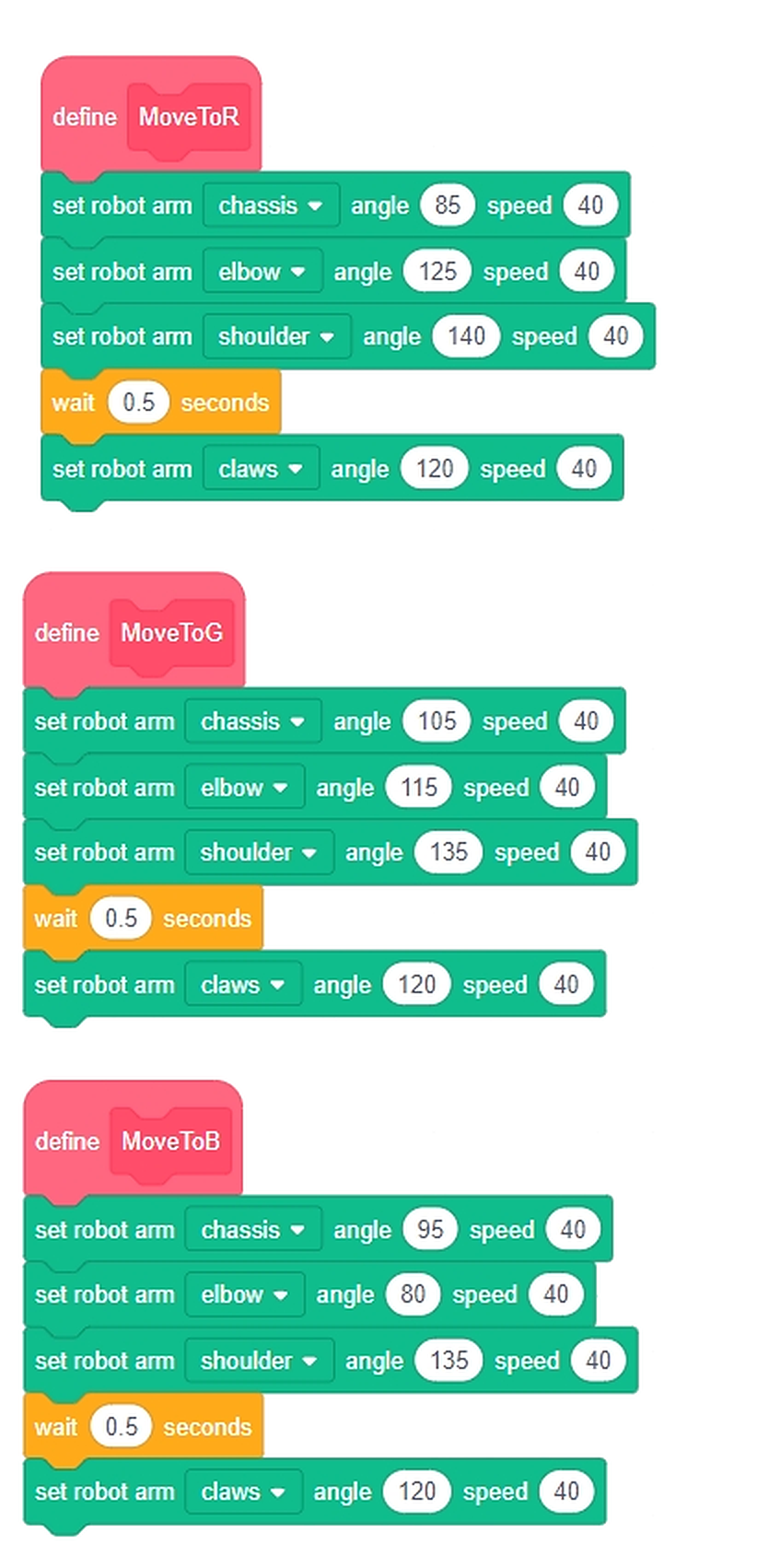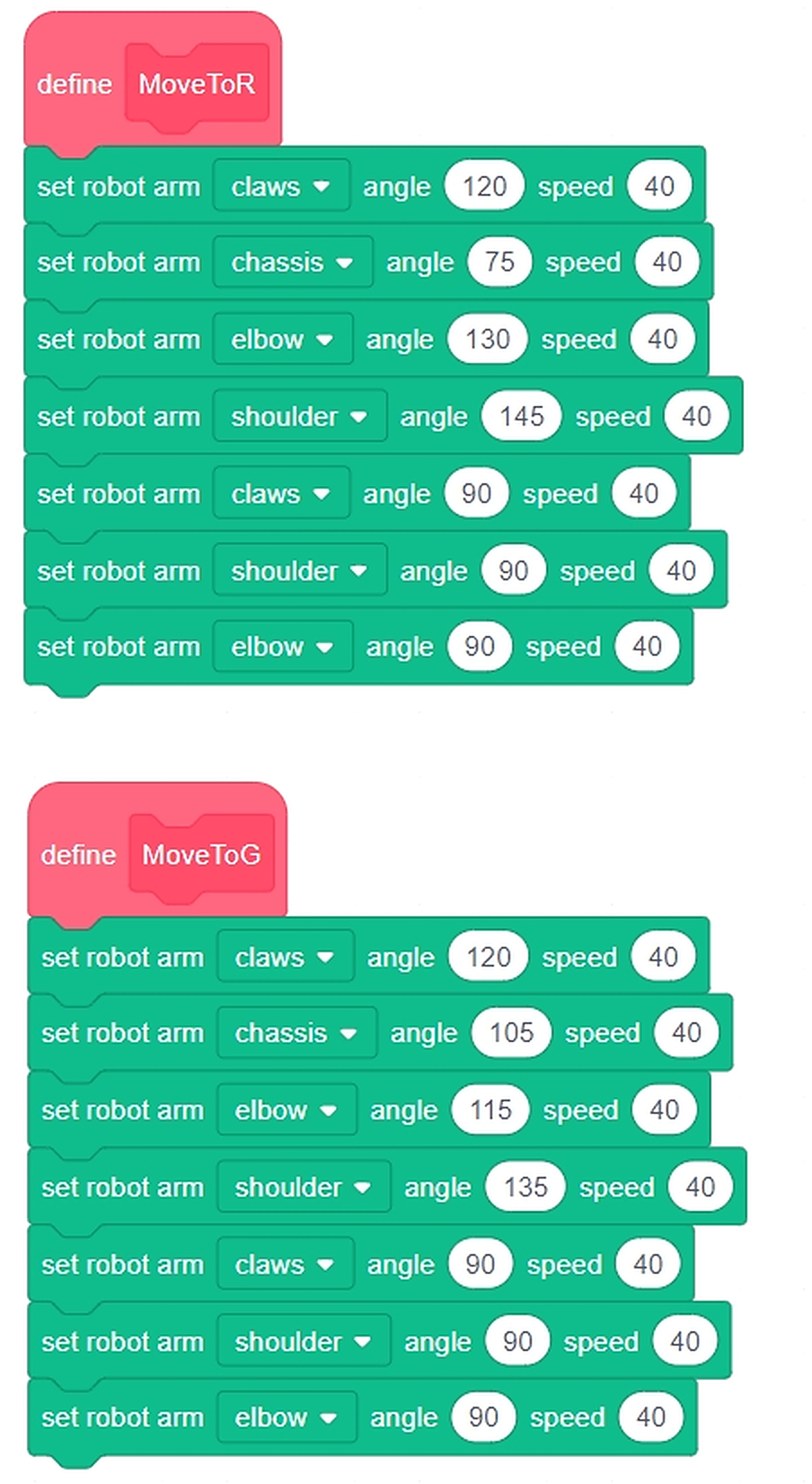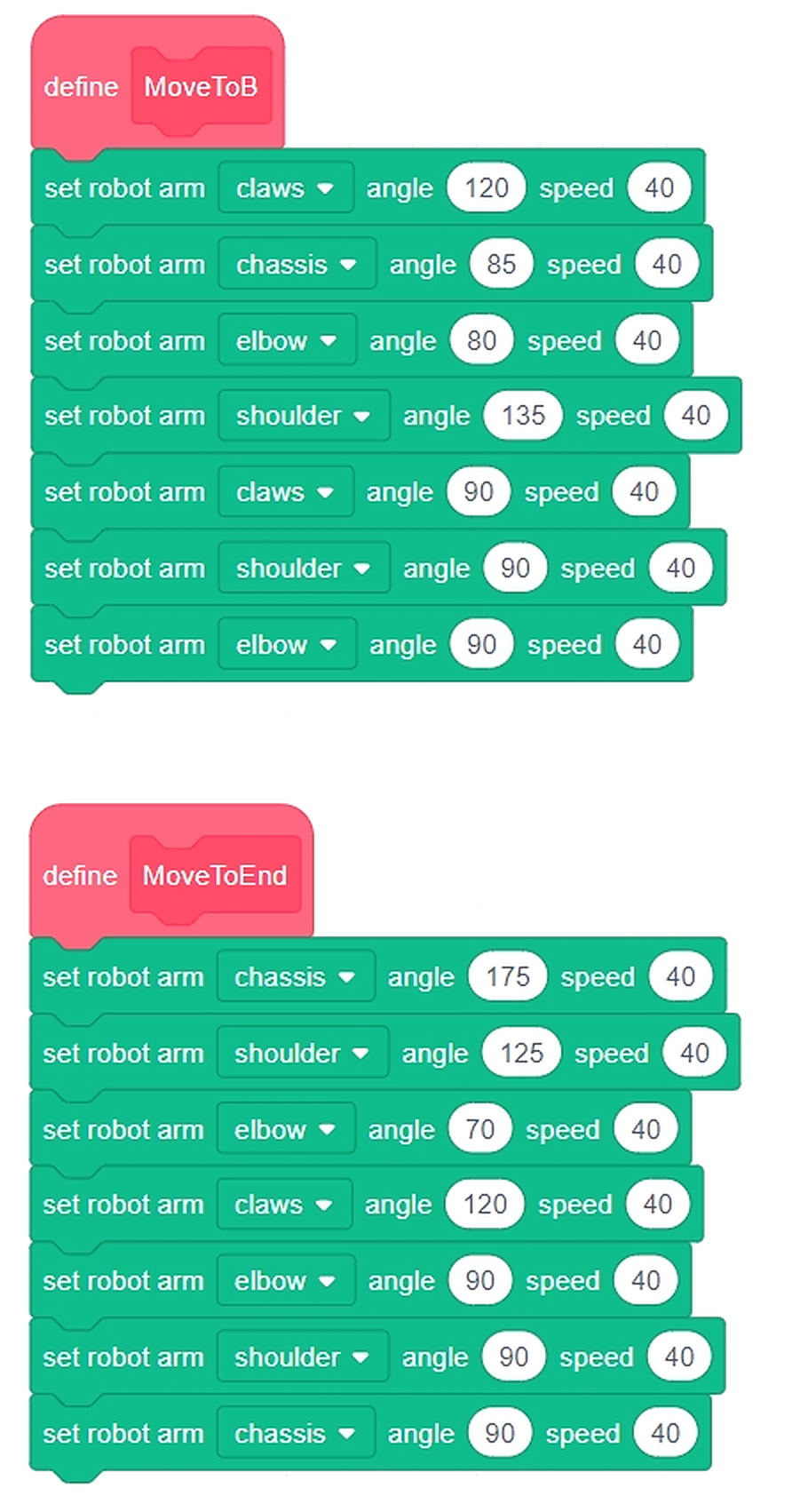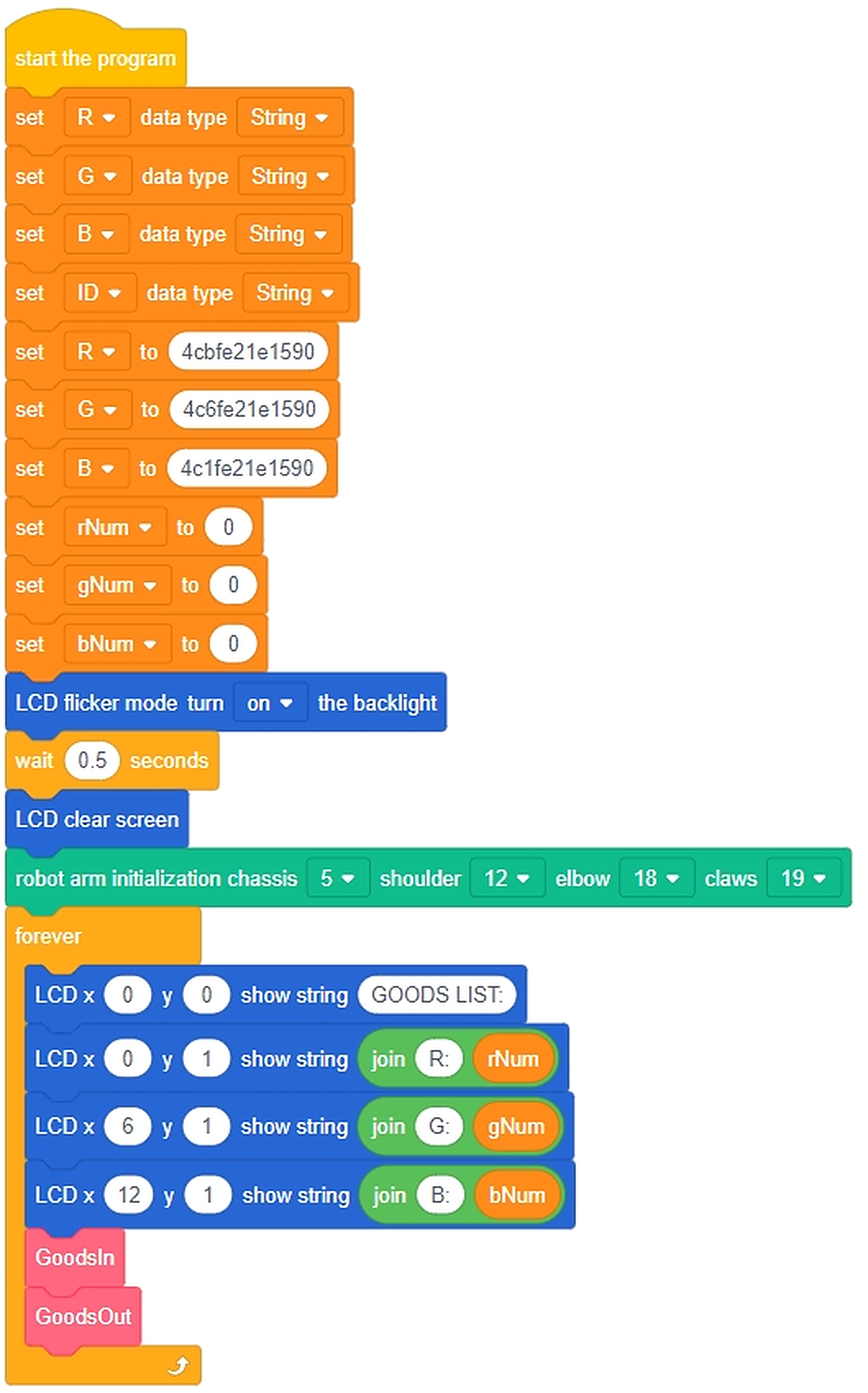
\n
Dubai Public Library
Camp 2 — Made in UAE: Smart Factory Challenge
المخيم الثاني — صنع في الإمارات: تحدي المصنع الذكي

Dubai Culture · School of Life
Dubai Culture · Dubai Public Library · School of Life

Welcome! أهلًا وسهلًا!

Summer Camp 2026 · Our Family, Our Unity · أسرتنا وحدتنا
Camp 2 — Made in UAE: Smart Factory Challenge
المخيم الثاني — صنع في الإمارات: تحدي المصنع الذكي
Continue as · تابع بصفتك
Facilitator · الميسّر

Choose your location اختر موقعك

⚙ Admin الإدارة

Enter the admin PIN · أدخل رمز الإدارة

📝 Marks الدرجات

📤 Daily Work Submission رفع عمل اليوم

🎥 Upload the team's finish video to your Drive/YouTube, then paste the link here. These submissions are what other libraries' facilitators will evaluate at the end. · ارفع فيديو إنجاز الفريق إلى درايف أو يوتيوب ثم الصق الرابط هنا. هذه الأعمال هي ما سيقيّمه ميسّرو المكتبات الأخرى في النهاية.

This day's submissions · أعمال هذا اليوم

Facilitator · الميسّر → Evaluations · التقييم

⭐ Cross-Library Evaluation التقييم المتبادل بين المكتبات

🎲 Each facilitator is randomly assigned work from other libraries — fair evaluation, and nobody marks their own students. · كل ميسّر يُكلَّف عشوائيًا بتقييم أعمال من مكتبات أخرى — تقييم عادل ولا أحد يقيّم طلابه.
Student · الطالب

Choose the age group اختر الفئة العمرية

Facilitator · الميسّر

Choose the age group اختر الفئة العمرية

Student · الطالب → Age Group 1 · Little Makers 5–8

Choose the day اختر اليوم

Day 1اليوم 1
Smart Factory Foundationsأساسيات المصنع الذكي
2/4 ready · جاهز
Day 2اليوم 2
Sliding Smart Doorالباب الذكي المنزلق
2/4 ready · جاهز
Day 3اليوم 3
Factory Forklift Robotروبوت رافعة المصنع
4/4 ready · جاهز
Day 4اليوم 4
Line-Following Robotروبوت تتبع المسار
4/4 ready · جاهز
Day 5اليوم 5
Handling Robot Armذراع النقل الروبوتية
2/4 ready · جاهز
Day 6اليوم 6
Type & Quality Sortingنظام الفرز حسب النوع والجودة
4/4 ready · جاهز
Day 7اليوم 7
Type & Quality Sorting (Advanced)الفرز حسب النوع والجودة (متقدم)
4/4 ready · جاهز
Day 8اليوم 8
Integrated UAE Smart Factoryالمصنع الذكي المتكامل
2/4 ready · جاهز
Facilitator · الميسّر → Age Group 1 · Little Makers 5–8

Choose the day اختر اليوم

Day 1اليوم 1
Smart Factory Foundationsأساسيات المصنع الذكي
Day 2اليوم 2
Sliding Smart Doorالباب الذكي المنزلق
Day 3اليوم 3
Factory Forklift Robotروبوت رافعة المصنع
Day 4اليوم 4
Line-Following Robotروبوت تتبع المسار
Day 5اليوم 5
Handling Robot Armذراع النقل الروبوتية
Day 6اليوم 6
Type & Quality Sortingنظام الفرز حسب النوع والجودة
Day 7اليوم 7
Type & Quality Sorting (Advanced)الفرز حسب النوع والجودة (متقدم)
Day 8اليوم 8
Integrated UAE Smart Factoryالمصنع الذكي المتكامل

🧰 Facilitator tools — any time you need them · أدوات الميسّر متى احتجتها

Student · الطالب → Age Group 2 · Junior Engineers 9–14

Choose the day اختر اليوم

Day 1اليوم 1
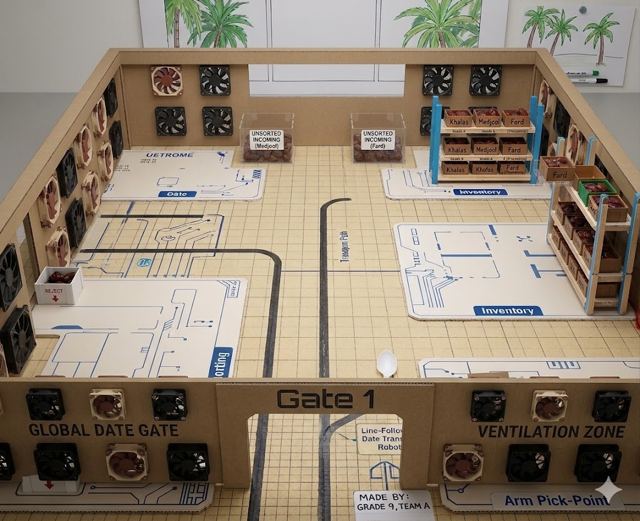
Smart Factory Foundationsأساسيات المصنع الذكي
4/4 ready · جاهز
Day 2اليوم 2
Handling Robot Armذراع النقل الروبوتية
4/4 ready · جاهز
Day 3اليوم 3
Automated Robot Armالذراع الروبوتية المؤتمتة
4/4 ready · جاهز
Day 4اليوم 4
Smart Conveyor Beltخط النقل الذكي
4/4 ready · جاهز
Day 5اليوم 5
Quality Inspection Systemنظام فحص الجودة
4/4 ready · جاهز
Day 6اليوم 6
Type & Quality Sortingنظام الفرز حسب النوع والجودة
4/4 ready · جاهز
Day 7اليوم 7
Smart Packaging & Supply Systemنظام التعبئة والتوريد الذكي
4/4 ready · جاهز
Day 8اليوم 8
Integrated UAE Smart Factoryالمصنع الذكي المتكامل
4/4 ready · جاهز
Facilitator · الميسّر → Age Group 2 · Junior Engineers 9–14

Choose the day اختر اليوم

Day 1اليوم 1
Smart Factory Foundationsأساسيات المصنع الذكي
Day 2اليوم 2
Handling Robot Armذراع النقل الروبوتية
Day 3اليوم 3
Automated Robot Armالذراع الروبوتية المؤتمتة
Day 4اليوم 4
Smart Conveyor Beltخط النقل الذكي
Day 5اليوم 5
Quality Inspection Systemنظام فحص الجودة
Day 6اليوم 6
Type & Quality Sortingنظام الفرز حسب النوع والجودة
Day 7اليوم 7
Smart Packaging & Supply Systemنظام التعبئة والتوريد الذكي
Day 8اليوم 8
Integrated UAE Smart Factoryالمصنع الذكي المتكامل

🧰 Facilitator tools — any time you need them · أدوات الميسّر متى احتجتها

Facilitator · الميسّر → Group 1 · الفئة 1 → Day 1 · اليوم 1
المخيم الصيفي 2026
Summer Camp 2026
Our Family, Our Unity · أسرتنا وحدتنا
Day 1: Smart Factory Foundations
أساسيات المصنع الذكي
الفئة الأولى · الصنّاع الصغار · dubaiculture.net
Facilitator · الميسّر → Group 1 · الفئة 1 → Day 2 · اليوم 2
المخيم الصيفي 2026
Summer Camp 2026
Our Family, Our Unity · أسرتنا وحدتنا
Day 2: Sliding Smart Door
الباب الذكي المنزلق
الفئة الأولى · الصنّاع الصغار · dubaiculture.net
Facilitator · الميسّر → Group 1 · الفئة 1 → Day 3 · اليوم 3
المخيم الصيفي 2026
Summer Camp 2026
Our Family, Our Unity · أسرتنا وحدتنا
Day 3: Factory Forklift Robot
روبوت رافعة المصنع
الفئة الأولى · الصنّاع الصغار · dubaiculture.net
Facilitator · الميسّر → Group 1 · الفئة 1 → Day 4 · اليوم 4
المخيم الصيفي 2026
Summer Camp 2026
Our Family, Our Unity · أسرتنا وحدتنا
Day 4: Line-Following Robot
روبوت تتبع المسار
الفئة الأولى · الصنّاع الصغار · dubaiculture.net
Facilitator · الميسّر → Group 1 · الفئة 1 → Day 5 · اليوم 5
المخيم الصيفي 2026
Summer Camp 2026
Our Family, Our Unity · أسرتنا وحدتنا
Day 5: Handling Robot Arm
ذراع النقل الروبوتية
الفئة الأولى · الصنّاع الصغار · dubaiculture.net
Facilitator · الميسّر → Group 1 · الفئة 1 → Day 6 · اليوم 6
المخيم الصيفي 2026
Summer Camp 2026
Our Family, Our Unity · أسرتنا وحدتنا
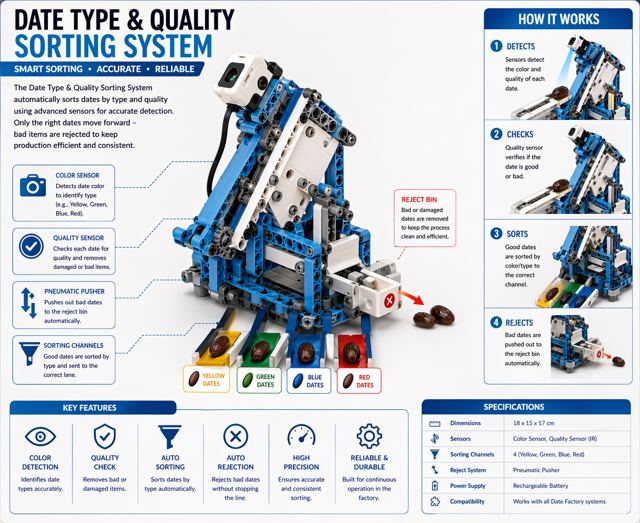
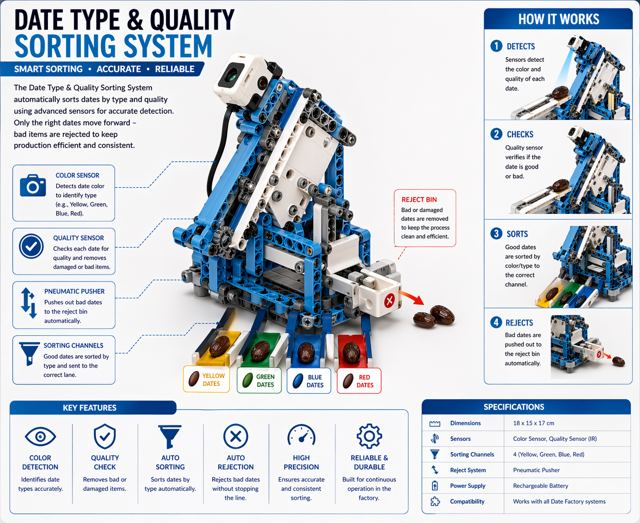
Day 6: Type & Quality Sorting
نظام الفرز حسب النوع والجودة
الفئة الأولى · الصنّاع الصغار · dubaiculture.net
Facilitator · الميسّر → Group 1 · الفئة 1 → Day 7 · اليوم 7
المخيم الصيفي 2026
Summer Camp 2026
Our Family, Our Unity · أسرتنا وحدتنا
Day 7: Type & Quality Sorting (Advanced)
الفرز حسب النوع والجودة (متقدم)
الفئة الأولى · الصنّاع الصغار · dubaiculture.net
Facilitator · الميسّر → Group 1 · الفئة 1 → Day 8 · اليوم 8
المخيم الصيفي 2026
Summer Camp 2026
Our Family, Our Unity · أسرتنا وحدتنا
Day 8: Integrated UAE Smart Factory
المصنع الذكي المتكامل
الفئة الأولى · الصنّاع الصغار · dubaiculture.net
Facilitator · الميسّر → Group 2 · الفئة 2 → Day 1 · اليوم 1
المخيم الصيفي 2026
Summer Camp 2026
Our Family, Our Unity · أسرتنا وحدتنا
Day 1: Smart Factory Foundations
أساسيات المصنع الذكي
الفئة الثانية · المهندسون الناشئون · dubaiculture.net
Facilitator · الميسّر → Group 2 · الفئة 2 → Day 2 · اليوم 2
المخيم الصيفي 2026
Summer Camp 2026
Our Family, Our Unity · أسرتنا وحدتنا
Day 2: Handling Robot Arm
ذراع النقل الروبوتية
الفئة الثانية · المهندسون الناشئون · dubaiculture.net
Facilitator · الميسّر → Group 2 · الفئة 2 → Day 3 · اليوم 3
المخيم الصيفي 2026
Summer Camp 2026
Our Family, Our Unity · أسرتنا وحدتنا
Day 3: Automated Robot Arm
الذراع الروبوتية المؤتمتة
الفئة الثانية · المهندسون الناشئون · dubaiculture.net
Facilitator · الميسّر → Group 2 · الفئة 2 → Day 4 · اليوم 4
المخيم الصيفي 2026
Summer Camp 2026
Our Family, Our Unity · أسرتنا وحدتنا
Day 4: Smart Conveyor Belt
خط النقل الذكي
الفئة الثانية · المهندسون الناشئون · dubaiculture.net
Facilitator · الميسّر → Group 2 · الفئة 2 → Day 5 · اليوم 5
المخيم الصيفي 2026
Summer Camp 2026
Our Family, Our Unity · أسرتنا وحدتنا
Day 5: Quality Inspection System
نظام فحص الجودة
الفئة الثانية · المهندسون الناشئون · dubaiculture.net
Facilitator · الميسّر → Group 2 · الفئة 2 → Day 6 · اليوم 6
المخيم الصيفي 2026
Summer Camp 2026
Our Family, Our Unity · أسرتنا وحدتنا
Day 6: Type & Quality Sorting
نظام الفرز حسب النوع والجودة
الفئة الثانية · المهندسون الناشئون · dubaiculture.net
Facilitator · الميسّر → Group 2 · الفئة 2 → Day 7 · اليوم 7
المخيم الصيفي 2026
Summer Camp 2026
Our Family, Our Unity · أسرتنا وحدتنا
Day 7: Smart Packaging & Supply System
نظام التعبئة والتوريد الذكي
الفئة الثانية · المهندسون الناشئون · dubaiculture.net
Facilitator · الميسّر → Group 2 · الفئة 2 → Day 8 · اليوم 8
المخيم الصيفي 2026
Summer Camp 2026
Our Family, Our Unity · أسرتنا وحدتنا
Day 8: Integrated UAE Smart Factory
المصنع الذكي المتكامل
الفئة الثانية · المهندسون الناشئون · dubaiculture.net

📖 Camp Guide دليل المخيم

About the Camp عن المخيم

Inspired by the UAE Year of the Family 2026, our camp celebrates the values and cultural identity that strengthen families and communities — through arts, traditional crafts, technology and hands-on engineering.
استلهامًا من عام الأسرة في دولة الإمارات 2026، يحتفي مخيمنا بالقيم والهوية الثقافية التي تقوّي الأسرة والمجتمع — من خلال الفنون والحرف التراثية والتكنولوجيا والمشاريع الهندسية.
🏭🌴
The August story: our students run a Smart Date Factory — receiving dates from UAE farms, then transporting, inspecting, sorting (Ajwa, Medjool, Khudri…) and packing them with robots they build and code themselves. Every day adds one new station until the full factory works on Day 8!
قصة أغسطس: طلابنا يديرون مصنع تمور ذكيًا — يستقبل التمور من مزارع الإمارات، ثم ينقلها ويفحصها ويفرزها ويعبّئها بروبوتات يبنونها ويبرمجونها بأنفسهم. كل يوم نضيف محطة جديدة حتى يكتمل المصنع في اليوم الثامن!
Almost every day, facilitators and students build something NEW and code it. Your job is to guide: the plan, the timer and the presentations are all inside this file.
في كل يوم تقريبًا نبني شيئًا جديدًا ونبرمجه. مهمتك هي التوجيه: الخطة والمؤقّت والعروض كلها داخل هذا الملف.

Our Teaching Approach منهجية التدريس

Every session is a lesson plan of 7 phases (90 minutes) combining Inquiry-Based Learning, PBL and scaffolded differentiation — with two big topics: BUILD then CODE (samples first, then the final code).
كل جلسة هي خطة درس من 7 مراحل (90 دقيقة) تجمع التعلم الاستقصائي والتعلم بالمشاريع — بموضوعين رئيسيين: البناء ثم البرمجة (التجارب أولًا ثم الكود النهائي).
🔍
Inquiry Hookسؤال الانطلاق
5’
📖
Theoryالشرح النظري
10’
🎯
Knowledge Checkفحص الفهم
5’
🔧
Build & Assembleالبناء والتركيب
45’
💡
Programming Practiceتجربة البرمجة
10’
💻
Full Programالبرنامج الكامل
10’
Test & Adjustالاختبار والضبط
5’

Why This Structure Works · لماذا ينجح هذا الهيكل

PrincipleHow it applies
Start with curiosity, not contentThe Inquiry Hook opens every session with a question, puzzle, or real-world scenario. Students are engaged before any instruction begins.
ابدأ بالفضول لا بالمحتوى.
Understand before you buildTheory + Knowledge Check ensure students understand the concept before touching hardware.
افهم قبل أن تبني.
Remove the fear of the blank screenProgramming Practice is a short isolated exercise completed BEFORE the full code. Students never start from nothing.
أزل رهبة الشاشة الفارغة.
Separate physical and digital tasksBuild & Assemble is completed before programming begins. Wiring first, code second.
افصل البناء عن البرمجة.
Close with real testingNot «are we done?» but «does it work, and if not, why?»
اختم باختبار حقيقي.
Same structure, differentiated depthBoth age groups follow the same 7 phases — depth, language and independence change.
الهيكل نفسه بعمق مختلف.

Kits & Apps العدد والتطبيقات

👧 Group 1 · 5–8

Kit: Alpha Set robot car · App: RoboCode.
العدة: Alpha Set · التطبيق: RoboCode.
PortDevice · الجهاز
M1Right wheel motor · محرك العجلة اليمنى
M2Left wheel motor · محرك العجلة اليسرى
P1Color sensor · حساس الألوان
P2Gripper motor · محرك الذراع

🧑‍🔧 Group 2 · 9–14

Kits: QE031 / QE037 Smart Factory · App: ACECode (Scratch-style).
العدد: QE031 / QE037 · التطبيق: ACECode.
Ready projects in the camp files: JoysticksControl, Quality Inspection + Conveyor, SmartStorage.
مشاريع جاهزة في ملفات المخيم.

Facilitator Corner ركن الميسّر

Rules · القواعد

Safety · السلامة

Troubleshooting · حلول المشكلات

Symptom · العرضCheck · افحص
Robot won't connect · لا يتصلController ON · correct USB/Bluetooth · close other app copies
Uploads but nothing moves · يُرفع ولا حركةMotor numbers vs ports — re-run the wiring checkpoint
Sensor crazy values · قراءات غير منطقيةClean window · 1–2 cm height · avoid direct sunlight
Battery dies mid-session · البطارية تنفدCharge ALL controllers the night before
المخيم الصيفي 2026
Summer Camp 2026
Our Family, Our Unity · أسرتنا وحدتنا
Day 1: Smart Factory Foundations
الفئة الأولى · الصنّاع الصغار
Camp 2 — Made in UAE: Smart Factory Challenge · dubaiculture.net
🎮
Ice breakerbefore we start
كسر الجليد10 min · دقيقة
ICE BREAKER · FIRST 10 MINUTES

🎮 Kahoot — let's warm up كاهوت — لنبدأ بالتعارف

Before any theory or building, play the Kahoot for Age Group 1 · Little Makers. It breaks the ice, gets everyone talking, and tells you what they already know.
قبل أي شرح أو بناء، شغّلوا كاهوت لـالصنّاع الصغار. يكسر الجليد ويجعل الجميع يتحدثون ويُظهر لكم ما يعرفونه مسبقًا.
🎮 Kahoot — Age Group 1 · Little Makers
▶ Press here for Kahoot · اضغط هنا لكاهوت
Press the button to open Kahoot.اضغطوا الزر لفتح كاهوت.
1️⃣
Open the link above and sign in to Kahoot. Press PlayClassic, and a game PIN appears on your screen.
افتحوا الرابط وسجّلوا الدخول، ثم اضغطوا Play ثم Classic ليظهر رمز اللعبة.
2️⃣
Students open kahoot.it on their own device and type that PIN. No account needed.
يفتح الطلاب kahoot.it على أجهزتهم ويكتبون الرمز — دون حاجة إلى حساب.
3️⃣
Show the questions on the big screen and read them out loud — some of the younger students will not read fast enough on their own.
اعرضوا الأسئلة على الشاشة الكبيرة واقرأوها بصوت عالٍ — بعض الصغار لن يقرأوا بالسرعة الكافية.
⏱️
Keep it to about 10 minutes. It is a warm-up, not a test — nobody is being marked on this.
اجعلوها نحو 10 دقائق: إنها تمهيد لا اختبار، ولا أحد يُقيَّم فيها.
🎮 Students — join the game الطلاب — انضمّوا إلى اللعبة
▶ Press here for Kahoot · اضغط هنا لكاهوت
Open it, then type the game PIN on the screen. No account needed.افتحوه ثم اكتبوا رمز اللعبة الظاهر على الشاشة — دون حاجة إلى حساب.
🚩
Getting startedBefore the clock starts
البداية — قبل أن يبدأ الوقت

🗺️ Our 8-Day Journey رحلتنا في ٨ أيام

You are here: Day 1 — Smart Factory Foundations. Every day adds one new machine. On Day 8 we connect them all into one factory.
أنت هنا: اليوم 1 — Smart Factory Foundations. كل يوم نضيف آلة جديدة، وفي اليوم الثامن نربطها كلها في مصنع واحد.
Smart Factory Foundations
D2
Sliding Smart Door
D3
Factory Forklift Robot
D4
Line-Following Robot
D5
Handling Robot Arm
D6
Type & Quality Sorting
D7
Type & Quality Sorting (Advanced)
🏆
Smart Factory
What we build today
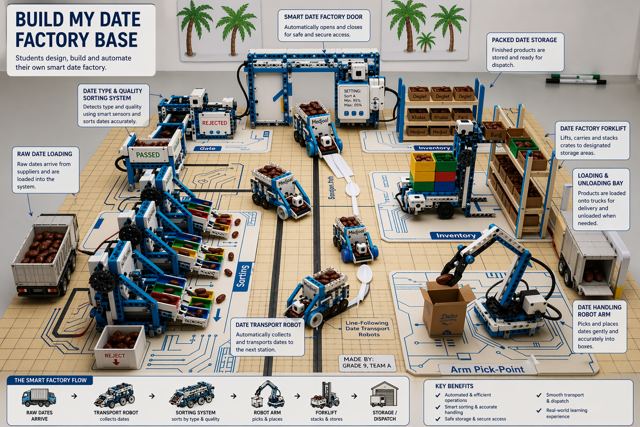
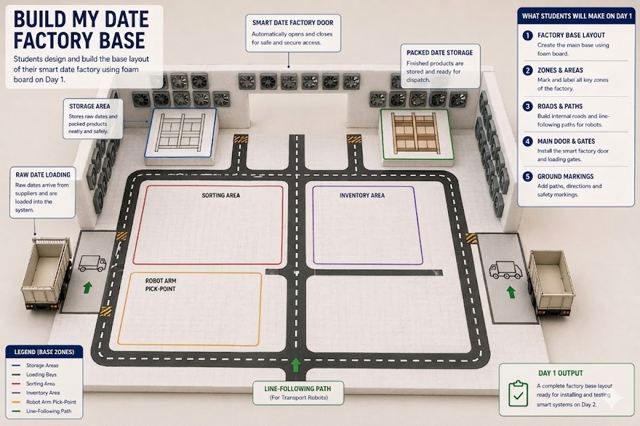
Students create the base layout of a smart factory by placing key factory zones on the board. They learn the purpose of each station and how materials move through the factory.
ما نبنيه اليوم
يقوم الطلاب ببناء المخطط الأساسي للمصنع الذكي من خلال تثبيت مناطق المصنع المختلفة على اللوحة. ويتعرفون على وظيفة كل محطة وكيفية انتقال المواد داخل المصنع، بالإضافة إلى التعرف على مكونات عدة الروبوتات الأساسية ودورها في الأتمتة.
🗺️
Getting startedthe floor we build on
الأرضية التي نبني عليها4 min · دقيقة

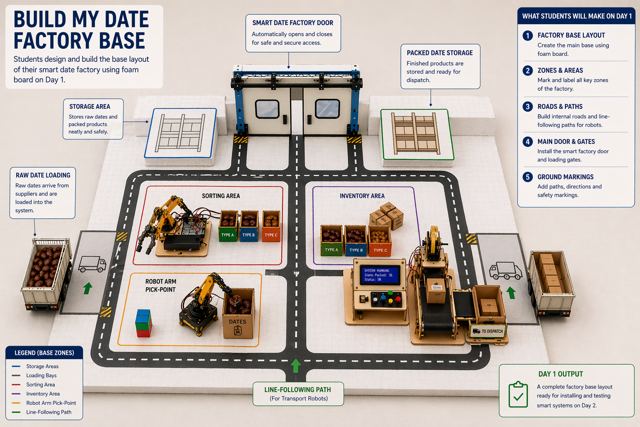
🗺️ Our factory floor map خريطة أرضية مصنعنا

This is the real floor your machines will stand on. Every zone printed on it is one of your eight days — so the map is the plan for the whole camp.
هذه هي الأرضية الحقيقية التي ستقف عليها آلاتكم. كل منطقة مطبوعة عليها هي أحد أيامكم الثمانية.
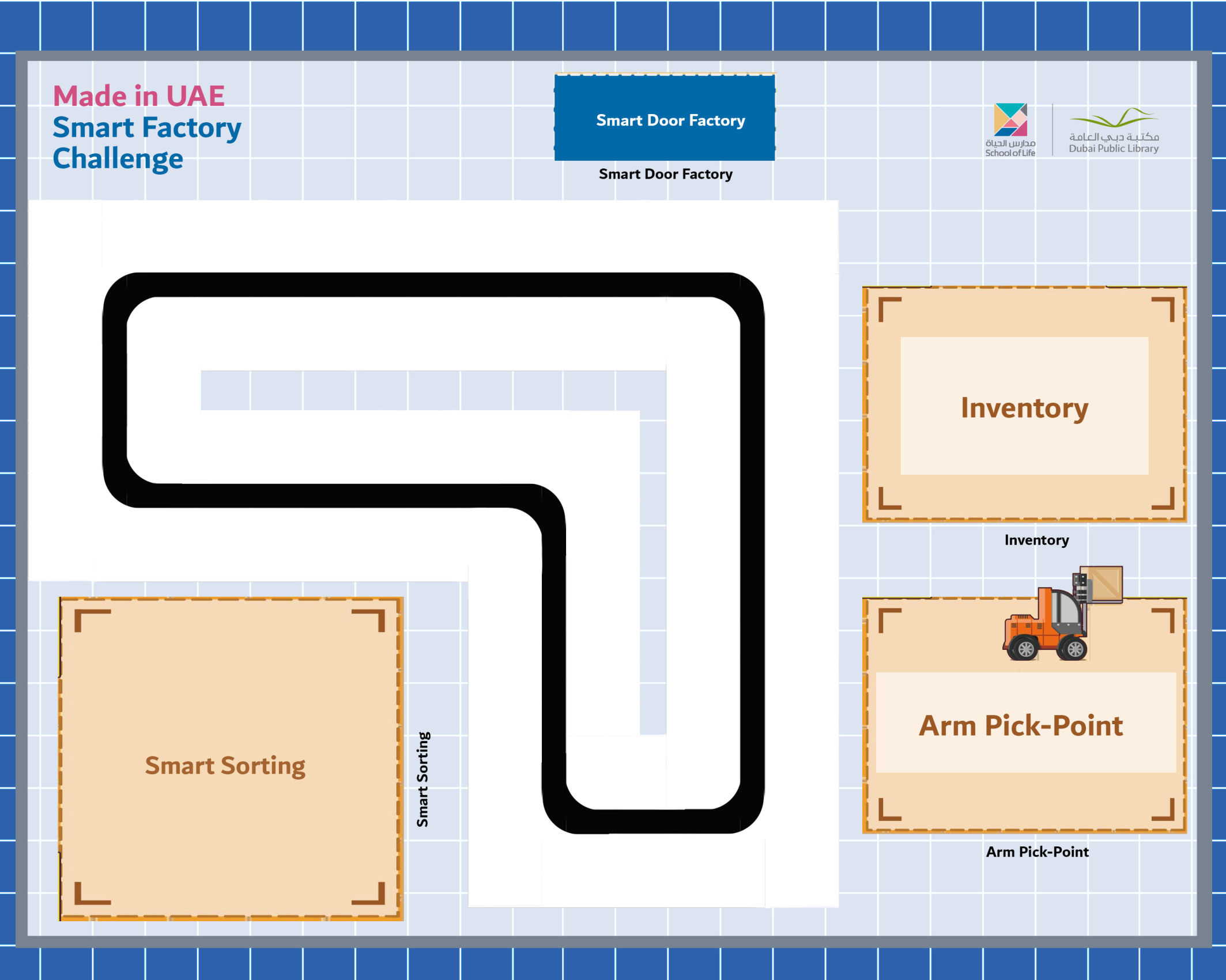
Made in UAE Smart Factory Challenge — printed floor map
👆
Tap the map to make it bigger.
اضغط على الخريطة لتكبيرها.
🚪 Smart Door Factoryمصنع الباب الذكي
Day 2 — the entrance that senses you
🛣️ The black trackالمسار الأسود
Day 4 — your line-following robot drives it
🎨 Smart Sortingالفرز الذكي
Days 6 & 7 — sorting by colour
📦 Inventoryالمخزون
Day 3 — where the forklift takes the boxes
🦾 Arm Pick-Pointنقطة التقاط الذراع
Day 5 — where the robot arm reaches
Which zone do you think will be the hardest? Go and stand at it, and tell us why.
أي منطقة تظنّونها الأصعب؟ قفوا عندها، وأخبرونا لماذا.
🎬
Getting startedbefore we begin
قبل أن نبدأ3 min · دقيقة

🎬 Watch what we are making شاهدوا ما سنصنعه

The finished project, working — before anyone touches a brick. Children build better when they have already seen the end result: they stop asking what are we making? and start asking how?
المشروع النهائي وهو يعمل، قبل أن يلمس أحد أي قطعة. يبني الأطفال بشكل أفضل عندما يرون النتيجة أولًا.
Play it twice. The second time, pause and put these to the room: “Which part moves first?” • “How does it know when to move?” • “What would happen if we removed that part?”
شغّلوه مرتين. في المرة الثانية أوقفوه واطرحوا على الصف: أي جزء يتحرك أولًا؟ · كيف يعرف متى يتحرك؟ · ماذا لو أزلنا ذلك الجزء؟
🚩
Getting startedBefore the clock starts
البداية — قبل أن يبدأ الوقت
TODAY AT A GLANCE

🗂️ Day 1 — Smart Factory Foundations اليوم 1

Here is everything we will do today. Ninety minutes, and each part has its own timer in the bar at the top of every slide.
هذا كل ما سنقوم به اليوم: تسعون دقيقة، ولكل جزء وقته في الشريط أعلى كل شريحة.
🔍 Inquiry Hookسؤال الانطلاق
5 min
📖 Theoryالشرح النظري
15 min
🎯 Knowledge Checkفحص الفهم
5 min
🔧 Build & Assembleالبناء والتركيب
45 min
💻 Full System Programالبرنامج الكامل
20 min
✅ Test & Adjustالاختبار والضبط
5 min
🏆 Demo & Submitالعرض والتسليم
🚩
Getting startedBefore the clock starts
البداية — قبل أن يبدأ الوقت

🏭 The projects you will build المشاريع التي ستبنونها

Over the next two weeks you build these machines — each one a real part of a factory. On the last day they all work together as one line.
خلال الأسبوعين القادمين ستبنون هذه الآلات — كل واحدة جزء حقيقي من مصنع. وفي اليوم الأخير تعمل كلها معًا كخط واحد.
Sliding Smart Doorالباب الذكي المنزلق
Factory Forklift Robotروبوت رافعة المصنع
Line-Following Robotروبوت تتبع المسار
Handling Robot Armذراع النقل الروبوتية
Type & Quality Sortingالفرز حسب النوع والجودة
🚩
Getting startedBefore the clock starts
البداية — قبل أن يبدأ الوقت
🛡️
Before We Start — Rules & Safety قبل أن نبدأ — القواعد والسلامة
Rules · القواعد
  • Respect each other · احترم زملاءك
  • Listen carefully · استمع جيدًا
  • Follow the instructions · اتبع التعليمات
  • Ask for help · اطلب المساعدة
  • Respect equipment · حافظ على الأدوات
  • Clean up · رتّب مكانك
Safety · السلامة
  • No food or drink near equipment · لا طعام أو شراب قرب الأجهزة
  • Handle parts gently — no dropping · تعامل مع القطع بلطف
  • Fingers away from moving parts · الأصابع بعيدة عن الأجزاء المتحركة
  • Ask before powering on · استأذن قبل التشغيل
  • Return all parts at the end · أعد جميع القطع
If something fails · إذا تعطل شيء
  • Check cables & ports first · افحص الكابلات والمنافذ أولًا
  • Controller ON & charged · وحدة التحكم تعمل ومشحونة
  • Clean the sensor window · نظّف نافذة الحساس
  • Ask your facilitator · اسأل الميسّر
🚩
Getting startedBefore the clock starts
البداية — قبل أن يبدأ الوقت

🎬 The full camp film فيلم المخيم الكامل

The camp film for this age group — every machine across the eight days. Use it to show where today fits in the whole journey.
فيلم المخيم لهذه الفئة العمرية — كل الآلات عبر الأيام الثمانية.
Loading the video… · جارٍ تحميل الفيديو…
🔍
Inquiry HookPart 1 of 6
سؤال الانطلاق5 min · دقيقة

🏭 What is a factory really doing? ماذا يفعل المصنع حقًا؟
🏭 What is Industrial Automation?ما هي الأتمتة الصناعية؟ YouTube ↗
Three answers, please — we will not say who is right yet.
• “What do you see moving?”
• “Is anybody pushing it?”
• “Who tells the machines what to do?”
ماذا ترون يتحرك؟ · هل يدفعه أحد؟ · من يخبر الآلات بما تفعله؟
📖
Theory10 slides
الشرح النظري15 min · دقيقة
📖
Theoryالشرح النظري
10 slides · 15 min
Already covered? Press Next to skip straight to the next part.
هل تمت تغطيتها؟ اضغط التالي للانتقال إلى الجزء التالي.
🎯
Knowledge CheckPart 3 of 6
فحص الفهم5 min · دقيقة

🎯 Do we understand it? هل فهمنا؟

Tap a question to reveal the answer — let the students answer first.
اضغط على السؤال لتظهر الإجابة — دع الطلاب يجيبون أولًا.
Q1
What does AUTOMATION mean?
ماذا تعني الأتمتة؟
Answer · الجواب
Self-motion. The machine keeps doing its job without a person helping it every second.
حركة ذاتية: الآلة تواصل عملها دون أن يساعدها إنسان في كل لحظة.
Q2
Name the three parts of any machine.
اذكر أجزاء أي آلة الثلاثة.
Answer · الجواب
INPUT (the sensor feels) → BRAIN (the controller decides) → OUTPUT (the motor acts).
مُدخل (الحسّاس يشعر) ← دماغ (وحدة التحكّم تقرّر) ← مُخرج (المحرك ينفّذ).
Q3
Machine, work cell, line, factory — which is the smallest?
أيّها الأصغر: آلة أم خلية أم خط أم مصنع؟
Answer · الجواب
The MACHINE — it does one job. The factory is all of them together.
الآلة — لأنها تؤدي مهمة واحدة. والمصنع هو مجموعها كلها.
Q4
Which port does the motor go into?
في أي منفذ يوصَّل المحرك؟
Answer · الجواب
M1. The OID scanning module goes into P3, and sensors go into P1 and P2.
المنفذ M1. ووحدة المسح OID في P3، والحسّاسات في P1 و P2.
🔧
Build & AssemblePart 4 of 6
البناء والتركيب45 min · دقيقة

🔧 First — how to connect the parts أولًا: كيف نوصّل القطع

Before anything is built, learn how a motor and a sensor actually connect to the brain. Connect it, watch the sensor react, then build.
قبل البناء، تعلّموا كيف يتصل المحرك والحسّاس بالدماغ. وصّلوا، وشاهدوا الحسّاس يستجيب، ثم ابنوا.
📄
The manual shows: which cable goes into which port • how to plug in a motor (M1) and a sensor (P1/P2) • how to switch the brain on and read the screen • how to use read sensor to see what the sensor feels • how to scan the OID coding cards to build a program without a keyboard.
يعرض الدليل: أي كابل في أي منفذ · توصيل المحرك (M1) والحسّاس (P1/P2) · تشغيل الدماغ وقراءة الشاشة · استخدام «قراءة الحسّاس» · مسح بطاقات البرمجة OID لبناء برنامج دون لوحة مفاتيح.
📄
Alpha Series User Guide — sensors, motors & the OID cards
دليل استخدام سلسلة Alpha — الحسّاسات والمحركات وبطاقات البرمجة
▶ Click to open it here · اضغط لفتحه هنا
🧱
No 3D building manual today. Day 1 is about the brain, the ports and the cards — the 3D manual starts on Day 2 with the sliding door.
لا يوجد دليل بناء ثلاثي الأبعاد اليوم. اليوم مخصّص للدماغ والمنافذ والبطاقات — ويبدأ الدليل ثلاثي الأبعاد في اليوم الثاني مع الباب المنزلق.
🔁
End of the day: put every piece back in the box — tomorrow you build a new machine from the same parts.
في نهاية اليوم: أعيدوا كل قطعة إلى الصندوق — غدًا تبنون آلة جديدة من القطع نفسها.
💻
Full System ProgramPart 5 of 6
البرنامج الكامل20 min · دقيقة

💻 Full System Program البرنامج الكامل

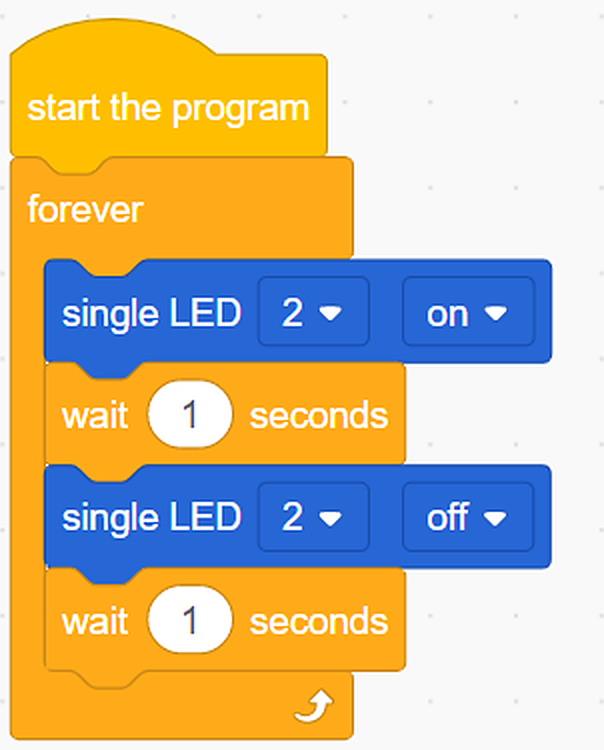
Students extend the program: button pressed → LED ON + buzzer ON for 1 second → both OFF. Simulates a factory signal.
جرّبوا كود التجربة أولًا، توقّعوا النتيجة، ثم ابنوا البرنامج الكامل.
🧪 Practice codestudents
The small test program, the workflow and the project files. Run it first, predict what happens, then test.
برنامج التجربة الصغير ومخطط العمل وملفات المشروع. شغّلوه أولًا وتوقّعوا ثم اختبروا.
👆 Tap to open it big · اضغط لتكبيره
⚠️ Cable: use a USB-A to Type-C cable. A Type-C to Type-C cable will NOT be detected by RoboCode.
⚠️ الكابل: استخدموا كابل USB-A إلى Type-C. كابل Type-C إلى Type-C لن يتعرّف عليه برنامج RoboCode.
🧪
Day 1 is practice only. There is no final program today — build the four practice tasks together and make each one run.
اليوم الأول تجربة فقط. لا يوجد برنامج نهائي اليوم — ابنوا مهام التجربة الأربع معًا وشغّلوا كل واحدة.
🧪
No final program for this day yet. Work through the practice code together — the finished file will appear here once it is added to the Drive folder.
لا يوجد برنامج نهائي لهذا اليوم بعد. اعملوا على كود التجربة معًا — وسيظهر الملف النهائي هنا عند إضافته إلى مجلد درايف.
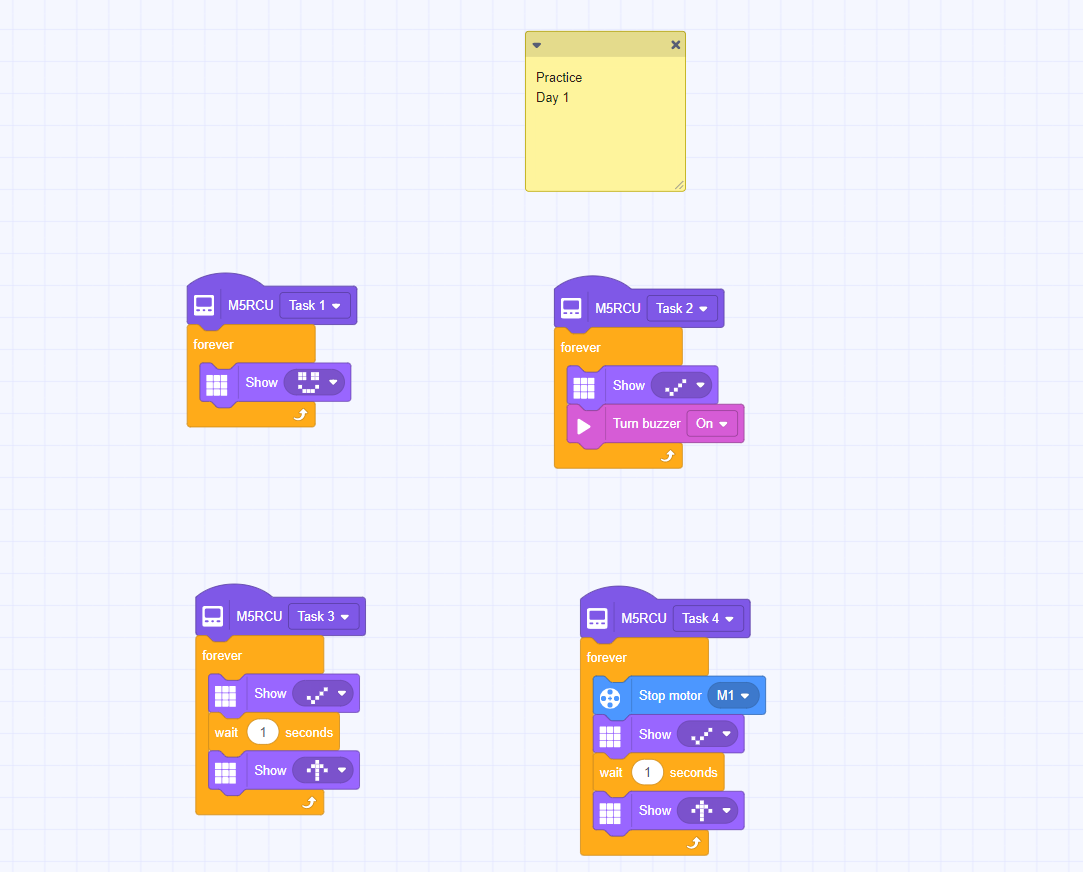
Practice code
The practice code — build this one firstكود التجربة — ابنوا هذا أولًا
Test & AdjustPart 6 of 6
الاختبار والضبط5 min · دقيقة

✅ Does it work? هل يعمل؟

Test the system. Does the signal fire when the button is pressed? Adjust timing if needed. What would happen in a real factory if a signal like this went off?
لا نسأل: هل انتهينا؟ بل: هل يعمل؟ وإن لم يعمل، فلماذا؟
Everyone · للجميع
Make the signal fire
اجعل الإشارة تعمل
Press the button — the LED and buzzer must come on together for exactly 1 second, then both go off.
اضغط الزر — يجب أن يعمل الـLED والجرس معًا لثانية واحدة بالضبط ثم يتوقفا.
Challenge · تحدٍّ
Two signals, one button
إشارتان بزر واحد
Can you make a SHORT press flash once and a LONG press flash three times? Plan it before you code it.
هل تستطيع جعل الضغطة القصيرة تُومض مرة والطويلة ثلاث مرات؟ خطّط قبل أن تبرمج.
🏆
Demo & SubmitClosing the session
العرض والتسليم

🏆 Demo time — and tell us what you learned وقت العرض — وأخبرونا بما تعلّمتم

Every team shows one success to the class. Then write your name and what you learned today.
كل فريق يعرض نجاحًا واحدًا أمام الصف. ثم اكتبوا أسماءكم وما تعلّمتموه اليوم.
المخيم الصيفي 2026
Summer Camp 2026
Our Family, Our Unity · أسرتنا وحدتنا
Day 2: Sliding Smart Door
الفئة الأولى · الصنّاع الصغار
Camp 2 — Made in UAE: Smart Factory Challenge · dubaiculture.net
🚩
Getting startedBefore the clock starts
البداية — قبل أن يبدأ الوقت

🗺️ Our 8-Day Journey رحلتنا في ٨ أيام

You are here: Day 2 — Sliding Smart Door. Every day adds one new machine. On Day 8 we connect them all into one factory.
أنت هنا: اليوم 2 — Sliding Smart Door. كل يوم نضيف آلة جديدة، وفي اليوم الثامن نربطها كلها في مصنع واحد.
D1
Smart Factory Foundations
Sliding Smart Door
D3
Factory Forklift Robot
D4
Line-Following Robot
D5
Handling Robot Arm
D6
Type & Quality Sorting
D7
Type & Quality Sorting (Advanced)
🏆
Smart Factory
What we build today
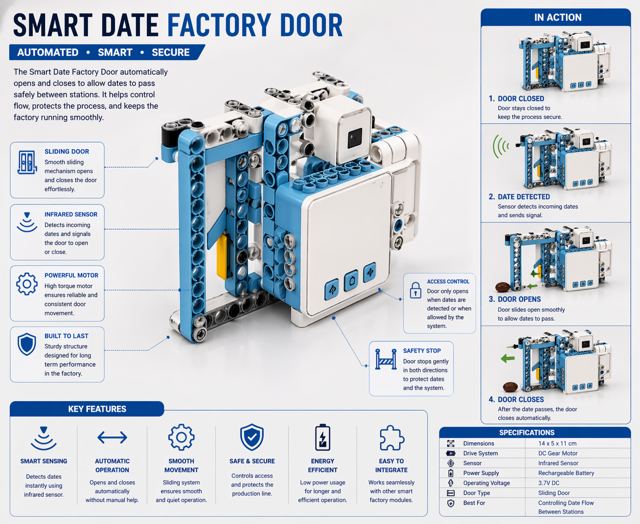
Students build an automatic smart factory door that opens and closes when a robot or object approaches. Using sensors and a motorized mechanism, they explore how smart entrances are used in modern factories to improve safety, efficiency, and workflow.
ما نبنيه اليوم
يقوم الطلاب ببناء باب مصنع ذكي يعمل تلقائيًا عند اقتراب روبوت أو جسم معين. ومن خلال استخدام الحساسات وآلية الحركة، يتعرفون على كيفية استخدام الأبواب الذكية في المصانع الحديثة لتحسين السلامة وكفاءة العمل.
🚩
Getting startedBefore the clock starts
البداية — قبل أن يبدأ الوقت
TODAY AT A GLANCE

🗂️ Day 2 — Sliding Smart Door اليوم 2

Here is everything we will do today. Ninety minutes, and each part has its own timer in the bar at the top of every slide.
هذا كل ما سنقوم به اليوم: تسعون دقيقة، ولكل جزء وقته في الشريط أعلى كل شريحة.
🔍 Inquiry Hookسؤال الانطلاق
5 min
📖 Theoryالشرح النظري
20 min
🎯 Knowledge Checkفحص الفهم
5 min
🔧 Build & Assembleالبناء والتركيب
45 min
💻 Full System Programالبرنامج الكامل
20 min
✅ Test & Adjustالاختبار والضبط
5 min
🏆 Demo & Submitالعرض والتسليم
🚩
Getting startedBefore the clock starts
البداية — قبل أن يبدأ الوقت
🛡️
Quick Reminders تذكير سريع
  • 🤝 Respect, listen, help each other · احترم واستمع وساعد زملاءك
  • ✋ Fingers away from moving parts · الأصابع بعيدة عن الأجزاء المتحركة
  • 🔌 Wiring check before any code · فحص التوصيلات قبل أي برمجة
  • 🧹 Return & tidy all parts at the end · أعد ورتّب جميع القطع في النهاية
🚩
Getting startedBefore the clock starts
البداية — قبل أن يبدأ الوقت

🎬 See it working first شاهدوه يعمل أولًا

The real model, built and running. Play it before anybody opens a box — then pause and ask: which part moves, which part holds still, and how does it know when to start?
النموذج الحقيقي مبنيًّا ويعمل. شغّلوه قبل أن يفتح أحد الصندوق، ثم أوقفوه واطرحوا على الصف: أي جزء يتحرك؟ وأيّها يثبت؟ وكيف يعرف متى يبدأ؟
📄
The building manual PDF is here too, for any team that prefers paper to the 3D model.
دليل البناء بصيغة PDF متاح هنا أيضًا لمن يفضّل الورق.
🔍
Inquiry HookPart 1 of 6
سؤال الانطلاق5 min · دقيقة

🇦🇪 Watch: real UAE industry شاهد: الصناعة الإماراتية

🇦🇪 Make It in the Emirates — UAE-made robots, vehicles & 3D-printed boatsاصنع في الإمارات — روبوتات ومركبات إماراتية الصنع YouTube · Make It in the Emirates ↗
Have you ever walked through a door that opened by itself? How do you think it knew you were there? Let students guess, then show a proximity sensor.
شاهدوا الفيديو ثم أجيبوا معًا عن سؤال الانطلاق.
📖
Theory10 slides
الشرح النظري20 min · دقيقة
📖
Theoryالشرح النظري
10 slides · 20 min
Already covered? Press Next to skip straight to the next part.
هل تمت تغطيتها؟ اضغط التالي للانتقال إلى الجزء التالي.
🎯
Knowledge CheckPart 3 of 6
فحص الفهم5 min · دقيقة

🎯 Do we understand it? هل فهمنا؟

Tap a question to reveal the answer — let the students answer first.
اضغط على السؤال لتظهر الإجابة — دع الطلاب يجيبون أولًا.
Q1
What tells our door that somebody is there?
ما الذي يخبر بابنا أن هناك شخصًا؟
Answer · الجواب
The sensor — the INPUT. It feels a person coming and reports it to the brain.
الحسّاس — المُدخل. يشعر باقتراب شخص ويُبلغ الدماغ.
Q2
Which port does the sensor go into?
في أي منفذ يوصَّل الحسّاس؟
Answer · الجواب
P1. The motor goes into M1.
المنفذ P1، والمحرك في M1.
Q3
The motor turns in reverse. What happens?
يدور المحرك عكسيًا — ماذا يحدث؟
Answer · الجواب
The panel retracts and the door OPENS. Forward pushes it out and closes it.
ينسحب اللوح ويُفتح الباب. والاتجاه الأمامي يُغلقه.
Q4
Why does the door WAIT before closing?
لماذا ينتظر الباب قبل أن يُغلق؟
Answer · الجواب
So the person has time to walk through. Close too fast and you trap somebody.
ليتمكّن الشخص من العبور. الإغلاق السريع يحبس أحدهم.
Q5
What does the LOOP card do?
ماذا تفعل لبنة التكرار؟
Answer · الجواب
Sends the program back to the start, so the door keeps working instead of opening once.
تُعيد البرنامج إلى البداية ليعمل الباب دائمًا بدل مرة واحدة.
Q6
The motor only spins. How does the door slide?
المحرك يدور فقط — كيف ينزلق الباب؟
Answer · الجواب
The linkage changes the spin into a slide.
آلية النقل تحوّل الدوران إلى انزلاق.
🔧
Build & AssemblePart 4 of 6
البناء والتركيب45 min · دقيقة

🔧 Build & Assemble البناء والتركيب

Students assemble the door mechanism with a servo motor and connect the proximity sensor. Test the servo by manually triggering it to open and close.
ابنوا خطوة بخطوة من الدليل. الميسّر يتجوّل بين الفرق ولا يبني مكانهم.
📌
This opens the sliding-door model directly — not the full manual catalogue.
يفتح هذا مجسّم الباب المنزلق مباشرة — لا كتالوج الأدلة الكامل.
🧊
Sliding Door — ZMROBO 3D manual
دليل الباب المنزلق ثلاثي الأبعاد
▶ Click to open it here · اضغط لفتحه هنا
🔁
End of the day: take your robot apart and put every piece back in the box — tomorrow you build a new machine from the same parts.
في نهاية اليوم: فكّوا الروبوت وأعيدوا كل قطعة إلى الصندوق — غدًا تبنون آلة جديدة من القطع نفسها.
💻
Full System ProgramPart 5 of 6
البرنامج الكامل20 min · دقيقة

💻 Full System Program البرنامج الكامل

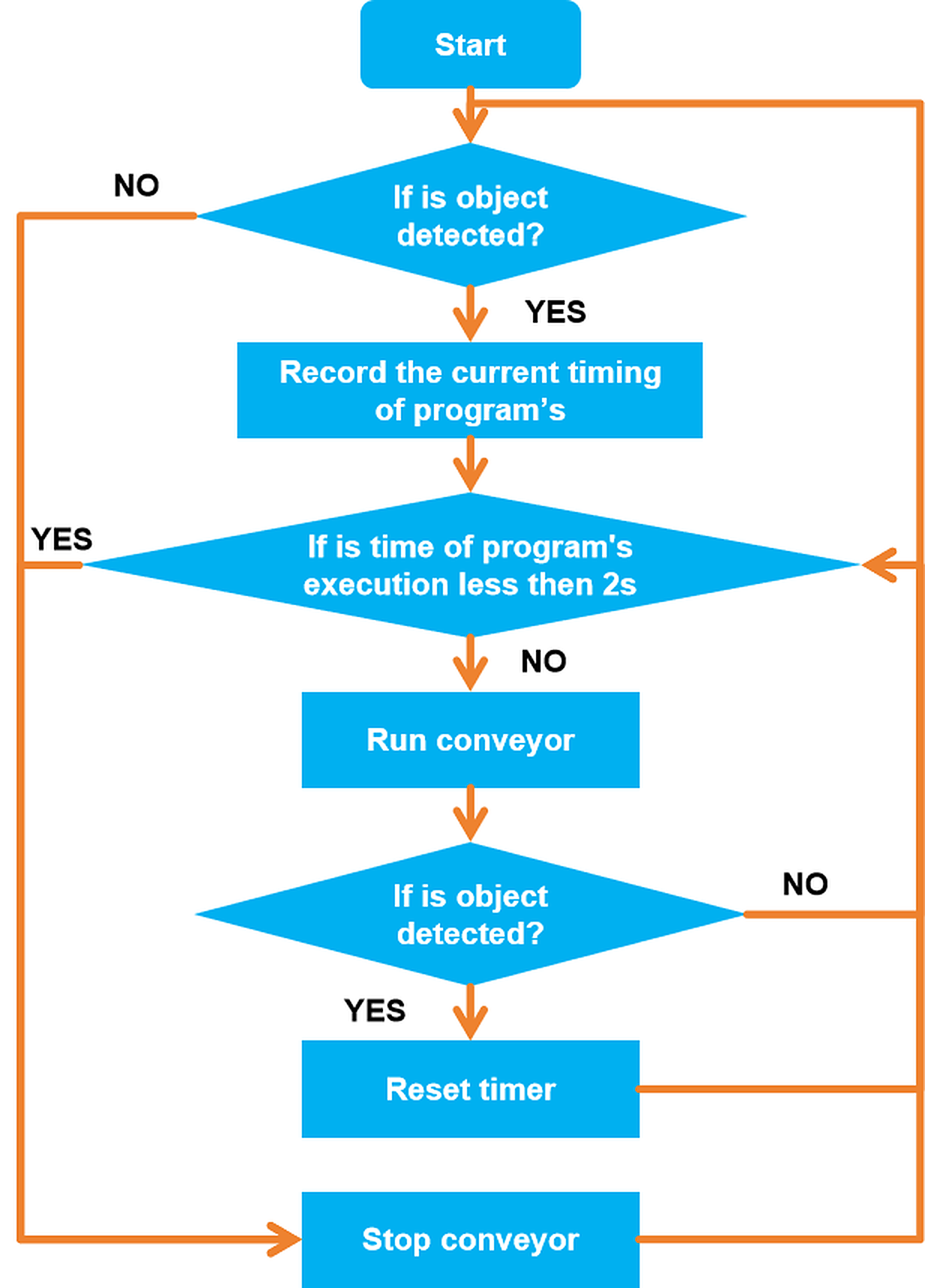
Students replace the button with the sensor: IF object detected THEN servo opens door → wait → servo closes. Upload and test.
جرّبوا كود التجربة أولًا، توقّعوا النتيجة، ثم ابنوا البرنامج الكامل.
🧪 Practice codestudents
The small test program, the workflow and the project files. Run it first, predict what happens, then test.
برنامج التجربة الصغير ومخطط العمل وملفات المشروع. شغّلوه أولًا وتوقّعوا ثم اختبروا.
👆 Tap to open it big · اضغط لتكبيره
💻 Full programfacilitators
The complete final code for today, block by block. Reveal it only after the teams have tried.
الكود النهائي الكامل لليوم لبنةً لبنة. اعرضه بعد أن تحاول الفرق.
🔒 Facilitators only · للميسّرين فقط
⚠️ Cable: use a USB-A to Type-C cable. A Type-C to Type-C cable will NOT be detected by RoboCode.
⚠️ الكابل: استخدموا كابل USB-A إلى Type-C. كابل Type-C إلى Type-C لن يتعرّف عليه برنامج RoboCode.
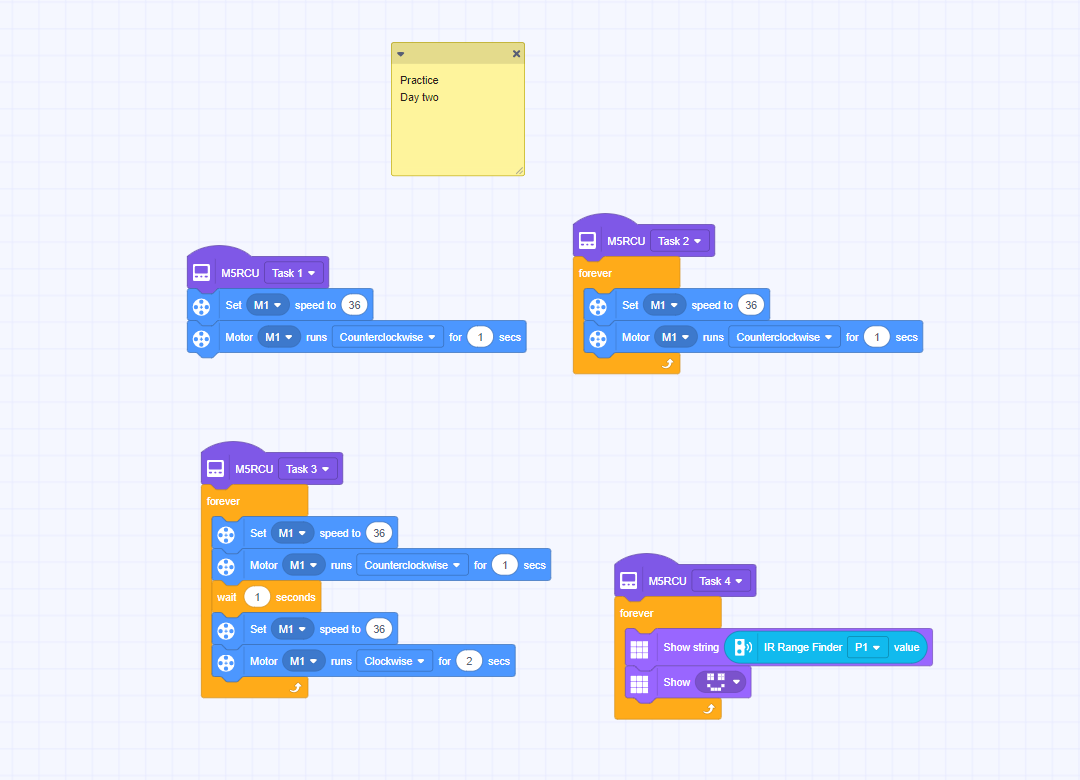
Practice code
The practice code — build this one firstكود التجربة — ابنوا هذا أولًا
Test & AdjustPart 6 of 6
الاختبار والضبط5 min · دقيقة

✅ Does it work? هل يعمل؟

Test by placing a hand or object near the sensor. Does the door open? How close do you need to be? Adjust the threshold for the right sensitivity.
لا نسأل: هل انتهينا؟ بل: هل يعمل؟ وإن لم يعمل، فلماذا؟
Everyone · للجميع
Open and close cleanly
افتح وأغلق بسلاسة
Walk up to the door. It must open, wait, and close smoothly with no grinding.
اقترب من الباب. يجب أن يُفتح وينتظر ويُغلق بسلاسة دون احتكاك.
Challenge · تحدٍّ
Set the exact distance
اضبط المسافة بدقة
Tune the threshold so the door opens at 15 cm — not sooner, not later. Measure it with a ruler.
اضبط الحدّ ليُفتح الباب عند 15 سم — لا قبل ولا بعد. قِس بالمسطرة.
🏆
Demo & SubmitClosing the session
العرض والتسليم

🏆 Demo time — and tell us what you learned وقت العرض — وأخبرونا بما تعلّمتم

Every team shows one success to the class. Then write your name and what you learned today.
كل فريق يعرض نجاحًا واحدًا أمام الصف. ثم اكتبوا أسماءكم وما تعلّمتموه اليوم.
المخيم الصيفي 2026
Summer Camp 2026
Our Family, Our Unity · أسرتنا وحدتنا
Day 3: Factory Forklift Robot
الفئة الأولى · الصنّاع الصغار
Camp 2 — Made in UAE: Smart Factory Challenge · dubaiculture.net
🚩
Getting startedBefore the clock starts
البداية — قبل أن يبدأ الوقت

🗺️ Our 8-Day Journey رحلتنا في ٨ أيام

You are here: Day 3 — Factory Forklift Robot. Every day adds one new machine. On Day 8 we connect them all into one factory.
أنت هنا: اليوم 3 — Factory Forklift Robot. كل يوم نضيف آلة جديدة، وفي اليوم الثامن نربطها كلها في مصنع واحد.
D1
Smart Factory Foundations
D2
Sliding Smart Door
Factory Forklift Robot
D4
Line-Following Robot
D5
Handling Robot Arm
D6
Type & Quality Sorting
D7
Type & Quality Sorting (Advanced)
🏆
Smart Factory
What we build today
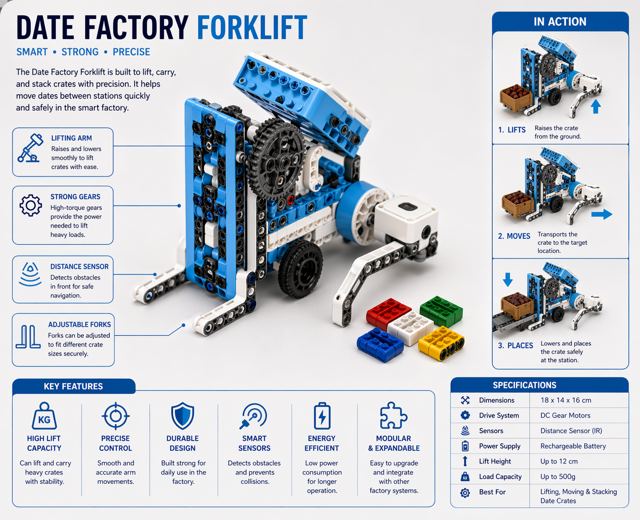
Students build a smart forklift robot capable of lifting, carrying, and transporting products within the factory. They explore how forklifts are used in real factories to move materials safely between storage, production, and delivery areas.
ما نبنيه اليوم
يقوم الطلاب ببناء روبوت رافعة ذكي قادر على رفع المنتجات ونقلها وتحريكها داخل المصنع. ويتعرفون على كيفية استخدام الرافعات في المصانع الحقيقية لنقل المواد بأمان بين مناطق التخزين والإنتاج والتجهيز.
🚩
Getting startedBefore the clock starts
البداية — قبل أن يبدأ الوقت
TODAY AT A GLANCE

🗂️ Day 3 — Factory Forklift Robot اليوم 3

Here is everything we will do today. Ninety minutes, and each part has its own timer in the bar at the top of every slide.
هذا كل ما سنقوم به اليوم: تسعون دقيقة، ولكل جزء وقته في الشريط أعلى كل شريحة.
🔍 Inquiry Hookسؤال الانطلاق
5 min
📖 Theoryالشرح النظري
20 min
🎯 Knowledge Checkفحص الفهم
5 min
🔧 Build & Assembleالبناء والتركيب
45 min
💻 Full System Programالبرنامج الكامل
20 min
✅ Test & Adjustالاختبار والضبط
5 min
🏆 Demo & Submitالعرض والتسليم
🚩
Getting startedBefore the clock starts
البداية — قبل أن يبدأ الوقت
🛡️
Quick Reminders تذكير سريع
  • 🤝 Respect, listen, help each other · احترم واستمع وساعد زملاءك
  • ✋ Fingers away from moving parts · الأصابع بعيدة عن الأجزاء المتحركة
  • 🔌 Wiring check before any code · فحص التوصيلات قبل أي برمجة
  • 🧹 Return & tidy all parts at the end · أعد ورتّب جميع القطع في النهاية
🚩
Getting startedBefore the clock starts
البداية — قبل أن يبدأ الوقت

🎬 The full camp film فيلم المخيم الكامل

Our camp film for this age group — watch the machines working, then we build today\'s one: Factory Forklift Robot.
هذا ما سنبنيه اليوم — Factory Forklift Robot. شاهدوا الآلة وهي تعمل، ثم نبني آلتنا.
Loading the video… · جارٍ تحميل الفيديو…
🔍
Inquiry HookPart 1 of 6
سؤال الانطلاق5 min · دقيقة

🇦🇪 Watch: real UAE industry شاهد: الصناعة الإماراتية

🚢 DP World Jebel Ali — BoxBay, the fully automated container yardموانئ دبي العالمية جبل علي — بوكس باي، ساحة الحاويات المؤتمتة بالكامل YouTube · DP World BoxBay ↗
Have you seen a forklift at a supermarket or construction site? What does it do? Show a forklift image and point out the lifting mechanism.
شاهدوا الفيديو ثم أجيبوا معًا عن سؤال الانطلاق.
📖
Theory10 slides
الشرح النظري20 min · دقيقة
📖
Theoryالشرح النظري
10 slides · 20 min
Already covered? Press Next to skip straight to the next part.
هل تمت تغطيتها؟ اضغط التالي للانتقال إلى الجزء التالي.
🎯
Knowledge CheckPart 3 of 6
فحص الفهم5 min · دقيقة
CHECK WHAT THEY HEARD

🎯 Do we understand it? هل فهمنا؟

Tap a question to reveal the answer — let the students answer first.
اضغط على السؤال لتظهر الإجابة — دع الطلاب يجيبون أولًا.
Q1
What two jobs does a forklift do at once?
Answer · الجواب
It drives, and it lifts — with a separate motor for each.
Q2
Why is the back of a forklift heavy?
Answer · الجواب
It is a counterweight. Without it the load in front would tip the machine over.
Q3
Should you carry a load high or low?
Answer · الجواب
Low. High loads tip the forklift forward.
Q4
Gear it for speed or for force?
Answer · الجواب
You cannot have both. Slow gearing lifts more; fast gearing lifts less.
Q5
Why lift and drive separately?
Answer · الجواب
Doing both at once makes the load swing and the machine topple.
Q6
The motor only spins. How do the forks rise?
Answer · الجواب
A mechanism — a rack, a screw or a string on a spool — turns the spin into a lift.
🔧
Build & AssemblePart 4 of 6
البناء والتركيب45 min · دقيقة

🔧 Build & Assemble البناء والتركيب

Students build the forklift robot frame and attach the lift mechanism. Test the motor by running it forward and backward to confirm lifting and lowering works.
ابنوا خطوة بخطوة من الدليل. الميسّر يتجوّل بين الفرق ولا يبني مكانهم.
📌
This is the forklift model. Follow it step by step in 3D.
هذا مجسّم الرافعة. اتبعوه خطوة بخطوة في الوضع ثلاثي الأبعاد.
🧊
Forklift — ZMROBO 3D manual
دليل الرافعة ثلاثي الأبعاد
▶ Click to open it here · اضغط لفتحه هنا
🔁
End of the day: take your robot apart and put every piece back in the box — tomorrow you build a new machine from the same parts.
في نهاية اليوم: فكّوا الروبوت وأعيدوا كل قطعة إلى الصندوق — غدًا تبنون آلة جديدة من القطع نفسها.
💻
Full System ProgramPart 5 of 6
البرنامج الكامل20 min · دقيقة

💻 Full System Program البرنامج الكامل

Students program the forklift to: drive forward → lift forks → pause → lower forks → drive back. Simulate picking up a load from the factory floor.
جرّبوا كود التجربة أولًا، توقّعوا النتيجة، ثم ابنوا البرنامج الكامل.
🧪 Practice codestudents
The small test program, the workflow and the project files. Run it first, predict what happens, then test.
برنامج التجربة الصغير ومخطط العمل وملفات المشروع. شغّلوه أولًا وتوقّعوا ثم اختبروا.
👆 Tap to open it big · اضغط لتكبيره
💻 Full programfacilitators
The complete final code for today, block by block. Reveal it only after the teams have tried.
الكود النهائي الكامل لليوم لبنةً لبنة. اعرضه بعد أن تحاول الفرق.
🔒 Facilitators only · للميسّرين فقط
⚠️ Cable: use a USB-A to Type-C cable. A Type-C to Type-C cable will NOT be detected by RoboCode.
⚠️ الكابل: استخدموا كابل USB-A إلى Type-C. كابل Type-C إلى Type-C لن يتعرّف عليه برنامج RoboCode.
🧪
No final program for this day yet. Work through the practice code together — the finished file will appear here once it is added to the Drive folder.
لا يوجد برنامج نهائي لهذا اليوم بعد. اعملوا على كود التجربة معًا — وسيظهر الملف النهائي هنا عند إضافته إلى مجلد درايف.
🚧
The forklift final program is not finished yet. Work through the practice code together — the completed file will appear here once it is added to the Drive folder.
برنامج الرافعة النهائي لم يكتمل بعد. اعملوا على كود التجربة معًا — وسيظهر الملف المكتمل هنا عند إضافته إلى مجلد درايف.
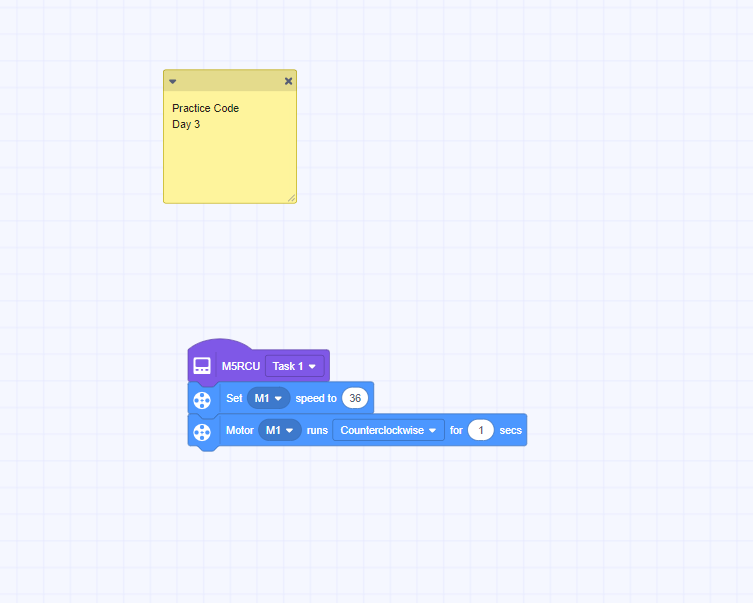
Practice code
The practice code — build this one firstكود التجربة — ابنوا هذا أولًا
Test & AdjustPart 6 of 6
الاختبار والضبط5 min · دقيقة

✅ Does it work? هل يعمل؟

Test the forklift by placing a small object on its forks. Does it carry the object successfully? Adjust motor timing to improve lifting accuracy.
لا نسأل: هل انتهينا؟ بل: هل يعمل؟ وإن لم يعمل، فلماذا؟
Everyone · للجميع
Lift and carry
ارفع واحمل
Put a small box on the forks. Drive forward, lift, pause, lower, and drive back without dropping it.
ضع صندوقًا صغيرًا على الشوكات. تقدّم وارفع وتوقّف وأنزل وعُد دون إسقاطه.
Challenge · تحدٍّ
Stack it on a step
ضعه على مستوى أعلى
Can you place the box on top of a book instead of the floor? You will need a longer lift time.
هل تستطيع وضع الصندوق فوق كتاب بدل الأرض؟ ستحتاج زمن رفع أطول.
🏆
Demo & SubmitClosing the session
العرض والتسليم

🏆 Demo time — and tell us what you learned وقت العرض — وأخبرونا بما تعلّمتم

Every team shows one success to the class. Then write your name and what you learned today.
كل فريق يعرض نجاحًا واحدًا أمام الصف. ثم اكتبوا أسماءكم وما تعلّمتموه اليوم.
المخيم الصيفي 2026
Summer Camp 2026
Our Family, Our Unity · أسرتنا وحدتنا
Day 4: Line-Following Robot
الفئة الأولى · الصنّاع الصغار
Camp 2 — Made in UAE: Smart Factory Challenge · dubaiculture.net
🚩
Getting startedBefore the clock starts
البداية — قبل أن يبدأ الوقت

🗺️ Our 8-Day Journey رحلتنا في ٨ أيام

You are here: Day 4 — Line-Following Robot. Every day adds one new machine. On Day 8 we connect them all into one factory.
أنت هنا: اليوم 4 — Line-Following Robot. كل يوم نضيف آلة جديدة، وفي اليوم الثامن نربطها كلها في مصنع واحد.
D1
Smart Factory Foundations
D2
Sliding Smart Door
D3
Factory Forklift Robot
Line-Following Robot
D5
Handling Robot Arm
D6
Type & Quality Sorting
D7
Type & Quality Sorting (Advanced)
🏆
Smart Factory
What we build today
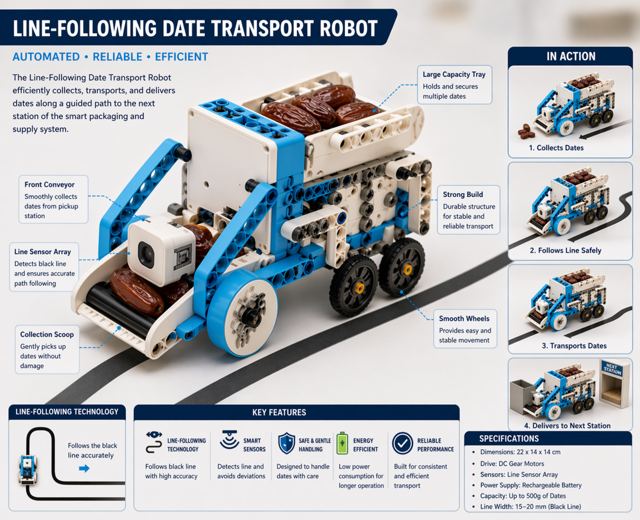
Students build and program a robot that follows a predefined path inside the factory using sensors. They explore how automated transport systems move products between different factory stations without human intervention.
ما نبنيه اليوم
يقوم الطلاب ببناء وبرمجة روبوت يتبع مسارًا محددًا داخل المصنع باستخدام الحساسات. ويتعرفون على كيفية استخدام أنظمة النقل المؤتمتة لنقل المنتجات بين محطات المصنع المختلفة دون تدخل مباشر من الإنسان.
🚩
Getting startedBefore the clock starts
البداية — قبل أن يبدأ الوقت
TODAY AT A GLANCE

🗂️ Day 4 — Line-Following Robot اليوم 4

Here is everything we will do today. Ninety minutes, and each part has its own timer in the bar at the top of every slide.
هذا كل ما سنقوم به اليوم: تسعون دقيقة، ولكل جزء وقته في الشريط أعلى كل شريحة.
🔍 Inquiry Hookسؤال الانطلاق
5 min
📖 Theoryالشرح النظري
20 min
🎯 Knowledge Checkفحص الفهم
5 min
🔧 Build & Assembleالبناء والتركيب
45 min
💻 Full System Programالبرنامج الكامل
20 min
✅ Test & Adjustالاختبار والضبط
5 min
🏆 Demo & Submitالعرض والتسليم
🚩
Getting startedBefore the clock starts
البداية — قبل أن يبدأ الوقت
🛡️
Quick Reminders تذكير سريع
  • 🤝 Respect, listen, help each other · احترم واستمع وساعد زملاءك
  • ✋ Fingers away from moving parts · الأصابع بعيدة عن الأجزاء المتحركة
  • 🔌 Wiring check before any code · فحص التوصيلات قبل أي برمجة
  • 🧹 Return & tidy all parts at the end · أعد ورتّب جميع القطع في النهاية
🚩
Getting startedBefore the clock starts
البداية — قبل أن يبدأ الوقت

🎬 The full camp film فيلم المخيم الكامل

Our camp film for this age group — watch the machines working, then we build today\'s one: Line-Following Robot.
هذا ما سنبنيه اليوم — Line-Following Robot. شاهدوا الآلة وهي تعمل، ثم نبني آلتنا.
Loading the video… · جارٍ تحميل الفيديو…
🔍
Inquiry HookPart 1 of 6
سؤال الانطلاق5 min · دقيقة

🇦🇪 Watch: real UAE industry شاهد: الصناعة الإماراتية

🚆 Etihad Rail — moving goods and people across the UAEقطار الاتحاد — نقل البضائع والناس عبر الإمارات YouTube · Etihad Rail ↗
Place a piece of tape on the table as a path. Ask students to walk along it as slowly as possible. What would happen if a robot had to follow this line? What would it need to sense?
شاهدوا الفيديو ثم أجيبوا معًا عن سؤال الانطلاق.
📖
Theory11 slides
الشرح النظري20 min · دقيقة
📖
Theoryالشرح النظري
11 slides · 20 min
Already covered? Press Next to skip straight to the next part.
هل تمت تغطيتها؟ اضغط التالي للانتقال إلى الجزء التالي.
🎯
Knowledge CheckPart 3 of 6
فحص الفهم5 min · دقيقة
CHECK WHAT THEY HEARD

🎯 Do we understand it? هل فهمنا؟

Tap a question to reveal the answer — let the students answer first.
اضغط على السؤال لتظهر الإجابة — دع الطلاب يجيبون أولًا.
Q1
How does the robot turn with no steering wheel?
Answer · الجواب
By running one wheel differently from the other. That is differential drive.
Q2
Which port for the left motor?
Answer · الجواب
M1. The right motor goes into M2. Swap them and every turn is mirrored.
Q3
What colour are the motion cards, and how many?
Answer · الجواب
Red, and there are five: forward, back, stop, turn left, turn right.
Q4
Why 0.2 seconds and not 1 second for a turn?
Answer · الجواب
Turning is fast. A whole second spins the robot far past where you wanted it.
Q5
How does the sensor know it is on the line?
Answer · الجواب
The line is dark and the floor is light. It only has to tell those apart.
Q6
What makes the robot drive in a square?
Answer · الجواب
Forward then turn, repeated four times.
🔧
Build & AssemblePart 4 of 6
البناء والتركيب45 min · دقيقة

🔧 Build & Assemble البناء والتركيب

Students build the line-following robot and position the sensor underneath, close to the ground. Test the sensor reading by sliding it over a printed black line.
ابنوا خطوة بخطوة من الدليل. الميسّر يتجوّل بين الفرق ولا يبني مكانهم.
📌
Build the racer from this manual — then fit the COLOUR SENSOR at the front, facing down, so it can read the line.
ابنوا السيارة من هذا الدليل — ثم ثبّتوا حسّاس اللون في المقدمة متجهًا للأسفل ليقرأ الخط.
🧊
High-speed Racer — ZMROBO 3D manual
دليل السيارة السريعة
▶ Click to open it here · اضغط لفتحه هنا
🔁
End of the day: take your robot apart and put every piece back in the box — tomorrow you build a new machine from the same parts.
في نهاية اليوم: فكّوا الروبوت وأعيدوا كل قطعة إلى الصندوق — غدًا تبنون آلة جديدة من القطع نفسها.
💻
Full System ProgramPart 5 of 6
البرنامج الكامل20 min · دقيقة

💻 Full System Program البرنامج الكامل

Students program: read sensor → IF on line THEN straight, ELSE turn toward line. Upload and test on a printed track.
جرّبوا كود التجربة أولًا، توقّعوا النتيجة، ثم ابنوا البرنامج الكامل.
🧪 Practice codestudents
The small test program, the workflow and the project files. Run it first, predict what happens, then test.
برنامج التجربة الصغير ومخطط العمل وملفات المشروع. شغّلوه أولًا وتوقّعوا ثم اختبروا.
👆 Tap to open it big · اضغط لتكبيره
💻 Full programfacilitators
The complete final code for today, block by block. Reveal it only after the teams have tried.
الكود النهائي الكامل لليوم لبنةً لبنة. اعرضه بعد أن تحاول الفرق.
🔒 Facilitators only · للميسّرين فقط
⚠️ Cable: use a USB-A to Type-C cable. A Type-C to Type-C cable will NOT be detected by RoboCode.
⚠️ الكابل: استخدموا كابل USB-A إلى Type-C. كابل Type-C إلى Type-C لن يتعرّف عليه برنامج RoboCode.
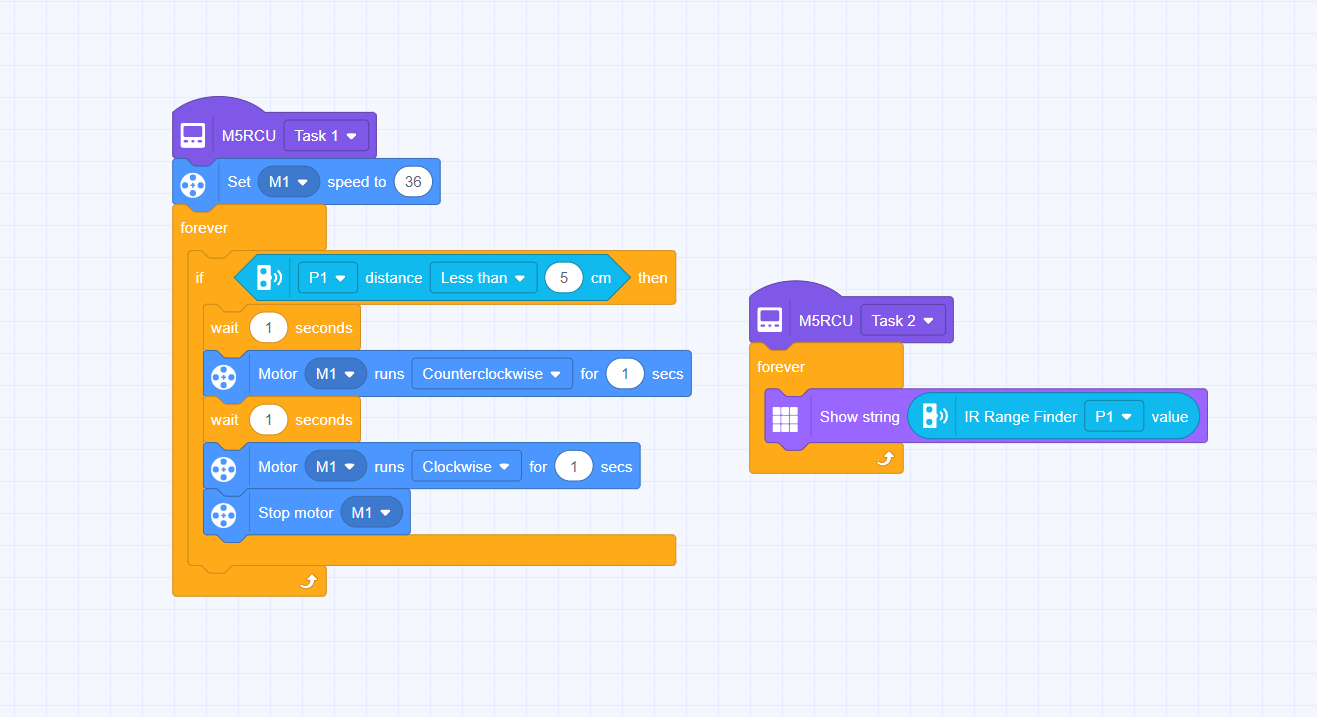
Practice code
The practice code — build this one firstكود التجربة — ابنوا هذا أولًا
Test & AdjustPart 6 of 6
الاختبار والضبط5 min · دقيقة

✅ Does it work? هل يعمل؟

Place the robot on the track and observe. Does it follow the path? Adjust motor speed or turning logic if it overshoots or wiggles too much.
لا نسأل: هل انتهينا؟ بل: هل يعمل؟ وإن لم يعمل، فلماذا؟
Everyone · للجميع
Move forward and backward
تحرّك للأمام والخلف
Who can make the robot drive forward 2 seconds, stop, then drive backward to where it started?
من يستطيع جعل الروبوت يتقدّم ثانيتين ثم يتوقف ثم يعود إلى نقطة البداية؟
Challenge · تحدٍّ
Turn exactly 90 degrees
استدر 90 درجة بالضبط
Now make the robot rotate exactly 90°. Hint: one wheel forward, one wheel back — then find the right time.
الآن اجعل الروبوت يدور 90 درجة بالضبط. تلميح: عجلة للأمام وأخرى للخلف — ثم اضبط الزمن.
🏆
Demo & SubmitClosing the session
العرض والتسليم

🏆 Demo time — and tell us what you learned وقت العرض — وأخبرونا بما تعلّمتم

Every team shows one success to the class. Then write your name and what you learned today.
كل فريق يعرض نجاحًا واحدًا أمام الصف. ثم اكتبوا أسماءكم وما تعلّمتموه اليوم.
المخيم الصيفي 2026
Summer Camp 2026
Our Family, Our Unity · أسرتنا وحدتنا
Day 5: Handling Robot Arm
الفئة الأولى · الصنّاع الصغار
Camp 2 — Made in UAE: Smart Factory Challenge · dubaiculture.net
🚩
Getting startedBefore the clock starts
البداية — قبل أن يبدأ الوقت

🗺️ Our 8-Day Journey رحلتنا في ٨ أيام

You are here: Day 5 — Handling Robot Arm. Every day adds one new machine. On Day 8 we connect them all into one factory.
أنت هنا: اليوم 5 — Handling Robot Arm. كل يوم نضيف آلة جديدة، وفي اليوم الثامن نربطها كلها في مصنع واحد.
D1
Smart Factory Foundations
D2
Sliding Smart Door
D3
Factory Forklift Robot
D4
Line-Following Robot
Handling Robot Arm
D6
Type & Quality Sorting
D7
Type & Quality Sorting (Advanced)
🏆
Smart Factory
What we build today
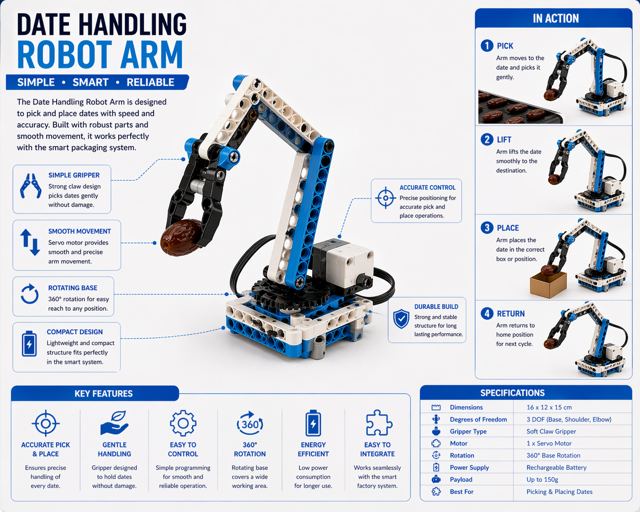
Students build a simple robotic arm that can pick up, move, and place objects within the factory system. They explore how robotic arms are used in production lines to handle products accurately and efficiently.
ما نبنيه اليوم
يقوم الطلاب ببناء ذراع روبوتية بسيطة قادرة على التقاط العناصر ونقلها ووضعها داخل نظام المصنع. ويتعرفون على كيفية استخدام الأذرع الروبوتية في خطوط الإنتاج لمناولة المنتجات بدقة وكفاءة.
🚩
Getting startedBefore the clock starts
البداية — قبل أن يبدأ الوقت
TODAY AT A GLANCE

🗂️ Day 5 — Handling Robot Arm اليوم 5

Here is everything we will do today. Ninety minutes, and each part has its own timer in the bar at the top of every slide.
هذا كل ما سنقوم به اليوم: تسعون دقيقة، ولكل جزء وقته في الشريط أعلى كل شريحة.
🔍 Inquiry Hookسؤال الانطلاق
5 min
📖 Theoryالشرح النظري
20 min
🎯 Knowledge Checkفحص الفهم
5 min
🔧 Build & Assembleالبناء والتركيب
45 min
💻 Full System Programالبرنامج الكامل
20 min
✅ Test & Adjustالاختبار والضبط
5 min
🏆 Demo & Submitالعرض والتسليم
🚩
Getting startedBefore the clock starts
البداية — قبل أن يبدأ الوقت
🛡️
Quick Reminders تذكير سريع
  • 🤝 Respect, listen, help each other · احترم واستمع وساعد زملاءك
  • ✋ Fingers away from moving parts · الأصابع بعيدة عن الأجزاء المتحركة
  • 🔌 Wiring check before any code · فحص التوصيلات قبل أي برمجة
  • 🧹 Return & tidy all parts at the end · أعد ورتّب جميع القطع في النهاية
🚩
Getting startedBefore the clock starts
البداية — قبل أن يبدأ الوقت

🎬 The full camp film فيلم المخيم الكامل

Our camp film for this age group — watch the machines working, then we build today\'s one: Handling Robot Arm.
هذا ما سنبنيه اليوم — Handling Robot Arm. شاهدوا الآلة وهي تعمل، ثم نبني آلتنا.
Loading the video… · جارٍ تحميل الفيديو…
🔍
Inquiry HookPart 1 of 6
سؤال الانطلاق5 min · دقيقة

🇦🇪 Watch: real UAE industry شاهد: الصناعة الإماراتية

✈️ Strata Al Ain — UAE factory building real aircraft partsستراتا العين — مصنع إماراتي يصنع أجزاء طائرات حقيقية YouTube · Strata Manufacturing ↗
If you had a super-strong arm that could pick up anything perfectly every time — what job would you give it in a factory? Collect creative answers.
شاهدوا الفيديو ثم أجيبوا معًا عن سؤال الانطلاق.
📖
Theory10 slides
الشرح النظري20 min · دقيقة
📖
Theoryالشرح النظري
10 slides · 20 min
Already covered? Press Next to skip straight to the next part.
هل تمت تغطيتها؟ اضغط التالي للانتقال إلى الجزء التالي.
🎯
Knowledge CheckPart 3 of 6
فحص الفهم5 min · دقيقة
CHECK WHAT THEY HEARD

🎯 Do we understand it? هل فهمنا؟

Tap a question to reveal the answer — let the students answer first.
اضغط على السؤال لتظهر الإجابة — دع الطلاب يجيبون أولًا.
Q1
What is a working envelope?
Answer · الجواب
The space the arm can actually reach. Outside it, the arm simply cannot go.
Q2
Why grip gently?
Answer · الجواب
Too tight crushes the product and strains the motor. Too loose drops it.
Q3
What is repeatability?
Answer · الجواب
Doing the same thing the same way every time. It matters more than speed or strength.
Q4
Why put a wait between moves?
Answer · الجواب
So each move finishes before the next begins — otherwise the arm drops the product.
Q5
How do you find the fastest reliable speed?
Answer · الجواب
Shorten the waits until it starts failing, then go back one step.
Q6
Your arm misses by 2 cm. What do you change?
Answer · الجواب
One angle — the one for that position. Not the whole program.
🔧
Build & AssemblePart 4 of 6
البناء والتركيب45 min · دقيقة

🔧 Build & Assemble البناء والتركيب

Students assemble the robot arm kit — attach the base servo, shoulder servo, and gripper. Test each servo individually before combining.
ابنوا خطوة بخطوة من الدليل. الميسّر يتجوّل بين الفرق ولا يبني مكانهم.
📌
This manual builds the BASE of the arm. Students then continue on their own and finish the arm.
هذا الدليل يبني قاعدة الذراع فقط. ثم يكمل الطلاب بأنفسهم بناء بقية الذراع.
🧊
Swing Ride — the ARM BASE
قاعدة الذراع
▶ Click to open it here · اضغط لفتحه هنا
🔁
End of the day: take your robot apart and put every piece back in the box — tomorrow you build a new machine from the same parts.
في نهاية اليوم: فكّوا الروبوت وأعيدوا كل قطعة إلى الصندوق — غدًا تبنون آلة جديدة من القطع نفسها.
💻
Full System ProgramPart 5 of 6
البرنامج الكامل20 min · دقيقة

💻 Full System Program البرنامج الكامل

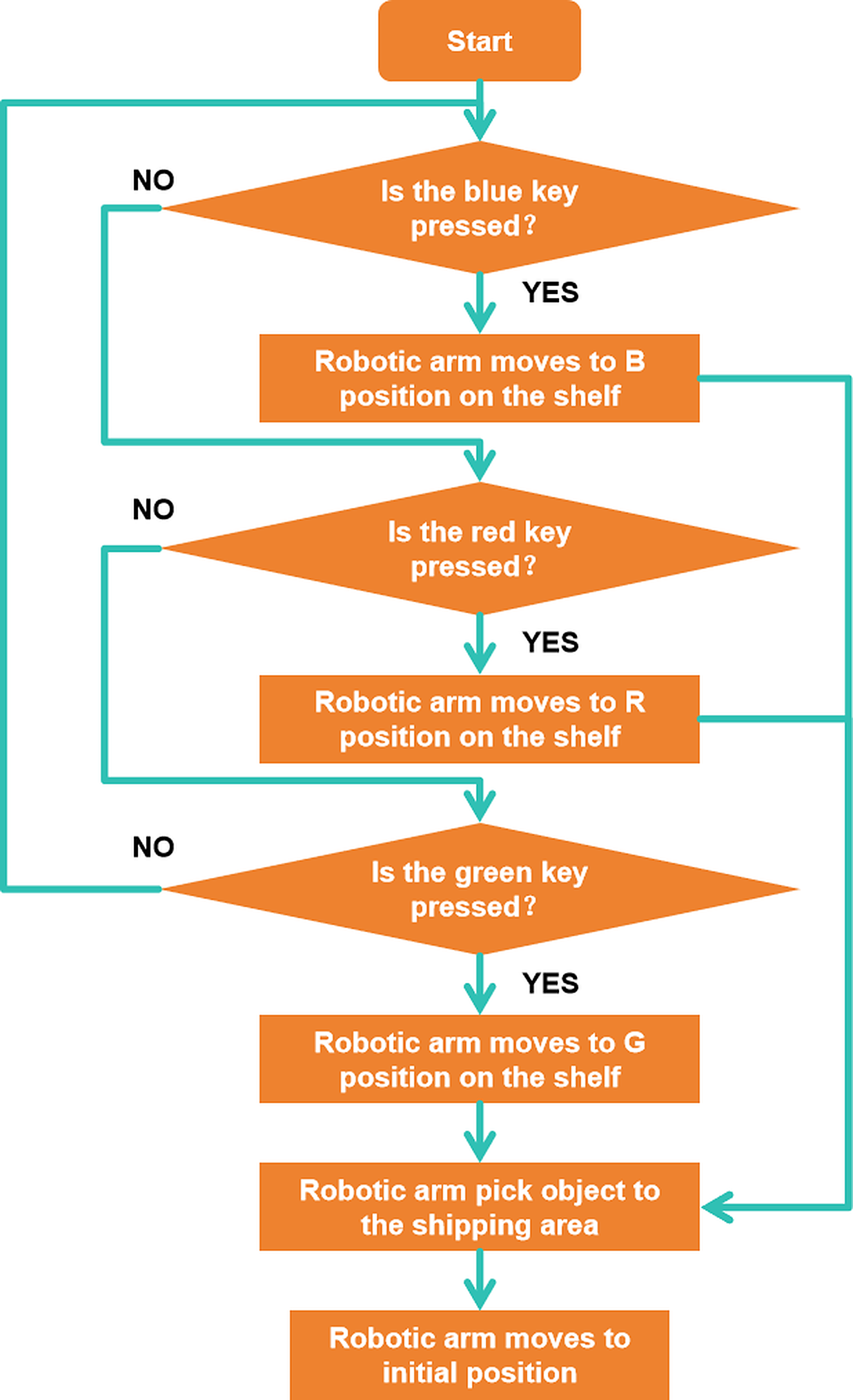
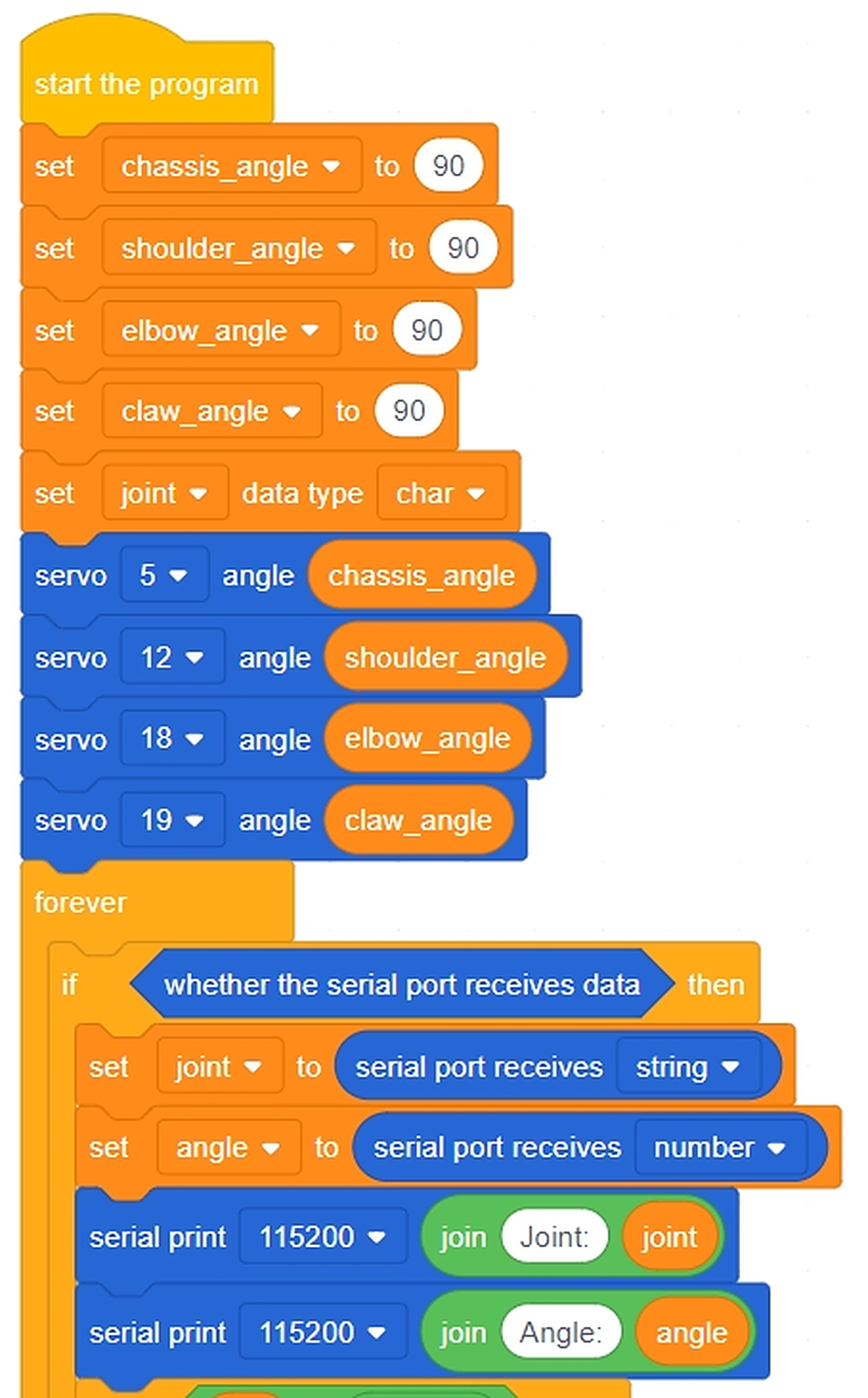
Students program a simple pick-and- place: open gripper → move arm to pick position → close gripper → move arm to place position → open gripper.
جرّبوا كود التجربة أولًا، توقّعوا النتيجة، ثم ابنوا البرنامج الكامل.
🧪 Practice codestudents
The small test program, the workflow and the project files. Run it first, predict what happens, then test.
برنامج التجربة الصغير ومخطط العمل وملفات المشروع. شغّلوه أولًا وتوقّعوا ثم اختبروا.
👆 Tap to open it big · اضغط لتكبيره
💻 Full programfacilitators
The complete final code for today, block by block. Reveal it only after the teams have tried.
الكود النهائي الكامل لليوم لبنةً لبنة. اعرضه بعد أن تحاول الفرق.
🔒 Facilitators only · للميسّرين فقط
⚠️ Cable: use a USB-A to Type-C cable. A Type-C to Type-C cable will NOT be detected by RoboCode.
⚠️ الكابل: استخدموا كابل USB-A إلى Type-C. كابل Type-C إلى Type-C لن يتعرّف عليه برنامج RoboCode.
Test & AdjustPart 6 of 6
الاختبار والضبط5 min · دقيقة

✅ Does it work? هل يعمل؟

Test with a small object between two marked factory stations. Count how many successful picks happen in 5 tries. Discuss what would make it better.
لا نسأل: هل انتهينا؟ بل: هل يعمل؟ وإن لم يعمل، فلماذا؟
Everyone · للجميع
Pick and place
التقط وضع
Move one object from station A to station B. Five tries — how many succeed?
انقل جسمًا من المحطة A إلى B. خمس محاولات — كم نجحت؟
Challenge · تحدٍّ
Do it three times in a row
افعلها ثلاث مرات متتالية
Add a loop so the arm repeats the pick-place-return three times without you touching it.
أضف حلقة لتكرّر الذراع الالتقاط والوضع والعودة ثلاث مرات دون تدخّلك.
🏆
Demo & SubmitClosing the session
العرض والتسليم

🏆 Demo time — and tell us what you learned وقت العرض — وأخبرونا بما تعلّمتم

Every team shows one success to the class. Then write your name and what you learned today.
كل فريق يعرض نجاحًا واحدًا أمام الصف. ثم اكتبوا أسماءكم وما تعلّمتموه اليوم.
المخيم الصيفي 2026
Summer Camp 2026
Our Family, Our Unity · أسرتنا وحدتنا
Day 6: Type & Quality Sorting
الفئة الأولى · الصنّاع الصغار
Camp 2 — Made in UAE: Smart Factory Challenge · dubaiculture.net
🚩
Getting startedBefore the clock starts
البداية — قبل أن يبدأ الوقت

🗺️ Our 8-Day Journey رحلتنا في ٨ أيام

You are here: Day 6 — Type & Quality Sorting. Every day adds one new machine. On Day 8 we connect them all into one factory.
أنت هنا: اليوم 6 — Type & Quality Sorting. كل يوم نضيف آلة جديدة، وفي اليوم الثامن نربطها كلها في مصنع واحد.
D1
Smart Factory Foundations
D2
Sliding Smart Door
D3
Factory Forklift Robot
D4
Line-Following Robot
D5
Handling Robot Arm
Type & Quality Sorting
D7
Type & Quality Sorting (Advanced)
🏆
Smart Factory
What we build today
Students build a smart sorting station that can identify and separate different types of products using sensors. They explore how automated systems detect objects and direct them to the correct location.
ما نبنيه اليوم
يقوم الطلاب ببناء محطة فرز ذكية قادرة على التعرف على أنواع مختلفة من المنتجات وفصلها باستخدام الحساسات. ويتعرفون على كيفية اكتشاف العناصر وتوجيهها إلى المكان المناسب داخل النظام.
🚩
Getting startedBefore the clock starts
البداية — قبل أن يبدأ الوقت
TODAY AT A GLANCE

🗂️ Day 6 — Type & Quality Sorting اليوم 6

Here is everything we will do today. Ninety minutes, and each part has its own timer in the bar at the top of every slide.
هذا كل ما سنقوم به اليوم: تسعون دقيقة، ولكل جزء وقته في الشريط أعلى كل شريحة.
🔍 Inquiry Hookسؤال الانطلاق
5 min
📖 Theoryالشرح النظري
20 min
🎯 Knowledge Checkفحص الفهم
5 min
🔧 Build & Assembleالبناء والتركيب
45 min
💻 Full System Programالبرنامج الكامل
20 min
✅ Test & Adjustالاختبار والضبط
5 min
🏆 Demo & Submitالعرض والتسليم
🚩
Getting startedBefore the clock starts
البداية — قبل أن يبدأ الوقت
🛡️
Quick Reminders تذكير سريع
  • 🤝 Respect, listen, help each other · احترم واستمع وساعد زملاءك
  • ✋ Fingers away from moving parts · الأصابع بعيدة عن الأجزاء المتحركة
  • 🔌 Wiring check before any code · فحص التوصيلات قبل أي برمجة
  • 🧹 Return & tidy all parts at the end · أعد ورتّب جميع القطع في النهاية
🚩
Getting startedBefore the clock starts
البداية — قبل أن يبدأ الوقت

🎬 The full camp film فيلم المخيم الكامل

Our camp film for this age group — watch the machines working, then we build today\'s one: Type & Quality Sorting.
هذا ما سنبنيه اليوم — Type & Quality Sorting. شاهدوا الآلة وهي تعمل، ثم نبني آلتنا.
Loading the video… · جارٍ تحميل الفيديو…
🔍
Inquiry HookPart 1 of 6
سؤال الانطلاق5 min · دقيقة

🇦🇪 Watch: real UAE industry شاهد: الصناعة الإماراتية

🥬 Bustanica Dubai — the world's largest vertical farmبستانِكا دبي — أكبر مزرعة عمودية في العالم YouTube · Bustanica ↗
Bring a mixed pile of coloured blocks or objects. If you had to sort these into groups as fast as possible, how would you do it? What if a machine had to do it?
شاهدوا الفيديو ثم أجيبوا معًا عن سؤال الانطلاق.
📖
Theory9 slides
الشرح النظري20 min · دقيقة
📖
Theoryالشرح النظري
9 slides · 20 min
Already covered? Press Next to skip straight to the next part.
هل تمت تغطيتها؟ اضغط التالي للانتقال إلى الجزء التالي.
🎯
Knowledge CheckPart 3 of 6
فحص الفهم5 min · دقيقة
CHECK WHAT THEY HEARD

🎯 Do we understand it? هل فهمنا؟

Tap a question to reveal the answer — let the students answer first.
اضغط على السؤال لتظهر الإجابة — دع الطلاب يجيبون أولًا.
Q1
How many colours can the sensor name?
Answer · الجواب
Four: red, blue, yellow and green. It cannot see grey or judge brightness.
Q2
Your sorter worked this morning and fails now.
Answer · الجواب
The light changed. Colour readings depend on the lighting and the sensor height.
Q3
What does IF / THEN / ELSE let a program do?
Answer · الجواب
Take a different path depending on what it sees. It is the first real decision.
Q4
Name two ways of separating items.
Answer · الجواب
A pusher, a gate, an arm, or a puff of air.
Q5
Why test with ten items and not one?
Answer · الجواب
Ten finds the jams and mis-reads that one item hides.
Q6
Why mount the sensor at a fixed height?
Answer · الجواب
Distance changes the reading. Move it and every colour has to be retested.
🔧
Build & AssemblePart 4 of 6
البناء والتركيب45 min · دقيقة

🔧 Build & Assemble البناء والتركيب

Students build the sorting station with a sensor and servo gate. Test the servo by moving it to each sorting position manually.
ابنوا خطوة بخطوة من الدليل. الميسّر يتجوّل بين الفرق ولا يبني مكانهم.
📌
This is the colour-sorting model for today.
هذا مجسّم الفرز حسب اللون لليوم.
🧊
Color Sorter — ZMROBO 3D manual
دليل فارز الألوان
▶ Click to open it here · اضغط لفتحه هنا
🔁
End of the day: take your robot apart and put every piece back in the box — tomorrow you build a new machine from the same parts.
في نهاية اليوم: فكّوا الروبوت وأعيدوا كل قطعة إلى الصندوق — غدًا تبنون آلة جديدة من القطع نفسها.
💻
Full System ProgramPart 5 of 6
البرنامج الكامل20 min · دقيقة

💻 Full System Program البرنامج الكامل

Students program: IF sensor reading = Product A → servo to position 1; IF sensor reading = Product B → servo to position 2. Upload and test.
جرّبوا كود التجربة أولًا، توقّعوا النتيجة، ثم ابنوا البرنامج الكامل.
🧪 Practice codestudents
The small test program, the workflow and the project files. Run it first, predict what happens, then test.
برنامج التجربة الصغير ومخطط العمل وملفات المشروع. شغّلوه أولًا وتوقّعوا ثم اختبروا.
👆 Tap to open it big · اضغط لتكبيره
💻 Full programfacilitators
The complete final code for today, block by block. Reveal it only after the teams have tried.
الكود النهائي الكامل لليوم لبنةً لبنة. اعرضه بعد أن تحاول الفرق.
🔒 Facilitators only · للميسّرين فقط
⚠️ Cable: use a USB-A to Type-C cable. A Type-C to Type-C cable will NOT be detected by RoboCode.
⚠️ الكابل: استخدموا كابل USB-A إلى Type-C. كابل Type-C إلى Type-C لن يتعرّف عليه برنامج RoboCode.
Test & AdjustPart 6 of 6
الاختبار والضبط5 min · دقيقة

✅ Does it work? هل يعمل؟

Test with 5 mixed products. How many are sorted correctly? What caused any errors? Adjust sensor placement or threshold to improve accuracy.
لا نسأل: هل انتهينا؟ بل: هل يعمل؟ وإن لم يعمل، فلماذا؟
Everyone · للجميع
Read the colour
اقرأ اللون
Show the sensor three different dates. It must name each colour correctly.
أظهر للحسّاس ثلاث تمرات مختلفة. يجب أن يسمّي كل لون بشكل صحيح.
Challenge · تحدٍّ
Sort ten in a row
افرز عشرًا متتالية
Run ten dates through. Count the mistakes and make ONE change to reduce them.
مرّر عشر تمرات. أحصِ الأخطاء وأجرِ تغييرًا واحدًا لتقليلها.
🏆
Demo & SubmitClosing the session
العرض والتسليم

🏆 Demo time — and tell us what you learned وقت العرض — وأخبرونا بما تعلّمتم

Every team shows one success to the class. Then write your name and what you learned today.
كل فريق يعرض نجاحًا واحدًا أمام الصف. ثم اكتبوا أسماءكم وما تعلّمتموه اليوم.
المخيم الصيفي 2026
Summer Camp 2026
Our Family, Our Unity · أسرتنا وحدتنا
Day 7: Type & Quality Sorting (Advanced)
الفئة الأولى · الصنّاع الصغار
Camp 2 — Made in UAE: Smart Factory Challenge · dubaiculture.net
🚩
Getting startedBefore the clock starts
البداية — قبل أن يبدأ الوقت

🗺️ Our 8-Day Journey رحلتنا في ٨ أيام

You are here: Day 7 — Type & Quality Sorting (Advanced). Every day adds one new machine. On Day 8 we connect them all into one factory.
أنت هنا: اليوم 7 — Type & Quality Sorting (Advanced). كل يوم نضيف آلة جديدة، وفي اليوم الثامن نربطها كلها في مصنع واحد.
D1
Smart Factory Foundations
D2
Sliding Smart Door
D3
Factory Forklift Robot
D4
Line-Following Robot
D5
Handling Robot Arm
D6
Type & Quality Sorting
Type & Quality Sorting (Advanced)
🏆
Smart Factory
What we build today
Students program and improve their sorting system by creating simple decision-making rules based on sensor readings. They test different products, observe how the system responds, and make adjustments to improve accuracy.
ما نبنيه اليوم
يقوم الطلاب ببرمجة وتطوير نظام الفرز من خلال إنشاء قواعد بسيطة لاتخاذ القرار اعتمادًا على قراءات الحساسات. ويختبرون أنواعًا مختلفة من المنتجات ويلاحظون استجابة النظام ويقومون بتحسين أدائه لزيادة الدقة.
🚩
Getting startedBefore the clock starts
البداية — قبل أن يبدأ الوقت
TODAY AT A GLANCE

🗂️ Day 7 — Type & Quality Sorting (Advanced) اليوم 7

Here is everything we will do today. Ninety minutes, and each part has its own timer in the bar at the top of every slide.
هذا كل ما سنقوم به اليوم: تسعون دقيقة، ولكل جزء وقته في الشريط أعلى كل شريحة.
🔍 Inquiry Hookسؤال الانطلاق
5 min
📖 Theoryالشرح النظري
20 min
🎯 Knowledge Checkفحص الفهم
5 min
🔧 Build & Assembleالبناء والتركيب
45 min
💻 Full System Programالبرنامج الكامل
20 min
✅ Test & Adjustالاختبار والضبط
5 min
🏆 Demo & Submitالعرض والتسليم
🚩
Getting startedBefore the clock starts
البداية — قبل أن يبدأ الوقت
🛡️
Quick Reminders تذكير سريع
  • 🤝 Respect, listen, help each other · احترم واستمع وساعد زملاءك
  • ✋ Fingers away from moving parts · الأصابع بعيدة عن الأجزاء المتحركة
  • 🔌 Wiring check before any code · فحص التوصيلات قبل أي برمجة
  • 🧹 Return & tidy all parts at the end · أعد ورتّب جميع القطع في النهاية
🚩
Getting startedBefore the clock starts
البداية — قبل أن يبدأ الوقت

🎬 The full camp film فيلم المخيم الكامل

Our camp film for this age group — watch the machines working, then we build today\'s one: Type & Quality Sorting (Advanced).
هذا ما سنبنيه اليوم — Type & Quality Sorting (Advanced). شاهدوا الآلة وهي تعمل، ثم نبني آلتنا.
Loading the video… · جارٍ تحميل الفيديو…
🔍
Inquiry HookPart 1 of 6
سؤال الانطلاق5 min · دقيقة

🇦🇪 Watch: real UAE industry شاهد: الصناعة الإماراتية

🚒 NAFFCO Dubai — fire trucks made in the UAE for 100+ countriesنافكو دبي — شاحنات إطفاء إماراتية الصنع لأكثر من ١٠٠ دولة YouTube · NAFFCO ↗
Yesterday your sorting system sorted some things correctly. What did it get wrong? What would make it sort better? Invite students to diagnose their system.
شاهدوا الفيديو ثم أجيبوا معًا عن سؤال الانطلاق.
📖
Theory9 slides
الشرح النظري20 min · دقيقة
📖
Theoryالشرح النظري
9 slides · 20 min
Already covered? Press Next to skip straight to the next part.
هل تمت تغطيتها؟ اضغط التالي للانتقال إلى الجزء التالي.
🎯
Knowledge CheckPart 3 of 6
فحص الفهم5 min · دقيقة
CHECK WHAT THEY HEARD

🎯 Do we understand it? هل فهمنا؟

Tap a question to reveal the answer — let the students answer first.
اضغط على السؤال لتظهر الإجابة — دع الطلاب يجيبون أولًا.
Q1
Two yes/no questions — how many outcomes?
Answer · الجواب
Four. Always draw all four before programming.
Q2
What is nesting?
Answer · الجواب
A decision inside a decision — asking a second question inside the answer to the first.
Q3
What is a reject rate?
Answer · الجواب
How many out of every ten were rejected. It is the first number a plant manager checks.
Q4
What is a bottleneck?
Answer · الجواب
The slowest station. It sets the speed of the whole line, so speeding up anything else changes nothing.
Q5
Your sensor reading is right on the boundary.
Answer · الجواب
Decide the rule in advance. For food and medicine, reject when unsure.
Q6
Why does counting matter?
Answer · الجواب
A factory that does not count cannot improve.
🔧
Build & AssemblePart 4 of 6
البناء والتركيب45 min · دقيقة

🔧 Build & Assemble البناء والتركيب

Students re-examine their sorting system wiring and sensor placement. Make any physical adjustments needed based on yesterday's performance.
ابنوا خطوة بخطوة من الدليل. الميسّر يتجوّل بين الفرق ولا يبني مكانهم.
📌
Today each team CHOOSES: rebuild a machine you already made, or design a new one that works as part of the factory.
اليوم يختار كل فريق: إعادة بناء آلة صنعتموها سابقًا، أو تصميم آلة جديدة تعمل كجزء من المصنع.
🧊
Your choice — rebuild or invent
اختياركم — إعادة بناء أو ابتكار
▶ Click to open it here · اضغط لفتحه هنا
🔁
End of the day: take your robot apart and put every piece back in the box — tomorrow you build a new machine from the same parts.
في نهاية اليوم: فكّوا الروبوت وأعيدوا كل قطعة إلى الصندوق — غدًا تبنون آلة جديدة من القطع نفسها.
💻
Full System ProgramPart 5 of 6
البرنامج الكامل20 min · دقيقة

💻 Full System Program البرنامج الكامل

Students update the sorting program with improved logic based on their goal. Upload and run a fresh test with 5 new items.
جرّبوا كود التجربة أولًا، توقّعوا النتيجة، ثم ابنوا البرنامج الكامل.
🧪 Practice codestudents
The small test program, the workflow and the project files. Run it first, predict what happens, then test.
برنامج التجربة الصغير ومخطط العمل وملفات المشروع. شغّلوه أولًا وتوقّعوا ثم اختبروا.
👆 Tap to open it big · اضغط لتكبيره
💻 Full programfacilitators
The complete final code for today, block by block. Reveal it only after the teams have tried.
الكود النهائي الكامل لليوم لبنةً لبنة. اعرضه بعد أن تحاول الفرق.
🔒 Facilitators only · للميسّرين فقط
⚠️ Cable: use a USB-A to Type-C cable. A Type-C to Type-C cable will NOT be detected by RoboCode.
⚠️ الكابل: استخدموا كابل USB-A إلى Type-C. كابل Type-C إلى Type-C لن يتعرّف عليه برنامج RoboCode.
Test & AdjustPart 6 of 6
الاختبار والضبط5 min · دقيقة

✅ Does it work? هل يعمل؟

Compare today's accuracy to yesterday's. Did the improvement work? What would they do differently if they had one more session?
لا نسأل: هل انتهينا؟ بل: هل يعمل؟ وإن لم يعمل، فلماذا؟
Everyone · للجميع
Sort by type AND quality
افرز حسب النوع والجودة
Good Medjool to bin 1, good Ajwa to bin 2, anything damaged to the reject channel.
المجدول الجيد للصندوق 1، والعجوة الجيدة للصندوق 2، وكل تالف لقناة الرفض.
Challenge · تحدٍّ
Add a third type
أضف نوعًا ثالثًا
Teach the machine one more date type without breaking the first two. Test all three.
علّم الآلة نوع تمر إضافيًا دون إفساد النوعين الأولين. اختبر الثلاثة.
🏆
Demo & SubmitClosing the session
العرض والتسليم

🏆 Demo time — and tell us what you learned وقت العرض — وأخبرونا بما تعلّمتم

Every team shows one success to the class. Then write your name and what you learned today.
كل فريق يعرض نجاحًا واحدًا أمام الصف. ثم اكتبوا أسماءكم وما تعلّمتموه اليوم.
المخيم الصيفي 2026
Summer Camp 2026
Our Family, Our Unity · أسرتنا وحدتنا
Day 8: Integrated UAE Smart Factory
الفئة الأولى · الصنّاع الصغار
Camp 2 — Made in UAE: Smart Factory Challenge · dubaiculture.net
🚩
Getting startedBefore the clock starts
البداية — قبل أن يبدأ الوقت

🗺️ Our 8-Day Journey رحلتنا في ٨ أيام

You are here: Day 8 — Integrated UAE Smart Factory. Every day adds one new machine. On Day 8 we connect them all into one factory.
أنت هنا: اليوم 8 — Integrated UAE Smart Factory. كل يوم نضيف آلة جديدة، وفي اليوم الثامن نربطها كلها في مصنع واحد.
D1
Smart Factory Foundations
D2
Sliding Smart Door
D3
Factory Forklift Robot
D4
Line-Following Robot
D5
Handling Robot Arm
D6
Type & Quality Sorting
D7
Type & Quality Sorting (Advanced)
Smart Factory
What we build today
Students combine all the systems they have built into one complete smart factory model, including transport, sorting, handling, and packaging systems. Each group demonstrates how its system works and how it connects with the other factory stations.
ما نبنيه اليوم
يقوم الطلاب بدمج جميع الأنظمة التي قاموا ببنائها في نموذج مصنع ذكي متكامل يشمل أنظمة النقل والفرز والمناولة والتعبئة. وتقوم كل مجموعة بعرض نظامها وشرح كيفية ارتباطه بباقي محطات المصنع.
🚩
Getting startedBefore the clock starts
البداية — قبل أن يبدأ الوقت
TODAY AT A GLANCE

🗂️ Day 8 — Integrated UAE Smart Factory اليوم 8

Here is everything we will do today. Ninety minutes, and each part has its own timer in the bar at the top of every slide.
هذا كل ما سنقوم به اليوم: تسعون دقيقة، ولكل جزء وقته في الشريط أعلى كل شريحة.
🔍 Inquiry Hookسؤال الانطلاق
5 min
📖 Theoryالشرح النظري
20 min
🎯 Knowledge Checkفحص الفهم
5 min
🔧 Build & Assembleالبناء والتركيب
45 min
💻 Full System Programالبرنامج الكامل
20 min
✅ Test & Adjustالاختبار والضبط
5 min
🏆 Demo & Submitالعرض والتسليم
🚩
Getting startedBefore the clock starts
البداية — قبل أن يبدأ الوقت
🛡️
Quick Reminders تذكير سريع
  • 🤝 Respect, listen, help each other · احترم واستمع وساعد زملاءك
  • ✋ Fingers away from moving parts · الأصابع بعيدة عن الأجزاء المتحركة
  • 🔌 Wiring check before any code · فحص التوصيلات قبل أي برمجة
  • 🧹 Return & tidy all parts at the end · أعد ورتّب جميع القطع في النهاية
🚩
Getting startedBefore the clock starts
البداية — قبل أن يبدأ الوقت

🎬 The full camp film فيلم المخيم الكامل

Our camp film for this age group — watch the machines working, then we build today\'s one: Integrated UAE Smart Factory.
هذا ما سنبنيه اليوم — Integrated UAE Smart Factory. شاهدوا الآلة وهي تعمل، ثم نبني آلتنا.
Loading the video… · جارٍ تحميل الفيديو…
🔍
Inquiry HookPart 1 of 6
سؤال الانطلاق5 min · دقيقة

🇦🇪 Watch: real UAE industry شاهد: الصناعة الإماراتية
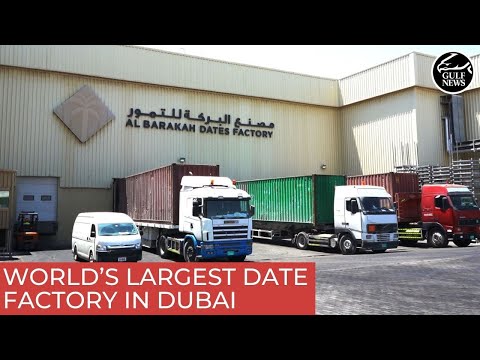
🏭 Inside the world's largest date factory — Dubai Industrial Cityداخل أكبر مصنع تمور في العالم — مدينة دبي الصناعية YouTube · UAE news ↗
Ask each group: 'Which station in your factory are you most proud of? Tell the class what it does in one sentence.' Quick energising round before final integration.
شاهدوا الفيديو ثم أجيبوا معًا عن سؤال الانطلاق.
📖
Theory9 slides
الشرح النظري20 min · دقيقة
📖
Theoryالشرح النظري
9 slides · 20 min
Already covered? Press Next to skip straight to the next part.
هل تمت تغطيتها؟ اضغط التالي للانتقال إلى الجزء التالي.
🎯
Knowledge CheckPart 3 of 6
فحص الفهم5 min · دقيقة
CHECK WHAT THEY HEARD

🎯 Do we understand it? هل فهمنا؟

Tap a question to reveal the answer — let the students answer first.
اضغط على السؤال لتظهر الإجابة — دع الطلاب يجيبون أولًا.
Q1
Why is the handover the hard part?
Answer · الجواب
Both machines must agree on exactly one spot. A centimetre out and the line fails.
Q2
What sets the speed of a whole line?
Answer · الجواب
The slowest station. Improving any other one changes nothing.
Q3
Why keep a small pile between stations?
Answer · الجواب
It is a buffer. It lets the others keep working when one machine stops.
Q4
Why design the layout before building?
Answer · الجواب
Moving a machine later costs more than putting it in the right place first.
Q5
What are the four jobs in a factory?
Answer · الجواب
Building, programming, fixing, and coordinating — and the last is the hardest.
Q6
Machine, work cell, line, factory?
Answer · الجواب
A machine does one job; a cell is a few together; a line is cells in order; a factory is all of it.
🔧
Build & AssemblePart 4 of 6
البناء والتركيب45 min · دقيقة

🔧 Build & Assemble البناء والتركيب

Students connect their systems to the shared factory board in sequence — door → conveyor → sorting → packaging. Test each connection point.
ابنوا خطوة بخطوة من الدليل. الميسّر يتجوّل بين الفرق ولا يبني مكانهم.
📌
Day 8 connects every machine. Reopen whichever manual your team needs.
اليوم الثامن يربط كل الآلات. أعيدوا فتح الدليل الذي يحتاجه فريقكم.
🧊
ZMROBO 3D manual — all Alpha models
دليل البناء ثلاثي الأبعاد
▶ Click to open it here · اضغط لفتحه هنا
🔁
End of the day: take your robot apart and put every piece back in the box — tomorrow you build a new machine from the same parts.
في نهاية اليوم: فكّوا الروبوت وأعيدوا كل قطعة إلى الصندوق — غدًا تبنون آلة جديدة من القطع نفسها.
💻
Full System ProgramPart 5 of 6
البرنامج الكامل20 min · دقيقة

💻 Full System Program البرنامج الكامل

Final full-factory test: run a product through the entire system from entry to exit. Observe and fix any issues as a group.
جرّبوا كود التجربة أولًا، توقّعوا النتيجة، ثم ابنوا البرنامج الكامل.
🧪 Practice codestudents
The small test program, the workflow and the project files. Run it first, predict what happens, then test.
برنامج التجربة الصغير ومخطط العمل وملفات المشروع. شغّلوه أولًا وتوقّعوا ثم اختبروا.
👆 Tap to open it big · اضغط لتكبيره
💻 Full programfacilitators
The complete final code for today, block by block. Reveal it only after the teams have tried.
الكود النهائي الكامل لليوم لبنةً لبنة. اعرضه بعد أن تحاول الفرق.
🔒 Facilitators only · للميسّرين فقط
⚠️ Cable: use a USB-A to Type-C cable. A Type-C to Type-C cable will NOT be detected by RoboCode.
⚠️ الكابل: استخدموا كابل USB-A إلى Type-C. كابل Type-C إلى Type-C لن يتعرّف عليه برنامج RoboCode.
Test & AdjustPart 6 of 6
الاختبار والضبط5 min · دقيقة

✅ Does it work? هل يعمل؟

Each group presents their system to the class. Celebrate all the work with a class showcase. If available, invite other groups or guests to visit.
لا نسأل: هل انتهينا؟ بل: هل يعمل؟ وإن لم يعمل، فلماذا؟
Everyone · للجميع
Run the whole line
شغّل الخط كاملًا
One product must travel from intake to packaging using every machine you built this week.
يجب أن يسافر منتج واحد من الاستقبال إلى التعبئة عبر كل آلة بنيتها هذا الأسبوع.
Challenge · تحدٍّ
Beat your own time
تغلّب على زمنك
Time one full run. Now make ONE improvement and beat it — and explain why it was faster.
قِس زمن دورة كاملة. أجرِ تحسينًا واحدًا وتغلّب عليه — واشرح سبب السرعة.
🏆
Demo & SubmitClosing the session
العرض والتسليم

🏆 Demo time — and tell us what you learned وقت العرض — وأخبرونا بما تعلّمتم

Every team shows one success to the class. Then write your name and what you learned today.
كل فريق يعرض نجاحًا واحدًا أمام الصف. ثم اكتبوا أسماءكم وما تعلّمتموه اليوم.
المخيم الصيفي 2026
Summer Camp 2026
Our Family, Our Unity · أسرتنا وحدتنا
Day 1: Smart Factory Foundations
الفئة الثانية · المهندسون الناشئون
Camp 2 — Made in UAE: Smart Factory Challenge · dubaiculture.net
🎮
Ice breakerbefore we start
كسر الجليد10 min · دقيقة
ICE BREAKER · FIRST 10 MINUTES

🎮 Kahoot — let's warm up كاهوت — لنبدأ بالتعارف

Before any theory or building, play the Kahoot for Age Group 2 · Junior Engineers. It breaks the ice, gets everyone talking, and tells you what they already know.
قبل أي شرح أو بناء، شغّلوا كاهوت لـالمهندسون الناشئون. يكسر الجليد ويجعل الجميع يتحدثون ويُظهر لكم ما يعرفونه مسبقًا.
🎮 Kahoot — Age Group 2 · Junior Engineers
▶ Press here for Kahoot · اضغط هنا لكاهوت
Press the button to open Kahoot.اضغطوا الزر لفتح كاهوت.
1️⃣
Open the link above and sign in to Kahoot. Press PlayClassic, and a game PIN appears on your screen.
افتحوا الرابط وسجّلوا الدخول، ثم اضغطوا Play ثم Classic ليظهر رمز اللعبة.
2️⃣
Students open kahoot.it on their own device and type that PIN. No account needed.
يفتح الطلاب kahoot.it على أجهزتهم ويكتبون الرمز — دون حاجة إلى حساب.
3️⃣
Show the questions on the big screen and read them out loud — some of the younger students will not read fast enough on their own.
اعرضوا الأسئلة على الشاشة الكبيرة واقرأوها بصوت عالٍ — بعض الصغار لن يقرأوا بالسرعة الكافية.
⏱️
Keep it to about 10 minutes. It is a warm-up, not a test — nobody is being marked on this.
اجعلوها نحو 10 دقائق: إنها تمهيد لا اختبار، ولا أحد يُقيَّم فيها.
🎮 Students — join the game الطلاب — انضمّوا إلى اللعبة
▶ Press here for Kahoot · اضغط هنا لكاهوت
Open it, then type the game PIN on the screen. No account needed.افتحوه ثم اكتبوا رمز اللعبة الظاهر على الشاشة — دون حاجة إلى حساب.
🚩
Getting startedBefore the clock starts
البداية — قبل أن يبدأ الوقت

🗺️ Our 8-Day Journey رحلتنا في ٨ أيام

You are here: Day 1 — Smart Factory Foundations. Every day adds one new machine. On Day 8 we connect them all into one factory.
أنت هنا: اليوم 1 — Smart Factory Foundations. كل يوم نضيف آلة جديدة، وفي اليوم الثامن نربطها كلها في مصنع واحد.
Smart Factory Foundations
D2
Handling Robot Arm
D3
Automated Robot Arm
D4
Smart Conveyor Belt
D5
Quality Inspection
D6
Type & Quality Sorting
D7
Smart Packaging & Supply
🏆
Smart Factory
What we build today
Students assemble the foundation of a smart factory and explore production flow, automation concepts, and factory systems. They identify key robot kit components and learn how these parts are used in automated solutions.
ما نبنيه اليوم
يقوم الطلاب بإعداد الأساس الأولي للمصنع الذكي والتعرف على تدفق الإنتاج ومفاهيم الأتمتة وأنظمة المصانع. كما يتعرفون على مكونات عدة الروبوتات الأساسية وكيفية استخدامها في الحلول المؤتمتة.
🗺️
Getting startedthe floor we build on
الأرضية التي نبني عليها4 min · دقيقة

🗺️ Our factory floor map خريطة أرضية مصنعنا

This is the factory floor plan your line is built on. Each labelled zone is one station you will build — and because your builds stay assembled, the map fills up as the days pass.
هذا مخطط أرضية المصنع الذي يُبنى عليه خطكم. كل منطقة هي محطة ستبنونها — وبما أن بناءكم يبقى مركّبًا، تمتلئ الخريطة يومًا بعد يوم.
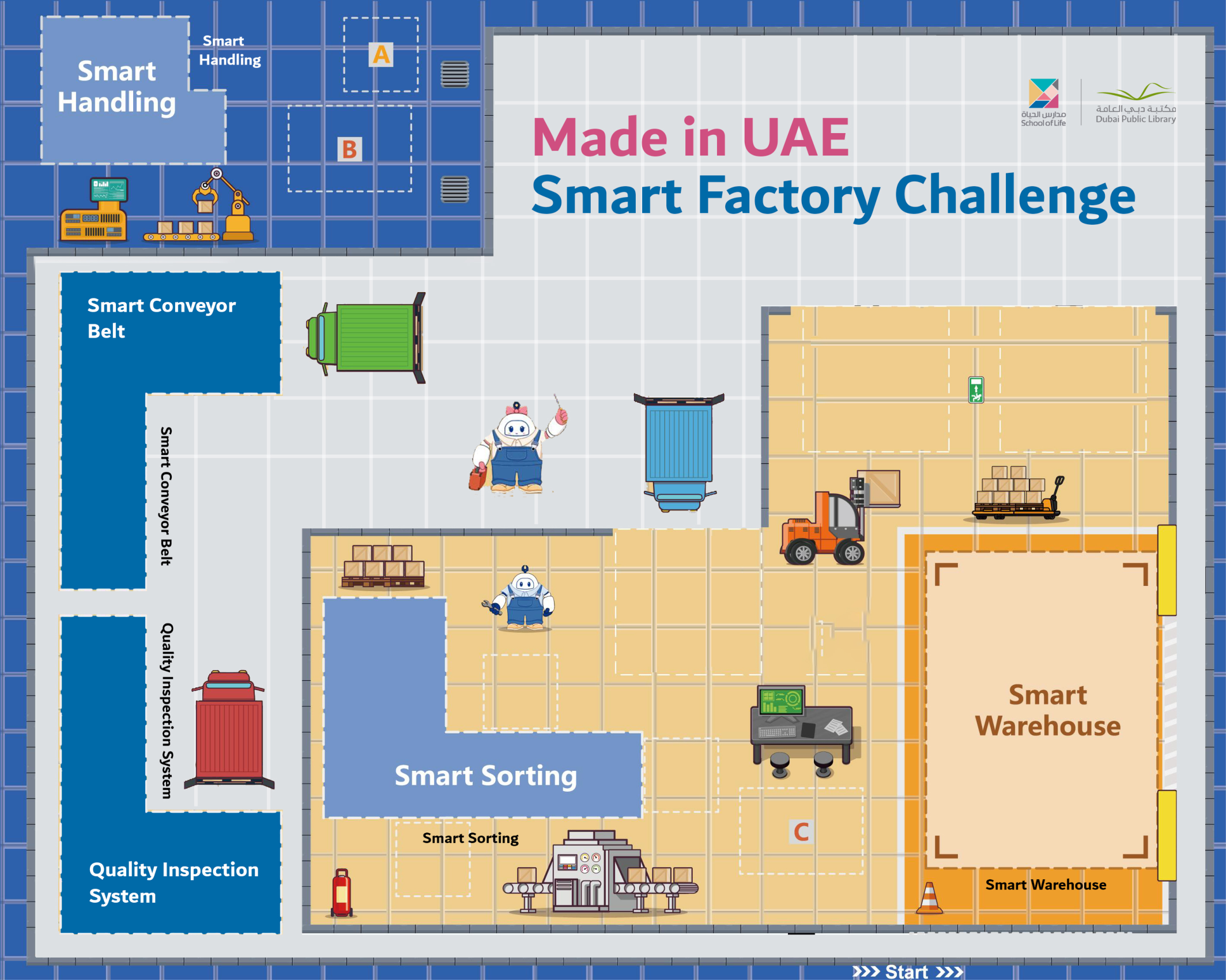
Made in UAE Smart Factory Challenge — printed floor map
👆
Tap the map to make it bigger.
اضغط على الخريطة لتكبيرها.
🦾 Smart Handlingالمناولة الذكية
Days 2 & 3 — the robot arm
🎢 Smart Conveyor Beltالحزام الناقل الذكي
Day 4 — product moves between stations
🔍 Quality Inspectionفحص الجودة
Day 5 — pass or fail
🎨 Smart Sortingالفرز الذكي
Day 6 — by type and by quality
🏬 Smart Warehouseالمستودع الذكي
Days 7 & 8 — packaging, supply and storage
Which direction does the product travel? Where would it jam?
في أي اتجاه يتحرك المنتج؟ وأين يمكن أن يتوقف؟
🚩
Getting startedBefore the clock starts
البداية — قبل أن يبدأ الوقت
TODAY AT A GLANCE

🗂️ Day 1 — Smart Factory Foundations اليوم 1

Here is everything we will do today. Ninety minutes, and each part has its own timer in the bar at the top of every slide.
هذا كل ما سنقوم به اليوم: تسعون دقيقة، ولكل جزء وقته في الشريط أعلى كل شريحة.
🔍 Inquiry Hookسؤال الانطلاق
5 min
📖 Theoryالشرح النظري
20 min
🎯 Knowledge Checkفحص الفهم
5 min
🔧 Build & Assembleالبناء والتركيب
45 min
💻 Full System Programالبرنامج الكامل
20 min
✅ Test & Adjustالاختبار والضبط
5 min
🏆 Demo & Submitالعرض والتسليم
🚩
Getting startedBefore the clock starts
البداية — قبل أن يبدأ الوقت

🏭 The projects you will build المشاريع التي ستبنونها

Over the next two weeks you build these machines — each one a real part of a factory. On the last day they all work together as one line.
خلال الأسبوعين القادمين ستبنون هذه الآلات — كل واحدة جزء حقيقي من مصنع. وفي اليوم الأخير تعمل كلها معًا كخط واحد.
Handling Robot Armذراع النقل الروبوتية
Automated Robot Armالذراع الروبوتية الآلية
Smart Conveyor Beltالحزام الناقل الذكي
Quality Inspection Systemنظام فحص الجودة
Type & Quality Sortingالفرز حسب النوع والجودة
🚩
Getting startedBefore the clock starts
البداية — قبل أن يبدأ الوقت
🛡️
Before We Start — Rules & Safety قبل أن نبدأ — القواعد والسلامة
Rules · القواعد
  • Respect each other · احترم زملاءك
  • Listen carefully · استمع جيدًا
  • Follow the instructions · اتبع التعليمات
  • Ask for help · اطلب المساعدة
  • Respect equipment · حافظ على الأدوات
  • Clean up · رتّب مكانك
Safety · السلامة
  • No food or drink near equipment · لا طعام أو شراب قرب الأجهزة
  • Handle parts gently — no dropping · تعامل مع القطع بلطف
  • Fingers away from moving parts · الأصابع بعيدة عن الأجزاء المتحركة
  • Ask before powering on · استأذن قبل التشغيل
  • Return all parts at the end · أعد جميع القطع
If something fails · إذا تعطل شيء
  • Check cables & ports first · افحص الكابلات والمنافذ أولًا
  • Controller ON & charged · وحدة التحكم تعمل ومشحونة
  • Clean the sensor window · نظّف نافذة الحساس
  • Ask your facilitator · اسأل الميسّر
🚩
Getting startedBefore the clock starts
البداية — قبل أن يبدأ الوقت
BEFORE WE BEGIN

🎬 Watch the finished system شاهدوا النظام النهائي

The complete system running, so the target is clear from minute one. Put these to the room: how many separate machines can you count? What tells one station the next one is ready? Where would it jam if a station stopped?
النظام الكامل وهو يعمل ليكون الهدف واضحًا من الدقيقة الأولى. أوقفوه واطرحوا على الصف: كم آلة منفصلة ترون؟ وما الذي يخبر محطة أن التالية جاهزة؟ وأين يتوقف الخط لو تعطّلت محطة؟
🔍
Inquiry HookPart 1 of 6
سؤال الانطلاق5 min · دقيقة

🇦🇪 Watch: real UAE industry شاهد: الصناعة الإماراتية

🏭 What is Industrial Automation?ما هي الأتمتة الصناعية؟ YouTube ↗
Show a UAE industrial zone image (e.g. KIZAD, Jebel Ali). How do you think products move from raw materials to packaged goods in a smart factory?
شاهدوا الفيديو ثم أجيبوا معًا عن سؤال الانطلاق.
📖
Theory9 slides
الشرح النظري20 min · دقيقة
📖
Theoryالشرح النظري
9 slides · 20 min
Already covered? Press Next to skip straight to the next part.
هل تمت تغطيتها؟ اضغط التالي للانتقال إلى الجزء التالي.
🎯
Knowledge CheckPart 3 of 6
فحص الفهم5 min · دقيقة
CHECK WHAT THEY HEARD

🎯 Do we understand it? هل فهمنا؟

Tap a question to reveal the answer — let the students answer first.
اضغط على السؤال لتظهر الإجابة — دع الطلاب يجيبون أولًا.
Q1
What does AUTOMATION literally mean?
Answer · الجواب
Self-motion. Auto = self, mation = motion.
Q2
Machine, work cell, line, factory — define each.
Answer · الجواب
A machine does one operation; a work cell is machines completing a stage; a line is cells in sequence; a factory is all of it plus the people.
Q3
Draw the control loop.
Answer · الجواب
Sensor → controller → actuator. Measure, decide, act.
Q4
Which is digital and which is analogue?
Answer · الجواب
A button is digital (0 or 1). Colour, light and distance are analogue — a range you must set a threshold on.
Q5
Why print sensor values before setting a threshold?
Answer · الجواب
You cannot pick a number you have never measured. A guessed threshold is a bug you have not met yet.
Q6
How is your colour sensor computer vision?
Answer · الجواب
It sees one property, turns it into a number, and your program judges it — the same three steps an inspection camera takes.
🔧
Build & Assemble2 slides
البناء والتركيب45 min · دقيقة
🔧
Build & Assembleالبناء والتركيب
2 slides · 45 min
Already covered? Press Next to skip straight to the next part.
هل تمت تغطيتها؟ اضغط التالي للانتقال إلى الجزء التالي.
🧱
Do NOT take it apart: leave your build assembled. Every day adds to the SAME factory.
لا تفكّوها: اتركوا ما بنيتموه مركّبًا. كل يوم نضيف إلى المصنع نفسه.
🅐 ACEBOTT — QE031 Smart Factory أدوات ACEBOTT للعدّة
The kit maker's own resources: the product page, the assembly-video playlist, the tutorial library and the ACECode download.
مصادر الشركة المصنّعة للعدّة: صفحة المنتج، وقائمة فيديوهات التجميع، ومكتبة الدروس، وتنزيل برنامج ACECode.
🎬
ACEBOTT has not published a build video for this specific station — use the assembly manual pages and the full playlist below.
لم تنشر ACEBOTT فيديو بناء لهذه المحطة تحديدًا — استخدموا صفحات دليل التجميع وقائمة التشغيل الكاملة أدناه.
💻
Full System ProgramPart 5 of 6
البرنامج الكامل20 min · دقيقة
DAY 1 PRACTICE

💻 Make the screen talk اجعلوا الشاشة تتكلم

From QE01-11 — a FOREVER loop with the LCD inside it, plus a WAIT blockمن QE01-11: حلقة «للأبد» بداخلها الشاشة، مع لبنة انتظار
There is no final program today. Build these five in order — each one adds a single block.
لا يوجد برنامج نهائي اليوم. ابنوا الخمسة بالترتيب، وكل واحدة تضيف لبنة واحدة.
1 · Hello Worldمرحبًا بالعالم
Print it on the LCD screen. Nothing else yet.
2 · Foreverللأبد
Put it inside a FOREVER loop so it keeps showing.
3 · Waitانتظر
Add a WAIT block. Change the number and watch what happens.
4 · Your nameاسم فريقكم
Replace the text with your own team name.
5️⃣
Then show two messages one after the other, with a wait between them. That is the whole pattern every station will use for the rest of the fortnight.
ثم اعرضوا رسالتين متتاليتين بينهما انتظار — وهذا النمط ستستخدمه كل محطة لاحقًا.
🎯
Nothing here is throwaway. The forever loop is how every machine in this camp runs. The wait is how you control timing, and the whole conveyor depends on it. The LCD is how a machine talks to its operator — on Day 6 it will show counts and reject rates.
لا شيء هنا زائد: حلقة «للأبد» هي طريقة عمل كل آلة، والانتظار يتحكّم في التوقيت، والشاشة هي كيف تتحدث الآلة إلى مشغّلها — وفي اليوم السادس ستعرض الأعداد ونسب الرفض.
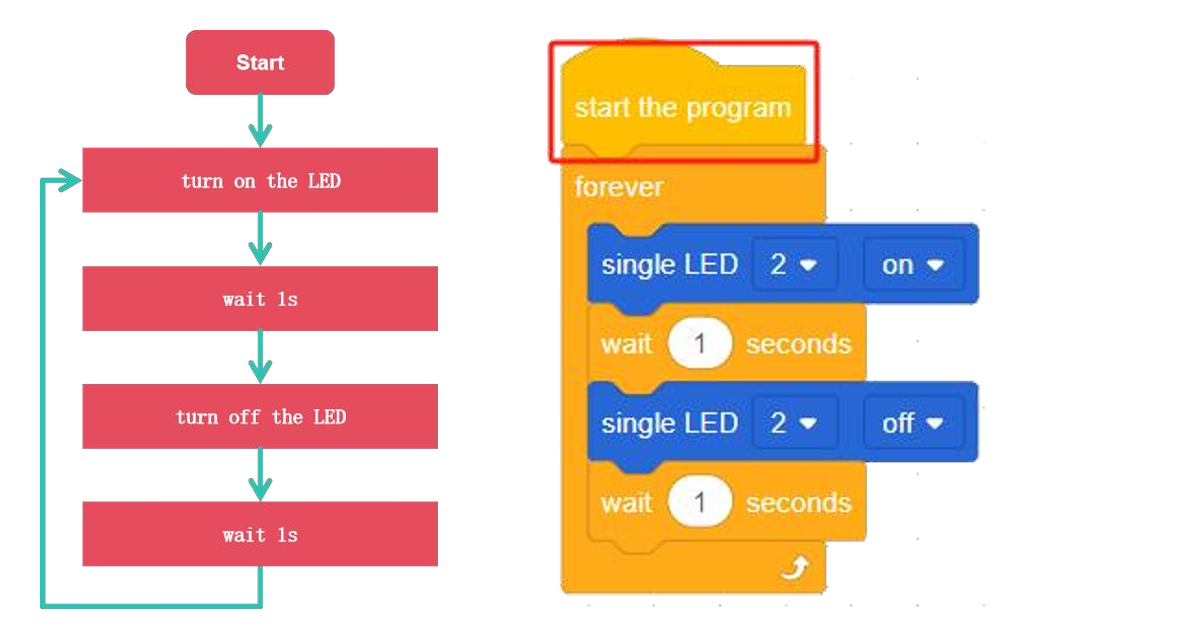
Practice code
The first program — the LED flashes forever. Build this exactly, run it, then start changing it.البرنامج الأول: الوميض إلى الأبد. ابنوه كما هو وشغّلوه ثم ابدأوا بتغييره.
Test & AdjustPart 6 of 6
الاختبار والضبط5 min · دقيقة

✅ Does it work? هل يعمل؟

Students present their prototypes to each other: what does it do, what input triggers it, what output responds, and how could it be used in a factory? Note findings.
لا نسأل: هل انتهينا؟ بل: هل يعمل؟ وإن لم يعمل، فلماذا؟
Everyone · للجميع
Prove the control loop
أثبت حلقة التحكّم
Sensor triggers LED and buzzer; button triggers the motor. Both prototypes must work independently.
الحسّاس يشغّل الـLED والجرس، والزر يشغّل المحرك. يجب أن يعمل النموذجان باستقلال.
Challenge · تحدٍّ
Add a threshold
أضف حدًّا
Read the sensor on the serial monitor and make the output fire only above a value YOU choose.
اقرأ الحسّاس على الشاشة التسلسلية واجعل المُخرج يعمل فوق قيمة تختارها أنت.
🏆
Demo & SubmitClosing the session
العرض والتسليم

🏆 Demo time — and tell us what you learned وقت العرض — وأخبرونا بما تعلّمتم

Every team shows one success to the class. Then write your name and what you learned today.
كل فريق يعرض نجاحًا واحدًا أمام الصف. ثم اكتبوا أسماءكم وما تعلّمتموه اليوم.
المخيم الصيفي 2026
Summer Camp 2026
Our Family, Our Unity · أسرتنا وحدتنا
Day 2: Handling Robot Arm
الفئة الثانية · المهندسون الناشئون
Camp 2 — Made in UAE: Smart Factory Challenge · dubaiculture.net
🚩
Getting startedBefore the clock starts
البداية — قبل أن يبدأ الوقت

🗺️ Our 8-Day Journey رحلتنا في ٨ أيام

You are here: Day 2 — Handling Robot Arm. Every day adds one new machine. On Day 8 we connect them all into one factory.
أنت هنا: اليوم 2 — Handling Robot Arm. كل يوم نضيف آلة جديدة، وفي اليوم الثامن نربطها كلها في مصنع واحد.
D1
Smart Factory Foundations
Handling Robot Arm
D3
Automated Robot Arm
D4
Smart Conveyor Belt
D5
Quality Inspection
D6
Type & Quality Sorting
D7
Smart Packaging & Supply
🏆
Smart Factory
What we build today
Students design, build, and program a robotic handling arm for a smart factory environment. They explore joints, degrees of freedom, and servo motors while learning how robotic arms achieve precise movement.
ما نبنيه اليوم
قوم الطلاب بتصميم وبناء وبرمجة ذراع روبوتية لمصنع ذكي. ويتعرفون على المفاصل ودرجات الحرية ومحركات السيرفو وكيفية تحقيق الحركة الدقيقة.
🚩
Getting startedBefore the clock starts
البداية — قبل أن يبدأ الوقت
TODAY AT A GLANCE

🗂️ Day 2 — Handling Robot Arm اليوم 2

Here is everything we will do today. Ninety minutes, and each part has its own timer in the bar at the top of every slide.
هذا كل ما سنقوم به اليوم: تسعون دقيقة، ولكل جزء وقته في الشريط أعلى كل شريحة.
🔍 Inquiry Hookسؤال الانطلاق
5 min
📖 Theoryالشرح النظري
20 min
🎯 Knowledge Checkفحص الفهم
5 min
🔧 Build & Assembleالبناء والتركيب
45 min
💻 Full System Programالبرنامج الكامل
20 min
✅ Test & Adjustالاختبار والضبط
5 min
🏆 Demo & Submitالعرض والتسليم
🚩
Getting startedBefore the clock starts
البداية — قبل أن يبدأ الوقت
🛡️
Quick Reminders تذكير سريع
  • 🤝 Respect, listen, help each other · احترم واستمع وساعد زملاءك
  • ✋ Fingers away from moving parts · الأصابع بعيدة عن الأجزاء المتحركة
  • 🔌 Wiring check before any code · فحص التوصيلات قبل أي برمجة
  • 🧹 Return & tidy all parts at the end · أعد ورتّب جميع القطع في النهاية
🚩
Getting startedBefore the clock starts
البداية — قبل أن يبدأ الوقت

🎬 The full camp film فيلم المخيم الكامل

Our camp film for this age group — watch the machines working, then we build today\'s one: Handling Robot Arm.
هذا ما سنبنيه اليوم — Handling Robot Arm. شاهدوا الآلة وهي تعمل، ثم نبني آلتنا.
Loading the video… · جارٍ تحميل الفيديو…
🔍
Inquiry HookPart 1 of 6
سؤال الانطلاق5 min · دقيقة

🇦🇪 Watch: real UAE industry شاهد: الصناعة الإماراتية

🇦🇪 Make It in the Emirates — UAE-made robots, vehicles & 3D-printed boatsاصنع في الإمارات — روبوتات ومركبات إماراتية الصنع YouTube · Make It in the Emirates ↗
Show a video of a real industrial robotic arm (e.g. ABB or KUKA) on a production line. What degrees of freedom does it have? Count the joints.
شاهدوا الفيديو ثم أجيبوا معًا عن سؤال الانطلاق.
📖
Theory12 slides
الشرح النظري20 min · دقيقة
📖
Theoryالشرح النظري
12 slides · 20 min
Already covered? Press Next to skip straight to the next part.
هل تمت تغطيتها؟ اضغط التالي للانتقال إلى الجزء التالي.
🎯
Knowledge CheckPart 3 of 6
فحص الفهم5 min · دقيقة

🎯 Do we understand it? هل فهمنا؟

Tap a question to reveal the answer — let the students answer first.
اضغط على السؤال لتظهر الإجابة — دع الطلاب يجيبون أولًا.
Q1
A sensor reads 0 or 1. Digital or analogue?
حسّاس يقرأ 0 أو 1 — رقمي أم تناظري؟
Answer · الجواب
Digital. Distance and colour are analogue — a range you must set a threshold on.
رقمي. أما المسافة واللون فتناظرية — مدى يحتاج إلى عتبة.
Q2
Why print sensor values before choosing a threshold?
لماذا نطبع قراءات الحسّاس قبل اختيار العتبة؟
Answer · الجواب
You cannot pick a number you have never measured. A guessed threshold is a bug you have not met yet.
لا يمكن اختيار رقم لم تقيسوه. العتبة المخمَّنة خطأ لم يظهر بعد.
Q3
The motor only spins. How does a door slide?
المحرك يدور فقط — كيف ينزلق الباب؟
Answer · الجواب
A linkage converts rotary motion to linear — rack and pinion, lead screw, belt, crank and slider.
آلية تحوّل الحركة الدورانية إلى خطية: ترس وجريدة، لولب، حزام، ذراع مرفقية.
Q4
Motor vs servo — what actually differs?
ما الفرق الحقيقي بين المحرك والمؤازر؟
Answer · الجواب
A motor's position depends on TIME and drifts. A servo's depends on the ANGLE you command.
موضع المحرك يعتمد على الزمن وينحرف، وموضع المؤازر يعتمد على الزاوية المحدَّدة.
Q5
A metro platform door's sensor fails. Open or closed?
تعطّل حسّاس باب المترو — مفتوح أم مغلق؟
Answer · الجواب
Closed. The safe state depends on the consequence — a hospital door fails open instead.
مغلق. الحالة الآمنة تعتمد على العواقب — أما باب المستشفى فيفشل مفتوحًا.
Q6
Your arm drops the product 2 cm short.
تُسقط ذراعكم المنتج قبل الهدف بـ 2 سم.
Answer · الجواب
Change the drop-off angle, not the whole program. One number, test, repeat.
غيّروا زاوية الوضع فقط لا البرنامج كله: رقم واحد، ثم اختبار، ثم إعادة.
🔧
Build & Assemble22 slides
البناء والتركيب45 min · دقيقة
🔧
Build & Assembleالبناء والتركيب
22 slides · 45 min
Already covered? Press Next to skip straight to the next part.
هل تمت تغطيتها؟ اضغط التالي للانتقال إلى الجزء التالي.
🧱
Do NOT take it apart: leave your build assembled. Every day adds to the SAME factory.
لا تفكّوها: اتركوا ما بنيتموه مركّبًا. كل يوم نضيف إلى المصنع نفسه.
🔨
Today is a build day. Finish the whole arm — you do not write the full program today. When it is assembled, test each motor with the small practice codes, then download the finished program and run it.
اليوم يوم بناء. أكملوا الذراع بالكامل — ولا تكتبون البرنامج الكامل اليوم. بعد التركيب، اختبروا كل محرك بأكواد التجربة الصغيرة، ثم نزّلوا البرنامج الجاهز وشغّلوه.
🅐 ACEBOTT — QE031 Smart Factory أدوات ACEBOTT للعدّة
The kit maker's own resources: the product page, the assembly-video playlist, the tutorial library and the ACECode download.
مصادر الشركة المصنّعة للعدّة: صفحة المنتج، وقائمة فيديوهات التجميع، ومكتبة الدروس، وتنزيل برنامج ACECode.
🎬 How to Build the Smart Robotic Arm — QE031بناء الذراع الروبوتيةYouTube · ACEBOTT ↗
💻
Full System ProgramPart 5 of 6
البرنامج الكامل20 min · دقيقة

💻 Full System Program البرنامج الكامل

Students program the full pick-place- return sequence: move to pick position → grip → lift → rotate to place position → release → return to home. Test with a small object.
جرّبوا كود التجربة أولًا، توقّعوا النتيجة، ثم ابنوا البرنامج الكامل.
🧪 Practice codestudents
The small test program, the workflow and the project files. Run it first, predict what happens, then test.
برنامج التجربة الصغير ومخطط العمل وملفات المشروع. شغّلوه أولًا وتوقّعوا ثم اختبروا.
👆 Tap to open it big · اضغط لتكبيره
💻 Full programfacilitators
The complete final code for today, block by block. Reveal it only after the teams have tried.
الكود النهائي الكامل لليوم لبنةً لبنة. اعرضه بعد أن تحاول الفرق.
🔒 Facilitators only · للميسّرين فقط
🎛
Practice = move one motor at a time. Check each joint turns the way you expect. You are not writing the whole sequence — the full program is a download.
التجربة = تحريك محرك واحد في كل مرة. تأكدوا أن كل مفصل يدور كما تتوقعون. لن تكتبوا التتابع الكامل — البرنامج الكامل يُنزّل جاهزًا.
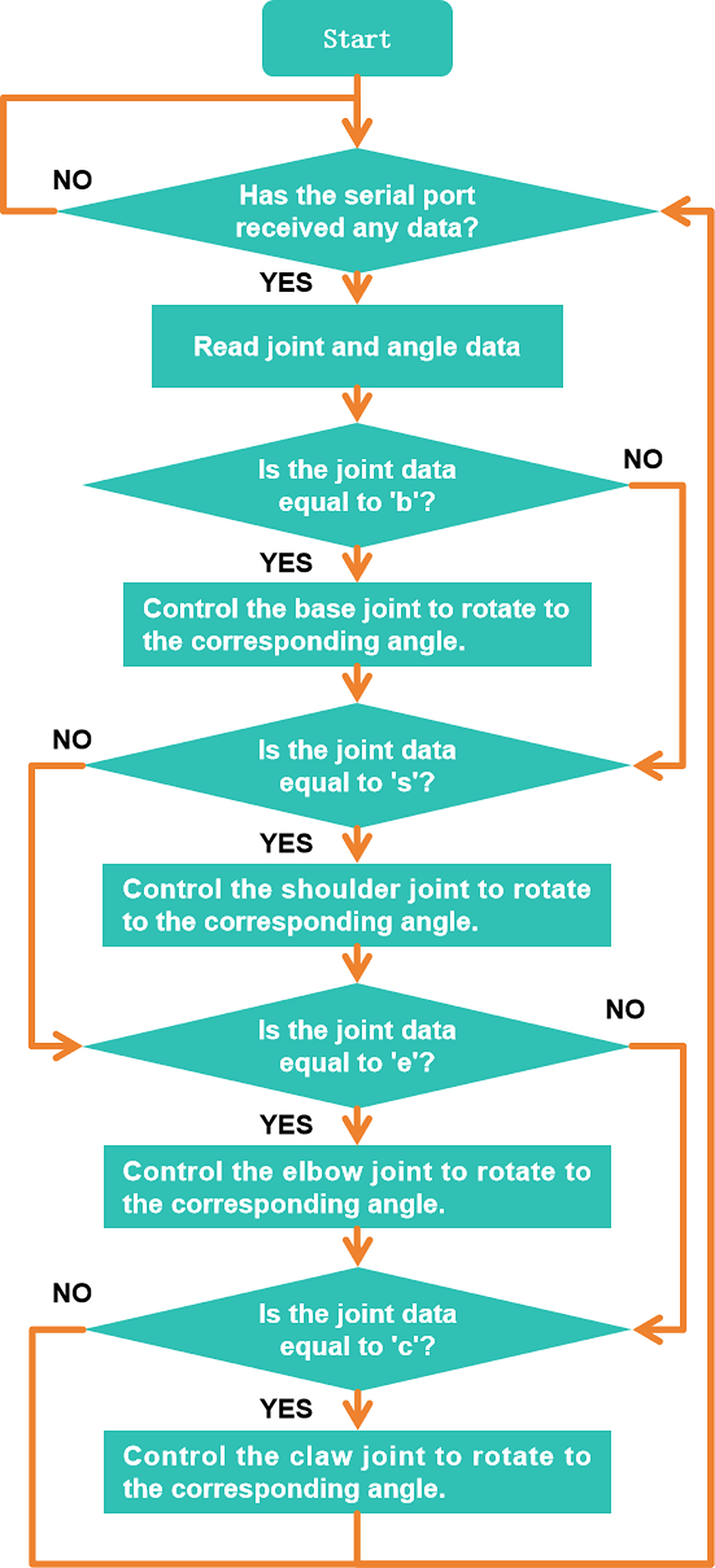
Practice code
The practice code — build this one firstكود التجربة — ابنوا هذا أولًا
Test & AdjustPart 6 of 6
الاختبار والضبط5 min · دقيقة

✅ Does it work? هل يعمل؟

Test the arm picking and placing an object between two marked factory stations. Adjust servo angles until the movement is accurate. Measure success rate (how many out of 5 picks succeed)?
لا نسأل: هل انتهينا؟ بل: هل يعمل؟ وإن لم يعمل، فلماذا؟
Everyone · للجميع
Pick, place, return
التقط وضع وعُد
Program the full sequence and move a small object between two marked stations.
برمج التتابع الكامل وانقل جسمًا صغيرًا بين محطتين محدّدتين.
Challenge · تحدٍّ
Measure your success rate
قِس نسبة نجاحك
Run five picks, record how many succeed, then adjust one angle and run five more.
نفّذ خمس محاولات وسجّل الناجحة، ثم عدّل زاوية واحدة ونفّذ خمسًا أخرى.
🏆
Demo & SubmitClosing the session
العرض والتسليم

🏆 Demo time — and tell us what you learned وقت العرض — وأخبرونا بما تعلّمتم

Every team shows one success to the class. Then write your name and what you learned today.
كل فريق يعرض نجاحًا واحدًا أمام الصف. ثم اكتبوا أسماءكم وما تعلّمتموه اليوم.
المخيم الصيفي 2026
Summer Camp 2026
Our Family, Our Unity · أسرتنا وحدتنا
Day 3: Automated Robot Arm
الفئة الثانية · المهندسون الناشئون
Camp 2 — Made in UAE: Smart Factory Challenge · dubaiculture.net
🚩
Getting startedBefore the clock starts
البداية — قبل أن يبدأ الوقت

🗺️ Our 8-Day Journey رحلتنا في ٨ أيام

You are here: Day 3 — Automated Robot Arm. Every day adds one new machine. On Day 8 we connect them all into one factory.
أنت هنا: اليوم 3 — Automated Robot Arm. كل يوم نضيف آلة جديدة، وفي اليوم الثامن نربطها كلها في مصنع واحد.
D1
Smart Factory Foundations
D2
Handling Robot Arm
Automated Robot Arm
D4
Smart Conveyor Belt
D5
Quality Inspection
D6
Type & Quality Sorting
D7
Smart Packaging & Supply
🏆
Smart Factory
What we build today
Students program a robotic arm to perform automated production tasks using sequences, conditions, and loops. The system is designed to repeatedly pick, move, and place products between different factory stations with accuracy and consistency.
ما نبنيه اليوم
يقوم الطلاب ببرمجة ذراع روبوتية لتنفيذ مهام إنتاج مؤتمتة باستخدام التسلسل والشروط والتكرار. ويتم تصميم النظام لالتقاط المنتجات ونقلها ووضعها بشكل متكرر بين محطات المصنع المختلفة بدقة وكفاءة.
🚩
Getting startedBefore the clock starts
البداية — قبل أن يبدأ الوقت
TODAY AT A GLANCE

🗂️ Day 3 — Automated Robot Arm اليوم 3

Here is everything we will do today. Ninety minutes, and each part has its own timer in the bar at the top of every slide.
هذا كل ما سنقوم به اليوم: تسعون دقيقة، ولكل جزء وقته في الشريط أعلى كل شريحة.
🔍 Inquiry Hookسؤال الانطلاق
5 min
📖 Theoryالشرح النظري
20 min
🎯 Knowledge Checkفحص الفهم
5 min
🔧 Build & Assembleالبناء والتركيب
45 min
💻 Full System Programالبرنامج الكامل
20 min
✅ Test & Adjustالاختبار والضبط
5 min
🏆 Demo & Submitالعرض والتسليم
🚩
Getting startedBefore the clock starts
البداية — قبل أن يبدأ الوقت
🛡️
Quick Reminders تذكير سريع
  • 🤝 Respect, listen, help each other · احترم واستمع وساعد زملاءك
  • ✋ Fingers away from moving parts · الأصابع بعيدة عن الأجزاء المتحركة
  • 🔌 Wiring check before any code · فحص التوصيلات قبل أي برمجة
  • 🧹 Return & tidy all parts at the end · أعد ورتّب جميع القطع في النهاية
🚩
Getting startedBefore the clock starts
البداية — قبل أن يبدأ الوقت

🎬 The full camp film فيلم المخيم الكامل

Our camp film for this age group — watch the machines working, then we build today\'s one: Automated Robot Arm.
هذا ما سنبنيه اليوم — Automated Robot Arm. شاهدوا الآلة وهي تعمل، ثم نبني آلتنا.
Loading the video… · جارٍ تحميل الفيديو…
🔍
Inquiry HookPart 1 of 6
سؤال الانطلاق5 min · دقيقة

🇦🇪 Watch: real UAE industry شاهد: الصناعة الإماراتية

🚢 DP World Jebel Ali — BoxBay, the fully automated container yardموانئ دبي العالمية جبل علي — بوكس باي، ساحة الحاويات المؤتمتة بالكامل YouTube · DP World BoxBay ↗
In a real factory, why would you program a robot arm to repeat the same action thousands of times rather than doing it manually? Discuss precision, consistency, and cost.
شاهدوا الفيديو ثم أجيبوا معًا عن سؤال الانطلاق.
📖
Theory9 slides
الشرح النظري20 min · دقيقة
📖
Theoryالشرح النظري
9 slides · 20 min
Already covered? Press Next to skip straight to the next part.
هل تمت تغطيتها؟ اضغط التالي للانتقال إلى الجزء التالي.
🎯
Knowledge CheckPart 3 of 6
فحص الفهم5 min · دقيقة
CHECK WHAT THEY HEARD

🎯 Do we understand it? هل فهمنا؟

Tap a question to reveal the answer — let the students answer first.
اضغط على السؤال لتظهر الإجابة — دع الطلاب يجيبون أولًا.
Q1
Time-triggered or event-triggered?
Answer · الجواب
Event. A time-triggered arm fails the moment the supply becomes uneven.
Q2
Why print sensor values before setting a threshold?
Answer · الجواب
You cannot pick a number you never measured. Read it with and without a product.
Q3
Your arm grabs three times for one product.
Answer · الجواب
The trigger is firing repeatedly. Debounce it — ignore the sensor briefly after acting.
Q4
What is drift, and how do you cancel it?
Answer · الجواب
Small errors adding up over cycles. Return to a known home position every cycle.
Q5
The two sensor readings are almost the same.
Answer · الجواب
No threshold will be reliable. Fix the mounting or the lighting — not the code.
Q6
Why test a new sequence slowly?
Answer · الجواب
Speed comes after correctness. A fast wrong move breaks the build or a finger.
🔧
Build & Assemble9 slides
البناء والتركيب45 min · دقيقة
🔧
Build & Assembleالبناء والتركيب
9 slides · 45 min
Already covered? Press Next to skip straight to the next part.
هل تمت تغطيتها؟ اضغط التالي للانتقال إلى الجزء التالي.
🧱
Do NOT take it apart: leave your build assembled. Every day adds to the SAME factory.
لا تفكّوها: اتركوا ما بنيتموه مركّبًا. كل يوم نضيف إلى المصنع نفسه.
🤖
Same arm, now autonomous. Nothing new to build — today the arm decides for itself: it checks the sensor, and repeats the pick-place-return cycle on its own, with no joystick and no hand on it.
الذراع نفسها، لكن ذاتية التشغيل. لا بناء جديد اليوم — الذراع تقرّر بنفسها: تفحص الحسّاس وتكرّر دورة الالتقاط والوضع والعودة وحدها، دون عصا تحكّم ودون تدخّل.
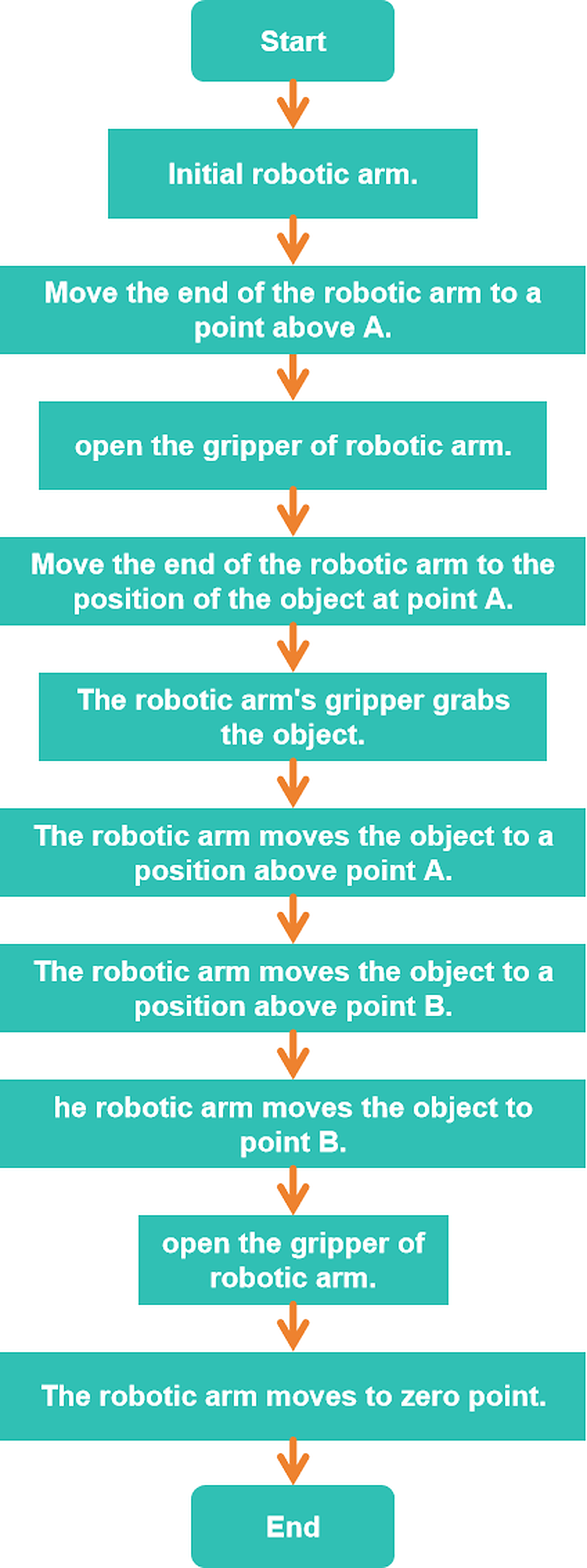
🅐 ACEBOTT — QE031 Smart Factory أدوات ACEBOTT للعدّة
The kit maker's own resources: the product page, the assembly-video playlist, the tutorial library and the ACECode download.
مصادر الشركة المصنّعة للعدّة: صفحة المنتج، وقائمة فيديوهات التجميع، ومكتبة الدروس، وتنزيل برنامج ACECode.
🎬 How to Build the Smart Robotic Arm — QE031بناء الذراع الروبوتيةYouTube · ACEBOTT ↗
💻
Full System ProgramPart 5 of 6
البرنامج الكامل20 min · دقيقة

💻 Full System Program البرنامج الكامل

Students program: LOOP → check sensor → if product present → execute pick-place-return sequence → increment counter → print count to serial → repeat. Upload and test.
جرّبوا كود التجربة أولًا، توقّعوا النتيجة، ثم ابنوا البرنامج الكامل.
🧪 Practice codestudents
The small test program, the workflow and the project files. Run it first, predict what happens, then test.
برنامج التجربة الصغير ومخطط العمل وملفات المشروع. شغّلوه أولًا وتوقّعوا ثم اختبروا.
👆 Tap to open it big · اضغط لتكبيره
💻 Full programfacilitators
The complete final code for today, block by block. Reveal it only after the teams have tried.
الكود النهائي الكامل لليوم لبنةً لبنة. اعرضه بعد أن تحاول الفرق.
🔒 Facilitators only · للميسّرين فقط
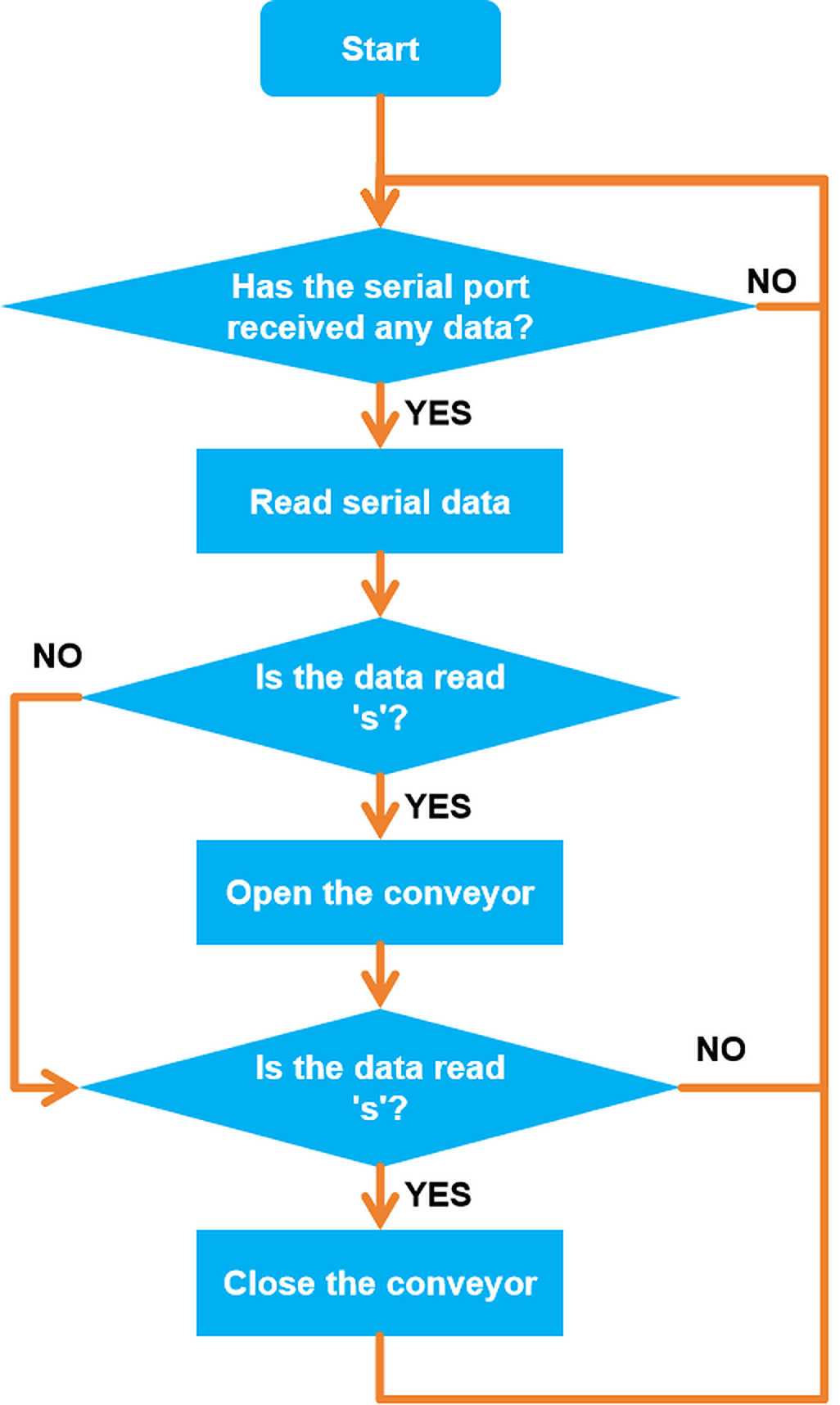
🤖
Same arm, now autonomous. Nothing new to build — today the arm decides for itself: it checks the sensor, and repeats the pick-place-return cycle on its own, with no joystick and no hand on it.
الذراع نفسها، لكن ذاتية التشغيل. لا بناء جديد اليوم — الذراع تقرّر بنفسها: تفحص الحسّاس وتكرّر دورة الالتقاط والوضع والعودة وحدها، دون عصا تحكّم ودون تدخّل.
Practice code
The practice code — build this one firstكود التجربة — ابنوا هذا أولًا
Test & AdjustPart 6 of 6
الاختبار والضبط5 min · دقيقة

✅ Does it work? هل يعمل؟

Run the arm for 10 cycles. Count how many successful picks occur. Calculate the success rate. Identify failure modes (slip, miss, incorrect angle) and make one improvement.
لا نسأل: هل انتهينا؟ بل: هل يعمل؟ وإن لم يعمل، فلماذا؟
Everyone · للجميع
Loop ten cycles
كرّر عشر دورات
The arm must repeat pick-place-return ten times and print the count to the serial monitor.
يجب أن تكرّر الذراع الالتقاط والوضع والعودة عشر مرات وتطبع العدّ.
Challenge · تحدٍّ
Only when a product is there
فقط عند وجود منتج
Add the sensor check so the arm skips the cycle when the pick position is empty.
أضف فحص الحسّاس ليتجاوز الذراع الدورة عندما يكون موضع الالتقاط فارغًا.
🏆
Demo & SubmitClosing the session
العرض والتسليم

🏆 Demo time — and tell us what you learned وقت العرض — وأخبرونا بما تعلّمتم

Every team shows one success to the class. Then write your name and what you learned today.
كل فريق يعرض نجاحًا واحدًا أمام الصف. ثم اكتبوا أسماءكم وما تعلّمتموه اليوم.
المخيم الصيفي 2026
Summer Camp 2026
Our Family, Our Unity · أسرتنا وحدتنا
Day 4: Smart Conveyor Belt
الفئة الثانية · المهندسون الناشئون
Camp 2 — Made in UAE: Smart Factory Challenge · dubaiculture.net
🚩
Getting startedBefore the clock starts
البداية — قبل أن يبدأ الوقت

🗺️ Our 8-Day Journey رحلتنا في ٨ أيام

You are here: Day 4 — Smart Conveyor Belt. Every day adds one new machine. On Day 8 we connect them all into one factory.
أنت هنا: اليوم 4 — Smart Conveyor Belt. كل يوم نضيف آلة جديدة، وفي اليوم الثامن نربطها كلها في مصنع واحد.
D1
Smart Factory Foundations
D2
Handling Robot Arm
D3
Automated Robot Arm
Smart Conveyor Belt
D5
Quality Inspection
D6
Type & Quality Sorting
D7
Smart Packaging & Supply
🏆
Smart Factory
What we build today
Students build and control a smart conveyor belt system used to transport products through different production stages. They explore motor control, speed adjustment, and continuous material flow while using sensors to detect and track products on the conveyor.
ما نبنيه اليوم
يقوم الطلاب ببناء والتحكم في نظام سير ناقل ذكي يُستخدم لنقل المنتجات بين مراحل الإنتاج المختلفة داخل المصنع. ويتعرفون على التحكم بالمحركات وضبط السرعة وتدفق المواد المستمر، بالإضافة إلى استخدام الحساسات لاكتشاف المنتجات وتتبع حركتها على السير الناقل.
🚩
Getting startedBefore the clock starts
البداية — قبل أن يبدأ الوقت
TODAY AT A GLANCE

🗂️ Day 4 — Smart Conveyor Belt اليوم 4

Here is everything we will do today. Ninety minutes, and each part has its own timer in the bar at the top of every slide.
هذا كل ما سنقوم به اليوم: تسعون دقيقة، ولكل جزء وقته في الشريط أعلى كل شريحة.
🔍 Inquiry Hookسؤال الانطلاق
5 min
📖 Theoryالشرح النظري
20 min
🎯 Knowledge Checkفحص الفهم
5 min
🔧 Build & Assembleالبناء والتركيب
45 min
💻 Full System Programالبرنامج الكامل
20 min
✅ Test & Adjustالاختبار والضبط
5 min
🏆 Demo & Submitالعرض والتسليم
🚩
Getting startedBefore the clock starts
البداية — قبل أن يبدأ الوقت
🛡️
Quick Reminders تذكير سريع
  • 🤝 Respect, listen, help each other · احترم واستمع وساعد زملاءك
  • ✋ Fingers away from moving parts · الأصابع بعيدة عن الأجزاء المتحركة
  • 🔌 Wiring check before any code · فحص التوصيلات قبل أي برمجة
  • 🧹 Return & tidy all parts at the end · أعد ورتّب جميع القطع في النهاية
🚩
Getting startedBefore the clock starts
البداية — قبل أن يبدأ الوقت

🎬 The full camp film فيلم المخيم الكامل

Our camp film for this age group — watch the machines working, then we build today\'s one: Smart Conveyor Belt.
هذا ما سنبنيه اليوم — Smart Conveyor Belt. شاهدوا الآلة وهي تعمل، ثم نبني آلتنا.
Loading the video… · جارٍ تحميل الفيديو…
🔍
Inquiry HookPart 1 of 6
سؤال الانطلاق5 min · دقيقة

🇦🇪 Watch: real UAE industry شاهد: الصناعة الإماراتية

🚆 Etihad Rail — moving goods and people across the UAEقطار الاتحاد — نقل البضائع والناس عبر الإمارات YouTube · Etihad Rail ↗
Show an Amazon warehouse conveyor belt system image. What happens if one belt is running too fast and overloads the next station? How would a smart factory handle this?
شاهدوا الفيديو ثم أجيبوا معًا عن سؤال الانطلاق.
📖
Theory9 slides
الشرح النظري20 min · دقيقة
📖
Theoryالشرح النظري
9 slides · 20 min
Already covered? Press Next to skip straight to the next part.
هل تمت تغطيتها؟ اضغط التالي للانتقال إلى الجزء التالي.
🎯
Knowledge CheckPart 3 of 6
فحص الفهم5 min · دقيقة
CHECK WHAT THEY HEARD

🎯 Do we understand it? هل فهمنا؟

Tap a question to reveal the answer — let the students answer first.
اضغط على السؤال لتظهر الإجابة — دع الطلاب يجيبون أولًا.
Q1
Why does a belt stall under load but not empty?
Answer · الجواب
More product needs more torque. Test with the real number of products, not one.
Q2
Why not calculate where the product is?
Answer · الجواب
Belts slip and timing drifts. Measure with a sensor; do not compute.
Q3
Continuous or indexed for your line?
Answer · الجواب
Indexed — your arm needs the product to hold still.
Q4
What is a handshake between stations?
Answer · الجواب
Neither acts until both agree: "I am done" and "I am ready".
Q5
The sensor has been blocked for ten seconds.
Answer · الجواب
That is a jam, not a product. Stop and signal rather than pushing harder.
Q6
What sets the rhythm of the whole line?
Answer · الجواب
The belt. It is the clock the factory runs on.
🔧
Build & Assemble16 slides
البناء والتركيب45 min · دقيقة
🔧
Build & Assembleالبناء والتركيب
16 slides · 45 min
Already covered? Press Next to skip straight to the next part.
هل تمت تغطيتها؟ اضغط التالي للانتقال إلى الجزء التالي.
🧱
Do NOT take it apart: leave your build assembled. Every day adds to the SAME factory.
لا تفكّوها: اتركوا ما بنيتموه مركّبًا. كل يوم نضيف إلى المصنع نفسه.
🅐 ACEBOTT — QE031 Smart Factory أدوات ACEBOTT للعدّة
The kit maker's own resources: the product page, the assembly-video playlist, the tutorial library and the ACECode download.
مصادر الشركة المصنّعة للعدّة: صفحة المنتج، وقائمة فيديوهات التجميع، ومكتبة الدروس، وتنزيل برنامج ACECode.
🎬
ACEBOTT has not published a build video for this specific station — use the assembly manual pages and the full playlist below.
لم تنشر ACEBOTT فيديو بناء لهذه المحطة تحديدًا — استخدموا صفحات دليل التجميع وقائمة التشغيل الكاملة أدناه.
💻
Full System ProgramPart 5 of 6
البرنامج الكامل20 min · دقيقة

💻 Full System Program البرنامج الكامل

Students program the full system: sensor 1 detects product → belt starts at medium speed → sensor 2 detects arrival → belt stops → output signal (LED) for pickup ready. Upload and test.
جرّبوا كود التجربة أولًا، توقّعوا النتيجة، ثم ابنوا البرنامج الكامل.
🧪 Practice codestudents
The small test program, the workflow and the project files. Run it first, predict what happens, then test.
برنامج التجربة الصغير ومخطط العمل وملفات المشروع. شغّلوه أولًا وتوقّعوا ثم اختبروا.
👆 Tap to open it big · اضغط لتكبيره
💻 Full programfacilitators
The complete final code for today, block by block. Reveal it only after the teams have tried.
الكود النهائي الكامل لليوم لبنةً لبنة. اعرضه بعد أن تحاول الفرق.
🔒 Facilitators only · للميسّرين فقط
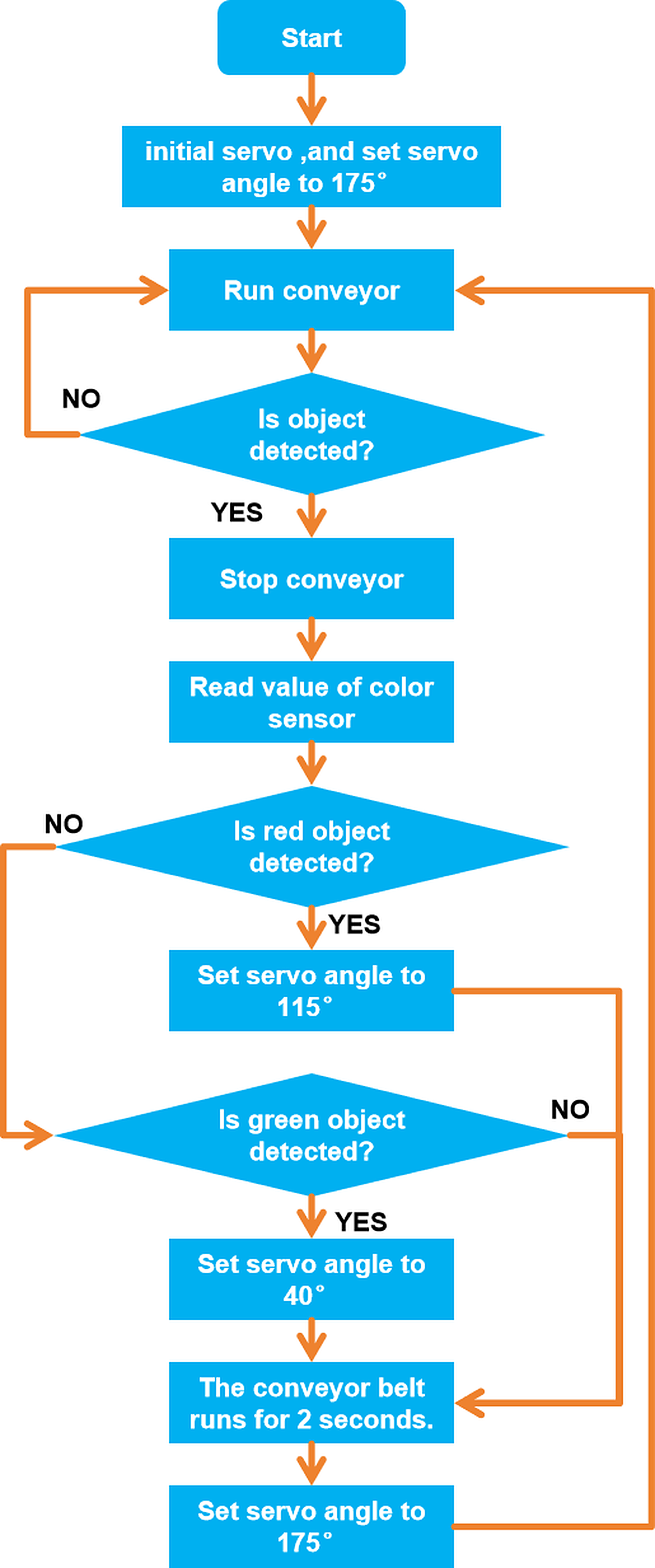
Practice code
The practice code — build this one firstكود التجربة — ابنوا هذا أولًا
Test & AdjustPart 6 of 6
الاختبار والضبط5 min · دقيقة

✅ Does it work? هل يعمل؟

Test with multiple objects placed on the belt in sequence. Does the belt stop and restart correctly for each one? Measure the time from placement to delivery and compare across different speed settings.
لا نسأل: هل انتهينا؟ بل: هل يعمل؟ وإن لم يعمل، فلماذا؟
Everyone · للجميع
Start, stop, detect
تشغيل وتوقيف واكتشاف
The belt runs, and stops on its own the moment the IR sensor sees a box.
يعمل الحزام ويتوقف تلقائيًا لحظة رؤية الحسّاس صندوقًا.
Challenge · تحدٍّ
Two speeds
سرعتان
Run fast while empty and slow down automatically as a box approaches the end.
اعمل بسرعة عند الفراغ وأبطئ تلقائيًا عند اقتراب الصندوق من النهاية.
🏆
Demo & SubmitClosing the session
العرض والتسليم

🏆 Demo time — and tell us what you learned وقت العرض — وأخبرونا بما تعلّمتم

Every team shows one success to the class. Then write your name and what you learned today.
كل فريق يعرض نجاحًا واحدًا أمام الصف. ثم اكتبوا أسماءكم وما تعلّمتموه اليوم.
المخيم الصيفي 2026
Summer Camp 2026
Our Family, Our Unity · أسرتنا وحدتنا
Day 5: Quality Inspection System
الفئة الثانية · المهندسون الناشئون
Camp 2 — Made in UAE: Smart Factory Challenge · dubaiculture.net
🚩
Getting startedBefore the clock starts
البداية — قبل أن يبدأ الوقت

🗺️ Our 8-Day Journey رحلتنا في ٨ أيام

You are here: Day 5 — Quality Inspection System. Every day adds one new machine. On Day 8 we connect them all into one factory.
أنت هنا: اليوم 5 — Quality Inspection System. كل يوم نضيف آلة جديدة، وفي اليوم الثامن نربطها كلها في مصنع واحد.
D1
Smart Factory Foundations
D2
Handling Robot Arm
D3
Automated Robot Arm
D4
Smart Conveyor Belt
Quality Inspection
D6
Type & Quality Sorting
D7
Smart Packaging & Supply
🏆
Smart Factory
What we build today
Students develop a smart quality inspection system that uses sensors to evaluate products before they continue through the production process. The system detects differences such as color, size, or quality level and automatically identifies products that meet the required standards.
ما نبنيه اليوم
يقوم الطلاب بتطوير نظام ذكي لفحص جودة المنتجات باستخدام الحساسات قبل انتقالها إلى مراحل الإنتاج التالية. ويقوم النظام باكتشاف الاختلافات مثل اللون أو الحجم أو مستوى الجودة وتحديد المنتجات المطابقة للمعايير المطلوبة بشكل تلقائي.
🚩
Getting startedBefore the clock starts
البداية — قبل أن يبدأ الوقت
TODAY AT A GLANCE

🗂️ Day 5 — Quality Inspection System اليوم 5

Here is everything we will do today. Ninety minutes, and each part has its own timer in the bar at the top of every slide.
هذا كل ما سنقوم به اليوم: تسعون دقيقة، ولكل جزء وقته في الشريط أعلى كل شريحة.
🔍 Inquiry Hookسؤال الانطلاق
5 min
📖 Theoryالشرح النظري
20 min
🎯 Knowledge Checkفحص الفهم
5 min
🔧 Build & Assembleالبناء والتركيب
45 min
💻 Full System Programالبرنامج الكامل
20 min
✅ Test & Adjustالاختبار والضبط
5 min
🏆 Demo & Submitالعرض والتسليم
🚩
Getting startedBefore the clock starts
البداية — قبل أن يبدأ الوقت
🛡️
Quick Reminders تذكير سريع
  • 🤝 Respect, listen, help each other · احترم واستمع وساعد زملاءك
  • ✋ Fingers away from moving parts · الأصابع بعيدة عن الأجزاء المتحركة
  • 🔌 Wiring check before any code · فحص التوصيلات قبل أي برمجة
  • 🧹 Return & tidy all parts at the end · أعد ورتّب جميع القطع في النهاية
🚩
Getting startedBefore the clock starts
البداية — قبل أن يبدأ الوقت

🎬 The full camp film فيلم المخيم الكامل

Our camp film for this age group — watch the machines working, then we build today\'s one: Quality Inspection System.
هذا ما سنبنيه اليوم — Quality Inspection System. شاهدوا الآلة وهي تعمل، ثم نبني آلتنا.
Loading the video… · جارٍ تحميل الفيديو…
🔍
Inquiry HookPart 1 of 6
سؤال الانطلاق5 min · دقيقة

🇦🇪 Watch: real UAE industry شاهد: الصناعة الإماراتية

✈️ Strata Al Ain — UAE factory building real aircraft partsستراتا العين — مصنع إماراتي يصنع أجزاء طائرات حقيقية YouTube · Strata Manufacturing ↗
A factory produces 10,000 bottles per hour. 2% are defective. How many defective bottles per hour? Why is manual inspection not the answer?
شاهدوا الفيديو ثم أجيبوا معًا عن سؤال الانطلاق.
📖
Theory9 slides
الشرح النظري20 min · دقيقة
📖
Theoryالشرح النظري
9 slides · 20 min
Already covered? Press Next to skip straight to the next part.
هل تمت تغطيتها؟ اضغط التالي للانتقال إلى الجزء التالي.
🎯
Knowledge CheckPart 3 of 6
فحص الفهم5 min · دقيقة
CHECK WHAT THEY HEARD

🎯 Do we understand it? هل فهمنا؟

Tap a question to reveal the answer — let the students answer first.
اضغط على السؤال لتظهر الإجابة — دع الطلاب يجيبون أولًا.
Q1
Why is "looks bad" not a specification?
Answer · الجواب
It cannot be programmed and two people will disagree. A spec is a written number.
Q2
False reject or false accept — which is worse?
Answer · الجواب
It depends on the product. For food and medicine, bias towards false rejects.
Q3
Your reject rate climbed through the morning.
Answer · الجواب
Something upstream is drifting. Inspection found it.
Q4
Why fix the sensor height and the lighting?
Answer · الجواب
Otherwise you are measuring the room, not the product, and the threshold is meaningless.
Q5
How is this computer vision?
Answer · الجواب
It sees a property, turns it into a number, and judges it against a spec. Same three steps.
Q6
What is the first job of the day?
Answer · الجواب
Deciding the exact number that separates pass from fail — before writing any code.
🔧
Build & Assemble8 slides
البناء والتركيب45 min · دقيقة
🔧
Build & Assembleالبناء والتركيب
8 slides · 45 min
Already covered? Press Next to skip straight to the next part.
هل تمت تغطيتها؟ اضغط التالي للانتقال إلى الجزء التالي.
🧱
Do NOT take it apart: leave your build assembled. Every day adds to the SAME factory.
لا تفكّوها: اتركوا ما بنيتموه مركّبًا. كل يوم نضيف إلى المصنع نفسه.
🅐 ACEBOTT — QE031 Smart Factory أدوات ACEBOTT للعدّة
The kit maker's own resources: the product page, the assembly-video playlist, the tutorial library and the ACECode download.
مصادر الشركة المصنّعة للعدّة: صفحة المنتج، وقائمة فيديوهات التجميع، ومكتبة الدروس، وتنزيل برنامج ACECode.
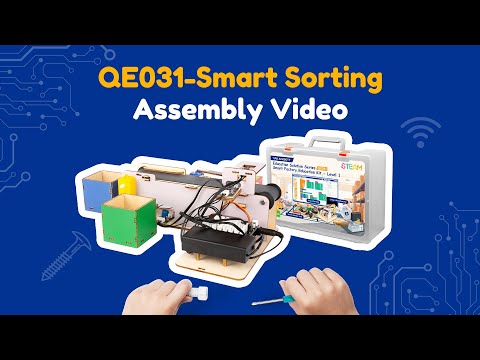
🎬
ACEBOTT has not published a build video for this specific station — use the assembly manual pages and the full playlist below.
لم تنشر ACEBOTT فيديو بناء لهذه المحطة تحديدًا — استخدموا صفحات دليل التجميع وقائمة التشغيل الكاملة أدناه.
💻
Full System ProgramPart 5 of 6
البرنامج الكامل20 min · دقيقة

💻 Full System Program البرنامج الكامل

Students program the full system: read sensor → classify → if FAIL activate diverter gate servo → if PASS allow product to continue → log result to serial. Upload and test.
جرّبوا كود التجربة أولًا، توقّعوا النتيجة، ثم ابنوا البرنامج الكامل.
🧪 Practice codestudents
The small test program, the workflow and the project files. Run it first, predict what happens, then test.
برنامج التجربة الصغير ومخطط العمل وملفات المشروع. شغّلوه أولًا وتوقّعوا ثم اختبروا.
👆 Tap to open it big · اضغط لتكبيره
💻 Full programfacilitators
The complete final code for today, block by block. Reveal it only after the teams have tried.
الكود النهائي الكامل لليوم لبنةً لبنة. اعرضه بعد أن تحاول الفرق.
🔒 Facilitators only · للميسّرين فقط
Practice code
The practice code — build this one firstكود التجربة — ابنوا هذا أولًا
Test & AdjustPart 6 of 6
الاختبار والضبط5 min · دقيقة

✅ Does it work? هل يعمل؟

Test with at least 5 PASS and 5 FAIL objects. Calculate the system's accuracy. Identify any misclassifications and adjust the threshold to improve accuracy.
لا نسأل: هل انتهينا؟ بل: هل يعمل؟ وإن لم يعمل، فلماذا؟
Everyone · للجميع
Pass or fail
قبول أو رفض
Inspect five items. Each one must be marked pass or fail with a visible signal.
افحص خمس قطع. يجب تصنيف كل واحدة قبولًا أو رفضًا بإشارة واضحة.
Challenge · تحدٍّ
Report the reject rate
أبلغ عن نسبة الرفض
Count passes and fails and show the reject percentage on the LCD.
أحصِ المقبول والمرفوض وأظهر نسبة الرفض على الشاشة.
🏆
Demo & SubmitClosing the session
العرض والتسليم

🏆 Demo time — and tell us what you learned وقت العرض — وأخبرونا بما تعلّمتم

Every team shows one success to the class. Then write your name and what you learned today.
كل فريق يعرض نجاحًا واحدًا أمام الصف. ثم اكتبوا أسماءكم وما تعلّمتموه اليوم.
المخيم الصيفي 2026
Summer Camp 2026
Our Family, Our Unity · أسرتنا وحدتنا
Day 6: Type & Quality Sorting
الفئة الثانية · المهندسون الناشئون
Camp 2 — Made in UAE: Smart Factory Challenge · dubaiculture.net
🚩
Getting startedBefore the clock starts
البداية — قبل أن يبدأ الوقت

🗺️ Our 8-Day Journey رحلتنا في ٨ أيام

You are here: Day 6 — Type & Quality Sorting. Every day adds one new machine. On Day 8 we connect them all into one factory.
أنت هنا: اليوم 6 — Type & Quality Sorting. كل يوم نضيف آلة جديدة، وفي اليوم الثامن نربطها كلها في مصنع واحد.
D1
Smart Factory Foundations
D2
Handling Robot Arm
D3
Automated Robot Arm
D4
Smart Conveyor Belt
D5
Quality Inspection
Type & Quality Sorting
D7
Smart Packaging & Supply
🏆
Smart Factory
What we build today
Students develop a smart sorting system that classifies products according to type and quality using advanced sensors. The system automatically detects differences such as color, size, or quality level and directs products to the correct category.
ما نبنيه اليوم
يقوم الطلاب بتطوير نظام فرز ذكي يصنف المنتجات حسب النوع ومستوى الجودة باستخدام الحساسات المتقدمة. ويقوم النظام باكتشاف الاختلافات مثل اللون أو الحجم أو مستوى الجودة وتوجيه المنتجات تلقائيًا إلى الفئة المناسبة.
🚩
Getting startedBefore the clock starts
البداية — قبل أن يبدأ الوقت
TODAY AT A GLANCE

🗂️ Day 6 — Type & Quality Sorting اليوم 6

Here is everything we will do today. Ninety minutes, and each part has its own timer in the bar at the top of every slide.
هذا كل ما سنقوم به اليوم: تسعون دقيقة، ولكل جزء وقته في الشريط أعلى كل شريحة.
🔍 Inquiry Hookسؤال الانطلاق
5 min
📖 Theoryالشرح النظري
20 min
🎯 Knowledge Checkفحص الفهم
5 min
🔧 Build & Assembleالبناء والتركيب
45 min
💻 Full System Programالبرنامج الكامل
20 min
✅ Test & Adjustالاختبار والضبط
5 min
🏆 Demo & Submitالعرض والتسليم
🚩
Getting startedBefore the clock starts
البداية — قبل أن يبدأ الوقت
🛡️
Quick Reminders تذكير سريع
  • 🤝 Respect, listen, help each other · احترم واستمع وساعد زملاءك
  • ✋ Fingers away from moving parts · الأصابع بعيدة عن الأجزاء المتحركة
  • 🔌 Wiring check before any code · فحص التوصيلات قبل أي برمجة
  • 🧹 Return & tidy all parts at the end · أعد ورتّب جميع القطع في النهاية
🚩
Getting startedBefore the clock starts
البداية — قبل أن يبدأ الوقت

🎬 The full camp film فيلم المخيم الكامل

Our camp film for this age group — watch the machines working, then we build today\'s one: Type & Quality Sorting.
هذا ما سنبنيه اليوم — Type & Quality Sorting. شاهدوا الآلة وهي تعمل، ثم نبني آلتنا.
Loading the video… · جارٍ تحميل الفيديو…
🔍
Inquiry HookPart 1 of 6
سؤال الانطلاق5 min · دقيقة

🇦🇪 Watch: real UAE industry شاهد: الصناعة الإماراتية

🥬 Bustanica Dubai — the world's largest vertical farmبستانِكا دبي — أكبر مزرعة عمودية في العالم YouTube · Bustanica ↗
Show an image of an automated product sorting line (e.g. Amazon, logistics centre). How many products per minute do you think this sorts? How does it know which bin each one goes to?
شاهدوا الفيديو ثم أجيبوا معًا عن سؤال الانطلاق.
📖
Theory9 slides
الشرح النظري20 min · دقيقة
📖
Theoryالشرح النظري
9 slides · 20 min
Already covered? Press Next to skip straight to the next part.
هل تمت تغطيتها؟ اضغط التالي للانتقال إلى الجزء التالي.
🎯
Knowledge CheckPart 3 of 6
فحص الفهم5 min · دقيقة
CHECK WHAT THEY HEARD

🎯 Do we understand it? هل فهمنا؟

Tap a question to reveal the answer — let the students answer first.
اضغط على السؤال لتظهر الإجابة — دع الطلاب يجيبون أولًا.
Q1
Two yes/no questions — how many outcomes?
Answer · الجواب
Four. Draw all four before writing any code.
Q2
Which question should you ask first?
Answer · الجواب
The fast, cheap one — it routes most items before the slow test runs.
Q3
What sets your maximum line speed?
Answer · الجواب
The slowest of read, decide and act — not the belt motor. That is the bottleneck.
Q4
The gate has not reset and the next item arrives.
Answer · الجواب
It goes to the wrong place, and nothing in the code looks wrong.
Q5
A reading sits right on the boundary.
Answer · الجواب
Send it to a review bin. Forcing a pass or fail hides a weak measurement.
Q6
Why count each category separately?
Answer · الجواب
A jump in one points at one station upstream. The line reports on its own health.
🔧
Build & Assemble8 slides
البناء والتركيب45 min · دقيقة
🔧
Build & Assembleالبناء والتركيب
8 slides · 45 min
Already covered? Press Next to skip straight to the next part.
هل تمت تغطيتها؟ اضغط التالي للانتقال إلى الجزء التالي.
🧱
Do NOT take it apart: leave your build assembled. Every day adds to the SAME factory.
لا تفكّوها: اتركوا ما بنيتموه مركّبًا. كل يوم نضيف إلى المصنع نفسه.
🔗
This continues Day 5. Day 5 inspected quality; today you add the sorting decision to the same machine, using the same Smart Sorting lesson. If your teams already covered these slides yesterday, press Next and go straight to the build.
هذا امتداد لليوم الخامس. في اليوم الخامس فحصنا الجودة، واليوم نضيف قرار الفرز إلى الآلة نفسها من الدرس نفسه. إن كانت فرقكم قد غطّت هذه الشرائح أمس، اضغطوا التالي وانتقلوا للبناء.
🅐 ACEBOTT — QE031 Smart Factory أدوات ACEBOTT للعدّة
The kit maker's own resources: the product page, the assembly-video playlist, the tutorial library and the ACECode download.
مصادر الشركة المصنّعة للعدّة: صفحة المنتج، وقائمة فيديوهات التجميع، ومكتبة الدروس، وتنزيل برنامج ACECode.
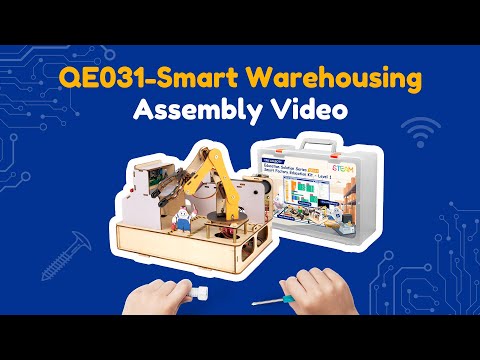
🎬 Smart Sorting System — building tutorialبناء نظام الفرز الذكيYouTube · ACEBOTT ↗
💻
Full System ProgramPart 5 of 6
البرنامج الكامل20 min · دقيقة

💻 Full System Program البرنامج الكامل

Students program the full sorting system using their decision tree: read sensor → classify → route product to correct bin via servo. Log each decision to serial. Upload and test.
جرّبوا كود التجربة أولًا، توقّعوا النتيجة، ثم ابنوا البرنامج الكامل.
🧪 Practice codestudents
The small test program, the workflow and the project files. Run it first, predict what happens, then test.
برنامج التجربة الصغير ومخطط العمل وملفات المشروع. شغّلوه أولًا وتوقّعوا ثم اختبروا.
👆 Tap to open it big · اضغط لتكبيره
💻 Full programfacilitators
The complete final code for today, block by block. Reveal it only after the teams have tried.
الكود النهائي الكامل لليوم لبنةً لبنة. اعرضه بعد أن تحاول الفرق.
🔒 Facilitators only · للميسّرين فقط
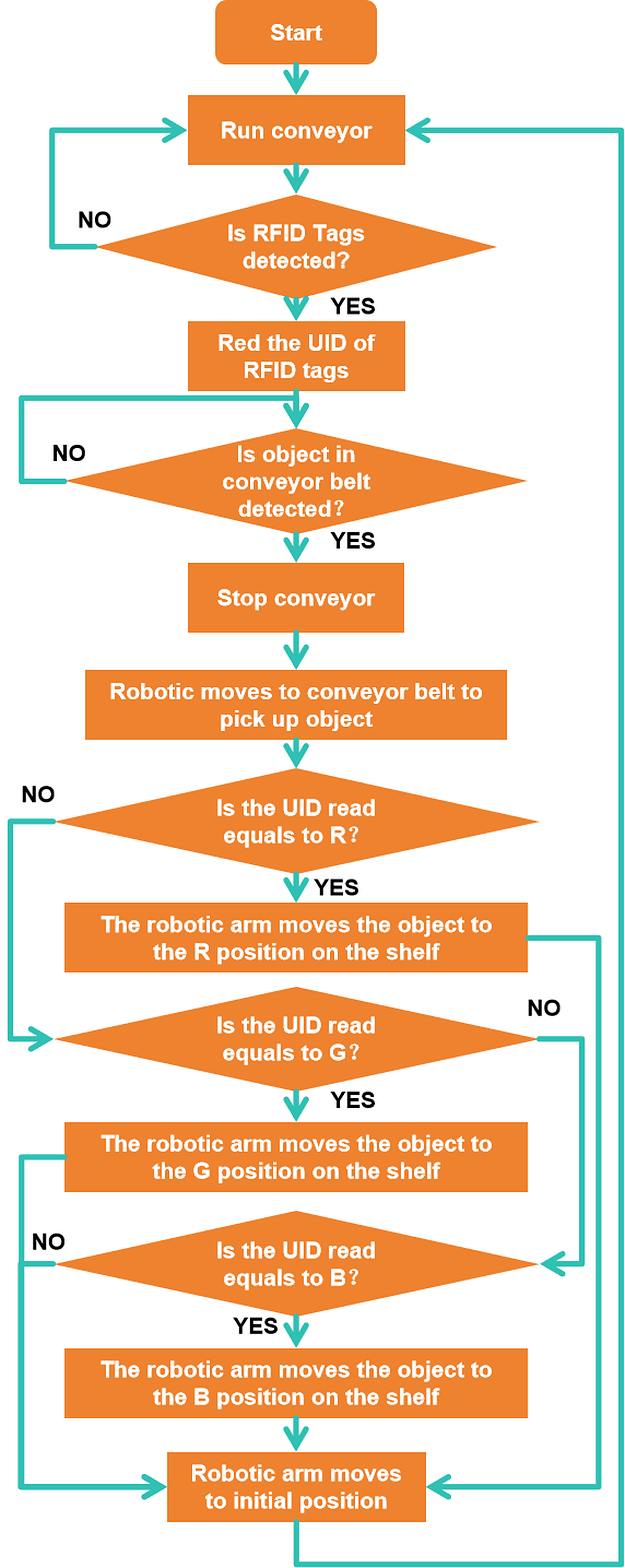
Practice code
The practice code — build this one firstكود التجربة — ابنوا هذا أولًا
Test & AdjustPart 6 of 6
الاختبار والضبط5 min · دقيقة

✅ Does it work? هل يعمل؟

Run 10 test items through the system. Record results in a table: expected type vs. detected type. Calculate accuracy. Identify patterns in misclassifications and refine the classifier.
لا نسأل: هل انتهينا؟ بل: هل يعمل؟ وإن لم يعمل، فلماذا؟
Everyone · للجميع
Four bins, no mistakes
أربعة صناديق دون أخطاء
Sort eight items by type and quality into the right four destinations.
افرز ثماني قطع حسب النوع والجودة إلى الأربعة الصحيحة.
Challenge · تحدٍّ
Rewrite it as a lookup table
أعِد كتابتها كجدول بحث
Replace your nested IFs with a table — then add a new type by adding one row.
استبدل الشروط المتداخلة بجدول — ثم أضف نوعًا جديدًا بإضافة صف واحد.
🏆
Demo & SubmitClosing the session
العرض والتسليم

🏆 Demo time — and tell us what you learned وقت العرض — وأخبرونا بما تعلّمتم

Every team shows one success to the class. Then write your name and what you learned today.
كل فريق يعرض نجاحًا واحدًا أمام الصف. ثم اكتبوا أسماءكم وما تعلّمتموه اليوم.
المخيم الصيفي 2026
Summer Camp 2026
Our Family, Our Unity · أسرتنا وحدتنا
Day 7: Smart Packaging & Supply System
الفئة الثانية · المهندسون الناشئون
Camp 2 — Made in UAE: Smart Factory Challenge · dubaiculture.net
🚩
Getting startedBefore the clock starts
البداية — قبل أن يبدأ الوقت

🗺️ Our 8-Day Journey رحلتنا في ٨ أيام

You are here: Day 7 — Smart Packaging & Supply System. Every day adds one new machine. On Day 8 we connect them all into one factory.
أنت هنا: اليوم 7 — Smart Packaging & Supply System. كل يوم نضيف آلة جديدة، وفي اليوم الثامن نربطها كلها في مصنع واحد.
D1
Smart Factory Foundations
D2
Handling Robot Arm
D3
Automated Robot Arm
D4
Smart Conveyor Belt
D5
Quality Inspection
D6
Type & Quality Sorting
Smart Packaging & Supply
🏆
Smart Factory
What we build today
Students build a smart packaging and supply system where a robotic arm automatically picks sorted products and places them into delivery boxes. They integrate the packaging station with the sorting system to create a continuous production workflow.
ما نبنيه اليوم
يقوم الطلاب ببناء نظام ذكي للتعبئة والتجهيز للتوريد، حيث تقوم الذراع الروبوتية بالتقاط المنتجات التي تم فرزها ووضعها تلقائيًا داخل صناديق التوزيع. ويقومون بدمج محطة التعبئة مع نظام الفرز لإنشاء خط إنتاج متكامل ومستمر.
🚩
Getting startedBefore the clock starts
البداية — قبل أن يبدأ الوقت
TODAY AT A GLANCE

🗂️ Day 7 — Smart Packaging & Supply System اليوم 7

Here is everything we will do today. Ninety minutes, and each part has its own timer in the bar at the top of every slide.
هذا كل ما سنقوم به اليوم: تسعون دقيقة، ولكل جزء وقته في الشريط أعلى كل شريحة.
🔍 Inquiry Hookسؤال الانطلاق
5 min
📖 Theoryالشرح النظري
20 min
🎯 Knowledge Checkفحص الفهم
5 min
🔧 Build & Assembleالبناء والتركيب
45 min
💻 Full System Programالبرنامج الكامل
20 min
✅ Test & Adjustالاختبار والضبط
5 min
🏆 Demo & Submitالعرض والتسليم
🚩
Getting startedBefore the clock starts
البداية — قبل أن يبدأ الوقت
🛡️
Quick Reminders تذكير سريع
  • 🤝 Respect, listen, help each other · احترم واستمع وساعد زملاءك
  • ✋ Fingers away from moving parts · الأصابع بعيدة عن الأجزاء المتحركة
  • 🔌 Wiring check before any code · فحص التوصيلات قبل أي برمجة
  • 🧹 Return & tidy all parts at the end · أعد ورتّب جميع القطع في النهاية
🚩
Getting startedBefore the clock starts
البداية — قبل أن يبدأ الوقت

🎬 The full camp film فيلم المخيم الكامل

Our camp film for this age group — watch the machines working, then we build today\'s one: Smart Packaging & Supply System.
هذا ما سنبنيه اليوم — Smart Packaging & Supply System. شاهدوا الآلة وهي تعمل، ثم نبني آلتنا.
Loading the video… · جارٍ تحميل الفيديو…
🔍
Inquiry HookPart 1 of 6
سؤال الانطلاق5 min · دقيقة

🇦🇪 Watch: real UAE industry شاهد: الصناعة الإماراتية

🚒 NAFFCO Dubai — fire trucks made in the UAE for 100+ countriesنافكو دبي — شاحنات إطفاء إماراتية الصنع لأكثر من ١٠٠ دولة YouTube · NAFFCO ↗
If sorted products just pile up at the end of the sorting line with no one to pick them up, what problem does that create? How do real factories solve it?
شاهدوا الفيديو ثم أجيبوا معًا عن سؤال الانطلاق.
📖
Theory9 slides
الشرح النظري20 min · دقيقة
📖
Theoryالشرح النظري
9 slides · 20 min
Already covered? Press Next to skip straight to the next part.
هل تمت تغطيتها؟ اضغط التالي للانتقال إلى الجزء التالي.
🎯
Knowledge CheckPart 3 of 6
فحص الفهم5 min · دقيقة
CHECK WHAT THEY HEARD

🎯 Do we understand it? هل فهمنا؟

Tap a question to reveal the answer — let the students answer first.
اضغط على السؤال لتظهر الإجابة — دع الطلاب يجيبون أولًا.
Q1
Why RFID rather than a barcode?
Answer · الجواب
It reads without line of sight, through a box, and several tags at once.
Q2
What are the two jobs of packaging?
Answer · الجواب
Protecting the product, and carrying information about what is inside.
Q3
Why is "chaotic" storage used deliberately?
Answer · الجواب
It is only chaotic to a human. The system knows every location and it fits far more in.
Q4
When should stock counts be updated?
Answer · الجواب
On every movement. Updating at the end of the run means promising stock you do not have.
Q5
Why does a centimetre matter on a box?
Answer · الجواب
It can cost a whole row on every pallet and every lorry, for years.
Q6
What must your station do for Day 8?
Answer · الجواب
Accept whatever sorting sends, at one agreed spot, and signal ready or full.
🔧
Build & Assemble17 slides
البناء والتركيب45 min · دقيقة
🔧
Build & Assembleالبناء والتركيب
17 slides · 45 min
Already covered? Press Next to skip straight to the next part.
هل تمت تغطيتها؟ اضغط التالي للانتقال إلى الجزء التالي.
🧱
Do NOT take it apart: leave your build assembled. Every day adds to the SAME factory.
لا تفكّوها: اتركوا ما بنيتموه مركّبًا. كل يوم نضيف إلى المصنع نفسه.
🅐 ACEBOTT — QE031 Smart Factory أدوات ACEBOTT للعدّة
The kit maker's own resources: the product page, the assembly-video playlist, the tutorial library and the ACECode download.
مصادر الشركة المصنّعة للعدّة: صفحة المنتج، وقائمة فيديوهات التجميع، ومكتبة الدروس، وتنزيل برنامج ACECode.
🎬 Smart Warehousing — building tutorialبناء نظام التخزين الذكيYouTube · ACEBOTT ↗
💻
Full System ProgramPart 5 of 6
البرنامج الكامل20 min · دقيقة

💻 Full System Program البرنامج الكامل

Students integrate: sorted product arrives at output → sensor triggers → arm executes pickup-and-place → counter increments → when box count reaches target, send 'box full' signal (LED). Test full flow.
جرّبوا كود التجربة أولًا، توقّعوا النتيجة، ثم ابنوا البرنامج الكامل.
🧪 Practice codestudents
The small test program, the workflow and the project files. Run it first, predict what happens, then test.
برنامج التجربة الصغير ومخطط العمل وملفات المشروع. شغّلوه أولًا وتوقّعوا ثم اختبروا.
👆 Tap to open it big · اضغط لتكبيره
💻 Full programfacilitators
The complete final code for today, block by block. Reveal it only after the teams have tried.
الكود النهائي الكامل لليوم لبنةً لبنة. اعرضه بعد أن تحاول الفرق.
🔒 Facilitators only · للميسّرين فقط
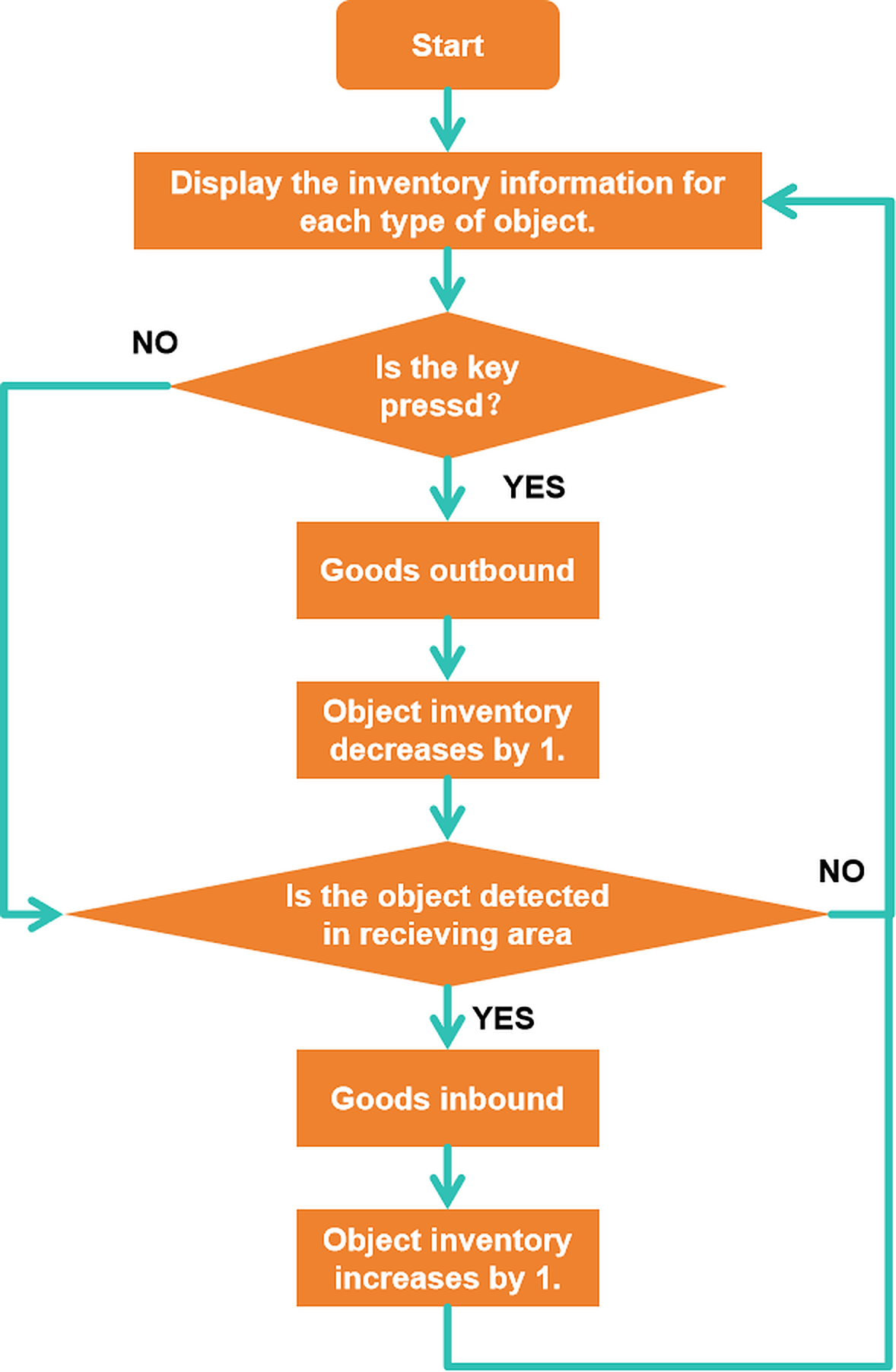
Practice code
The practice code — build this one firstكود التجربة — ابنوا هذا أولًا
Test & AdjustPart 6 of 6
الاختبار والضبط5 min · دقيقة

✅ Does it work? هل يعمل؟

Run 10 products through the full sorting + packaging system. Count how many are correctly sorted AND correctly packaged. Measure end-to-end cycle time. Present findings to the group.
لا نسأل: هل انتهينا؟ بل: هل يعمل؟ وإن لم يعمل، فلماذا؟
Everyone · للجميع
Read the tag, route the box
اقرأ الوسم ووجّه الصندوق
Each RFID tag must send its box to the correct packing channel.
يجب أن يُرسل كل وسم RFID صندوقه إلى قناة التعبئة الصحيحة.
Challenge · تحدٍّ
Handle an unknown tag
تعامل مع وسم مجهول
Present a tag the program does not know. It must not crash — it must route to 'manual check'.
قدّم وسمًا لا يعرفه البرنامج. يجب ألا يتعطّل بل يوجّه إلى الفحص اليدوي.
🏆
Demo & SubmitClosing the session
العرض والتسليم

🏆 Demo time — and tell us what you learned وقت العرض — وأخبرونا بما تعلّمتم

Every team shows one success to the class. Then write your name and what you learned today.
كل فريق يعرض نجاحًا واحدًا أمام الصف. ثم اكتبوا أسماءكم وما تعلّمتموه اليوم.
المخيم الصيفي 2026
Summer Camp 2026
Our Family, Our Unity · أسرتنا وحدتنا
Day 8: Integrated UAE Smart Factory
الفئة الثانية · المهندسون الناشئون
Camp 2 — Made in UAE: Smart Factory Challenge · dubaiculture.net
🚩
Getting startedBefore the clock starts
البداية — قبل أن يبدأ الوقت

🗺️ Our 8-Day Journey رحلتنا في ٨ أيام

You are here: Day 8 — Integrated UAE Smart Factory. Every day adds one new machine. On Day 8 we connect them all into one factory.
أنت هنا: اليوم 8 — Integrated UAE Smart Factory. كل يوم نضيف آلة جديدة، وفي اليوم الثامن نربطها كلها في مصنع واحد.
D1
Smart Factory Foundations
D2
Handling Robot Arm
D3
Automated Robot Arm
D4
Smart Conveyor Belt
D5
Quality Inspection
D6
Type & Quality Sorting
D7
Smart Packaging & Supply
Smart Factory
What we build today
Students integrate all factory systems into one fully operational smart factory controlled through automation and intelligent workflows. They connect robotic arms, conveyor systems, quality inspection stations, sorting units, and packaging systems into a single production environment.
ما نبنيه اليوم
يقوم الطلاب بدمج جميع أنظمة المصنع في مصنع ذكي متكامل يعمل من خلال الأتمتة وتدفقات العمل الذكية. ويقومون بربط الأذرع الروبوتية وأنظمة النقل ومحطات فحص الجودة ووحدات الفرز وأنظمة التعبئة ضمن بيئة إنتاج واحدة متكاملة.
🚩
Getting startedBefore the clock starts
البداية — قبل أن يبدأ الوقت
TODAY AT A GLANCE

🗂️ Day 8 — Integrated UAE Smart Factory اليوم 8

Here is everything we will do today. Ninety minutes, and each part has its own timer in the bar at the top of every slide.
هذا كل ما سنقوم به اليوم: تسعون دقيقة، ولكل جزء وقته في الشريط أعلى كل شريحة.
🔍 Inquiry Hookسؤال الانطلاق
5 min
📖 Theoryالشرح النظري
20 min
🎯 Knowledge Checkفحص الفهم
5 min
🔧 Build & Assembleالبناء والتركيب
45 min
💻 Full System Programالبرنامج الكامل
20 min
✅ Test & Adjustالاختبار والضبط
5 min
🏆 Demo & Submitالعرض والتسليم
🚩
Getting startedBefore the clock starts
البداية — قبل أن يبدأ الوقت
🛡️
Quick Reminders تذكير سريع
  • 🤝 Respect, listen, help each other · احترم واستمع وساعد زملاءك
  • ✋ Fingers away from moving parts · الأصابع بعيدة عن الأجزاء المتحركة
  • 🔌 Wiring check before any code · فحص التوصيلات قبل أي برمجة
  • 🧹 Return & tidy all parts at the end · أعد ورتّب جميع القطع في النهاية
🚩
Getting startedBefore the clock starts
البداية — قبل أن يبدأ الوقت

🎬 The full camp film فيلم المخيم الكامل

Our camp film for this age group — watch the machines working, then we build today\'s one: Integrated UAE Smart Factory.
هذا ما سنبنيه اليوم — Integrated UAE Smart Factory. شاهدوا الآلة وهي تعمل، ثم نبني آلتنا.
Loading the video… · جارٍ تحميل الفيديو…
🔍
Inquiry HookPart 1 of 6
سؤال الانطلاق5 min · دقيقة

🇦🇪 Watch: real UAE industry شاهد: الصناعة الإماراتية

🏭 Inside the world's largest date factory — Dubai Industrial Cityداخل أكبر مصنع تمور في العالم — مدينة دبي الصناعية YouTube · UAE news ↗
Real engineers do a final system integration test before shipping a product. What are the risks if systems built separately dont work together? How do you prepare for this?'
شاهدوا الفيديو ثم أجيبوا معًا عن سؤال الانطلاق.
📖
Theory9 slides
الشرح النظري20 min · دقيقة
📖
Theoryالشرح النظري
9 slides · 20 min
Already covered? Press Next to skip straight to the next part.
هل تمت تغطيتها؟ اضغط التالي للانتقال إلى الجزء التالي.
🎯
Knowledge CheckPart 3 of 6
فحص الفهم5 min · دقيقة
CHECK WHAT THEY HEARD

🎯 Do we understand it? هل فهمنا؟

Tap a question to reveal the answer — let the students answer first.
اضغط على السؤال لتظهر الإجابة — دع الطلاب يجيبون أولًا.
Q1
What are the two halves of a handshake?
Answer · الجواب
"I am ready to send" and "I am ready to receive". Nothing moves until both are true.
Q2
What is takt time set by?
Answer · الجواب
The slowest station. Everyone faster just waits.
Q3
Why keep buffers small?
Answer · الجواب
A big buffer hides the fault you should have fixed and ties up money in unfinished product.
Q4
What is the worst kind of failure?
Answer · الجواب
A silent one. Always signal.
Q5
Name the three numbers that describe a line.
Answer · الجواب
Throughput, yield, and downtime.
Q6
What is the hardest job in a factory?
Answer · الجواب
Coordination. Most engineering failures are two groups disagreeing about an interface.
🔧
Build & Assemble3 slides
البناء والتركيب45 min · دقيقة
🔧
Build & Assembleالبناء والتركيب
3 slides · 45 min
Already covered? Press Next to skip straight to the next part.
هل تمت تغطيتها؟ اضغط التالي للانتقال إلى الجزء التالي.
🧱
Do NOT take it apart: leave your build assembled. Every day adds to the SAME factory.
لا تفكّوها: اتركوا ما بنيتموه مركّبًا. كل يوم نضيف إلى المصنع نفسه.
🅐 ACEBOTT — QE031 Smart Factory أدوات ACEBOTT للعدّة
The kit maker's own resources: the product page, the assembly-video playlist, the tutorial library and the ACECode download.
مصادر الشركة المصنّعة للعدّة: صفحة المنتج، وقائمة فيديوهات التجميع، ومكتبة الدروس، وتنزيل برنامج ACECode.
🎬 Smart Warehousing — building tutorialبناء نظام التخزين الذكيYouTube · ACEBOTT ↗
💻
Full System ProgramPart 5 of 6
البرنامج الكامل20 min · دقيقة

💻 Full System Program البرنامج الكامل

Merge all code. Use millis()-based timing for all delays to ensure no blocking. Run the full integrated factory test: product enters → conveyor → inspection → sorting → packaging → exit signal.
جرّبوا كود التجربة أولًا، توقّعوا النتيجة، ثم ابنوا البرنامج الكامل.
🧪 Practice codestudents
The small test program, the workflow and the project files. Run it first, predict what happens, then test.
برنامج التجربة الصغير ومخطط العمل وملفات المشروع. شغّلوه أولًا وتوقّعوا ثم اختبروا.
👆 Tap to open it big · اضغط لتكبيره
💻 Full programfacilitators
The complete final code for today, block by block. Reveal it only after the teams have tried.
الكود النهائي الكامل لليوم لبنةً لبنة. اعرضه بعد أن تحاول الفرق.
🔒 Facilitators only · للميسّرين فقط
Practice code
The practice code — build this one firstكود التجربة — ابنوا هذا أولًا
Test & AdjustPart 6 of 6
الاختبار والضبط5 min · دقيقة

✅ Does it work? هل يعمل؟

Deliver a professional group presentation: each student explains one sub-system, the group explains how the systems integrate, and they demo the full factory live. Reflect: what worked, what they would improve, and how this connects to UAE's smart industry goals.
لا نسأل: هل انتهينا؟ بل: هل يعمل؟ وإن لم يعمل، فلماذا؟
Everyone · للجميع
End to end, one product
من البداية للنهاية بمنتج واحد
One product must pass through every station you built and come out packed.
يجب أن يمرّ منتج واحد بكل محطة بنيتها ويخرج معبّأً.
Challenge · تحدٍّ
Report your throughput
أبلغ عن معدّل إنتاجك
Run the line for three minutes. Report good products per minute and one bottleneck you found.
شغّل الخط ثلاث دقائق. أبلغ عن المنتجات الجيدة في الدقيقة وعن عقبة واحدة وجدتها.
🏆
Demo & SubmitClosing the session
العرض والتسليم

🏆 Demo time — and tell us what you learned وقت العرض — وأخبرونا بما تعلّمتم

Every team shows one success to the class. Then write your name and what you learned today.
كل فريق يعرض نجاحًا واحدًا أمام الصف. ثم اكتبوا أسماءكم وما تعلّمتموه اليوم.
Dubai Culture · Dubai Public Library · School of Life

Day 0 — Get Ready

Before the camp starts · اليوم صفر — الاستعداد قبل انطلاق المخيم
For facilitators · للميسّرين — complete BEFORE Day 1
Camp 2 — Made in UAE: Smart Factory Challenge

🎒 Your mission before Day 1 مهمتك قبل اليوم الأول

1١
💻 Install the coding appsثبّت برامج البرمجة
ACECode (G2) · RoboCode (G1) — installed AND tested
2٢
📦 Check the kitsافحص العدد
All parts present, batteries charged, cables working
3٣
🌐 Open the camp websiteافتح موقع المخيم
dubaiculture.net — learn your passkey, try the timer
4٤
🏫 Set up the roomجهّز القاعة
Team tables, power, projector, parts bins
5٥
🧪 Run one test uploadجرّب رفع كود
Connect a brain, upload the Day-1 test — end to end
6٦
📸 Prepare to documentاستعد للتوثيق
Photos every day for the Day-8 showcase

💻 Software 1/2 — Group 2 · Junior Engineers تثبيت برنامج ACECode

  • 1 · Go to the official download page: www.acebott.com/pages/software
  • 2 · Download ACECode for Windows and run the installer → Install
  • 3 · Open ACECode → serial-port button → One-click to install serial driver → Next → Finish (two drivers)
  • 4 · In the controller board list select ESP32 (default)
  • 5 · Connect the ESP32 with the Type-C cable → a COM port appears → connect
  • 6 · Test: open 1-2DebugAndUplod.sb3 (website, Day 1) → Upload → board responds = READY ✅
⚠️
Install on EVERY laptop the students will use — not just yours.
ثبّت البرنامج على كل جهاز سيستخدمه الطلاب — وليس جهازك فقط.

💻 Software 2/2 — Group 1 · Little Makers تثبيت برنامج RoboCode

  • 1 · Official page: zmrobo.net → Software → RoboCode (direct: zmrobo.net/software/8)
  • 2 · Download RoboCode 4.0 for Windows and install
  • 3 · Open RoboCode → select the M5-RCU controller (our Alpha kit brain)
  • 4 · Connect the brain by USB → allow the driver → the connect icon turns active
  • 5 · Test: open sliding_door.rc4 (website, Day 2 files) → Upload → motor responds = READY ✅
  • 6 · Bookmark the 3D building manuals: zmrobo.net/modelmanual — used every day as the build manual
🧊
Open the ZMROBO 3D building manuals
افتح أدلة البناء ثلاثية الأبعاد
▶ Click to open here · اضغط للفتح هنا

📦 ZMROBO Alpha Set — what must be inside فحص عدة المجموعة الأولى

  • ☐ 🧠 M5-RCU brain (charged!) + USB cable
  • ☐ ⚙️ Motors ×2 + wheels + gripper parts
  • ☐ 👁 Ultrasonic sensor · 🎨 Colour sensor · 🎛 Potentiometer knob
  • ☐ 🧱 Building elements, axles, connectors (count vs the box list)
  • ☐ 🔌 Sensor cables — one spare per table
  • ☐ 🔋 Charged batteries + charger at hand
Day-1 special: do NOT hand out the whole kit. Prepare a small tray per team — the BRAIN plus the day's selected sensors only (colour + ultrasonic). The full kit comes out from Day 2.
في اليوم الأول: الدماغ والحساسات المختارة فقط، وليست العدة كاملة. العدة الكاملة تبدأ من اليوم الثاني.

📦 Smart Factory Kit (QE031/QE037) — what must be inside فحص عدة المجموعة الثانية

  • ☐ 🧠 ESP32 board + expansion board + Type-C cable
  • ☐ ⚙️ MG90S servos ×4 (arm) + SG90 (gate) + TT DC motor (conveyor)
  • ☐ 👁 IR obstacle sensor · 🎨 Colour sensor (TCS3472) · 🕹 Joystick modules ×2
  • ☐ 📶 RFID module + 3 electronic tags · 🔢 4-Button module · 🖥 LCD1602
  • ☐ 🔩 Structure parts: arm links, conveyor frame, warehouse plates, screw bags
  • ☐ 🔧 Screwdrivers + spare screws · 🔋 battery holders charged
  • ☐ 🗂 Sort parts by DAY using the manual chapter list (arm → conveyor → sorting → warehouse)

🌐 Your main tool — dubaiculture.net موقع المخيم

  • 1 · Open dubaiculture.net on the projector laptop — bookmark it
  • 2 · Facilitator → choose YOUR library → passkey 1234 (changeable by Admin)
  • 3 · Open your age group → Day 1 → press ▶ Start the Session — try the floating timer
  • 4 · Every day runs: journey map → safety → video → 7 phases → build manual → Code Lab → demo
  • 5 · Below the 8 days: Marks · Submit today's work · My evaluations · Camp Guide
  • 6 · Students need NO login: Student → age group → day — everything in one flow
🔑
Works offline after the first load — but the videos and the 3D manual need internet.
يعمل دون إنترنت بعد أول فتح — لكن الفيديوهات ودليل البناء ثلاثي الأبعاد تحتاج إنترنت.

🏫 The space تجهيز القاعة

  • 🪑 Team tables of 3–4 students — one kit + one laptop per team
  • 🖥 Projector / big screen showing the website — visible from all tables
  • 🔌 Power strip per table + charging corner for brains and batteries
  • 🗃 Parts bins per team + one "lost parts" tray at your desk
  • 🚧 Keep a clear testing runway on the floor (line-following & conveyor days)
  • 🏷 Name tags + team names (factory names!) — students choose on Day 1
  • 📸 A phone/tripod corner for daily photos and the Day-8 recording
  • 🧯 Know the room's safety points: sockets, exits, first aid

⏱ How every day runs — 7 phases إيقاع الجلسة اليومية

🔍
Inquiry Hook
5′
📖
Theory
10′
🎯
Knowledge Check
5′
🔧
Build & Assemble
45′
💡
Practice Code
10′
💻
Full Program
10′
Test & Adjust
5′
💡
The ▶ Start the Session button runs this timer for you — phases switch automatically. Build is the heart (45′): circulate, don't rescue. Practice the small code BEFORE the full program. Every day ends with Demo Time.
زر "ابدأ الجلسة" يشغّل المؤقّت تلقائيًا. البناء هو القلب (45 دقيقة): تجوّل بين الفرق ولا تحل مكانهم. جرّبوا الكود الصغير قبل البرنامج الكامل. كل يوم ينتهي بوقت العرض.

🎓 From the official breakdown file منهجنا التعليمي

Every session follows one 7-phase model combining Inquiry-Based Learning, Project-Based Learning and Scaffolded Differentiation. The same structure runs across all 16 projects and both age groups — what changes is the depth, language and independence expected.
تتبع كل جلسة نموذجًا من سبع مراحل يجمع التعلّم بالاستقصاء والتعلّم بالمشاريع والتدرّج في الدعم. البنية نفسها في المشاريع الستة عشر ولكلتا الفئتين — ما يتغيّر هو العمق واللغة ومستوى الاستقلالية.
  • Start with curiosity, not content — the Inquiry Hook opens every session; attention earned there carries the full 90 minutes.
  • Understand before you build — Theory + Knowledge Check ensure students know WHY before touching parts.
  • Remove the fear of the blank screen — practice code comes BEFORE the full program.
  • Separate physical and digital — build first, code second, one challenge at a time.
  • Close with real testing — not "are we done?" but "does it work, and if not, why?"

🛠 When something fails حلول سريعة للأعطال

Problem · المشكلةFix · الحل
RoboCode does not see the brain (Group 1)Check the cable first: it must be USB-A to Type-C. A Type-C to Type-C cable will NOT be detected — the most common Day-1 problem.
تحقّق من الكابل أولًا: يجب أن يكون USB-A إلى Type-C. كابل Type-C إلى Type-C لن يتعرّف عليه البرنامج.
Upload failsCheck USB cable & COM port → restart the app → try another cable
Board not respondingPower ON? Battery charged? Try USB power directly
Sensor gives wrong valuesClean the sensor window → check the cable is in the RIGHT port → recalibrate
Motor doesn't moveWiring to the correct port (M1/S0…)? Speed not zero? Power off → on
Website video won't playInternet down — continue the session and show the video later
Student laptop frozenHave ONE spare laptop ready with both apps installed

✅ Day-before checklist قائمة ما قبل اليوم الأول

  • ☐ ACECode + RoboCode installed & tested on every laptop
  • ☐ One full test upload done on a real brain (both groups)
  • ☐ Kits complete, batteries charged, Day-1 trays prepared (brain + selected sensors)
  • ☐ dubaiculture.net opens, passkey works, timer tried
  • ☐ Internet + sound tested for the videos & 3D manual
  • ☐ Room set: tables, power, projector, bins, runway, camera
  • ☐ Spare: 1 laptop, 2 cables, batteries, screwdriver
  • ☐ You read Day 1 in the website end-to-end (15 minutes)
Ready? See you on Day 1 — our factory starts with YOU.
جاهزون؟ نلقاكم في اليوم الأول — مصنعنا يبدأ بكم.
THEORY 1 / 9

🤝 The handshake protocol بروتوكول التفاهم

📤 Ready to sendجاهز للإرسال
Station A has a product
and has finished
with it.
📥 Ready to receiveجاهز للاستقبال
Station B has space
and is not busy.
✅ Transferالنقل
Only when both are
true does anything
actually move.
Neither station acts until both agreeلا تتحرك أي محطة حتى تتفق الاثنتان
⚠️
Without this, station A eventually delivers into a station that is still working, and both builds are damaged. The signal costs nothing; the collision costs the day.
بدونه ستُسلّم المحطة أ إلى محطة لا تزال تعمل فتتضرّر الآلتان — الإشارة مجانية والاصطدام يكلّف اليوم.
THEORY 2 / 9

⏱️ Takt time and the bottleneck زمن الدورة وعنق الزجاجة

⏲️ Cycle timeزمن المحطة
How long ONE station
takes for one product.
🚦 The slowestالأبطأ
Its cycle time becomes
the line's cycle time.
😴 The othersالبقية
Everyone faster simply
waits. Their spare
speed is worth nothing.
🎯
Measure every station today and write the numbers on the board. Improving anything except the slowest is wasted effort — the most useful and most annoying fact in manufacturing.
قيسوا زمن كل محطة واكتبوه: تحسين غير الأبطأ جهد ضائع — أنفع حقيقة في التصنيع وأكثرها إزعاجًا.
THEORY 3 / 9

📦 Buffers: the insurance nobody likes المخزون الوسيط: تأمين لا يحبّه أحد

🈳 No bufferبلا مخزون
One station stops and
everything stops
immediately.
📦 Small bufferمخزون صغير
The others keep working
while a short stoppage
is fixed.
🏗️ Big bufferمخزون كبير
Hides problems and ties
up money in unfinished
product.
⚖️
The right buffer is small and deliberate. Too big and it conceals the fault you should have fixed — which is the argument behind just-in-time manufacturing.
المخزون الصحيح صغير ومقصود: الكبير يخفي العطل الذي كان يجب إصلاحه — وهذا أساس الإنتاج في الوقت المحدّد.
THEORY 4 / 9

🚨 Designing for failure التصميم لمواجهة العطل

🛑 Stop the lineأوقفوا الخط
Safest. Nothing bad is
produced, nothing is
produced at all.
⏭️ Bypassتجاوز
Route around the failed
station, if the product
allows it.
📢 Alertتنبيه
Always signal. A silent
failure is the worst
kind.
🏭
Real lines have a cord anyone can pull to stop everything — and pulling it is treated as doing the right thing, not causing trouble. Decide your team's equivalent today.
في الخطوط الحقيقية حبل يوقف كل شيء، وسحبه تصرّف صحيح لا مشكلة — حدّدوا ما يعادله عندكم.
THEORY 5 / 9

📊 The line reports on itself الخط يبلّغ عن نفسه

🔢 Throughputالإنتاجية
Finished products
per minute.
📉 Yieldنسبة الجودة
Good products as a
share of everything
started.
⏸️ Downtimeالتوقف
How long the line was
not producing, and
why.
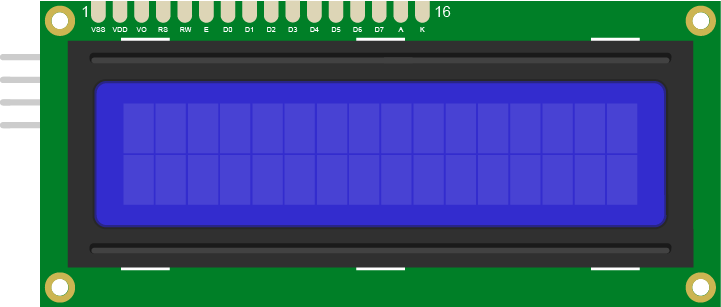
Throughput, yield and downtime — read every morningالإنتاجية والجودة والتوقف — تُقرأ كل صباح
💡
These three numbers are what a real plant manager looks at every morning. Produce them today and you have not just built a factory — you have built one that can be managed.
هذه الأرقام الثلاثة هي ما يراه مدير المصنع كل صباح — أنتجوها اليوم لتبنوا مصنعًا يمكن إدارته.
THEORY 6 / 9

👥 The factory is people المصنع أناس

🔧 Buildersالبناة
Made each station
work on its own.
💻 Programmersالمبرمجون
Wrote the rules each
one follows.
🩺 Maintenanceالصيانة
Got it running again
when it stopped.
🗣️ Coordinationالتنسيق
Got five teams to agree
on one interface.
The fourth job is the hardest, and today proves it. Every real engineering failure you will read about was, underneath, a failure of two groups to agree on an interface.
الدور الرابع هو الأصعب — وكل فشل هندسي حقيقي كان في جوهره فشلًا في الاتفاق على واجهة بينية.
THEORY 7 / 9

📈 The three numbers that run a factory الأرقام الثلاثة التي تدير مصنعًا

⚡ Availabilityالجاهزية
What share of the
planned time was the
line actually running?
🏃 Performanceالأداء
When it ran, did it run
at its designed speed?
✅ Qualityالجودة
Of what it made, how
much was good?
📊 OEEالكفاءة الكلية
Multiply all three.
That single number is
how plants are judged.
🎯
Overall Equipment Effectiveness. A line that runs 90% of the time, at 90% speed, with 90% quality, scores 73% — which is why small losses at three stages matter far more than they look.
الكفاءة الكلية للمعدات: خط يعمل 90% من الوقت بسرعة 90% وجودة 90% يحصل على 73% فقط — ولهذا تهمّ الخسائر الصغيرة.
THEORY 8 / 9

🔄 Why factories keep changing لماذا تتغيّر المصانع باستمرار

🔍 Measureقِس
You cannot improve what
you never wrote down.
🔧 Change one thingغيّروا شيئًا واحدًا
Two changes at once and
you learn nothing from
the result.
📊 Measure againقِس مجددًا
Did the number move?
In the right direction?
🔁 Repeatكرّروا
Forever. This is the
whole job.
This loop has a name in every manufacturing company on earth — continuous improvement. It is also exactly what you have been doing all week: change one number, run it, watch, write it down.
لهذه الحلقة اسم في كل شركة تصنيع: التحسين المستمر — وهو ما فعلتموه طوال الأسبوع: غيّروا رقمًا، شغّلوا، راقبوا، سجّلوا.
THEORY 9 / 9

🗺️ The mind map — how engineers think الخريطة الذهنية: كيف يفكّر المهندسون

1 · What does it DO?ماذا تفعل؟
Say the job out loud in
one sentence, before
anything else.
2 · What MOVES?ما الذي يتحرك؟
Every movement needs a
motor. Count them.
3 · What DECIDES?ما الذي يقرّر؟
Every decision needs a
sensor. Count those too.
4 · What ORDER?ما الترتيب؟
Now write the steps
down in the order they
happen.
🧠
Every ZMROBO lesson starts this way, and so should every team. Four questions, answered out loud, before a single brick is picked up — it turns a vague idea into a list you can build.
يبدأ كل درس بهذه الطريقة: أربعة أسئلة تُجاب بصوت عالٍ قبل التقاط أي قطعة.
THEORY 1 / 9

🏷️ Giving a product an identity منح المنتج هوية

🔢 Barcodeباركود
Cheap, printed, needs
line of sight and
good light.
📡 RFIDRFID
Read without seeing it,
through a box, several
at once.
👁️ Visionرؤية
Reads shape or text.
Flexible, and the
most fragile.
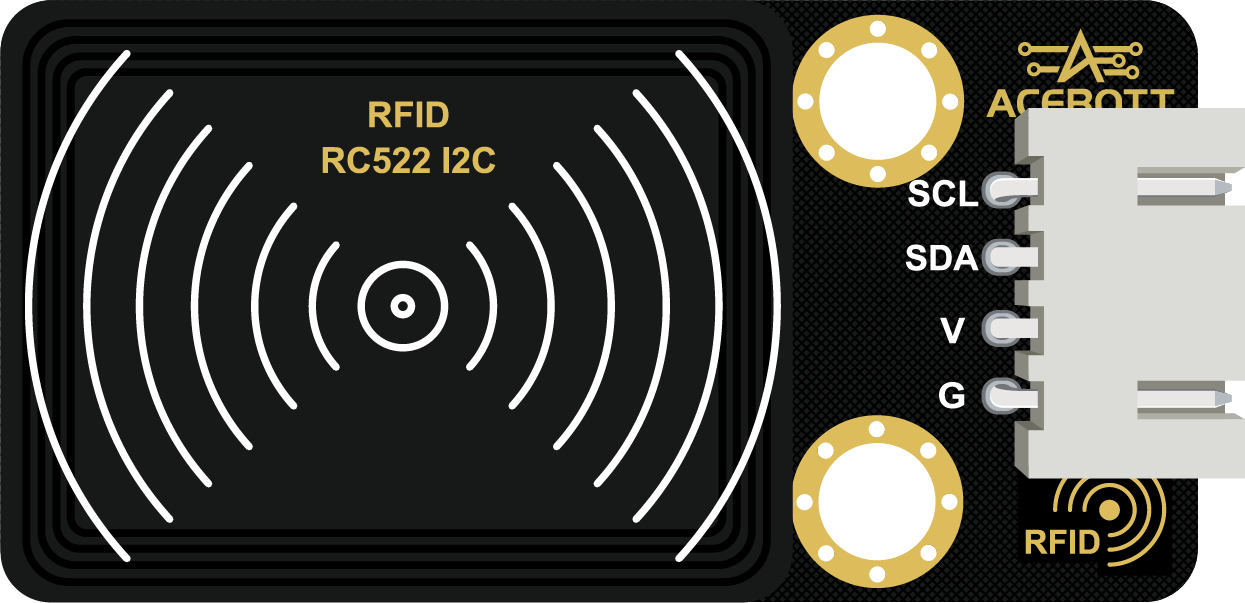
An RFID reader — it answers without being seenقارئ RFID: يجيب دون أن يُرى
💡
RFID is why a shop can count its entire stock in minutes. The tag answers when asked, and nobody has to find it, aim at it, or turn it the right way round.
بفضل RFID يمكن جرد متجر كامل في دقائق: البطاقة تجيب عند السؤال دون الحاجة لرؤيتها.
THEORY 2 / 9

📦 Packaging is protection and information التعبئة حماية ومعلومة

🛡️ Protectsتحمي
The product survives
the journey to the
customer.
ℹ️ Informsتُعلم
What is inside, when
it was made, where
it is going.
📚 Stacksتُرصّ
A shape that stacks
safely and uses the
space it is given.
🎯
Packaging engineers argue about box dimensions for months, because a box a centimetre too wide can cost a whole row on every pallet, on every lorry, for years.
يتناقش مهندسو التعبئة شهورًا حول أبعاد الصندوق: سنتيمتر زائد يكلّف صفًا كاملًا في كل شاحنة.
THEORY 3 / 9

🗺️ Where does it go on the shelf? أين يوضع على الرف؟

📍 Fixed slotموضع ثابت
Every product type has
one home. Simple, and
wastes space.
🎲 Chaotic storageتخزين عشوائي
Put it anywhere and
record where. Denser,
needs a good system.
🏃 Fast moversالأكثر حركة
What ships most often
goes nearest the door.
🏭
Large warehouses deliberately use "chaotic" storage — it is only chaotic to a human. The system knows exactly where everything is, and it fits far more in.
تستخدم المستودعات الكبيرة التخزين العشوائي عمدًا: عشوائي للبشر فقط، والنظام يعرف كل موضع.
THEORY 4 / 9

📥 Stock in, stock out الوارد والصادر

➕ Receivedوارد
Count it in and record
what arrived.
➖ Shippedصادر
Count it out and record
what left.
🧮 On handالمتوفّر
In minus out. If the
number is wrong, so is
every order you accept.
⚠️
A warehouse that miscounts promises customers things it does not have. Your line must update its count on every single movement — not at the end of the run.
المستودع الذي يخطئ العدّ يَعِد بما لا يملك — حدّثوا العدّ عند كل حركة لا في النهاية.
THEORY 5 / 9

🔗 Handing over to Day 8 التسليم لليوم الثامن

📥 Acceptsيستقبل
Whatever sorting sends,
in the state it sends
it.
📍 Fixed pointنقطة ثابتة
One agreed spot where
the product arrives.
📢 Signalsيُشير
Tells the line it is
ready, or that it is
full.
One agreed point where the product arrivesنقطة متفق عليها يصل إليها المنتج
🤝
Tomorrow every station has to talk to its neighbour. Get this handover working today and Day 8 becomes an integration, not a rebuild.
غدًا تتحدث كل محطة مع جارتها — أتقنوا التسليم اليوم ليكون الغد دمجًا لا إعادة بناء.
THEORY 6 / 9

🇦🇪 Logistics is the UAE's business اللوجستيات عمل الإمارات

🚢 Jebel Aliجبل علي
A top-ten global port.
Every container tracked
end to end.
✈️ DXB & DWCمطارات دبي
Cargo hubs connecting
three continents
every day.
🏬 E-commerceالتجارة الإلكترونية
Same-day delivery only
works with automated
warehouses.
🌍 Re-exportإعادة التصدير
Goods arrive, are
sorted, and leave for
somewhere else.

Jebel Ali connects three continentsجبل علي يربط ثلاث قارات Photo: www.GlynLowe.com from Hamburg, Germany · CC BY 2.0 · Wikimedia Commons
The UAE's position as a trade hub is built on exactly this: knowing where everything is, and moving it faster than anyone else. Your station is that idea, made small.
مكانة الإمارات كمركز تجاري مبنية على هذا بالضبط: معرفة موقع كل شيء ونقله أسرع من الجميع.
THEORY 7 / 9

🔢 What an identifier actually is ما هو المعرّف حقًا

🔢 Uniqueفريد
No two products share
one. That is the whole
point.
📖 Readableقابل للقراءة
By a machine, quickly,
and without a human
aiming it.
🔗 A keyمفتاح
The number itself means
nothing — it POINTS to
a record.
🗄️ The recordالسجل
Where the real
information lives: what,
when, where, for whom.
The tag holds a number; the number finds the recordالبطاقة تحمل رقمًا، والرقم يجد السجل
💡
The tag on a box holds almost no information. It holds a number that finds the information. That separation is the foundation of every database and every logistics system on earth.
البطاقة لا تحمل معلومات تقريبًا بل رقمًا يجد المعلومات — وهذا الفصل أساس كل قاعدة بيانات ونظام لوجستي.
THEORY 8 / 9

📦 First in, first out الوارد أولًا يخرج أولًا

📥 FIFOالوارد أولًا
Oldest stock ships
first. Essential for
anything that expires.
📤 LIFOالوارد أخيرًا
Newest ships first.
Easier physically —
and wrong for food.
📅 Expiryالصلاحية
The reason FIFO exists.
Get it wrong and stock
spoils on the shelf.
🌴
A date-packing plant that ships newest-first will throw away its oldest stock every season. The storage RULE is worth more money than the storage machine.
مصنع تمور يشحن الأحدث أولًا سيتلف أقدم مخزونه كل موسم — قاعدة التخزين أثمن من آلة التخزين.
THEORY 9 / 9

🗺️ The mind map — how engineers think الخريطة الذهنية: كيف يفكّر المهندسون

1 · What does it DO?ماذا تفعل؟
Say the job out loud in
one sentence, before
anything else.
2 · What MOVES?ما الذي يتحرك؟
Every movement needs a
motor. Count them.
3 · What DECIDES?ما الذي يقرّر؟
Every decision needs a
sensor. Count those too.
4 · What ORDER?ما الترتيب؟
Now write the steps
down in the order they
happen.
🧠
Every ZMROBO lesson starts this way, and so should every team. Four questions, answered out loud, before a single brick is picked up — it turns a vague idea into a list you can build.
يبدأ كل درس بهذه الطريقة: أربعة أسئلة تُجاب بصوت عالٍ قبل التقاط أي قطعة.
THEORY 1 / 9

🌳 Nested decisions القرارات المتداخلة

1️⃣ Outerالخارجي
Ask the first question.
It splits everything
in two.
2️⃣ Innerالداخلي
Inside each branch,
ask the second.
🌳 Four leavesأربعة فروع
Two questions, four
destinations. No case
left undefined.
Order matters for speed: ask the fast, cheap question first and most items are routed before the slow test ever runs. Real lines are ordered this way deliberately.
الترتيب يهم للسرعة: اسألوا السؤال السريع أولًا فتُوجَّه معظم القطع قبل الاختبار البطيء.
THEORY 2 / 9

⏱️ Sort before the next one arrives افرزوا قبل وصول التالي

⏳ Decideقرّروا
The reading and the
comparison take time.
🚪 Actنفّذوا
The gate or pusher
takes more time.
🏃 The gapالفجوة
All of it must finish
before the next product
arrives.
🎯
Your maximum line speed is set by the slowest of those three, not by the belt motor. That is the bottleneck, and speeding up anything else is wasted effort.
أقصى سرعة يحدّدها أبطأ هذه الثلاثة لا محرك الحزام — وهذا هو عنق الزجاجة.
THEORY 3 / 9

🚪 Mechanisms that separate آليات الفصل

👉 Pusherدافع
Simple and forceful.
Needs precise timing.
🚧 Gateبوابة
Diverts to a second
path. Must reset before
the next item.
🦾 Armذراع
Most flexible, slowest.
Good for many
destinations.
💨 Air jetنفث هواء
Fastest of all. Used
for high-speed food
and recycling lines.
⏱️
Whatever you use, it must RESET before the next product. A gate that has not returned sends the next item to the wrong place — and nothing in the code will look wrong.
أيًّا كانت الآلية يجب أن تعود قبل المنتج التالي، وإلا ذهب إلى الوجهة الخاطئة دون خطأ برمجي ظاهر.
THEORY 4 / 9

🛡️ What to do when unsure ماذا نفعل عند الشك

🤷 On the boundaryعند الحد
The reading sits right
between two categories.
📦 A third binوجهة ثالثة
Send it for a human
to look at, instead
of guessing.
📊 Count themعُدّوها
Lots of uncertain items
means your spec or your
station is wrong.
🏭
Real inspection lines have a "review" bin for exactly this. Forcing every item into pass or fail hides the fact that your measurement is not good enough.
خطوط الفحص الحقيقية فيها صندوق «مراجعة» لهذا السبب — الإجبار على قبول أو رفض يخفي ضعف القياس.
THEORY 5 / 9

📊 The line tells you about itself الخط يخبركم عن نفسه

🔢 Per categoryلكل فئة
Count each of the four
outcomes separately.
📉 Ratesالنسب
Rejects as a share of
the total, not just
a raw number.
🔍 Diagnoseشخّصوا
A jump in one category
points at one station
upstream.
Four counts, one per outcomeأربعة أعداد، واحد لكل حالة
💡
This is the beginning of what industry calls process monitoring: the line does not just produce, it reports on its own health, and someone reads that report every morning.
هذه بداية «مراقبة العملية»: الخط لا ينتج فقط بل يبلّغ عن حالته، ويقرأ أحدهم التقرير كل صباح.
THEORY 6 / 9

🇦🇪 Sorting at scale الفرز على نطاق واسع

✈️ DXB baggageأمتعة مطار دبي
Thousands of bags an
hour routed by tag to
the right aircraft.
♻️ Recyclingإعادة التدوير
Optical sorters separate
plastics by type at
high speed.
🌴 Datesالتمور
Graded by size, colour
and quality before
packing.
📮 Parcelsالطرود
Read, decide, divert —
millions of times a day.

DXB sorts thousands of bags an hour, by tag, to the right aircraftمطار دبي يفرز آلاف الحقائب في الساعة Photo: Mhp1255 · CC BY-SA 3.0 · Wikimedia Commons
Your sorter and the DXB baggage system solve an identical problem: read each item, decide where it goes, and get it there before the next one arrives.
فارزكم ونظام أمتعة مطار دبي يحلّان المشكلة ذاتها بالحجم المختلف.
THEORY 7 / 9

🌳 Decision trees and their cost أشجار القرار وتكلفتها

🌿 Each branchكل فرع
One test, two outcomes.
The tree doubles at
every level.
⏱️ Each test costsكل اختبار يكلّف
Time, and sometimes a
sensor. Both are
finite.
⚡ Order themرتّبوها
Cheapest and most
decisive test first —
it eliminates the most.
🧠
This is the same principle behind how a machine-learning model decides. Ask the question that splits the data best, first — the rest of the tree gets much smaller.
هذا المبدأ نفسه وراء قرار نماذج التعلّم الآلي: اسألوا السؤال الأكثر فصلًا أولًا فيصغر باقي الشجرة.
THEORY 8 / 9

📊 Sampling: you cannot test everything أخذ العيّنات: لا يمكن فحص كل شيء

💯 100% inspectionفحص كامل
Every unit checked.
Necessary for medicine
and aircraft parts.
🎲 Samplingعيّنة
Check some, infer the
rest. Cheaper, and it
can be wrong.
⚖️ The choiceالاختيار
Depends entirely on
what one escaped defect
actually costs.
💊
Your line inspects every unit, and that is the right choice at this scale. A bottling plant doing 40,000 an hour cannot — so it samples, and accepts a known, calculated risk.
خطّكم يفحص كل وحدة وهذا صحيح بحجمكم، أما مصنع يعبّئ 40,000 في الساعة فيأخذ عيّنات ويقبل مخاطرة محسوبة.
THEORY 9 / 9

🗺️ The mind map — how engineers think الخريطة الذهنية: كيف يفكّر المهندسون

1 · What does it DO?ماذا تفعل؟
Say the job out loud in
one sentence, before
anything else.
2 · What MOVES?ما الذي يتحرك؟
Every movement needs a
motor. Count them.
3 · What DECIDES?ما الذي يقرّر؟
Every decision needs a
sensor. Count those too.
4 · What ORDER?ما الترتيب؟
Now write the steps
down in the order they
happen.
🧠
Every ZMROBO lesson starts this way, and so should every team. Four questions, answered out loud, before a single brick is picked up — it turns a vague idea into a list you can build.
يبدأ كل درس بهذه الطريقة: أربعة أسئلة تُجاب بصوت عالٍ قبل التقاط أي قطعة.
THEORY 1 / 9

📏 A specification is a number المواصفة رقم

🗣️ "Looks bad"«يبدو رديئًا»
Cannot be programmed,
and two people will
disagree.
📐 "Below 400"«أقل من 400»
Can be programmed,
and it is the same for
everyone.
✍️ Write it downاكتبوها
A spec nobody wrote
down is not a spec.
🎯
Your first job today is not code. It is deciding, as a team, the exact number that separates pass from fail — and writing it on your slide.
مهمتكم الأولى اليوم ليست الكود بل تحديد الرقم الذي يفصل القبول عن الرفض وكتابته.
THEORY 2 / 9

⚖️ Two ways to be wrong طريقتان للخطأ

❌ False rejectرفض خاطئ
A good product thrown
away. You lose money.
⚠️ False acceptقبول خاطئ
A bad product shipped.
You lose a customer.
🎚️ The tradeالمقايضة
Tightening the spec
reduces one and
increases the other.
💊
You cannot minimise both at once. For medicine and food, always bias towards false rejects. For cheap items, the opposite. Say which you chose, and why.
لا يمكن تقليل الاثنين معًا: في الدواء والغذاء انحازوا للرفض، وفي السلع الرخيصة للعكس.
THEORY 3 / 9

🔁 Measure the same way every time قيسوا بالطريقة نفسها دائمًا

📍 Same positionالموضع نفسه
The product must stop
in the same place
to be measured.
💡 Same lightالإضاءة نفسها
Changing light changes
the reading, and
nothing else did.
📏 Same distanceالمسافة نفسها
Sensor height fixed
and never adjusted
mid-run.
⚠️
If the measurement conditions vary, your threshold is meaningless — you are measuring the room, not the product. Control the conditions before you tune the number.
إن تغيّرت ظروف القياس فالعتبة بلا معنى — تكونون تقيسون الغرفة لا المنتج.
THEORY 4 / 9

👁️ This is computer vision, in miniature هذه رؤية حاسوبية مصغّرة

👁️ Seesترى
Your sensor reads one
property of the surface.
🔢 Quantifiesتُقيس
Turns it into a number
a rule can be applied to.
⚖️ Judgesتحكم
Compares it against the
spec you wrote.
One sensor, one property, one number — that is vision at its simplestحسّاس واحد وخاصية واحدة ورقم واحد — أبسط صور الرؤية
🧠
A real inspection camera does the same three things with a million measurements instead of one. The principle you are using today does not change — only the resolution.
كاميرا الفحص الحقيقية تفعل الأمر نفسه بمليون قياس بدل واحد — المبدأ ذاته والفارق في الدقة.
THEORY 5 / 9

📊 Count everything عُدّوا كل شيء

✅ Passedمقبول
How many were good.
❌ Rejectedمرفوض
How many were not.
📉 Reject rateنسبة الرفض
Rejected out of total.
The number a plant
manager checks first.
📈 Trendالاتجاه
If it rises, something
upstream is breaking.
Pass and reject counts, live on the screenأعداد القبول والرفض مباشرة على الشاشة
🔍
The reject rate is a diagnostic, not just a score. A rate that climbs through the morning usually means a machine before you is drifting — the inspection station finds the problem.
نسبة الرفض تشخيص لا مجرد نتيجة: ارتفاعها يعني عادةً انحراف آلة سابقة في الخط.
THEORY 6 / 9

🇦🇪 Where the promise is kept أين يُحفظ الوعد

💊 Pharmaالدواء
Every unit inspected.
No exceptions, ever.
🌴 Datesالتمور
Export grade is a
written standard, not
an opinion.
🥛 Dairyالألبان
One bad batch on shelves
costs a brand years
of trust.
📱 Electronicsالإلكترونيات
Tested before it is
allowed near a box.
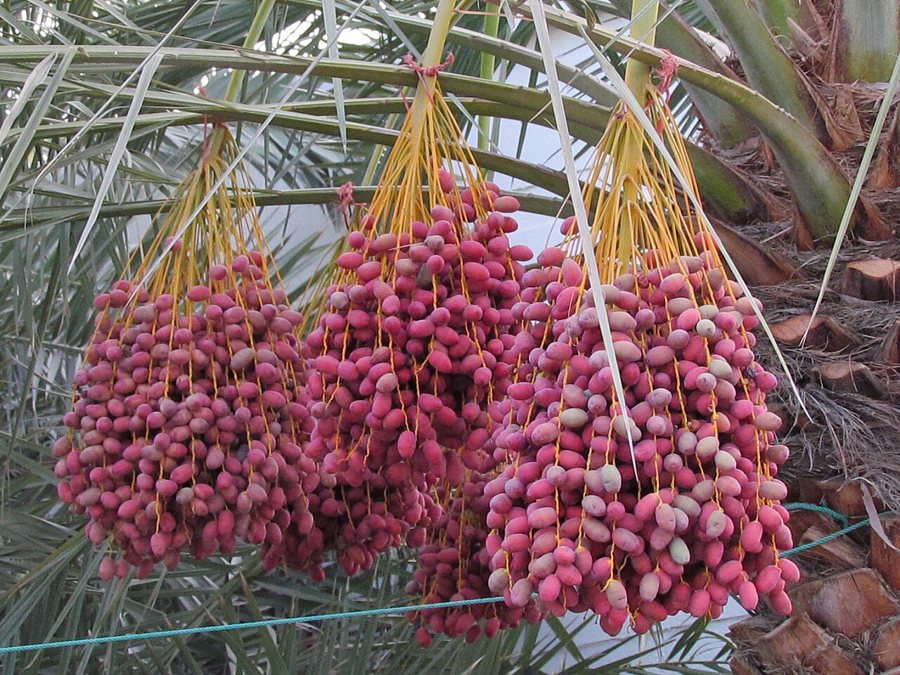
One bad batch on shelves costs a brand years of trustدفعة رديئة واحدة تكلّف العلامة سنوات من الثقة Photo: Vicharam · CC BY 3.0 · Wikimedia Commons
Quality control is not fussiness. It is the point where a factory decides what it is willing to put its name on.
مراقبة الجودة ليست تدقيقًا زائدًا، بل اللحظة التي يقرّر فيها المصنع ما يضع اسمه عليه.
THEORY 7 / 9

📏 Accuracy is not precision الدقة ليست الضبط

🎯 Accurateدقيق
Close to the TRUE value,
on average.
🎯 Preciseمضبوط
Readings cluster tightly
together — even if all
are wrong.
❌ Precise, not accurateمضبوط غير دقيق
Ten identical readings,
all off by the same
amount. Calibration.
❌ Accurate, not preciseدقيق غير مضبوط
Readings scattered around
the right answer. Noise.
🔬
Diagnose which one you have before you fix anything. Precise-but-wrong is a calibration problem. Scattered-but-centred is a noise problem. They need opposite fixes.
شخّصوا أيّهما لديكم قبل الإصلاح: المضبوط الخاطئ مشكلة معايرة، والمبعثر حول الصواب مشكلة ضوضاء — والحلّان متعاكسان.
THEORY 8 / 9

🔁 Calibration: teaching the machine what normal is المعايرة: تعليم الآلة ما هو الطبيعي

📊 Sampleالعيّنة
Measure a known-good
product many times, not
once.
📉 Rangeالمدى
Write down the highest
and lowest you saw.
That spread is real.
📏 Set the limitحدّدوا الحد
Outside that range means
something genuinely
changed.
Real lines re-calibrate at the start of every shift, because temperature, light and dust all drift through a day. A threshold set once in the morning is wrong by the afternoon.
تُعاد المعايرة في بداية كل وردية لأن الحرارة والإضاءة والغبار تتغيّر خلال اليوم.
THEORY 9 / 9

🗺️ The mind map — how engineers think الخريطة الذهنية: كيف يفكّر المهندسون

1 · What does it DO?ماذا تفعل؟
Say the job out loud in
one sentence, before
anything else.
2 · What MOVES?ما الذي يتحرك؟
Every movement needs a
motor. Count them.
3 · What DECIDES?ما الذي يقرّر؟
Every decision needs a
sensor. Count those too.
4 · What ORDER?ما الترتيب؟
Now write the steps
down in the order they
happen.
🧠
Every ZMROBO lesson starts this way, and so should every team. Four questions, answered out loud, before a single brick is picked up — it turns a vague idea into a list you can build.
يبدأ كل درس بهذه الطريقة: أربعة أسئلة تُجاب بصوت عالٍ قبل التقاط أي قطعة.
THEORY 1 / 9

⚙️ Speed, torque and load السرعة وعزم الدوران والحِمل

🌀 Motor speedسرعة المحرك
How fast the shaft
turns, before any
gearing.
💪 Torqueالعزم
The turning force.
Gearing down trades
speed for it.
📦 Loadالحِمل
More product on the
belt needs more torque
to keep the same speed.
The same motor behaves differently once it is gearedالمحرك نفسه يتصرّف بشكل مختلف بعد التعشيق
⚠️
A belt that runs beautifully empty can stall under load. Test yours with the number of products it will actually carry — not one.
الحزام الذي يعمل فارغًا بسلاسة قد يتوقف تحت الحِمل — اختبروه بعدد المنتجات الحقيقي.
THEORY 2 / 9

📍 Knowing where the product is معرفة موضع المنتج

📷 At the sensorعند الحسّاس
You know it is here,
right now.
⏱️ By timingبالتوقيت
Belt speed × time tells
you where it should
be now.
❌ The catchالمشكلة
Belts slip. Timing
drifts. The estimate
gets worse every metre.
Measure where the product IS; do not compute where it ought to beقيسوا أين المنتج فعلًا، ولا تحسبوا أين يفترض أن يكون
🎯
This is why real lines put a sensor at every station instead of calculating positions. Measure where the product IS; do not compute where it OUGHT to be.
لهذا تضع الخطوط الحقيقية حسّاسًا في كل محطة بدل حساب المواضع — قيسوا الواقع لا المفترض.
THEORY 3 / 9

🚦 Start, stop, and index التشغيل والإيقاف والتقديم

▶️ Continuousمستمر
The belt never stops.
Stations must work at
belt speed.
⏸️ Indexedمتقطّع
Move, stop, work, move.
Easier for precise
operations.
🤝 Which one?أيّهما؟
Depends on whether your
stations need the product
to hold still.
💡
Your arm needs the product to hold still, so you want an indexed belt. Bottling plants do not, so they run continuous at speeds you cannot follow with your eye.
ذراعكم تحتاج ثبات المنتج فتحتاجون حزامًا متقطعًا، أما مصانع التعبئة فتعمل باستمرار.
THEORY 4 / 9

🔗 Handshake between stations التفاهم بين المحطات

📤 I am doneانتهيت
The arm signals that it
has placed a product.
📥 I am readyأنا جاهز
The belt signals it has
space and has stopped.
🤝 Then goإذن تحرّك
Neither acts until both
agree. That is a
handshake.
The belt only starts when the arm says it is clearلا يبدأ الحزام إلا عندما تؤكّد الذراع الإخلاء
🏭
Without a handshake, the arm eventually places a product onto a moving belt or onto another product. The signal costs nothing; the collision costs your build.
بدون تفاهم ستضع الذراع منتجًا على حزام متحرك أو فوق منتج آخر — الإشارة مجانية والاصطدام مكلف.
THEORY 5 / 9

🚧 Jams, and what to do about them الانحشار وكيفية معالجته

📦 Too manyكثير جدًا
Products arrive faster
than they leave.
⏳ Detect itاكتشفوه
A sensor blocked for
too long means a jam,
not a product.
🛑 Reactاستجيبوا
Stop the belt and
signal, rather than
pushing harder.
🎯
A machine that keeps pushing into a jam destroys the product and itself. Detecting the jam is worth more than making the belt faster.
الآلة التي تواصل الدفع في الانحشار تُتلف المنتج ونفسها — كشف الانحشار أثمن من زيادة السرعة.
THEORY 6 / 9

🇦🇪 Belts you have already seen أحزمة رأيتموها من قبل

✈️ Airportالمطار
The baggage carousel is
a conveyor with a
sorting system attached.
🛒 Supermarketالسوبرماركت
The checkout belt —
indexed by the cashier
instead of a sensor.
🏭 Bottlingالتعبئة
Thousands of bottles an
hour, continuous, faster
than the eye follows.
📦 Parcelsالطرود
Sorting hubs route
parcels across dozens
of belts.
The baggage carousel at DXB is a conveyor with a sorting system attachedسير الأمتعة في مطار دبي حزام ناقل بنظام فرز Photo: Mhp1255 · CC BY-SA 3.0 · Wikimedia Commons
Every one is the same machine as yours: a motor, a belt, sensors that say where things are, and a rule about when to stop.
كلها الآلة نفسها: محرك وحزام وحسّاسات وقاعدة للتوقف.
THEORY 7 / 9

⚡ Where the energy goes إلى أين تذهب الطاقة

🔋 Storedمخزّنة
A battery, or a stretched
rubber band — potential
energy waiting.
🌀 Convertedمحوَّلة
The motor turns electrical
energy into movement.
🔥 Lostمفقودة
Friction turns some of it
into heat. Always. There
is no exception.
📦 Useful workشغل مفيد
What is left is what
actually moves your
product.
A drawn bow stores elastic potential energy, then gives it backالقوس المشدود يخزّن طاقة وضع مرنة ثم يطلقها
🎯
A belt that runs hot is telling you where your energy is going. Efficiency is not an abstract idea — it is the difference between a motor that lasts the camp and one that does not.
الحزام الساخن يخبركم أين تذهب طاقتكم — والكفاءة ليست فكرة مجردة بل الفرق بين محرك يكمل المخيم وآخر لا يكمله.
THEORY 8 / 9

🔗 Transmission: getting power to where it is needed نقل الحركة إلى حيث تُطلب

🎢 Beltحزام
Moves power over a
distance. Slips under
overload — sometimes a
feature.
⛓️ Chainسلسلة
Does not slip. Heavier,
noisier, needs tension.
⚙️ Gear trainمجموعة تروس
No slip at all, and it
changes speed and force
at the same time.
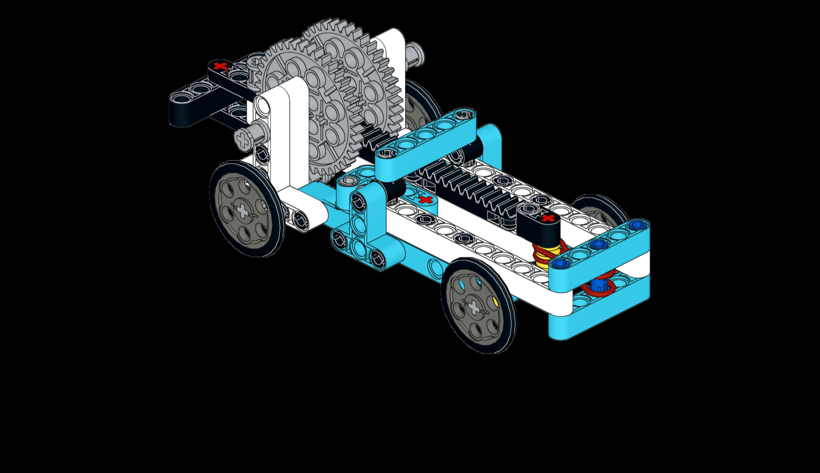
Power moved from the motor to the wheelsنقل القدرة من المحرك إلى العجلات
💡
Belt slip is not always a fault. On some machines it is a deliberate safety feature — the belt gives way before something expensive breaks.
انزلاق الحزام ليس عيبًا دائمًا: في بعض الآلات هو أمان مقصود — ينزلق الحزام قبل أن ينكسر شيء ثمين.
THEORY 9 / 9

🗺️ The mind map — how engineers think الخريطة الذهنية: كيف يفكّر المهندسون

1 · What does it DO?ماذا تفعل؟
Say the job out loud in
one sentence, before
anything else.
2 · What MOVES?ما الذي يتحرك؟
Every movement needs a
motor. Count them.
3 · What DECIDES?ما الذي يقرّر؟
Every decision needs a
sensor. Count those too.
4 · What ORDER?ما الترتيب؟
Now write the steps
down in the order they
happen.
🧠
Every ZMROBO lesson starts this way, and so should every team. Four questions, answered out loud, before a single brick is picked up — it turns a vague idea into a list you can build.
يبدأ كل درس بهذه الطريقة: أربعة أسئلة تُجاب بصوت عالٍ قبل التقاط أي قطعة.
THEORY 1 / 9

🎯 A trigger is a decision المُشغِّل قرار

⏰ Time-triggeredبالوقت
Moves every 5 seconds
whether anything is
there or not.
👁️ Event-triggeredبالحدث
Moves when the sensor
says a product has
arrived.
🔀 The differenceالفرق
One wastes cycles and
drops air. The other
only works when needed.
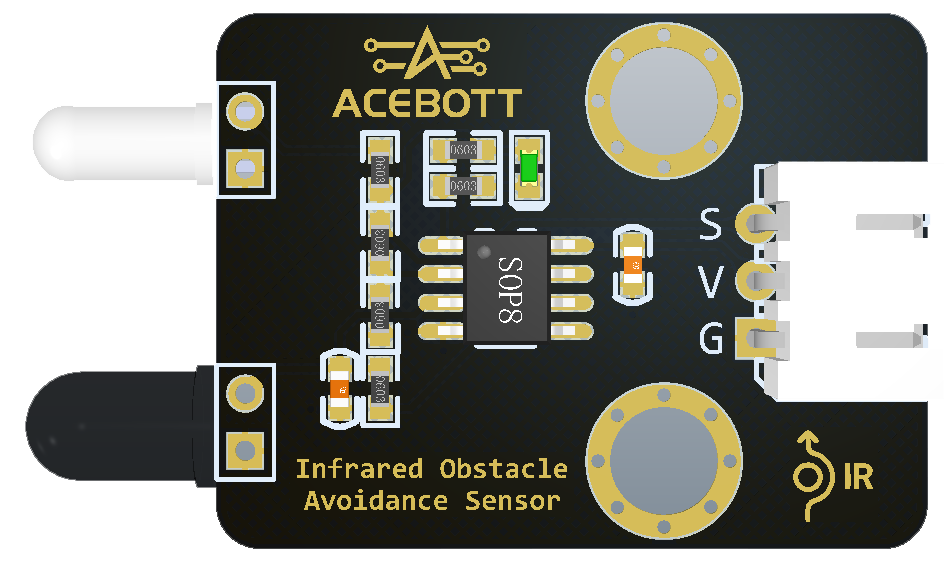
The sensor that tells the arm a product has arrivedالحسّاس الذي يخبر الذراع بوصول منتج
⚠️
A time-triggered arm looks automated in a demo and fails in production the moment the supply is uneven. Every real line is event-triggered.
الذراع الموقوتة تبدو مؤتمتة في العرض وتفشل في الإنتاج عند تفاوت التغذية. الخطوط الحقيقية تعمل بالأحداث.
THEORY 2 / 9

📊 Reading before deciding القراءة قبل القرار

🖨️ Print itاطبعوها
Send the raw sensor
value to the serial
monitor first.
👀 Watch itراقبوها
With a product there,
and with nothing there.
Write both numbers.
📏 Pick the middleاختاروا الوسط
Your threshold goes
between the two — not
at either one.
An ultrasonic sensor — it reports a distance, not a decisionحسّاس فوق صوتي: يبلّغ مسافة لا قرارًا
🎯
If the two numbers are close together, no threshold will be reliable. Fix the sensor mounting or the lighting instead — you cannot program your way out of a bad measurement.
إن تقاربت القراءتان فلا عتبة موثوقة — أصلحوا التثبيت أو الإضاءة، فلا يمكن برمجة قياس رديء.
THEORY 3 / 9

⏱️ Debounce: one product, one action مانع الارتداد: منتج واحد وحركة واحدة

📶 The problemالمشكلة
A sensor at the edge
flickers on and off
many times.
🤖 The symptomالعَرَض
The arm grabs three
times for one product.
🛡️ The fixالحل
After acting, ignore
the sensor for a
short time.
One product should fire the trigger once, not three timesالمنتج الواحد يجب أن يُشغّل الحسّاس مرة واحدة لا ثلاثًا
💡
This one bug costs more class time than any other on this day. When an arm behaves erratically, suspect the trigger firing repeatedly before you suspect anything else.
هذا الخطأ يستهلك وقتًا أكثر من أي خطأ آخر — عند السلوك العشوائي اشتبهوا بتكرار المُشغِّل أولًا.
THEORY 4 / 9

🔄 The cycle, and the home position الدورة وموضع البداية

🏠 Homeموضع البداية
Every cycle starts and
ends in the same place.
🔁 The cycleالدورة
Wait → pick → move →
place → return home.
✅ Why it mattersلماذا يهم
If it never returns
home, small errors
add up until it misses.
📐
This is called drift, and returning to a known home position on every cycle is how real machines cancel it. It is also why your arm works for five cycles and fails on the sixth.
يُسمّى هذا الانحراف، والعودة إلى موضع البداية في كل دورة هي ما يلغيه.
THEORY 5 / 9

🦺 Safety is designed, not added السلامة تُصمَّم لا تُضاف

🚧 Reachالمدى
Nobody puts a hand
inside the working
envelope while powered.
🛑 Stopالإيقاف
Know how to cut power
before you start, not
while it is swinging.
🐌 Speedالسرعة
Test new sequences
slowly. Speed comes
after it is correct.
🏭
Industrial robots run inside cages with interlocked doors for exactly this reason. Your arm is small — the habit is what matters, and the habit is what you take with you.
تعمل الروبوتات الصناعية داخل أقفاص لهذا السبب. ذراعكم صغيرة، لكن العادة هي المهمة.
THEORY 6 / 9

🇦🇪 Automated handling near you المناولة الآلية من حولكم

🚢 Jebel Aliجبل علي
Automated cranes stack
containers with no
driver in the cab.
✈️ DXBمطار دبي
Baggage handled and
routed automatically,
thousands per hour.
🏬 Warehousesالمستودعات
Robots pick orders
overnight, unlit and
unstaffed.
🏥 Pharmaciesالصيدليات
Robotic dispensers pick
medicines with no
miscount.
Automated cranes stack containers with no driver in the cabرافعات آلية ترصّ الحاويات بلا سائق Photo: www.GlynLowe.com from Hamburg, Germany · CC BY 2.0 · Wikimedia Commons
Each one is your arm with a sensor deciding when to move — the step you took today, scaled up and trusted with something expensive.
كل واحدة منها هي ذراعكم مع حسّاس يقرّر متى تتحرك — الخطوة نفسها بحجم أكبر.
THEORY 7 / 9

👁️ The sensor family, and how each fails عائلة الحسّاسات وكيف يفشل كل منها

🦇 Ultrasonicموجات فوق صوتية
Times an echo. Fails on
soft or angled surfaces
that scatter sound.
🌡️ Infraredأشعة تحت حمراء
Reflection based. Fails
on black, and in strong
sunlight.
💡 LIDARليدار
Light time-of-flight.
Accurate, expensive,
fails on glass.
🔘 Limit switchمفتاح حدّي
Physical contact. Almost
never wrong — but it must
be touched.
Ultrasonic sensing is copied straight from batsالاستشعار فوق الصوتي منسوخ عن الخفافيش
🎯
Real machines combine sensors precisely because each fails differently. When one reading looks impossible, a second sensor is what tells you which one to believe.
تجمع الآلات الحقيقية بين الحسّاسات لأن لكل منها نمط فشل مختلف — والحسّاس الثاني يخبركم بأيّ قراءة تثقون.
THEORY 8 / 9

🏠 Homing, and why machines do it at startup التصفير: لماذا تبدأ الآلات به

❓ Power-onعند التشغيل
The controller has no
idea where anything is.
Memory is empty.
🔘 Find a known pointاعثروا على نقطة معلومة
Drive slowly until a
switch or sensor says
"you are HERE".
📐 Now count from thereثم احسبوا من هناك
Every position afterwards
is measured from that
one reference.
🏭
Watch any industrial robot start up and you will see it move slowly to a strange pose first. That is homing. Without it, every angle you command means nothing.
راقبوا أي روبوت صناعي عند التشغيل: يتحرك ببطء إلى وضع غريب أولًا — هذا هو التصفير، وبدونه لا معنى لأي زاوية.
THEORY 9 / 9

🗺️ The mind map — how engineers think الخريطة الذهنية: كيف يفكّر المهندسون

1 · What does it DO?ماذا تفعل؟
Say the job out loud in
one sentence, before
anything else.
2 · What MOVES?ما الذي يتحرك؟
Every movement needs a
motor. Count them.
3 · What DECIDES?ما الذي يقرّر؟
Every decision needs a
sensor. Count those too.
4 · What ORDER?ما الترتيب؟
Now write the steps
down in the order they
happen.
🧠
Every ZMROBO lesson starts this way, and so should every team. Four questions, answered out loud, before a single brick is picked up — it turns a vague idea into a list you can build.
يبدأ كل درس بهذه الطريقة: أربعة أسئلة تُجاب بصوت عالٍ قبل التقاط أي قطعة.
THEORY 1 / 9

🔗 The handover is the hard part التسليم هو الجزء الصعب

📤 Machine Aالآلة أ
Finishes and puts the
product somewhere.
📍 The spotالموضع
Both machines must
agree on exactly where
that is.
📥 Machine Bالآلة ب
Expects to find it
there — and fails if
it is not.
Two machines must agree on one spotعلى الآلتين الاتفاق على موضع واحد
🤝
Two teams must agree on one spot on the map, and both mark it. This is the single commonest reason a whole line fails on Day 8.
على الفريقين الاتفاق على موضع واحد وتعليمه — وهذا أشيع سبب لفشل الخط.
THEORY 2 / 9

⏱️ Everyone waits for the slowest الجميع ينتظر الأبطأ

🐇 Fast stationمحطة سريعة
Finishes and then
sits idle.
🐢 Slow stationمحطة بطيئة
Everything queues
behind it.
📏 The line speedسرعة الخط
Equals the speed of
the slowest station.
Nothing else matters.
🎯
Find your slowest station and time it. That number IS your factory's speed. Improving anything else is wasted effort — a real and slightly annoying truth.
جِدوا أبطأ محطة وقيسوا زمنها — هذا الرقم هو سرعة مصنعكم كله.
THEORY 3 / 9

🚨 When one machine stops عندما تتوقف آلة

🛑 Stop everythingأوقفوا كل شيء
Safe, but the whole
factory is idle.
📦 Keep a bufferمخزون وسيط
A small pile between
stations lets the
others keep going.
↪️ Route aroundمسار بديل
Send the product a
different way, if you
have one.
💡
This is why real factories keep small piles of half-finished product between stations. It looks like waste. It is actually insurance.
لهذا تحتفظ المصانع بأكوام صغيرة بين المحطات: تبدو هدرًا لكنها تأمين.
THEORY 4 / 9

🗺️ The map is the plan الخريطة هي المخطّط

📍 Zonesالمناطق
Each machine has one.
Put it there and
leave it there.
➡️ The routeالمسار
The product follows the
printed path from zone
to zone.
📏 Fixed spotsمواضع ثابتة
Mark every handover
point. Do not move
anything after that.
On Day 8 the map stops being decorationفي اليوم الثامن تتوقف الخريطة عن كونها زينة
🏭
A factory layout is designed before a single machine is bought — because moving a machine later costs more than getting it right first.
يُصمَّم مخطّط المصنع قبل شراء أي آلة، لأن نقل آلة لاحقًا أغلى من إتقان الموضع أولًا.
THEORY 5 / 9

👥 A factory is people too المصنع أناس أيضًا

🔧 Buildersالبناة
Made each machine work.
💻 Programmersالمبرمجون
Told them what to do.
🩺 Fixersالمصلحون
Kept them running when
they stopped.
🗣️ Coordinatorsالمنسّقون
Got the teams to
agree with each other.
The fourth job turns out to be the hardest, and today proves it. Machines are easier to coordinate than people — but people are what make the factory work.
الدور الرابع هو الأصعب — والآلات أسهل تنسيقًا من الناس، لكن الناس هم من يُنجح المصنع.
THEORY 6 / 9

🇦🇪 Made in the UAE صُنع في الإمارات

🌴 Foodالغذاء
Dates, dairy and water
packed for the whole
region.
🏗️ Materialsالمواد
Aluminium and steel
made here and shipped
worldwide.
🚢 Logisticsاللوجستيات
Jebel Ali moves goods
between three
continents.
🛰️ Spaceالفضاء
Satellites designed and
assembled in the UAE.
Goods arrive, are sorted, and leave for somewhere elseتصل البضائع وتُفرز ثم تغادر إلى وجهة أخرى Photo: www.GlynLowe.com from Hamburg, Germany · CC BY 2.0 · Wikimedia Commons
🎉
Every one of these started as somebody sketching a factory floor — exactly what you did on Day 1 with a printed map and a box of parts.
كل هذه بدأت برسم مخطّط مصنع — تمامًا كما فعلتم في اليوم الأول بخريطة وصندوق قطع.
THEORY 7 / 9

🤖 How robots move — all the ways كيف تتحرك الروبوتات: كل الطرق

🛞 Wheelsعجلات
Fast and simple, but
only on flat, clear
ground.
🦿 Legsأرجل
Slow and complex, but
they cross rubble and
stairs.
🦾 Fixed armsأذرع ثابتة
They do not travel at
all — the work comes
to them.
🎢 Beltsأحزمة
The work moves and the
machines stay still.
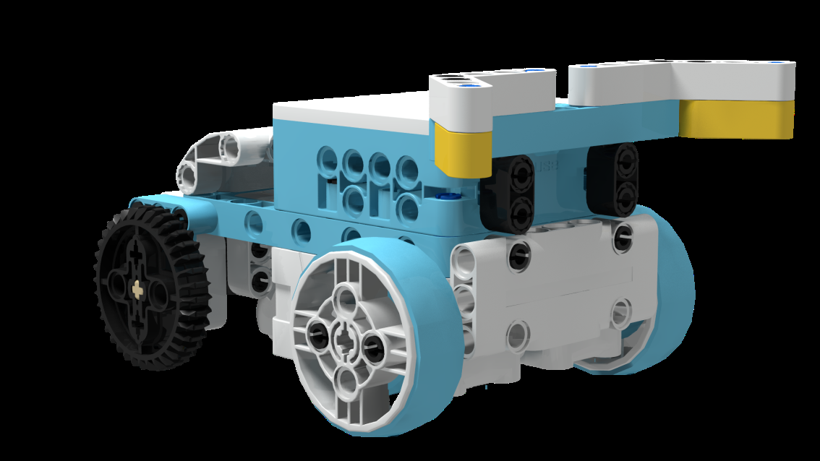
Wheels are the simplest way to move — and the commonestالعجلات أبسط طرق الحركة وأكثرها شيوعًا
🇯🇵
The first fully working two-legged walking robot was built at Waseda University in Japan in 1972. Fifty years later, most factory robots still do not walk — because in a factory, the floor is flat and belts are cheaper.
بُني أول روبوت ثنائي الأرجل في جامعة واسيدا باليابان عام 1972، ومع ذلك لا تمشي معظم روبوتات المصانع لأن الأرضية مستوية والأحزمة أرخص.
THEORY 8 / 9

🧩 Every machine you built, in one sentence كل آلة بنيتموها في جملة واحدة

🚪 The doorالباب
Sensed a person and
turned a spin into
a slide.
🏗️ The forkliftالرافعة
Used a lever and a
counterweight to lift
without tipping.
🏎️ The racerالسيارة
Steered with two motors
and corrected off the
edge of a line.
🎨 The sorterالفارز
Looked, decided, and
acted differently for
different things.
Four machines, one pattern, one factoryأربع آلات ونمط واحد ومصنع واحد
Four machines, one pattern: something senses, something decides, something moves. You have now built that pattern four times — and that is what an engineer actually knows.
أربع آلات ونمط واحد: شيء يستشعر وشيء يقرّر وشيء يتحرك — وهذا ما يعرفه المهندس حقًا.
THEORY 9 / 9

🗺️ The mind map — how engineers think الخريطة الذهنية: كيف يفكّر المهندسون

1 · What does it DO?ماذا تفعل؟
Say the job out loud in
one sentence, before
anything else.
2 · What MOVES?ما الذي يتحرك؟
Every movement needs a
motor. Count them.
3 · What DECIDES?ما الذي يقرّر؟
Every decision needs a
sensor. Count those too.
4 · What ORDER?ما الترتيب؟
Now write the steps
down in the order they
happen.
🧠
Every ZMROBO lesson starts this way, and so should every team. Four questions, answered out loud, before a single brick is picked up — it turns a vague idea into a list you can build.
يبدأ كل درس بهذه الطريقة: أربعة أسئلة تُجاب بصوت عالٍ قبل التقاط أي قطعة.
THEORY 1 / 9

🔢 Two questions, four answers سؤالان وأربع إجابات

✅✅ Red, goodأحمر وجيّد
Send it to the
customer.
✅❌ Red, badأحمر ورديء
Reject it. Right kind,
not good enough.
❌✅ Blue, goodأزرق وجيّد
Fine product, wrong
order — a different
box.
❌❌ Blue, badأزرق ورديء
Reject it too.
🧠
Two yes/no questions always make four combinations. Draw all four before you write any program — then you cannot be surprised by one you forgot.
سؤالان يعطيان أربع حالات دائمًا. ارسموها كلها قبل كتابة البرنامج.
THEORY 2 / 9

🪆 A decision inside a decision قرار داخل قرار

1️⃣ Ask firstاسأل أولًا
What colour is it?
2️⃣ Then askثم اسأل
Inside each answer,
ask: is it good?
🌳 The treeالشجرة
Every question splits
the path in two again.
📐
This is called nesting. The order you ask in changes how many questions you need — ask the cheap, fast question first and you throw most items out before the slow test.
يُسمّى هذا التداخل. ترتيب الأسئلة يغيّر عددها: اسألوا السؤال السريع أولًا.
THEORY 3 / 9

🔢 Counting is the point العدّ هو الهدف

📊 How manyكم
Count each category
as it goes past.
📉 Reject rateنسبة الرفض
Out of every ten, how
many were rejected?
📈 Getting worse?هل تسوء؟
If the rate climbs,
something upstream
is breaking.
The screen is how the machine reports to a personالشاشة هي كيف تبلّغ الآلة الإنسان
🎯
A factory that does not count cannot improve. The reject rate is the number a real plant manager looks at first every morning.
المصنع الذي لا يعدّ لا يتحسّن. نسبة الرفض هي أول رقم يراه مدير المصنع كل صباح.
THEORY 4 / 9

⏱️ Faster than the items arrive أسرع من وصول القطع

🐢 Too slowبطيء جدًا
Items pile up behind
the sorter. That is
a jam.
⚡ Fast enoughسريع بما يكفي
The sorter finishes
before the next item
arrives.
🚦 The bottleneckعنق الزجاجة
The slowest station
sets the speed of the
whole line.
💡
Speeding up any other station changes nothing. Only the bottleneck matters — which is why engineers measure before they improve.
تسريع أي محطة أخرى لا يغيّر شيئًا — عنق الزجاجة وحده هو المهم.
THEORY 5 / 9

🛡️ What to do when unsure ماذا نفعل عند الشك

🤷 Not sureغير متأكد
The reading sits right
on the boundary.
✅ Pass itمرّرها
Risk sending a bad
item to the customer.
❌ Reject itارفضها
Risk throwing away a
perfectly good one.
⚖️
There is no right answer — only a choice about which mistake costs more. For food and medicine, always reject when unsure. Decide your rule now and write it on your slide.
لا توجد إجابة صحيحة، بل اختيار لأي الخطأين أغلى. في الغذاء والدواء: ارفضوا عند الشك.
THEORY 6 / 9

🇦🇪 Quality is a promise الجودة وعد

🌴 Datesالتمور
Export grade means a
standard someone can
check.
🥛 Dairyالألبان
One bad batch reaching
shelves damages a
brand for years.
💊 Medicineالدواء
Every single unit is
checked. No exceptions.
📱 Electronicsالإلكترونيات
Tested before it ever
reaches a box.
Export grade is a written standard, not an opinionدرجة التصدير معيار مكتوب لا رأي Photo: Vicharam · CC BY 3.0 · Wikimedia Commons
Quality control is not about being fussy. It is a promise the factory makes to a person it will never meet — and your sorter is where that promise is kept.
مراقبة الجودة وعد يقطعه المصنع لشخص لن يلتقيه أبدًا — وفارزكم هو مكان الوفاء بهذا الوعد.
THEORY 7 / 9

⏱️ Every swing takes the same time كل تأرجحة تستغرق الزمن نفسه

🕰️ The pendulumالبندول
Swing it wide or narrow —
each swing takes the
same time.
📏 Isochronismتساوي الأزمنة
That is the word for it,
and it is why pendulum
clocks work.
🏭 In a factoryفي المصنع
Anything that repeats at
a steady rate can be
used as a clock.
ZMROBO teach this with a pendulum clock. It matters to you because a production line needs a rhythm — and a machine that takes the same time every cycle is what gives it one.
يعلّمها ZMROBO بساعة البندول، وتهمّكم لأن خط الإنتاج يحتاج إيقاعًا — والآلة ثابتة الزمن هي التي تمنحه إياه.
THEORY 8 / 9

🎼 Somebody has to conduct لا بدّ من قائد

🎻 The playersالعازفون
Each one is excellent at
their own part.
🧑‍🎤 The conductorالقائد
Keeps them together.
Without one, it is noise,
not music.
🏭 The lineالخط
Same problem. Great
machines, badly timed,
produce nothing.
🗣️
A conductor needs musical skill AND the ability to coordinate people — which is exactly the fourth job in a factory, and the one you will need most on Day 8.
يحتاج القائد مهارة موسيقية وقدرة على تنسيق الناس — وهو الدور الرابع في المصنع والأهم في اليوم الثامن.
THEORY 9 / 9

🗺️ The mind map — how engineers think الخريطة الذهنية: كيف يفكّر المهندسون

1 · What does it DO?ماذا تفعل؟
Say the job out loud in
one sentence, before
anything else.
2 · What MOVES?ما الذي يتحرك؟
Every movement needs a
motor. Count them.
3 · What DECIDES?ما الذي يقرّر؟
Every decision needs a
sensor. Count those too.
4 · What ORDER?ما الترتيب؟
Now write the steps
down in the order they
happen.
🧠
Every ZMROBO lesson starts this way, and so should every team. Four questions, answered out loud, before a single brick is picked up — it turns a vague idea into a list you can build.
يبدأ كل درس بهذه الطريقة: أربعة أسئلة تُجاب بصوت عالٍ قبل التقاط أي قطعة.
THEORY 1 / 9

🌈 What the colour sensor sees ماذا يرى حسّاس اللون

🔴 Redأحمر
One of four colours
it can name.
🔵 Blueأزرق
Another one.
🟡 Yellowأصفر
And another.
🟢 Greenأخضر
Four in total —
and nothing else.
The colour sensor — it names four colours and nothing elseحسّاس اللون: يسمّي أربعة ألوان فقط لا غير
⚠️
It cannot see grey, and it cannot tell you how bright or how strong a colour is. Four names, that is all. Ask it for anything else and you will get nonsense.
لا يرى الرمادي، ولا يخبركم بشدة اللون أو سطوعه. أربعة أسماء فقط.
THEORY 2 / 9

💡 Light changes everything الضوء يغيّر كل شيء

☀️ Bright roomغرفة مضيئة
Readings come out
one way.
🌑 Shadowظل
The same object now
reads differently.
📏 Distanceالمسافة
Too far away and the
sensor cannot tell
the colours apart.
📐 Fixed heightارتفاع ثابت
Mount it at ONE height
and keep it there.
Mount it at one height and never move it againثبّتوه على ارتفاع واحد ولا تحرّكوه بعدها
🎯
This is why your sorter works in the morning and fails after lunch when the sun moves. Test it in the light you will demo in — not just the light you built it in.
لهذا يعمل الفارز صباحًا ويفشل بعد الظهر عندما تتحرك الشمس. اختبروه في الإضاءة نفسها.
THEORY 3 / 9

🔀 If this, then that إذا كان هذا، فافعل ذلك

❓ IFإذا
The machine looks and
asks a question.
✅ THENفافعل
If the answer is yes,
do this.
❌ ELSEوإلا
If it is no, do the
other thing instead.
🧠
This is the first time your program makes a CHOICE. Every machine before today ran the same steps every time. From now on, the program takes different paths depending on what it sees.
لأول مرة يتخذ برنامجكم قرارًا. كل آلاتنا السابقة نفّذت الخطوات نفسها دائمًا.
THEORY 4 / 9

🚪 How things actually get separated كيف تُفصل الأشياء فعليًا

👉 A pusherدافع
Shoves the item off
the belt into a bin.
🚧 A gateبوابة
Swings across and sends
the item down a
different path.
🦾 An armذراع
Picks it up and puts
it where it belongs.
💨 Airهواء
A puff of air blows
it sideways — used for
very fast lines.
⏱️
Whichever you use, TIMING is everything. Push too early and you hit the item before it arrives; too late and it has already gone past.
أيًّا كانت الطريقة فالتوقيت هو كل شيء: الدفع مبكرًا يخطئ الهدف، ومتأخرًا يفوته.
THEORY 5 / 9

🔁 Do it again, and again كرّروها مرارًا

1️⃣ One itemقطعة واحدة
Get one item sorted
correctly first.
🔁 The loopالحلقة
Wrap it in a loop so
it keeps going.
📦 A batchدفعة
Now feed it ten items
and watch what happens.
🎯
Ten items will find every problem that one item hid — a jam, a mis-read, an item that arrives before the gate has reset. That is why factories test in batches.
عشر قطع تكشف كل مشكلة أخفتها قطعة واحدة. لهذا تختبر المصانع بالدفعات.
THEORY 6 / 9

🇦🇪 Sorting in the UAE الفرز في الإمارات

🌴 Datesالتمور
Sorted by size, colour
and quality before
they are packed.
♻️ Recyclingإعادة التدوير
Plastic, metal and
paper separated
automatically.
📮 Postالبريد
Parcels sorted by
destination at high
speed.
✈️ Baggageالأمتعة
DXB sorts thousands of
bags an hour, by tag,
to the right aircraft.
Emirati dates — sorted by size, colour and quality before packingالتمور الإماراتية تُفرز بالحجم واللون والجودة Photo: Vicharam · CC BY 3.0 · Wikimedia Commons
Your sorter and the baggage system at DXB solve the same problem: look at each item, decide where it goes, send it there — before the next one arrives.
فارزكم ونظام أمتعة مطار دبي يحلّان المشكلة نفسها: انظر، قرّر، أرسل — قبل وصول القطعة التالية.
THEORY 7 / 9

🔐 A colour can be a password اللون قد يكون كلمة سر

🔢 A PINرمز سري
Six digits. Right
numbers, right order,
and the safe opens.
🎨 A colour codeرمز لوني
Right colours, right
order — exactly the
same idea.
✅ Recogniseالتعرّف
The machine compares
what it saw against
what it expected.
🚪 Then actثم التنفيذ
Only after the match
does the motor move.
Right colours in the right order — the same idea as a PINألوان صحيحة بترتيب صحيح — كفكرة الرمز السري
🧠
ZMROBO teach a safe that unlocks with a colour code. Your sorter is the same machine with a different ending: recognise, compare, then act. Only the action differs.
يعلّم ZMROBO خزنة تُفتح برمز لوني — وفارزكم الآلة نفسها بنهاية مختلفة: تعرّف، قارن، ثم نفّذ.
THEORY 8 / 9

🔢 In order, or in any order? بترتيب أم بأي ترتيب؟

🔢 Sequence mattersالترتيب يهم
A PIN is 1-2-3-4.
4-3-2-1 is wrong, even
with the same digits.
🎨 Sorting does notالفرز لا يهم
Red then blue, or blue
then red — each item is
judged on its own.
🧩 Know whichاعرفوا أيّهما
Ask: does history
matter here, or only
the item in front of me?
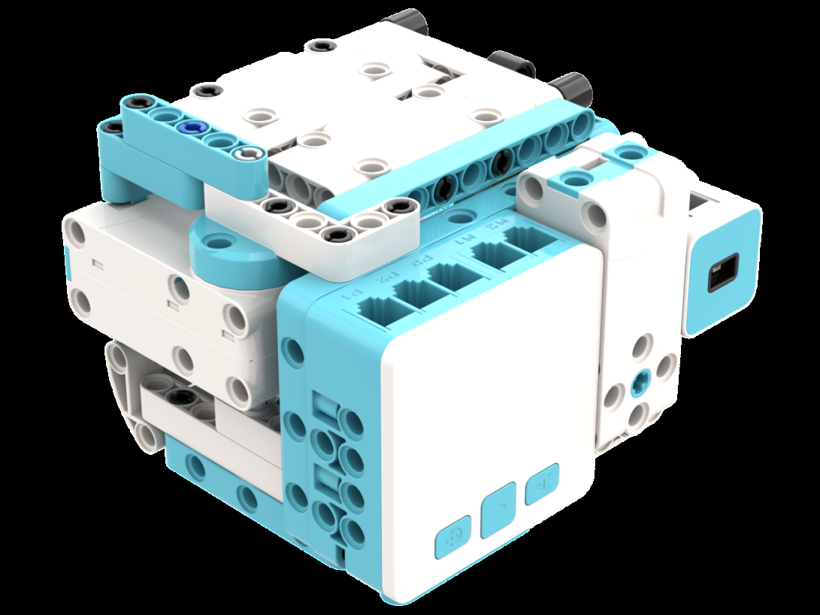
A safe that opens only for the right code, in the right orderخزنة لا تُفتح إلا بالرمز الصحيح وبالترتيب الصحيح
💡
A machine that remembers what came before is a very different machine from one that does not. Your sorter forgets each item immediately — which is why it never gets confused.
الآلة التي تتذكّر ما سبق تختلف جذريًا عن التي لا تتذكّر — وفارزكم ينسى كل قطعة فورًا ولهذا لا يرتبك.
THEORY 9 / 9

🗺️ The mind map — how engineers think الخريطة الذهنية: كيف يفكّر المهندسون

1 · What does it DO?ماذا تفعل؟
Say the job out loud in
one sentence, before
anything else.
2 · What MOVES?ما الذي يتحرك؟
Every movement needs a
motor. Count them.
3 · What DECIDES?ما الذي يقرّر؟
Every decision needs a
sensor. Count those too.
4 · What ORDER?ما الترتيب؟
Now write the steps
down in the order they
happen.
🧠
Every ZMROBO lesson starts this way, and so should every team. Four questions, answered out loud, before a single brick is picked up — it turns a vague idea into a list you can build.
يبدأ كل درس بهذه الطريقة: أربعة أسئلة تُجاب بصوت عالٍ قبل التقاط أي قطعة.
THEORY 1 / 10

🦾 Joints and reach المفاصل والمدى

🔧 One jointمفصل واحد
Moves in one direction
only. On its own it
cannot reach much.
🔗 Several jointsعدة مفاصل
Together they reach
anywhere inside a
certain space.
🫧 The envelopeمجال العمل
That space has a
boundary. Outside it,
the arm simply cannot go.
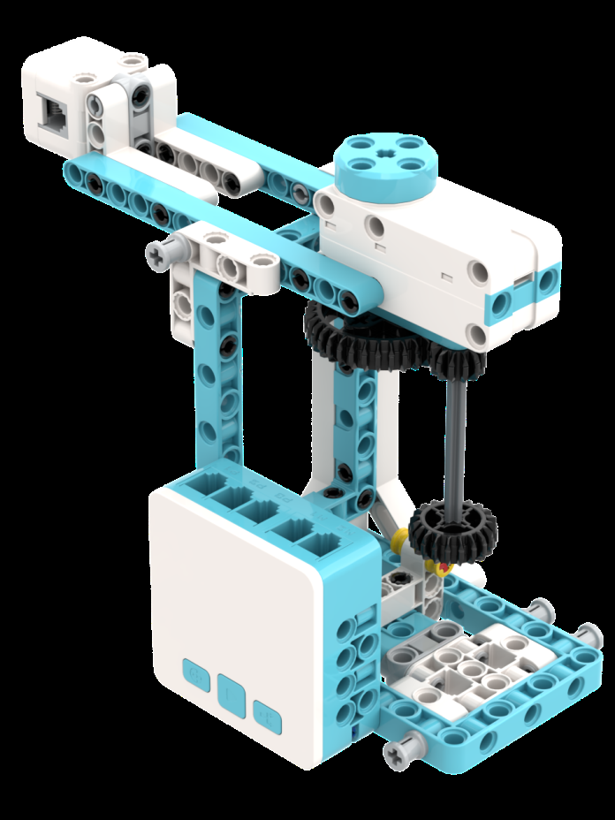
An arm built from joints — each one moves in one direction onlyذراع من مفاصل، كل مفصل يتحرك في اتجاه واحد
💡
Before you program anything, move the arm by hand and find the edge of what it can reach. Putting the product outside that edge is the commonest mistake of the day.
حرّكوا الذراع يدويًا واكتشفوا حدود مداها قبل البرمجة — وضع المنتج خارج المدى هو الخطأ الأشيع.
THEORY 2 / 10

🤏 Holding without crushing الإمساك دون سحق

🤏 Too looseرخو جدًا
The object slips out
halfway through.
✊ Too tightمشدود جدًا
You crush it, or the
motor strains and
overheats.
👌 Just rightمضبوط
Found by trying, not
by guessing.
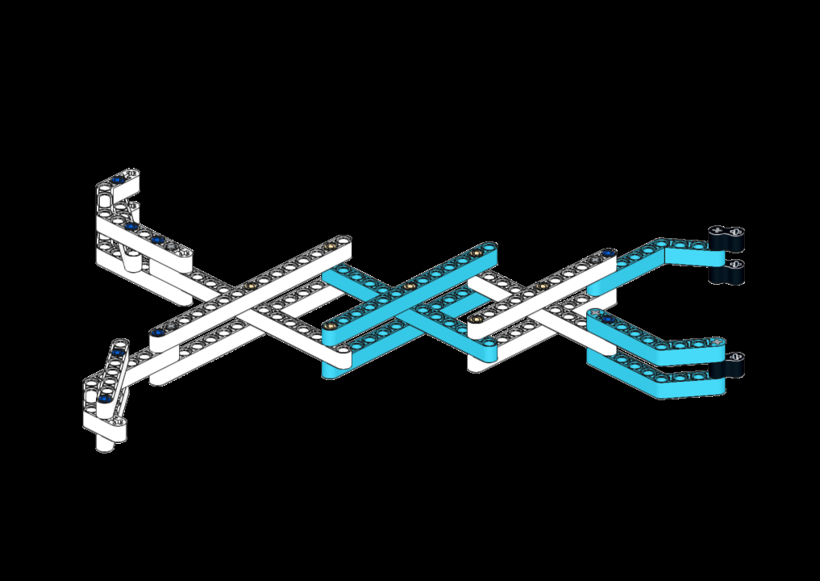
A gripper built from beams — the jaws must stay parallelقابض من عوارض — يجب أن يبقى الفكّان متوازيين
🎯
Real factories change the gripper for every product — soft pads for eggs, suction cups for boxes, magnets for steel. The hand is chosen for the thing it holds.
تغيّر المصانع الحقيقية القابض حسب المنتج: وسائد ناعمة للبيض، وأكواب شفط للصناديق، ومغانط للحديد.
THEORY 3 / 10

📐 Same place, every time المكان نفسه في كل مرة

🎲 Onceمرة
Anyone can get lucky
once.
🎯 Three timesثلاث مرات
Three times in a row
with no adjusting is
a machine working.
🏭 A thousand timesألف مرة
That is what a factory
actually needs.
⚖️
The word for this is repeatability, and it is the single most important quality of an industrial robot — more important than speed or strength.
الكلمة لهذا هي قابلية التكرار، وهي أهم صفة في الروبوت الصناعي — أهم من السرعة والقوة.
THEORY 4 / 10

📋 A sequence is a recipe التسلسل وصفة

1 · Reachامتدّ
Move over the object.
2 · Closeأغلق
Grip it.
3 · Liftارفع
Raise it clear.
4 · Placeضع
Move across, lower,
open the gripper.
Reach, close, lift, place — in that order, every timeامتدّ، أغلق، ارفع، ضع — بهذا الترتيب في كل مرة
⏱️
Put a small WAIT between every step. Without it the arm starts the next move before it has finished the last one, and drops the product on the way.
ضعوا انتظارًا قصيرًا بين كل خطوتين، وإلا بدأت الذراع الحركة التالية قبل إنهاء السابقة.
THEORY 5 / 10

🐌 Slow and right beats fast and wrong البطيء الصحيح خير من السريع الخاطئ

🏃 Too fastسريع جدًا
The object swings,
slips, or misses
the target.
🐌 Slow firstابدأوا ببطء
Get it working at any
speed at all.
⚡ Then quickerثم أسرعوا
Shorten the waits
one at a time until
it starts to fail.
🎯
Then go back one step. The fastest reliable speed is always just below the fastest possible speed — and that gap is the difference between a demo and a machine.
ثم ارجعوا خطوة واحدة: أسرع سرعة موثوقة تقع دائمًا تحت أقصى سرعة ممكنة.
THEORY 6 / 10

🇦🇪 Arms at work ذراعان في العمل

🏭 Assemblyالتجميع
Fitting parts together
faster than hands can.
📦 Packingالتعبئة
Lifting products into
boxes all day long.
🎨 Paintingالطلاء
An even coat every
time, in fumes no
person should breathe.
🏥 Surgeryالجراحة
Steadier than the
steadiest hand.
Automated handling runs around the clock at DXBالمناولة الآلية تعمل على مدار الساعة في مطار دبي Photo: Mhp1255 · CC BY-SA 3.0 · Wikimedia Commons
The same three parts again: something senses, something decides, something moves. You have now built that three times in five days.
الأجزاء الثلاثة نفسها مرة أخرى — وقد بنيتموها ثلاث مرات في خمسة أيام.
THEORY 7 / 10

▱ The parallelogram — the shape that moves متوازي الأضلاع: الشكل الذي يتحرك

▱ Four sidesأربعة أضلاع
Opposite sides parallel,
and the same length.
🤸 It deformsينثني
Push one corner and the
whole shape leans —
without breaking.
🦾 That is usefulوهذا مفيد
Telescopic arms, scissor
lifts and grabbers all
use it deliberately.
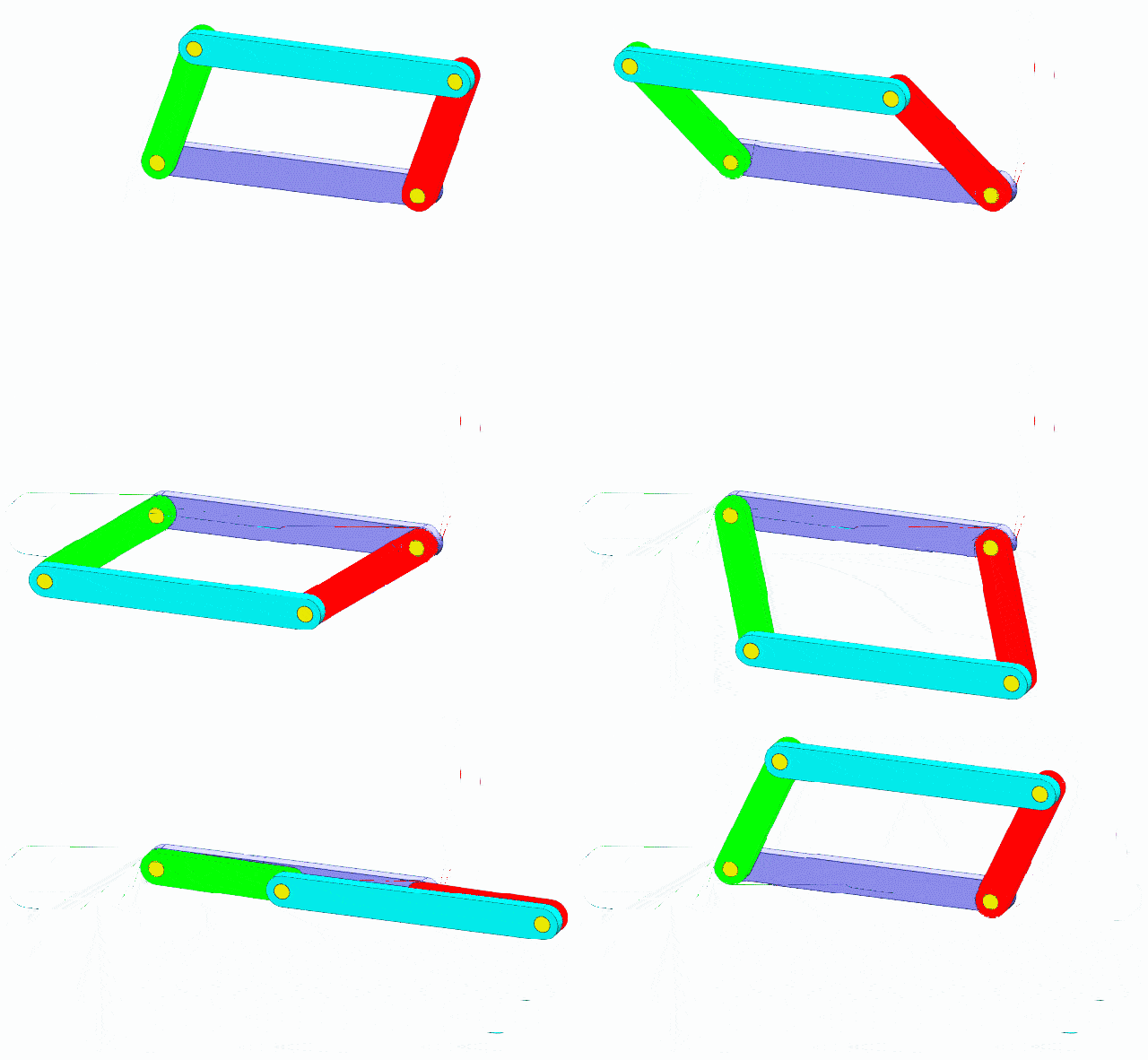
A parallelogram: opposite sides parallel, and it foldsمتوازي الأضلاع: أضلاع متقابلة متوازية وينثني
💡
A triangle is strong because it cannot change shape. A parallelogram is USEFUL because it can. Engineers pick the unstable shape when movement is the point.
المثلث قوي لأنه لا يتغيّر، ومتوازي الأضلاع مفيد لأنه يتغيّر — يختار المهندس الشكل غير المستقر عندما تكون الحركة هي الهدف.
🤏
Look at your gripper. If the two jaws stay parallel as they close, there is a parallelogram in there doing it.
انظروا إلى قابضكم: إن بقي الفكّان متوازيين أثناء الإغلاق فهناك متوازي أضلاع يقوم بذلك.
THEORY 8 / 10

🌡️ Knowing where the arm already is معرفة موضع الذراع

❓ The problemالمشكلة
The controller does not
know where the arm is
when it switches on.
🌡️ Infraredالأشعة تحت الحمراء
A sensor at one known
position says "the arm
is HERE, right now".
🏠 Homeموضع البداية
Send it to that known
spot first, every time.
Now you can trust it.
An infrared sensor tells the controller where the arm isحسّاس أشعة تحت حمراء يخبر وحدة التحكّم بموضع الذراع
🔧
ZMROBO's blender uses exactly this — an infrared sensor watching the mixing arm so the program knows the position before it starts. Any machine that must be accurate needs a home.
خلّاط ZMROBO يستخدم هذا تمامًا: حسّاس أشعة تحت حمراء يراقب الذراع ليعرف البرنامج الموضع قبل البدء.
THEORY 9 / 10

📐 Build the base like a bridge ابنوا القاعدة كالجسر

📐 Trianglesمثلثات
Diagonal beams turn a
wobbly frame into a
rigid one.
⚖️ Wide baseقاعدة عريضة
The further apart the
feet, the harder it is
to tip over.
🪨 Low weightثقل منخفض
Heavy things low down.
High weight tips; low
weight steadies.
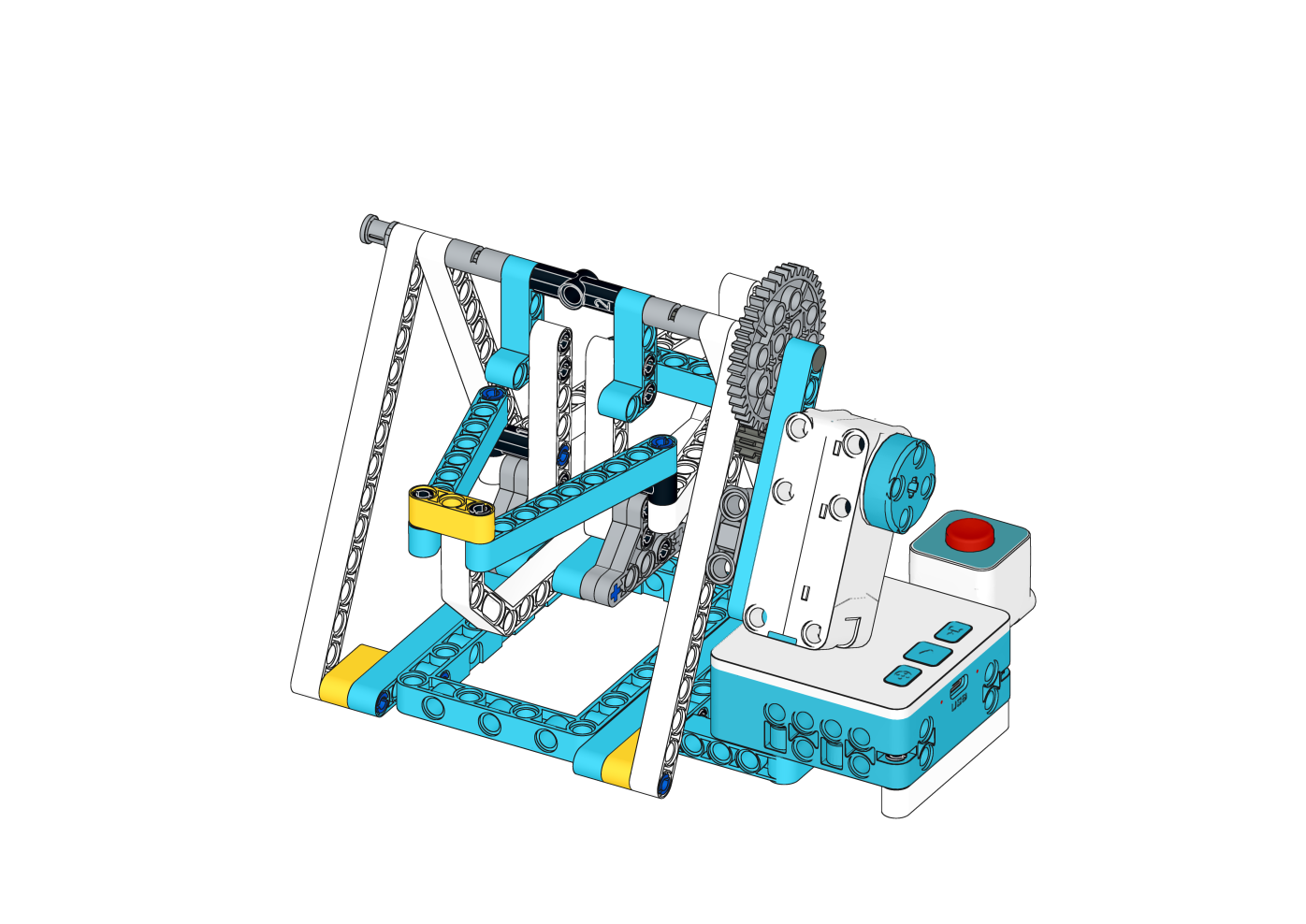
Diagonals turn a wobbly frame into a rigid oneالأقطار تحوّل الإطار المهتزّ إلى صلب
🎢
ZMROBO teach this with a pirate ship — the swinging arm needs a frame that will not move at all. Your arm is the same problem: everything must be still except the part meant to move.
يعلّمها ZMROBO عبر سفينة القراصنة: الذراع المتأرجحة تحتاج إطارًا لا يتحرك إطلاقًا.
THEORY 10 / 10

🗺️ The mind map — how engineers think الخريطة الذهنية: كيف يفكّر المهندسون

1 · What does it DO?ماذا تفعل؟
Say the job out loud in
one sentence, before
anything else.
2 · What MOVES?ما الذي يتحرك؟
Every movement needs a
motor. Count them.
3 · What DECIDES?ما الذي يقرّر؟
Every decision needs a
sensor. Count those too.
4 · What ORDER?ما الترتيب؟
Now write the steps
down in the order they
happen.
🧠
Every ZMROBO lesson starts this way, and so should every team. Four questions, answered out loud, before a single brick is picked up — it turns a vague idea into a list you can build.
يبدأ كل درس بهذه الطريقة: أربعة أسئلة تُجاب بصوت عالٍ قبل التقاط أي قطعة.
THEORY 1 / 11

🏎️ Racing, and why tracks have corners السباق ولماذا للمسارات منعطفات

🏁 Formula Oneفورمولا 1
The most famous racing
there is — including
the Abu Dhabi Grand Prix.
🛣️ The trackالحلبة
Straights and curves.
The curves are what
make it difficult.
🦺 Safety firstالسلامة أولًا
Belts, helmets, barriers.
Speed always comes with
rules.
🧠 Skillالمهارة
Racing tests the driver
as much as the car.
A 1952 Ferrari 500 — racing is as old as the motor carفيراري 500 موديل 1952
🇦🇪
The Yas Marina circuit in Abu Dhabi hosts a Formula One race every year — the same straights-and-curves problem your robot is about to solve, at 300 km/h.
حلبة ياس مارينا في أبوظبي تستضيف سباق فورمولا 1 سنويًا — المشكلة نفسها التي سيحلّها روبوتكم.
THEORY 2 / 11

⚙️ Two motors make a robot steer محرّكان يوجّهان الروبوت

⬆️ Both forwardكلاهما للأمام
Same speed → the robot
goes straight.
↩️ Left slowerالأيسر أبطأ
The robot curves to
the LEFT.
↪️ Right slowerالأيمن أبطأ
The robot curves to
the RIGHT.
🔄 Opposite waysاتجاهان متعاكسان
It spins on the spot,
without moving forward.
Two motors, one each side. No steering wheel anywhere.محرّكان، واحد لكل جانب، ولا وجود لمقود
💡
There is no steering wheel anywhere on this robot. It turns purely by running one wheel differently from the other. That idea is called differential drive, and it is how most factory robots move.
لا يوجد مقود في هذا الروبوت إطلاقًا — بل يدور بتشغيل عجلة بشكل مختلف عن الأخرى.
THEORY 3 / 11

🔌 Left is M1, right is M2 الأيسر M1 والأيمن M2

◀️ Left motorالمحرك الأيسر
Always into port M1.
▶️ Right motorالمحرك الأيمن
Always into port M2.
❌ Swappedمعكوسان
"Turn left" will turn
right. Every command
is mirrored.
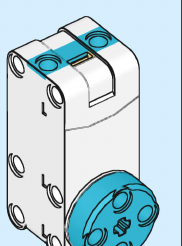
The motor that plugs into M1 and M2المحرك الذي يوصَّل بالمنفذين M1 و M2
⚠️
If the two motors are plugged in the wrong way round, the program is not broken — the WIRING is. Teams lose half a session to this. Check the ports before you debug the code.
إذا عُكس توصيل المحرّكين فالبرنامج ليس معطلًا، بل التوصيل. افحصوا المنافذ قبل تصحيح الكود.
THEORY 4 / 11

🃏 The five red motion cards بطاقات الحركة الحمراء الخمس

⬆️ Forwardللأمام
Both motors drive
the robot ahead.
⬇️ Backللخلف
Both motors reverse.
⏹️ Stopقف
Both motors stop.
Always end with this.
↩️↪️ Turn L / Rانعطف
One command turns
the whole robot.
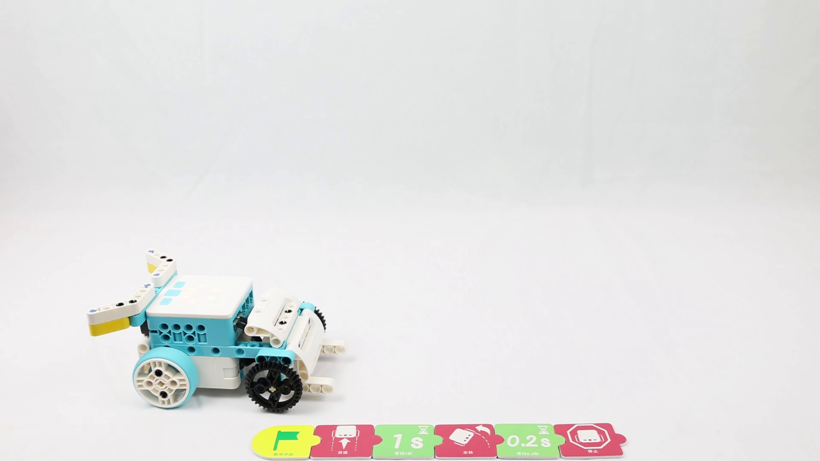
The robot and its card strip — this is what the five cards look like in useالروبوت وشريط بطاقاته — هكذا تبدو البطاقات الخمس أثناء الاستخدام
🔴
Motion cards are RED, and there are five of them. They control BOTH motors together — which is why one card can turn the whole robot.
بطاقات الحركة حمراء وعددها خمس، وتتحكّم في المحرّكين معًا — ولهذا تكفي بطاقة واحدة للانعطاف.
THEORY 5 / 11

⏱️ Turning is faster than you think الانعطاف أسرع مما تظنون

⏳ Wait 1 secondانتظر ثانية
Far too long. The robot
spins right past where
you wanted it.
⚡ Wait 0.2 sانتظر 0.2 ثانية
About right for a
quarter turn.
🔁 Repeat 4×كرّر 4 مرات
Forward then turn,
four times, and the
robot draws a square.
A quarter turn happens in about 0.2 secondsربع دورة يحدث في نحو 0.2 ثانية
🎯
This is the number that decides everything today. Change the wait a little and the whole path changes. Test 0.1, 0.2 and 0.3 and see for yourselves — do not take my word for it.
هذا الرقم يحدّد كل شيء اليوم. جرّبوا 0.1 و0.2 و0.3 وشاهدوا بأنفسكم.
THEORY 6 / 11

👁️ Following the line تتبّع الخط

⚫ Over the lineفوق الخط
The sensor sees dark.
Keep going.
⚪ Off the lineخارج الخط
It sees light. You have
drifted — turn back.
🔁 Again and againمرارًا وتكرارًا
Check, correct, check,
correct — many times
every second.
The sensor underneath watches the floor, not the road aheadالحسّاس أسفل الروبوت يراقب الأرض لا الطريق أمامه
💡
The robot never really knows where the line is. It only knows whether it is on it right now — and fixes the mistake it has just made. That is what a control loop is.
الروبوت لا يعرف أين الخط، بل يعرف فقط إن كان عليه الآن ويصحّح الخطأ الذي وقع للتو.
THEORY 7 / 11

🇦🇪 Robots that drive themselves روبوتات تقود نفسها

🏬 Warehousesالمستودعات
Robots carry shelves to
the picker instead of
the other way round.
🏥 Hospitalsالمستشفيات
Trolleys deliver linen
and meals along fixed
routes at night.
🚢 Portsالموانئ
Driverless carriers move
containers across Jebel
Ali around the clock.
🚇 Dubai Metroمترو دبي
Runs with no driver
at all — on rails
instead of a line.
Dubai Metro — it runs with no driver at allمترو دبي: يعمل بلا سائق Photo: Ravi Dwivedi · CC BY-SA 4.0 · Wikimedia Commons
The Dubai Metro is a line follower with a very expensive line. Sensors, a controller and motors — the same three parts as the robot on your table.
مترو دبي متتبّع خط بخط باهظ الثمن: حسّاسات ووحدة تحكّم ومحرّكات — الأجزاء الثلاثة نفسها.
THEORY 8 / 11

👁️ How a robot sees obstacles كيف يرى الروبوت العوائق

🦇 Ultrasonicموجات فوق صوتية
Sends sound, times the
echo. Copied from bats
hunting in the dark.
💡 LIDARليدار
The same trick with
light instead of sound.
Used by self-driving cars.
🌡️ Infraredالأشعة تحت الحمراء
Reflects off a surface
nearby. Cheap, short
range, very fast.
🐝 Air flowتدفّق الهواء
Bees navigate by feeling
moving air. Nature got
there first, again.
A car sensing all around itself, the way our robot senses the lineسيارة تستشعر ما حولها كما يستشعر روبوتنا الخط
🚗
A car that avoids obstacles has several of these at once, because each one fails differently — ultrasonic struggles with soft cloth, infrared struggles with black surfaces.
السيارة التي تتجنّب العوائق تستخدم عدة حسّاسات معًا لأن لكل واحد نقطة ضعف مختلفة.
THEORY 9 / 11

⚙️ Gears change speed and force التروس تغيّر السرعة والقوة

⚙️ Big drives smallكبير يحرّك صغير
The small gear spins
FASTER, but with
less force.
⚙️ Small drives bigصغير يحرّك كبير
The big gear spins
SLOWER, but with much
more force.
🔗 A gear trainمجموعة تروس
Several gears in a row.
Each pair changes the
trade again.
Beams and gears — the trade between speed and force is set hereالعوارض والتروس: هنا تُحسم المقايضة بين السرعة والقوة
🎯
You met this on Day 3 as “slow is strong”. Gears are HOW you choose. A racer gears for speed; a forklift gears for force; both use the same motor.
التقيتم بهذا في اليوم الثالث: التروس هي كيفية الاختيار — السيارة تُعشّق للسرعة والرافعة للقوة بالمحرك نفسه.
THEORY 10 / 11

🔁 Repeat cards, and why four بطاقات التكرار ولماذا أربع

🔁 Repeat twiceكرّر مرتين
Runs what follows two
times.
🔁 Repeat 3×كرّر ثلاثًا
Three times.
🔁 Repeat 4×كرّر أربعًا
Four — which is exactly
what a square needs.
🧩 Combineادمجوها
Forward + turn, repeated
four times, closes the
shape perfectly.
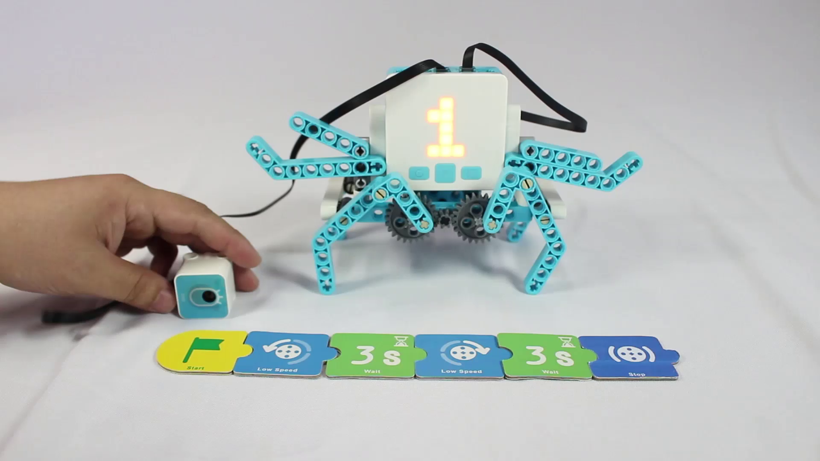
Scanning the cards in order — the cards ARE the programمسح البطاقات بالترتيب — البطاقات هي البرنامج
📐
A square has four equal sides and four equal corners, so “go forward, turn 90°” repeated four times brings you exactly back to the start — if your turn number is right.
المربع أربعة أضلاع وأربع زوايا: «تقدّم ثم انعطف» أربع مرات يعيدكم للبداية تمامًا — إن كان رقم الانعطاف صحيحًا.
THEORY 11 / 11

🗺️ The mind map — how engineers think الخريطة الذهنية: كيف يفكّر المهندسون

1 · What does it DO?ماذا تفعل؟
Say the job out loud in
one sentence, before
anything else.
2 · What MOVES?ما الذي يتحرك؟
Every movement needs a
motor. Count them.
3 · What DECIDES?ما الذي يقرّر؟
Every decision needs a
sensor. Count those too.
4 · What ORDER?ما الترتيب؟
Now write the steps
down in the order they
happen.
🧠
Every ZMROBO lesson starts this way, and so should every team. Four questions, answered out loud, before a single brick is picked up — it turns a vague idea into a list you can build.
يبدأ كل درس بهذه الطريقة: أربعة أسئلة تُجاب بصوت عالٍ قبل التقاط أي قطعة.
THEORY 1 / 10

🏗️ A forklift does two jobs at once الرافعة تؤدي مهمتين معًا

🚗 It drivesتسير
Forward, back, and
turns — like yesterday's
wheels.
⬆️ It liftsترفع
The forks go up and
down independently
of the driving.
🧠 One brainدماغ واحد
The same controller
runs both, so it can
do them in order.
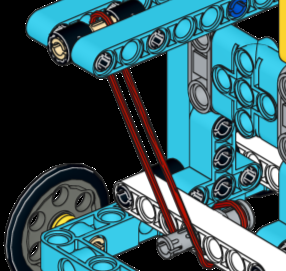
A lifting arm driven by its own motorذراع رفع يحرّكها محركها الخاص
🔌
Two motors, two jobs — one for driving, one for lifting. Label your cables before you plug them in, or you will drive when you meant to lift.
محرّكان لمهمتين: واحد للسير وآخر للرفع. علّموا الكابلات قبل التوصيل.
THEORY 2 / 10

⚖️ Why the back is so heavy لماذا الجزء الخلفي ثقيل

🪑 A see-sawأرجوحة
The forklift is a see-saw.
The front wheels are
the middle.
📦 The loadالحِمل
The box out in front
pushes that end down.
🪨 Counterweightالثقل الموازن
A heavy block at the
back pushes the other
way and keeps it level.
⚠️
This is why a real forklift tips forward if the load is too heavy or lifted too high. Try it with your build — put something heavy on the forks and watch what happens.
لهذا تنقلب الرافعة الحقيقية للأمام إذا كان الحِمل ثقيلًا أو مرتفعًا. جرّبوا ذلك ببنائكم.
Where should you carry the load — high up, or low down? Low. Always low.
أين تُحمل الأحمال — عاليًا أم منخفضًا؟ منخفضًا دائمًا.
THEORY 3 / 10

🔩 Turning a spin into a lift تحويل الدوران إلى رفع

🌀 The motor spinsالمحرك يدور
Same as always — round
and round, nothing else.
🪜 The mechanismالآلية
A rack, a screw or a
string on a spool turns
that into up and down.
🛑 The limitالحد
Something must stop it
at the top — or the
mechanism jams.
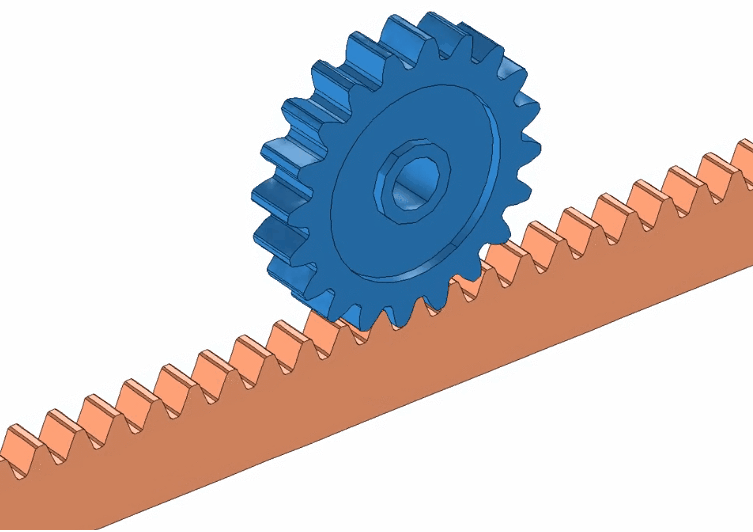
Teeth turn rotation into a straight liftالأسنان تحوّل الدوران إلى رفع مستقيم
🔗
Yesterday a linkage turned a spin into a SLIDE. Today it turns a spin into a LIFT. Same idea, different direction — that is mechanism design.
بالأمس حوّلت الآلية الدوران إلى انزلاق، واليوم إلى رفع. الفكرة نفسها باتجاه مختلف.
THEORY 4 / 10

🐢 Slow is strong البطيء قوي

⚡ Fast + weakسريع وضعيف
Gear it for speed and
it cannot lift much.
🐢 Slow + strongبطيء وقوي
Gear it down and it
lifts far more —
but slowly.
⚖️ You chooseأنتم تختارون
You cannot have both.
Every machine picks
one.
A geared motor — the gearbox trades speed away for forceمحرك مزوّد بعلبة تروس: يقايض السرعة بالقوة
🎯
This trade is everywhere in engineering: speed or force, pick one. A racing car and a forklift have similar motors and completely different gears.
هذه المقايضة في كل مكان بالهندسة: السرعة أو القوة — اختاروا واحدة.
THEORY 5 / 10

📋 The order matters الترتيب مهم

1 · Driveسِر
Go to where the box is.
2 · Liftارفع
Raise the forks under it.
3 · Driveسِر
Carry it to the shelf.
4 · Lowerأنزل
Put it down and back off.
⚠️
Lift while driving and the load swings. Drive while lifting and it topples. Real forklift drivers are trained to do ONE thing at a time — so should your program.
الرفع أثناء السير يجعل الحِمل يتأرجح. سائقو الرافعات مدرَّبون على فعل شيء واحد في كل مرة — وكذلك برنامجكم.
THEORY 6 / 10

🇦🇪 Where this runs all night أين تعمل هذه طوال الليل

🚢 Jebel Aliجبل علي
One of the busiest ports
on earth. Cranes and
lifters never stop.
🏬 Warehousesالمستودعات
Every shop you know is
fed by a warehouse full
of forklifts.
✈️ DXB cargoشحن مطار دبي
Pallets loaded onto
aircraft on a deadline,
every few minutes.
🌴 Date packingتعبئة التمور
Pallets of dates moved
from line to cold store.
Jebel Ali — one of the busiest ports on earthجبل علي: من أكثر الموانئ ازدحامًا في العالم Photo: www.GlynLowe.com from Hamburg, Germany · CC BY 2.0 · Wikimedia Commons
Every one of these is your machine, built bigger. Same three parts: something senses, something decides, something lifts.
كل هذه هي آلتكم بحجم أكبر: شيء يستشعر، وشيء يقرّر، وشيء يرفع.
THEORY 7 / 10

⚖️ Archimedes and the lever أرخميدس والرافعة

🪨 The loadالحِمل
The heavy thing you
want to move.
📍 The fulcrumنقطة الارتكاز
The point everything
pivots around.
💪 The effortالقوة
Where you push. Further
from the fulcrum means
less force needed.
A trebuchet — a lever with a counterweight, built for siegeالمنجنيق: رافعة بثقل موازن
🌍
“Give me a fulcrum and I can lift the whole Earth.” Archimedes said that more than two thousand years ago, and he built catapults for the defence of Syracuse on exactly this idea.
«أعطوني نقطة ارتكاز أرفع الأرض كلها» — قالها أرخميدس قبل أكثر من ألفي عام، وبنى المنجنيقات على هذا المبدأ.
🏗️
Your forklift is a lever too. The front wheels are the fulcrum, the load is on one side and the counterweight on the other — which is why the back is so heavy.
رافعتكم رافعة أيضًا: العجلات الأمامية نقطة الارتكاز، والحِمل في جهة والثقل الموازن في الأخرى.
THEORY 8 / 10

⚙️ Rack and pinion — how a lift really lifts الترس والجريدة: كيف يرتفع الحِمل

⚙️ The pinionالترس
A round gear on the
motor shaft. It spins.
📏 The rackالجريدة
A straight bar with
teeth. It cannot spin —
only slide.
⬆️ Togetherمعًا
The spinning gear walks
along the straight bar
and lifts it.
The round gear walks along the straight toothed barالترس الدائري يسير على الجريدة المسنّنة
🔗
This is the cleanest answer to the question you met on Day 2: how do you turn a spin into a straight line? Teeth. The same mechanism steers most cars and raises most lifts.
هذا أوضح جواب لسؤال اليوم الثاني: كيف نحوّل الدوران إلى خط مستقيم؟ بالأسنان — والآلية نفسها في مقود السيارة والمصاعد.
THEORY 9 / 10

📐 Triangles hold, parallelograms fold المثلث يثبت والمتوازي ينثني

📐 Triangleمثلث
Three sides. It cannot
change shape without
breaking a side.
▱ Parallelogramمتوازي أضلاع
Four sides, opposite
ones parallel. It folds
flat with a push.
🏗️ Use each oneاستخدموا كلًّا منهما
Triangles for the mast
and chassis. Parallelograms
where you WANT movement.
A braced frame — every square broken into trianglesإطار مدعّم: كل مربع مقسوم إلى مثلثين
⚠️
If your forklift wobbles, look for a four-sided frame with no diagonal. Adding one beam across a corner turns a floppy square into two rigid triangles.
إن اهتزّت رافعتكم فابحثوا عن إطار رباعي بلا قطر: عارضة واحدة تحوّل المربع المتراخي إلى مثلثين صلبين.
THEORY 10 / 10

🗺️ The mind map — how engineers think الخريطة الذهنية: كيف يفكّر المهندسون

1 · What does it DO?ماذا تفعل؟
Say the job out loud in
one sentence, before
anything else.
2 · What MOVES?ما الذي يتحرك؟
Every movement needs a
motor. Count them.
3 · What DECIDES?ما الذي يقرّر؟
Every decision needs a
sensor. Count those too.
4 · What ORDER?ما الترتيب؟
Now write the steps
down in the order they
happen.
🧠
Every ZMROBO lesson starts this way, and so should every team. Four questions, answered out loud, before a single brick is picked up — it turns a vague idea into a list you can build.
يبدأ كل درس بهذه الطريقة: أربعة أسئلة تُجاب بصوت عالٍ قبل التقاط أي قطعة.

🚪 Every door is a machine waiting to happen كل باب هو آلة في انتظار أن تُصنع

🚪 Flat doorباب مفصلي
Swings on hinges. Needs empty floor space to swing into.
↔️ Sliding doorباب منزلق
Slides sideways on a track. Saves space — which is why kitchens, balconies and bathrooms use them.
🪟 Folding doorباب قابل للطي
Folds in on itself. Used where even a track will not fit.
🏬 Automatic doorباب أوتوماتيكي
Opens with no hand at all. This is the one we build today.
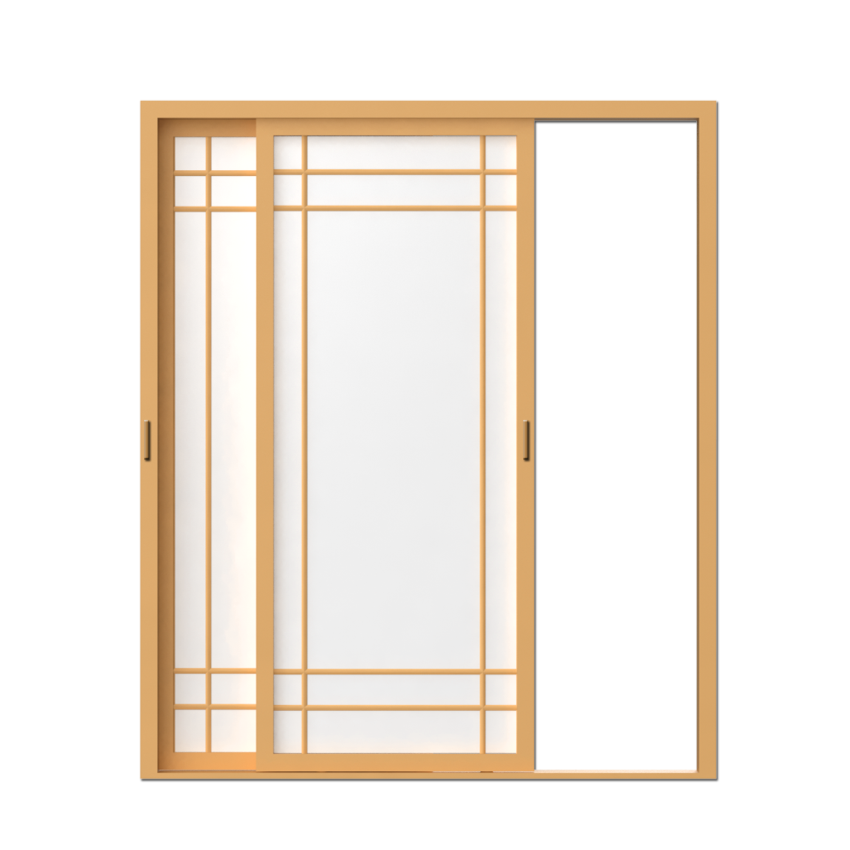
A sliding door runs sideways along a track — it saves the space a swing needsالباب المنزلق ينزلق على مسار ويوفّر المساحة
🔐
A key used to be a specific shape of metal. Now the “key” can be a password, a face, a fingerprint or a card — information instead of iron.
كان المفتاح قطعة معدنية بشكل محدّد، وأصبح الآن كلمة سر أو وجهًا أو بصمة أو بطاقة — معلومة بدل الحديد.
🧠
The lock stopped being mechanical and became a decision made by a controller — the same shift that turned machines into automation.
لم يعد القفل ميكانيكيًا، بل صار قرارًا تتخذه وحدة تحكّم — وهو التحوّل نفسه الذي حوّل الآلات إلى أتمتة.

🧩 Take the door apart in your head حلّلوا الباب في أذهانكم

1 · SENSEيستشعر
Something arrives. The sensor notices and reports it.
2 · JUDGEيحكم
The controller compares what it read against the rule you wrote.
3 · ACTينفّذ
The motor turns. The linkage drags the panel open.
4 · TELLيُعلم
The screen shows what the door is doing, so a person knows.
The original lesson used traffic-light colours. Ours senses a person instead.استخدم الدرس الأصلي ألوان الإشارة، أما بابنا فيستشعر شخصًا
⚠️
Where we differ from the original lesson. ZMROBO's door opens when the sensor sees a GREEN card and closes on RED. Ours opens when it senses a person approaching, like the doors at Dubai Mall. Same four steps, same ports, same motor — only the trigger changes.
الفرق عن الدرس الأصلي: باب ZMROBO يُفتح عند رؤية بطاقة خضراء، أما بابنا فيُفتح عند الإحساس باقتراب شخص — مثل أبواب دبي مول. نفس الخطوات والمنافذ والمحرك، ويتغيّر المُشغِّل فقط.

📡 A sensor turns the world into a number الحسّاس يحوّل العالم إلى رقم

🌈 Colourلون
Reads surface colour. Four colours: red, blue, yellow, green. Used for sorting.
📏 Ultrasonicموجات فوق صوتية
Sends a pulse, times the echo. Gives DISTANCE in centimetres.
🚶 Motionحركة
Detects a body moving across it. Answers only “is somebody there?”
🔘 Buttonزر
The simplest input. Pressed or not — one bit, nothing in between.
Bees navigate by sensing moving air — nature got there firstالنحل يتنقّل بالإحساس بتدفّق الهواء — الطبيعة سبقتنا
🔢
Digital or analogue? A button is DIGITAL — 0 or 1. Distance and colour are ANALOGUE — a whole range, and YOU decide where the cut-off sits.
رقمي أم تناظري؟ الزر رقمي (0 أو 1)، أما المسافة واللون فتناظرية — مدى كامل، وأنتم من يحدّد العتبة.
🎯
That cut-off is a threshold. Print the real readings first, then pick the number. A threshold you guessed is a bug you have not met yet.
اطبعوا القراءات الحقيقية أولًا ثم اختاروا العتبة. العتبة المخمَّنة خطأ لم يظهر بعد.

🔗 How a spin becomes a slide كيف يتحوّل الدوران إلى انزلاق

🏗️ Door frameإطار الباب
Holds everything square and carries the track the panel runs on.
🚪 Door panelلوح الباب
The part that actually moves. Built from large box beams and plates.
🔗 Linkageآلية النقل
Connects the spinning motor shaft to the sliding panel.
Teeth are how a spin becomes a straight lineالأسنان هي كيف يتحوّل الدوران إلى خط مستقيم
⚙️
A motor only does one thing: it spins. But almost nothing in a factory wants to spin — doors slide, presses push, lifts rise. Converting rotary motion into linear motion is a whole family of mechanisms: rack and pinion, lead screw, belt and pulley, crank and slider.
المحرك يدور فقط، لكن الباب ينزلق والمكبس يدفع والمصعد يرتفع. تحويل الحركة الدورانية إلى خطية هو عائلة كاملة من الآليات: الترس والجريدة، واللولب، والحزام والبكرة، والذراع المرفقية.
🤔
Look at your build and name which one it uses. Then ask: if the door jammed, what would break first — the motor, or the linkage?
انظروا إلى بنائكم وحدّدوا أي آلية استُخدمت. ثم لو علق الباب، ما الذي ينكسر أولًا؟

↔️ Which way does the motor turn? في أي اتجاه يدور المحرك؟

Sensor → port P1   ·   Motor → port M1الحسّاس في المنفذ P1 · المحرك في المنفذ M1 — نفس منافذ الأمس
◀️ Motor REVERSEالمحرك عكسيًا
The panel retracts.
The door OPENS.
▶️ Motor FORWARDالمحرك أماميًا
The panel extends.
The door CLOSES.
One motor, two directions — test both before programmingمحرك واحد باتجاهين — جرّبوهما قبل البرمجة
🧪
Test the direction before you program anything. Run the motor one way, watch the door, run it the other way. Now you KNOW which is which — instead of guessing and writing a program that closes the door on somebody.
جرّبوا الاتجاه قبل كتابة أي برنامج. شغّلوا المحرك في اتجاه، وشاهدوا الباب، ثم في الاتجاه الآخر.

🃏 Four kinds of instruction أربعة أنواع من التعليمات

⏳ WAIT FORانتظر حتى
Holds the program still until the sensor fires. Spot it by the little hourglass in the corner.
⏱️ WAIT TIMEانتظر مدة
Pauses for a number of seconds. This is how long the door stays open.
🔁 LOOPكرّر
Sends the program back to the start, so the door works all day — not once.
📺 DISPLAYاعرض
Arrows, the numbers 1 and 2, and “Go”. Tells a person what the door is about to do.
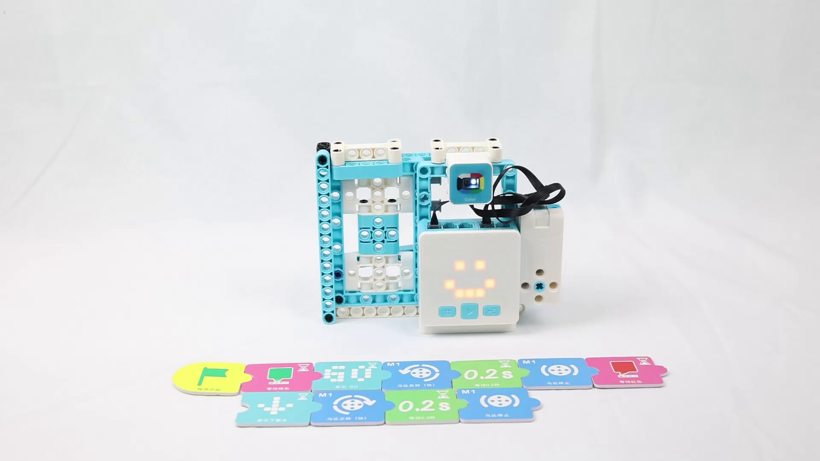
A finished program, laid out as a strip of cardsبرنامج مكتمل معروض كشريط بطاقات
⚠️
The order is the whole program. WAIT FOR before the motor means “do nothing until somebody comes”. WAIT TIME after the motor means “hold it open”. Swap them and the door opens on a timer and ignores people entirely — it still runs, it is just wrong.
الترتيب هو البرنامج كله. لو بدّلتم اللبنتين، سيُفتح الباب بمؤقّت ويتجاهل الناس تمامًا — يعمل البرنامج لكنه خاطئ.
🎯
A program that runs is not a program that works. Test the behaviour, not the upload.
البرنامج الذي يعمل ليس بالضرورة صحيحًا — اختبروا السلوك لا الرفع.

🌍 You have walked through this machine لقد مررتم عبر هذه الآلة من قبل

🚇 Dubai Metroمترو دبي
The glass doors at the platform edge. They only open when a train is there AND lined up.
🏬 Dubai Mallدبي مول
Entrance doors that sense you walking up and slide apart.
🛗 Lift doorsأبواب المصعد
Open, hold, then close — and re-open instantly if something is in the way.
🏥 Hospital doorsأبواب المستشفى
Open wide and stay open longer — a bed has to get through.
The doors at Dubai Mall sense you and slide apartأبواب دبي مول تستشعركم وتنفتح Photo: Diligent · Public domain · Wikimedia Commons
🛡️
The engineering question behind all four: what happens when it fails? A metro platform door that opens with no train is lethal. A hospital door that closes on a bed is dangerous. Real systems are designed to fail safe — and the safe state is different for each, so someone had to decide which.
السؤال الهندسي وراءها جميعًا: ماذا يحدث عند العطل؟ باب المترو الذي يُفتح بلا قطار قاتل، وباب المستشفى الذي يُغلق على سرير خطير. لذا تُصمَّم الأنظمة لتفشل بأمان — والحالة الآمنة تختلف بينهما.
If your sensor breaks, should your door end up open, or closed? Decide, and defend your answer.
لو تعطّل الحسّاس، هل يجب أن يبقى بابكم مفتوحًا أم مغلقًا؟ ولماذا؟

🦾 From the door to your arm من الباب إلى ذراعكم

🦾 JOINTمفصل
Each joint moves in one axis. Several joints together reach anywhere in a working envelope.
⚙️ SERVOمحرّك مؤازر
Not on/off like the door motor. You command an ANGLE and it holds it against gravity.
📐 DEGREESدرجات
0° to 180°. The number you send IS the position — no guesswork, no timing.
🎯
This is the difference between the door motor and your servo. The door's motor spins until the program stops it — position depends on TIME, which drifts. A servo goes to the angle you name and stays there — position depends on the NUMBER, which does not.
هذا هو الفرق بين محرك الباب والمؤازر: محرك الباب يعتمد على الزمن الذي ينحرف، أما المؤازر فيعتمد على الزاوية التي لا تنحرف.
🏭
That is why a door can be built with a plain motor but a robot arm cannot. Repeatability comes from commanding position, not duration.
ولهذا يُبنى الباب بمحرك عادي بينما لا يمكن ذلك للذراع — التكرار يأتي من تحديد الموضع لا المدة.

📓 Teach the arm one position at a time علّموا الذراع موضعًا واحدًا في كل مرة

The mistake every team makes: writing the whole pick-and-place sequence, running it, and watching the arm swing into the table.الخطأ الذي يقع فيه كل فريق: كتابة التسلسل كاملًا ثم تشغيله ومشاهدة الذراع تصطدم بالطاولة.
1 · One jointمفصل واحد
Move ONE joint to ONE angle. Run it. Write the number down.
2 · The pickنقطة الالتقاط
Find the angle where the gripper sits exactly over the product. Write it down.
3 · The placeنقطة الوضع
Find the angle over the drop-off point. Write it down.
4 · Join themاربطوها
Only now chain them into a sequence, with a short wait between each move.
📓
Your notebook of angles IS your program. Guessing costs the whole session.
دفتر الزوايا هو برنامجكم — والتخمين يضيّع الحصة كلها.
Then shorten the waits until it is as fast as it can be without missing. That last step is real engineering: speed limited by reliability, not by ambition.
ثم قصّروا فترات الانتظار حتى أقصى سرعة دون إخفاق — هذه هندسة حقيقية: السرعة تحدّها الموثوقية.
THEORY 10 / 12

🔗 Mechanisms: choosing how motion changes الآليات: كيف نغيّر نوع الحركة

⚙️ Rack & pinionترس وجريدة
Rotary → linear.
Steering racks, lifts,
sliding doors.
🔩 Lead screwلولب
Rotary → linear, slowly
and with enormous force.
Used in presses.
🎯 Crank-sliderذراع مرفقية
Rotary → back-and-forth.
Every piston engine
works this way.
🎢 Belt & pulleyحزام وبكرة
Rotary → rotary, moved
somewhere else, at a
different speed.
Rack and pinion — rotary motion becomes linearترس وجريدة: الحركة الدورانية تصبح خطية
📐
Naming the mechanism is not trivia — it tells you the failure mode. A rack strips its teeth, a lead screw seizes, a belt slips. Knowing which you have tells you what to check first.
تسمية الآلية ليست معلومة عابرة بل تحدّد نمط العطل: الجريدة تتآكل أسنانها، واللولب يعلق، والحزام ينزلق.
THEORY 11 / 12

📐 Structure: what holds and what folds البنية: ما يثبت وما ينثني

📐 Triangleمثلث
Geometrically determinate.
It cannot deform without
a member failing.
▱ Parallelogramمتوازي أضلاع
A four-bar linkage. It
WILL deform — which is
sometimes the point.
🏗️ Bracingتدعيم
One diagonal turns a
square into two triangles
and stops the racking.
Push one corner and the whole shape leansادفعوا زاوية واحدة فينحرف الشكل كله
🤏
A parallel-jaw gripper is a parallelogram used deliberately: the jaws stay parallel through the whole closing motion, so the grip is even wherever the object sits.
القابض متوازي الفكّين متوازي أضلاع مقصود: يبقى الفكّان متوازيين طوال الإغلاق فتتوزّع القبضة بالتساوي.
THEORY 12 / 12

🗺️ The mind map — how engineers think الخريطة الذهنية: كيف يفكّر المهندسون

1 · What does it DO?ماذا تفعل؟
Say the job out loud in
one sentence, before
anything else.
2 · What MOVES?ما الذي يتحرك؟
Every movement needs a
motor. Count them.
3 · What DECIDES?ما الذي يقرّر؟
Every decision needs a
sensor. Count those too.
4 · What ORDER?ما الترتيب؟
Now write the steps
down in the order they
happen.
🧠
Every ZMROBO lesson starts this way, and so should every team. Four questions, answered out loud, before a single brick is picked up — it turns a vague idea into a list you can build.
يبدأ كل درس بهذه الطريقة: أربعة أسئلة تُجاب بصوت عالٍ قبل التقاط أي قطعة.
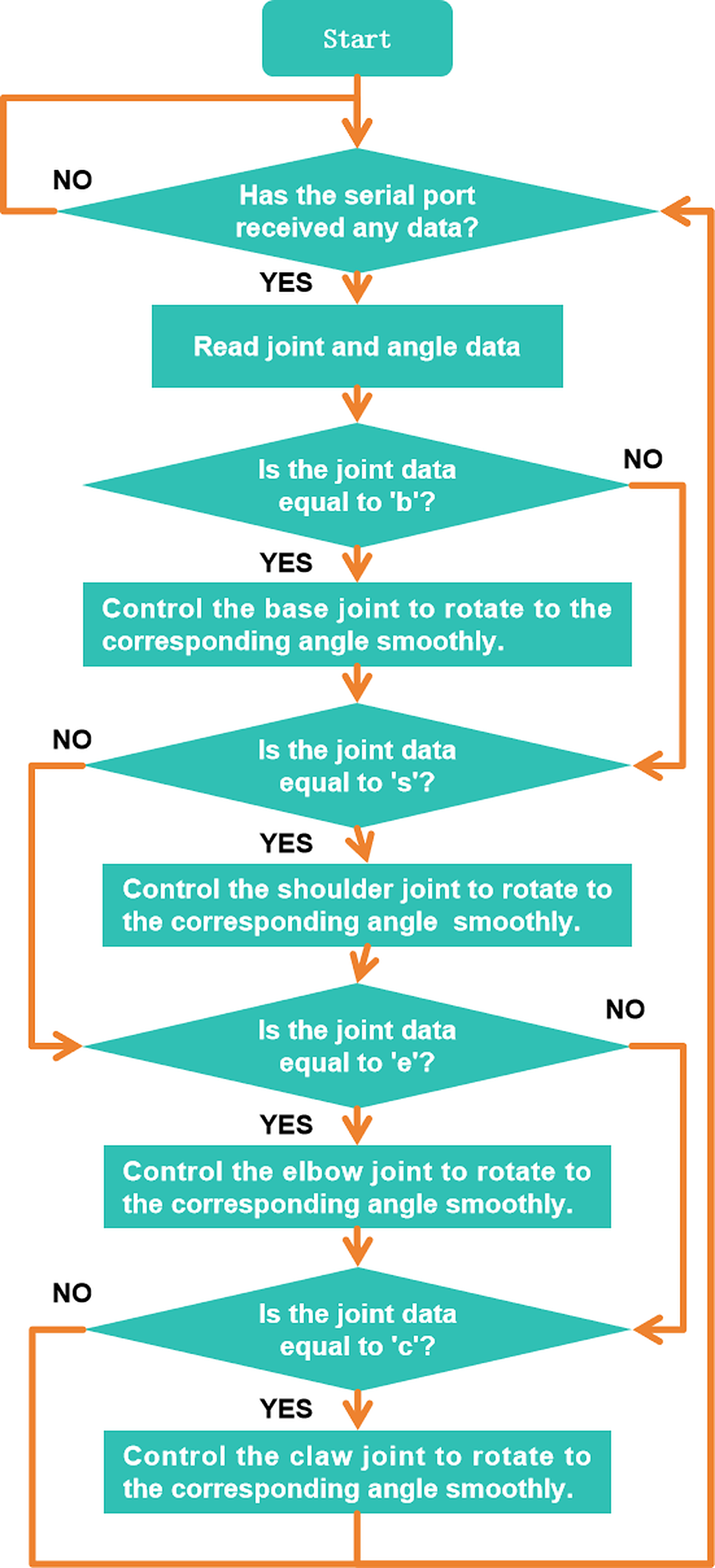
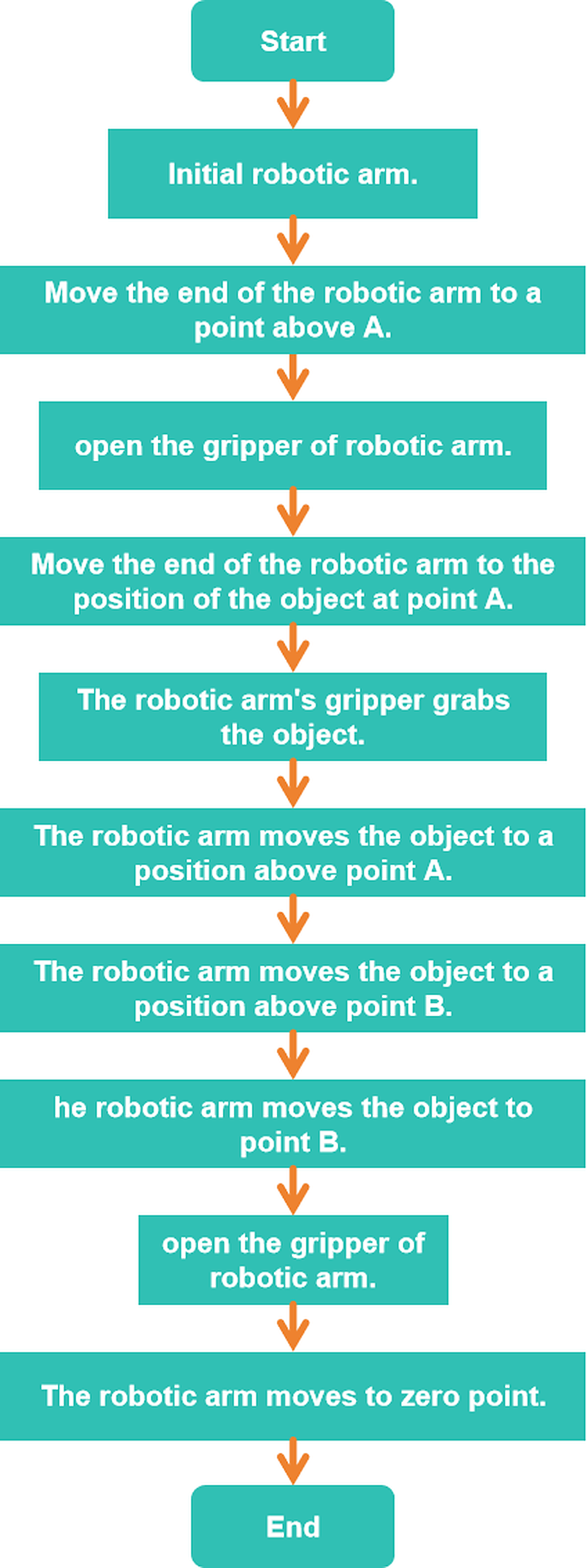
🚪 Every door is a machine waiting to happen كل باب هو آلة في انتظار أن تُصنع

🚪 Flat doorباب مفصلي
Swings on hinges. Needs empty floor space to swing into.
↔️ Sliding doorباب منزلق
Slides sideways on a track. Saves space — which is why kitchens, balconies and bathrooms use them.
🪟 Folding doorباب قابل للطي
Folds in on itself. Used where even a track will not fit.
🏬 Automatic doorباب أوتوماتيكي
Opens with no hand at all. This is the one we build today.
A sliding door runs sideways along a track — it saves the space a swing needsالباب المنزلق ينزلق على مسار ويوفّر المساحة
🔐
A key used to be a specific shape of metal. Now the “key” can be a password, a face, a fingerprint or a card — information instead of iron.
كان المفتاح قطعة معدنية بشكل محدّد، وأصبح الآن كلمة سر أو وجهًا أو بصمة أو بطاقة — معلومة بدل الحديد.
What opens the door at your home?
ما الذي يفتح باب بيتكم؟

🧩 Take the door apart in your head حلّلوا الباب في أذهانكم

1 · SENSEيستشعر
Something arrives. The sensor notices and reports it.
2 · JUDGEيحكم
The controller compares what it read against the rule you wrote.
3 · ACTينفّذ
The motor turns. The linkage drags the panel open.
4 · TELLيُعلم
The screen shows what the door is doing, so a person knows.
The original lesson used traffic-light colours. Ours senses a person instead.استخدم الدرس الأصلي ألوان الإشارة، أما بابنا فيستشعر شخصًا
⚠️
Where we differ from the original lesson. ZMROBO's door opens when the sensor sees a GREEN card and closes on RED. Ours opens when it senses a person approaching, like the doors at Dubai Mall. Same four steps, same ports, same motor — only the trigger changes.
الفرق عن الدرس الأصلي: باب ZMROBO يُفتح عند رؤية بطاقة خضراء، أما بابنا فيُفتح عند الإحساس باقتراب شخص — مثل أبواب دبي مول. نفس الخطوات والمنافذ والمحرك، ويتغيّر المُشغِّل فقط.

📡 A sensor turns the world into a number الحسّاس يحوّل العالم إلى رقم

👁️ It feelsيشعر
A sensor is the part that notices something in the world.
🔢 It reportsيُبلغ
It turns what it felt into a number the brain can use.
🌈 Colour sensorحسّاس اللون
Knows four colours: red, blue, yellow, green. We use it for sorting later in the camp.
🚶 Our sensorحسّاسنا
Notices a person coming closer. That is what opens our door.
Bees navigate by sensing moving air — nature got there firstالنحل يتنقّل بالإحساس بتدفّق الهواء — الطبيعة سبقتنا
🧠
A sensor cannot think. It can only report. It says “somebody is here” — it does NOT say “open the door”. Deciding is the brain's job, and you write that decision.
الحسّاس لا يفكّر، بل يُبلغ فقط. يقول «هناك شخص» ولا يقول «افتح الباب». القرار مهمة الدماغ — وأنتم من يكتبه.

🔗 How a spin becomes a slide كيف يتحوّل الدوران إلى انزلاق

🏗️ Door frameإطار الباب
Holds everything square and carries the track the panel runs on.
🚪 Door panelلوح الباب
The part that actually moves. Built from large box beams and plates.
🔗 Linkageآلية النقل
Connects the spinning motor shaft to the sliding panel.
Teeth are how a spin becomes a straight lineالأسنان هي كيف يتحوّل الدوران إلى خط مستقيم
⚙️
The motor can only spin round and round. But our door has to slide sideways. The linkage is the clever part that changes a spin into a slide.
المحرك يدور فقط، لكن بابنا ينزلق إلى الجانب. آلية النقل هي التي تحوّل الدوران إلى انزلاق.
👆
Try it: turn the motor shaft with your fingers and watch the panel move.
جرّبوا: أديروا محور المحرك بأصابعكم وشاهدوا اللوح يتحرك.

↔️ Which way does the motor turn? في أي اتجاه يدور المحرك؟

Sensor → port P1   ·   Motor → port M1الحسّاس في المنفذ P1 · المحرك في المنفذ M1 — نفس منافذ الأمس
◀️ Motor REVERSEالمحرك عكسيًا
The panel retracts.
The door OPENS.
▶️ Motor FORWARDالمحرك أماميًا
The panel extends.
The door CLOSES.
One motor, two directions — test both before programmingمحرك واحد باتجاهين — جرّبوهما قبل البرمجة
🧪
Test the direction before you program anything. Run the motor one way, watch the door, run it the other way. Now you KNOW which is which — instead of guessing and writing a program that closes the door on somebody.
جرّبوا الاتجاه قبل كتابة أي برنامج. شغّلوا المحرك في اتجاه، وشاهدوا الباب، ثم في الاتجاه الآخر.

🃏 Four kinds of instruction أربعة أنواع من التعليمات

⏳ WAIT FORانتظر حتى
Holds the program still until the sensor fires. Spot it by the little hourglass in the corner.
⏱️ WAIT TIMEانتظر مدة
Pauses for a number of seconds. This is how long the door stays open.
🔁 LOOPكرّر
Sends the program back to the start, so the door works all day — not once.
📺 DISPLAYاعرض
Arrows, the numbers 1 and 2, and “Go”. Tells a person what the door is about to do.
A finished program, laid out as a strip of cardsبرنامج مكتمل معروض كشريط بطاقات
📋
Put them in the right order: wait for the person → open → wait a few seconds → close → loop back to the start.
رتّبوها: انتظر الشخص ← افتح ← انتظر ثوانٍ ← أغلق ← ارجع إلى البداية.
🗣️
Say the order out loud as a team before you touch a single card.
قولوا الترتيب بصوت عالٍ كفريق قبل أن تلمسوا أي بطاقة.

🌍 You have walked through this machine لقد مررتم عبر هذه الآلة من قبل

🚇 Dubai Metroمترو دبي
The glass doors at the platform edge. They only open when a train is there AND lined up.
🏬 Dubai Mallدبي مول
Entrance doors that sense you walking up and slide apart.
🛗 Lift doorsأبواب المصعد
Open, hold, then close — and re-open instantly if something is in the way.
🏥 Hospital doorsأبواب المستشفى
Open wide and stay open longer — a bed has to get through.
The doors at Dubai Mall sense you and slide apartأبواب دبي مول تستشعركم وتنفتح Photo: Diligent · Public domain · Wikimedia Commons
Every one of these is doing exactly what you are building today. A sensor notices you, a brain decides, a motor slides the door. The only difference is size.
كل هذه الأبواب تفعل ما ستبنونه اليوم: حسّاس يلاحظكم، ودماغ يقرّر، ومحرك يفتح الباب.
Which of these have you walked through this week?
أيّ من هذه الأبواب مررتم بها هذا الأسبوع؟
THEORY 8 / 10

🚪 Doors that open themselves — everywhere أبواب تفتح نفسها في كل مكان

👕 Clothes hangersمجفّف الملابس
Used to be bamboo and
wood. Now a sensor opens
and closes the rack.
🔐 Safesالخزائن
A lock that only opens
for the right code —
not the right key.
💳 Bank cardsالبطاقات المصرفية
A six-digit PIN. The
"key" is a number that
nobody can copy by eye.
🚪 Password doorsأبواب بكلمة سر
The door itself asks
who you are before it
lets you through.
Every entrance you walked through this weekكل مدخل مررتم به هذا الأسبوع Photo: Diligent · Public domain · Wikimedia Commons
🔑
All four replaced a physical key with a DECISION. Somebody has to be recognised, and only then does the motor move. Your door does the same thing — it just recognises "a person is here" instead of a six-digit number.
استبدلت الأربعة المفتاحَ بقرار: يجب التعرّف على شخص أولًا ثم يتحرك المحرك. وبابكم يفعل الشيء نفسه.
THEORY 9 / 10

👁️ Machines have many kinds of eyes للآلات أنواع كثيرة من العيون

🦇 Ultrasonicموجات فوق صوتية
Sends a sound pulse and
times the echo — copied
straight from BATS.
🌡️ Infraredالأشعة تحت الحمراء
Sees warmth and
reflection. Used to spot
a hand or a panel.
💡 LIDARليدار
Same idea as ultrasonic
but with light. Used in
self-driving cars.
🐝 Air flowتدفّق الهواء
Bees navigate by sensing
moving air. Some sensors
copy that too.
Bats find insects in the dark with ultrasound — engineers copied itالخفافيش تجد فرائسها بالموجات فوق الصوتية — ونسخها المهندسون
🦇
Engineers did not invent most sensors — they copied animals. Bats find insects in complete darkness with ultrasound, and that is exactly how a distance sensor works.
لم يخترع المهندسون معظم الحسّاسات بل نسخوها عن الحيوانات: الخفافيش تجد فرائسها في الظلام بالموجات فوق الصوتية.
THEORY 10 / 10

🗺️ The mind map — how engineers think الخريطة الذهنية: كيف يفكّر المهندسون

1 · What does it DO?ماذا تفعل؟
Say the job out loud in
one sentence, before
anything else.
2 · What MOVES?ما الذي يتحرك؟
Every movement needs a
motor. Count them.
3 · What DECIDES?ما الذي يقرّر؟
Every decision needs a
sensor. Count those too.
4 · What ORDER?ما الترتيب؟
Now write the steps
down in the order they
happen.
🧠
Every ZMROBO lesson starts this way, and so should every team. Four questions, answered out loud, before a single brick is picked up — it turns a vague idea into a list you can build.
يبدأ كل درس بهذه الطريقة: أربعة أسئلة تُجاب بصوت عالٍ قبل التقاط أي قطعة.
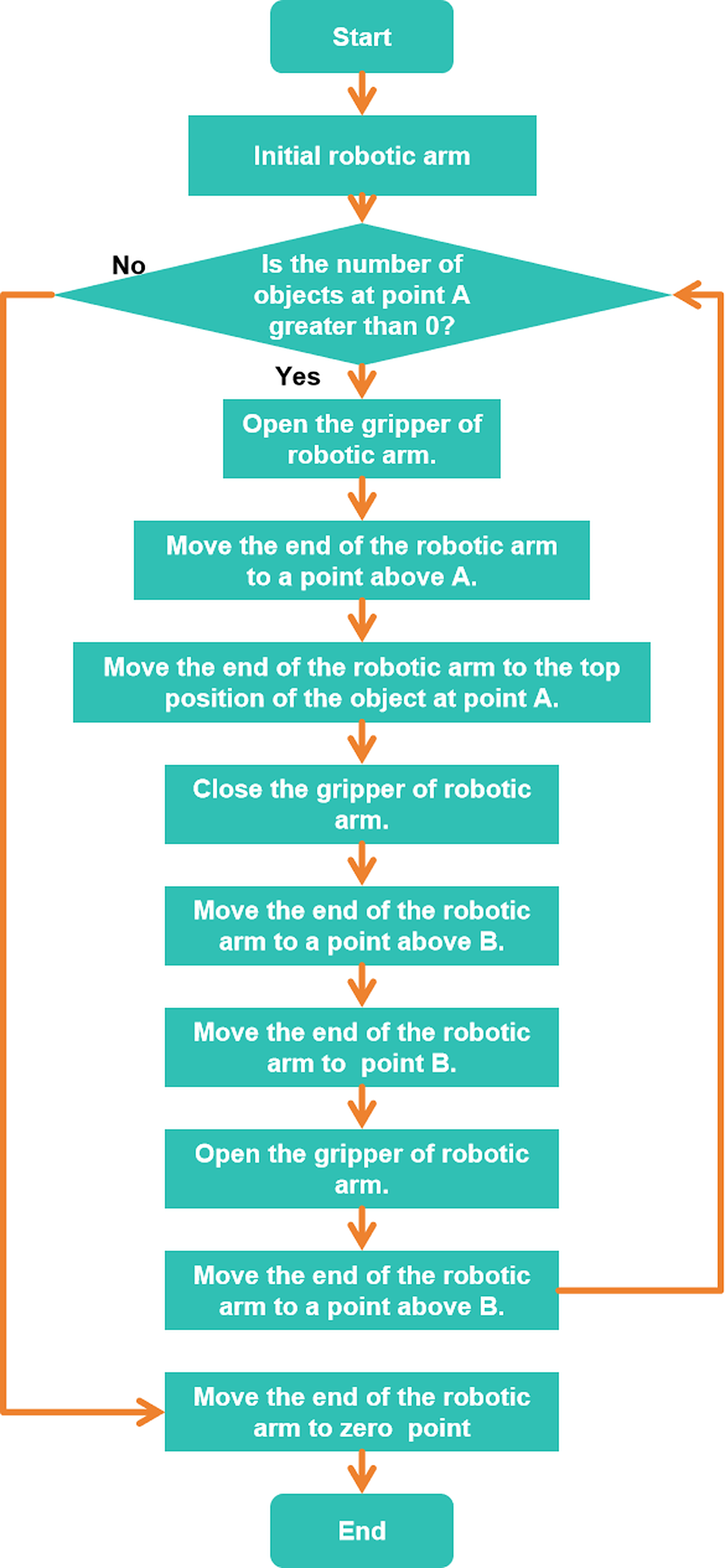
💻
Full code

🔍 Inquiry Hook سؤال الانطلاق

5 min — Show a short video or photos of a real factory assembly line. What do you see moving? Who or what is in charge of the machines?
5 min · دقيقة — المرحلة 1 من 6

📖 Theory الشرح النظري

10 min — Explain what a factory is: zones, stations, and how materials travel between them. Introduce the concept of inputs (sensors, buttons) and outputs (lights, buzzers, motors).
10 min · دقيقة — المرحلة 2 من 6

🎯 Knowledge Check فحص الفهم

5 min — Students label a blank factory floor diagram with zone names (entry, production, sorting, packaging, exit) using printed labels. Share and compare with a partner.
5 min · دقيقة — المرحلة 3 من 6

🔧 Build & Assemble البناء والتركيب

45 min — Students place factory zone cards on the base board to build the factory layout. Connect a button and an LED to the controller and test that pressing the button turns on the LED.
45 min · دقيقة — المرحلة 4 من 6

💻 Full System Program البرنامج الكامل

20 min — Students extend the program: button pressed → LED ON + buzzer ON for 1 second → both OFF. Simulates a factory signal.
20 min · دقيقة — المرحلة 5 من 6

✅ Test & Adjust الاختبار والضبط

5 min — Test the system. Does the signal fire when the button is pressed? Adjust timing if needed. What would happen in a real factory if a signal like this went off?
5 min · دقيقة — المرحلة 6 من 6

🧪 Practice code — Day 1 كود التجربة

Open RoboCode and build this. Run each task, watch what happens, then change one number and run it again.
افتحوا RoboCode وابنوا هذا. شغّلوا كل مهمة وراقبوا ما يحدث، ثم غيّروا رقمًا واحدًا وأعيدوا التشغيل.
🔍 Click the code to zoom in · اضغط على الكود للتكبير — click again to zoom out · اضغط مرة أخرى للتصغير
⚠️ Cable: use a USB-A to Type-C cable. A Type-C to Type-C cable will NOT be detected by RoboCode.
⚠️ الكابل: استخدموا كابل USB-A إلى Type-C. كابل Type-C إلى Type-C لن يتعرّف عليه برنامج RoboCode.

🧪 Day 1 Test Code كود اختبار اليوم 1

Test: is my kit alive?اختبار: هل عدّتي تعمل؟
🚩 when program starts
forever
show 1 on display
wait 1 second
display off
wait 1 second
✓ Expected result · النتيجة المتوقعة
The display blinks 1 every second — the brain runs your program!
تومض الشاشة بالرقم 1 كل ثانية — الدماغ يشغّل برنامجك!
If it fails · إذا فشل
No blink? Check the battery and try uploading again.
لا وميض؟ افحص البطارية وأعد رفع البرنامج.
🖐️
Then try: connect ONE sensor and show its value; connect ONE motor and run it 1 second.
ثم جرّب: وصّل حساسًا واحدًا واعرض قيمته؛ وصّل محركًا واحدًا وشغّله ثانية واحدة.
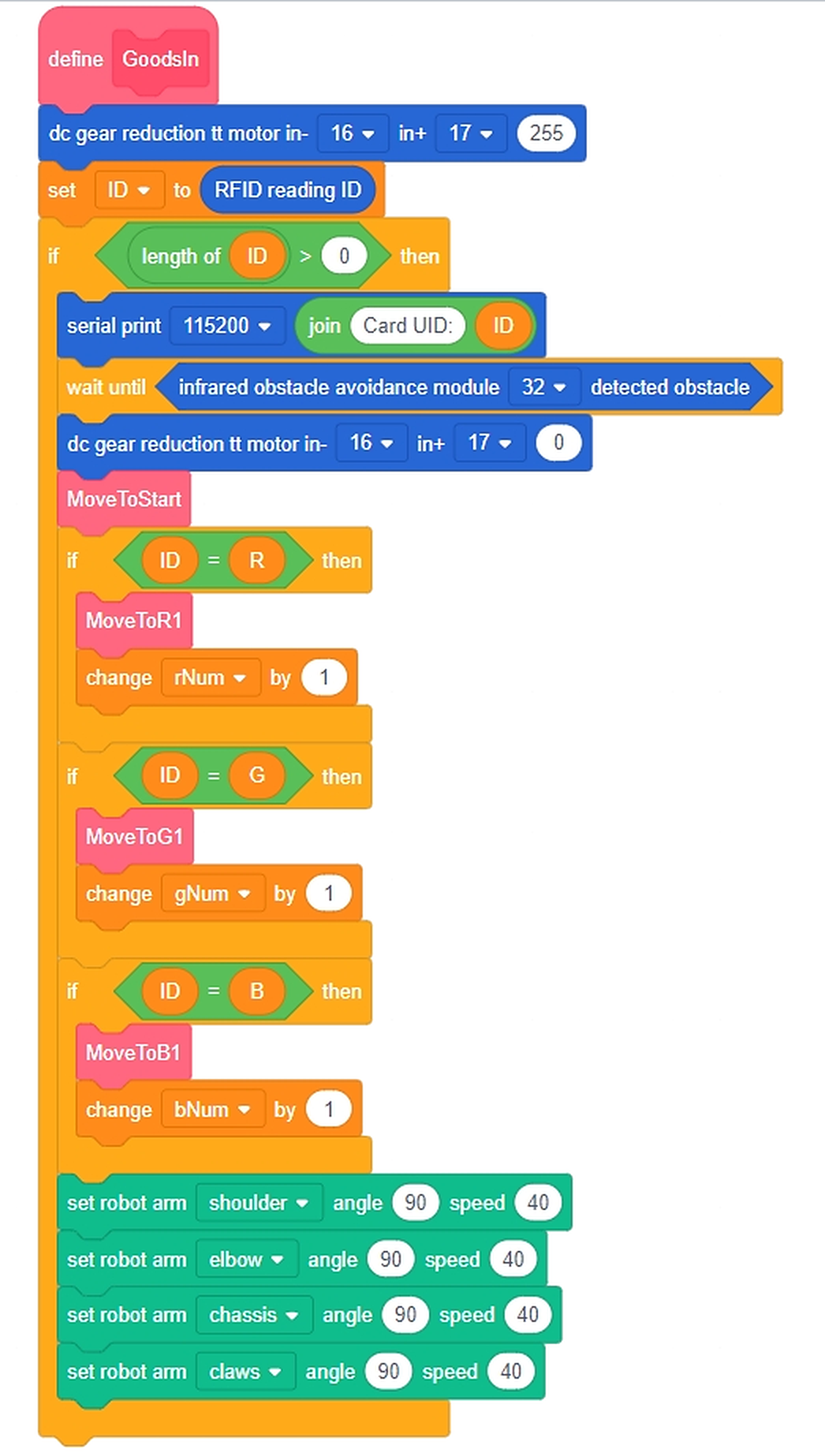
💡 What each block does ماذا يفعل كل مقطع
Task 1Shows a pattern on the display, over and over.يعرض شكلًا على الشاشة، مرة بعد مرة.
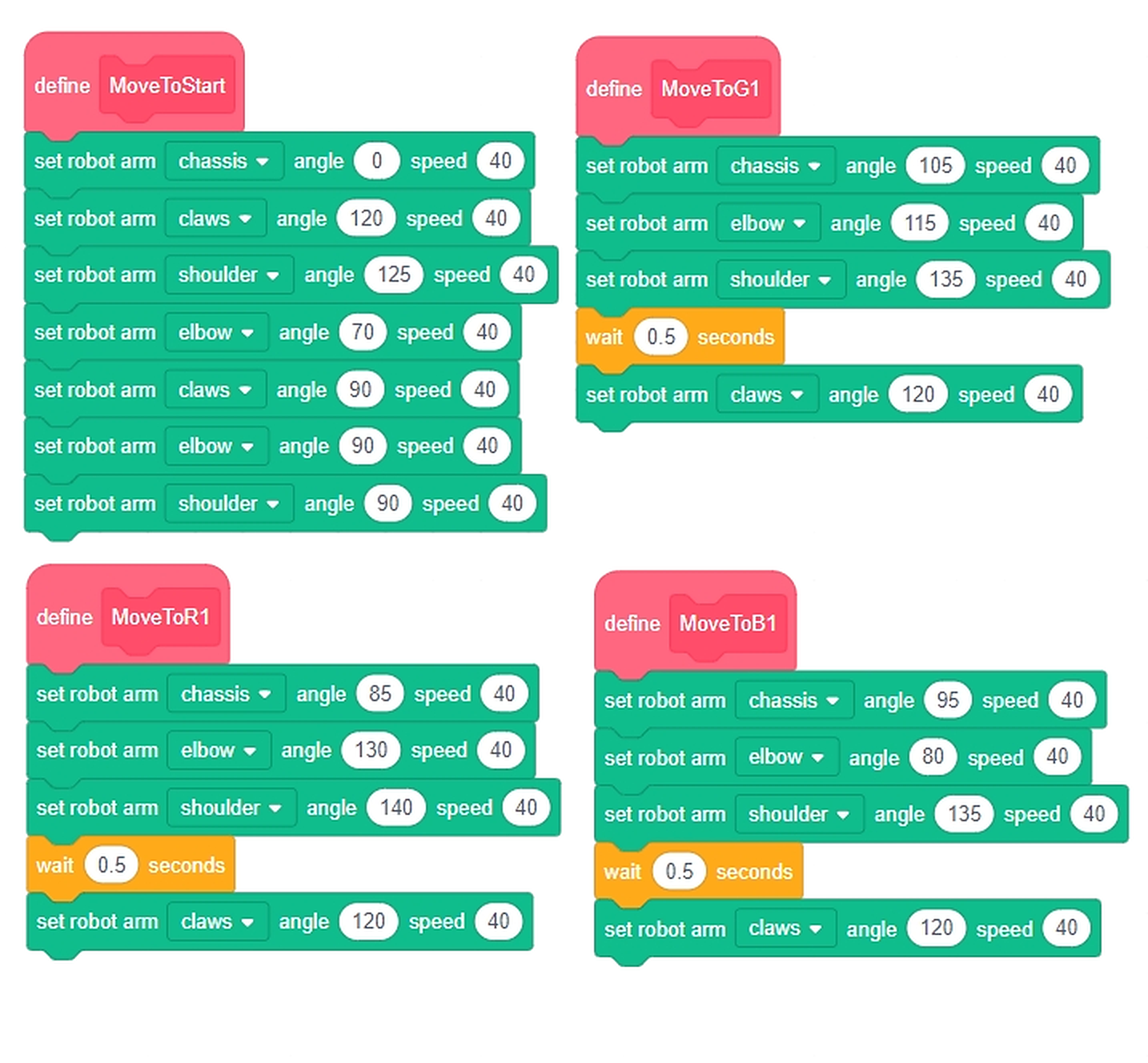
Task 2Shows a pattern AND turns the buzzer on — display plus sound together.يعرض شكلًا ويشغّل الجرس — صورة وصوت معًا.
Task 3Shows one pattern, waits 1 second, then shows a different one — this is how you animate.يعرض شكلًا وينتظر ثانية ثم يعرض شكلًا آخر — هكذا نصنع حركة.
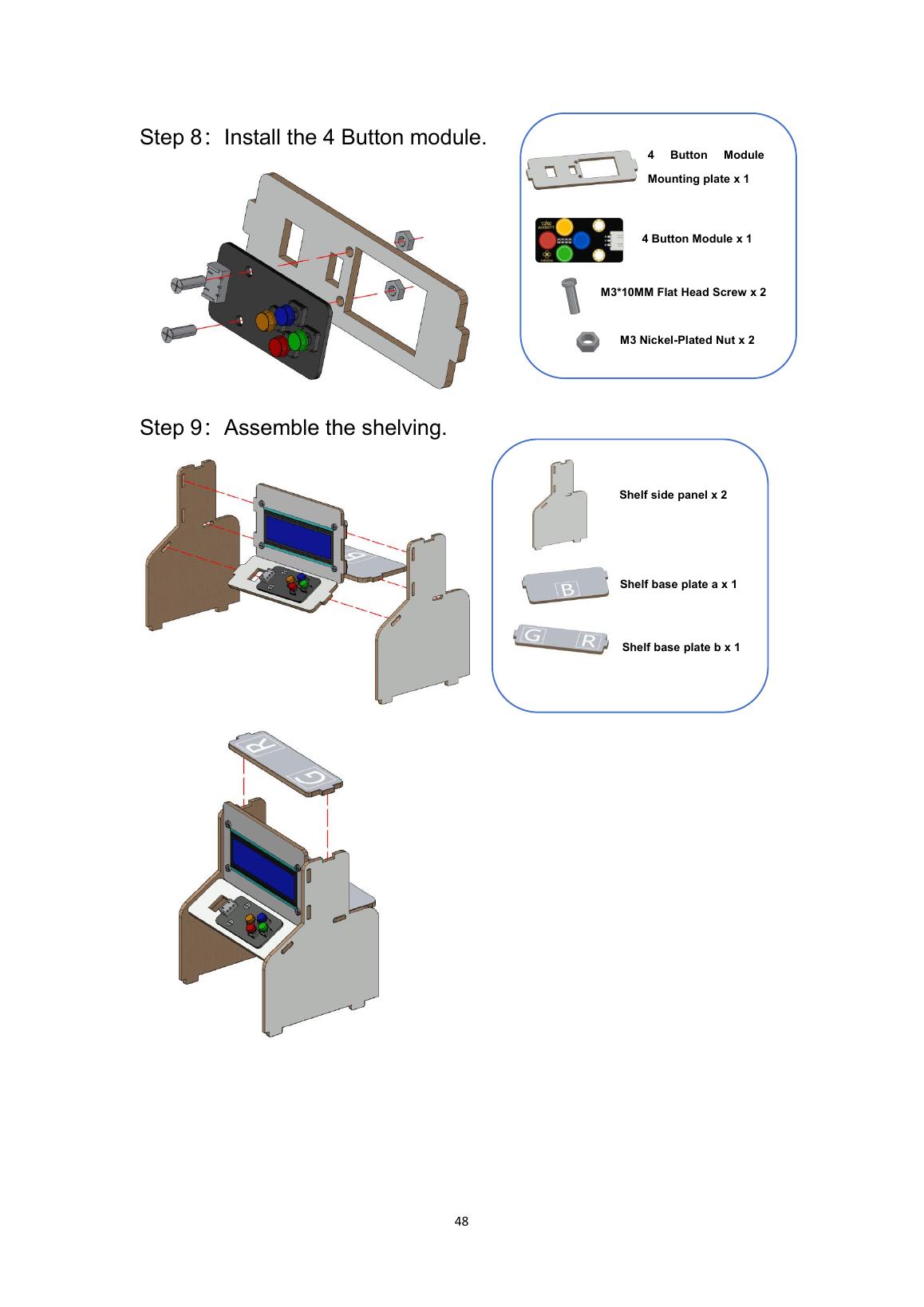
Task 4Stops motor M1 first, then runs the same two-pattern animation — safe stop, then show.يوقف المحرك M1 أولًا ثم ينفّذ الحركة نفسها — إيقاف آمن ثم عرض.
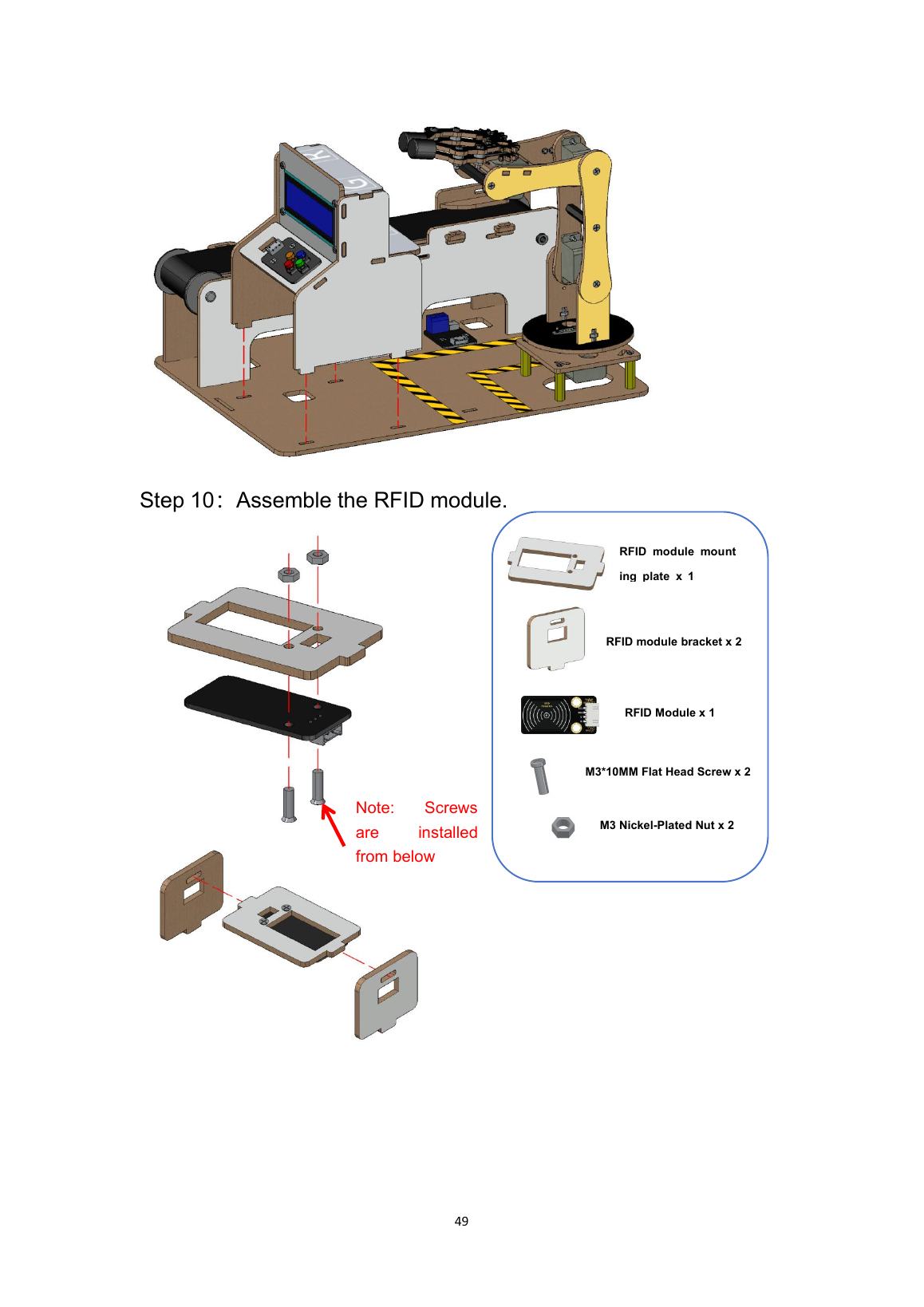
🔍 Inquiry Hook سؤال الانطلاق

5 min — Have you ever walked through a door that opened by itself? How do you think it knew you were there? Let students guess, then show a proximity sensor.
5 min · دقيقة — المرحلة 1 من 6

📖 Theory الشرح النظري

10 min — Explain how a sensor detects a nearby object and sends a signal to open the door mechanism. Use the words 'detect → signal → action' to build the concept.
10 min · دقيقة — المرحلة 2 من 6

🎯 Knowledge Check فحص الفهم

5 min — Students arrange event cards: Object approaches → Sensor detects → Signal sent → Door opens → Object passes → Door closes. Put them in the correct order.
5 min · دقيقة — المرحلة 3 من 6

🔧 Build & Assemble البناء والتركيب

45 min — Students assemble the door mechanism with a servo motor and connect the proximity sensor. Test the servo by manually triggering it to open and close.
45 min · دقيقة — المرحلة 4 من 6

💻 Full System Program البرنامج الكامل

20 min — Students replace the button with the sensor: IF object detected THEN servo opens door → wait → servo closes. Upload and test.
20 min · دقيقة — المرحلة 5 من 6

✅ Test & Adjust الاختبار والضبط

5 min — Test by placing a hand or object near the sensor. Does the door open? How close do you need to be? Adjust the threshold for the right sensitivity.
5 min · دقيقة — المرحلة 6 من 6

🧪 Practice code — Day 2 كود التجربة

Open RoboCode and build this. Run each task, watch what happens, then change one number and run it again.
افتحوا RoboCode وابنوا هذا. شغّلوا كل مهمة وراقبوا ما يحدث، ثم غيّروا رقمًا واحدًا وأعيدوا التشغيل.
🔍 Click the code to zoom in · اضغط على الكود للتكبير
⚠️ Cable: use a USB-A to Type-C cable. A Type-C to Type-C cable will NOT be detected by RoboCode.
⚠️ الكابل: استخدموا كابل USB-A إلى Type-C. كابل Type-C إلى Type-C لن يتعرّف عليه برنامج RoboCode.

🧪 Day 2 Test Code — Sliding Door كود اختبار الباب المنزلق

Test: open & close the doorاختبار: افتح وأغلق الباب
🚩 when program starts
set door motor speed to 36 %
run door motor ▲ for 1 s (open)
wait 1 second
run door motor ▼ for 1 s (close)
stop door motor
✓ Expected result · النتيجة المتوقعة
The door slides open, waits, slides closed — smoothly, no grinding.
ينزلق الباب مفتوحًا، ينتظر، ثم يُغلق — بسلاسة دون احتكاك.
If it fails · إذا فشل
Door jams? Lower the speed and check the rail is straight.
الباب ينحشر؟ قلّل السرعة وتأكد أن السكة مستقيمة.

⬇ Project files ملفات المشروع

Download and open in RoboCode — run it, then make it YOURS: change one number and observe.
حمّلها وافتحها في روبوكود — شغّلها ثم اجعلها لكم: غيّروا رقمًا واحدًا وراقبوا النتيجة.
💡 What each block does ماذا يفعل كل مقطع
Task 1Sets motor M1 to speed 36, then runs it counter-clockwise for 1 second — the door opens once.يضبط سرعة M1 على 36 ثم يشغّله عكس عقارب الساعة لثانية — يُفتح الباب مرة.
Task 2The same move inside FOREVER — the door keeps opening again and again.الحركة نفسها داخل "للأبد" — يستمر الباب في الفتح مرارًا.
Task 3Opens for 1 second, waits 1 second, then closes clockwise for 2 seconds — open, pause, close.يفتح لثانية، ينتظر ثانية، ثم يغلق لثانيتين — فتح فانتظار فإغلاق.
Task 4Shows the IR range-finder value on port P1 — this is how the door will SEE someone coming.يعرض قيمة حسّاس المدى على المنفذ P1 — بهذا "يرى" الباب من يقترب.

🔍 Inquiry Hook سؤال الانطلاق

5 min — Have you seen a forklift at a supermarket or construction site? What does it do? Show a forklift image and point out the lifting mechanism.
5 min · دقيقة — المرحلة 1 من 6

📖 Theory الشرح النظري

10 min — Explain how a forklift uses a motor to lift and lower the forks. Introduce the concept of upward and downward motion controlled by direction (motor forward = lift, reverse = lower).
10 min · دقيقة — المرحلة 2 من 6

🎯 Knowledge Check فحص الفهم

5 min — Students label the forklift parts on a diagram: forks, mast, wheels, motor. Explain what each part does in one sentence.
5 min · دقيقة — المرحلة 3 من 6

🔧 Build & Assemble البناء والتركيب

45 min — Students build the forklift robot frame and attach the lift mechanism. Test the motor by running it forward and backward to confirm lifting and lowering works.
45 min · دقيقة — المرحلة 4 من 6

💻 Full System Program البرنامج الكامل

20 min — Students program the forklift to: drive forward → lift forks → pause → lower forks → drive back. Simulate picking up a load from the factory floor.
20 min · دقيقة — المرحلة 5 من 6

✅ Test & Adjust الاختبار والضبط

5 min — Test the forklift by placing a small object on its forks. Does it carry the object successfully? Adjust motor timing to improve lifting accuracy.
5 min · دقيقة — المرحلة 6 من 6

🧪 Practice code — Day 3 كود التجربة

Open RoboCode and build this. Run each task, watch what happens, then change one number and run it again.
افتحوا RoboCode وابنوا هذا. شغّلوا كل مهمة وراقبوا ما يحدث، ثم غيّروا رقمًا واحدًا وأعيدوا التشغيل.
🔍 Click the code to zoom in · اضغط على الكود للتكبير — click again to zoom out · اضغط مرة أخرى للتصغير

🧪 Code Samples — test before the final! أكواد التجربة — اختبر قبل النهائي!

Open RoboCode → connect the robot. Run each small sample and tick it only when the robot does EXACTLY what we expect.
افتح RoboCode ← وصّل الروبوت. شغّل كل تجربة صغيرة ولا تضع علامة ✓ إلا إذا فعل الروبوت ما نتوقعه تمامًا.
1 · SAMPLE
كود تجريبي
2 · TEST
اختبار
3 · FINAL
الكود النهائي
4 · ADJUST
الضبط

Sample 1 Drive الحركة

Sample: forward & backتجربة: أمام وخلف
🚩 when program starts
set driving speed to 25 %
drive forward for 1 second
wait 1 second
drive backward for 1 second
✓ Expected result · النتيجة المتوقعة
Robot drives forward ~30 cm, pauses, comes back.
يتحرك الروبوت للأمام ~30 سم، يتوقف، ثم يعود.
If it fails · إذا فشل
Goes backward first? Swap M1/M2 cables or flip direction.
يتحرك للخلف أولًا؟ بدّل كابلَي M1/M2 أو اعكس الاتجاه.

Sample 2 Gripper الذراع القابضة

Sample: open & close the clawتجربة: افتح وأغلق المخلب
🚩 when program starts
set gripper motor (P2) speed to 40 %
run gripper motor ▲ for 0.5 s (open)
wait 1 second
run gripper motor ▼ for 0.5 s (close)
✓ Expected result · النتيجة المتوقعة
Claw opens wide, waits, then closes gently.
يفتح المخلب، ينتظر، ثم يغلق بلطف.
If it fails · إذا فشل
Claw grinds? Lower the speed or shorten the time.
المخلب يصدر طقطقة؟ قلّل السرعة أو المدة.

Sample 3 Sensor الحساس

Sample: show what the sensor seesتجربة: اعرض ما يراه الحساس
🚩 when program starts
forever
show color-sensor (P1) value on display
wait 0.5 second
✓ Expected result · النتيجة المتوقعة
Hold colored cards in front — the display value changes.
قرّب بطاقات ملونة — تتغير القيمة على الشاشة.
If it fails · إذا فشل
Nothing changes? Check P1 cable and clean the window.
لا يتغير شيء؟ افحص كابل P1 ونظّف النافذة.

🔍 Inquiry Hook سؤال الانطلاق

5 min — Place a piece of tape on the table as a path. Ask students to walk along it as slowly as possible. What would happen if a robot had to follow this line? What would it need to sense?
5 min · دقيقة — المرحلة 1 من 6

📖 Theory الشرح النظري

10 min — Explain how a colour/line sensor detects dark vs. light surfaces. If the robot drifts off the black line onto white, the sensor tells it to correct course.
10 min · دقيقة — المرحلة 2 من 6

🎯 Knowledge Check فحص الفهم

5 min — Show the students a simple LEFT/RIGHT steering decision: sensor on line → go straight; sensor off line (left) → turn right; sensor off line (right) → turn left. Demonstrate with arrows.
5 min · دقيقة — المرحلة 3 من 6

🔧 Build & Assemble البناء والتركيب

45 min — Students build the line-following robot and position the sensor underneath, close to the ground. Test the sensor reading by sliding it over a printed black line.
45 min · دقيقة — المرحلة 4 من 6

💻 Full System Program البرنامج الكامل

20 min — Students program: read sensor → IF on line THEN straight, ELSE turn toward line. Upload and test on a printed track.
20 min · دقيقة — المرحلة 5 من 6

✅ Test & Adjust الاختبار والضبط

5 min — Place the robot on the track and observe. Does it follow the path? Adjust motor speed or turning logic if it overshoots or wiggles too much.
5 min · دقيقة — المرحلة 6 من 6

🧪 Practice code — Day 4 كود التجربة

Open RoboCode and build this. Run each task, watch what happens, then change one number and run it again.
افتحوا RoboCode وابنوا هذا. شغّلوا كل مهمة وراقبوا ما يحدث، ثم غيّروا رقمًا واحدًا وأعيدوا التشغيل.
🔍 Click the code to zoom in · اضغط على الكود للتكبير — click again to zoom out · اضغط مرة أخرى للتصغير

Sample First Line Follower أول متتبع مسار

First: re-aim the color sensor to look DOWN at the floor, close to the ground.
أولًا: وجّه حساس الألوان إلى الأسفل نحو الأرض وقريبًا منها.
Version 1: simple zig-zagالإصدار 1: متعرج بسيط
🚩 when program starts
set driving speed to 25 %
forever
if ⟨ sensor sees the LINE ⟩ then
drive forward for 0.15 s
else
swing: left 60 % / right 0 % for 0.1 s
drive forward 0.15 s
swing: left 0 % / right 60 % for 0.1 s
✓ Expected result · النتيجة المتوقعة
Follows the line slowly, wiggling like a little duck 🦆.
يتبع الخط ببطء متمايلًا كبطّة صغيرة 🦆.
If it fails · إذا فشل
Loses the line on curves? EXPECTED — the final version fixes it!
يفقد الخط عند المنعطفات؟ متوقع — النسخة النهائية تصلحه!

⬇ Project files ملفات المشروع

Download and open in RoboCode — run it, then make it YOURS: change one number and observe.
حمّلها وافتحها في روبوكود — شغّلها ثم اجعلها لكم: غيّروا رقمًا واحدًا وراقبوا النتيجة.

🔍 Inquiry Hook سؤال الانطلاق

5 min — If you had a super-strong arm that could pick up anything perfectly every time — what job would you give it in a factory? Collect creative answers.
5 min · دقيقة — المرحلة 1 من 6

📖 Theory الشرح النظري

10 min — Explain the parts of a simple robotic arm: base, joints, gripper. Show how servo motors at each joint create movement. Demo a simple arm motion if possible.
10 min · دقيقة — المرحلة 2 من 6

🎯 Knowledge Check فحص الفهم

5 min — Students match servo positions (0°, 90°, 180°) to arm positions (low, middle, high) using printed diagrams.
5 min · دقيقة — المرحلة 3 من 6

🔧 Build & Assemble البناء والتركيب

45 min — Students assemble the robot arm kit — attach the base servo, shoulder servo, and gripper. Test each servo individually before combining.
45 min · دقيقة — المرحلة 4 من 6

💻 Full System Program البرنامج الكامل

20 min — Students program a simple pick-and- place: open gripper → move arm to pick position → close gripper → move arm to place position → open gripper.
20 min · دقيقة — المرحلة 5 من 6

✅ Test & Adjust الاختبار والضبط

5 min — Test with a small object between two marked factory stations. Count how many successful picks happen in 5 tries. Discuss what would make it better.
5 min · دقيقة — المرحلة 6 من 6

🧪 Day 5 Test Code — Arm Positions اختبار مواضع الذراع

Test: three positionsاختبار: ثلاثة مواضع
🚩 when program starts
gripper motor ▲ 0.3 s (low)
wait 1 second
gripper motor ▲ 0.3 s (middle)
wait 1 second
gripper motor ▲ 0.3 s (high)
wait 1 second
gripper motor ▼ 0.9 s (back to start)
✓ Expected result · النتيجة المتوقعة
The arm steps low → middle → high, then returns to start.
تتدرج الذراع منخفض ← وسط ← مرتفع ثم تعود للبداية.
If it fails · إذا فشل
Steps unequal? Keep the same time for each step (0.3 s).
الخطوات غير متساوية؟ ثبّت الزمن نفسه لكل خطوة.

🔍 Inquiry Hook سؤال الانطلاق

5 min — Bring a mixed pile of coloured blocks or objects. If you had to sort these into groups as fast as possible, how would you do it? What if a machine had to do it?
5 min · دقيقة — المرحلة 1 من 6

📖 Theory الشرح النظري

10 min — Explain how a sorting system works: sensor detects a property (colour, size) → controller decides which group → actuator moves the product to the right place.
10 min · دقيقة — المرحلة 2 من 6

🎯 Knowledge Check فحص الفهم

5 min — Students physically sort a set of blocks by colour into bins. Then ask: 'What would a sensor need to read to do this automatically?'
5 min · دقيقة — المرحلة 3 من 6

🔧 Build & Assemble البناء والتركيب

45 min — Students build the sorting station with a sensor and servo gate. Test the servo by moving it to each sorting position manually.
45 min · دقيقة — المرحلة 4 من 6

💻 Full System Program البرنامج الكامل

20 min — Students program: IF sensor reading = Product A → servo to position 1; IF sensor reading = Product B → servo to position 2. Upload and test.
20 min · دقيقة — المرحلة 5 من 6

✅ Test & Adjust الاختبار والضبط

5 min — Test with 5 mixed products. How many are sorted correctly? What caused any errors? Adjust sensor placement or threshold to improve accuracy.
5 min · دقيقة — المرحلة 6 من 6

Sample Read the Color اقرأ اللون

Sample: show the color numberتجربة: اعرض رقم اللون
🚩 when program starts
forever
show color-sensor (P1) value on display
wait 0.5 second
✓ Expected result · النتيجة المتوقعة
Each date-box color shows a different number on the display — note them down!
كل لون صندوق يعرض رقمًا مختلفًا — سجّلوا الأرقام!
If it fails · إذا فشل
Same number for all? Move the box closer to the sensor window.
الرقم نفسه للجميع؟ قرّب الصندوق من نافذة الحساس.

⬇ Project files ملفات المشروع

Download and open in RoboCode — run it, then make it YOURS: change one number and observe.
حمّلها وافتحها في روبوكود — شغّلها ثم اجعلها لكم: غيّروا رقمًا واحدًا وراقبوا النتيجة.

🔍 Inquiry Hook سؤال الانطلاق

5 min — Yesterday your sorting system sorted some things correctly. What did it get wrong? What would make it sort better? Invite students to diagnose their system.
5 min · دقيقة — المرحلة 1 من 6

📖 Theory الشرح النظري

10 min — Explain the concept of improving a system: adjust the threshold, fix the sensor position, or update the code. Connect this to how engineers iterate on products.
10 min · دقيقة — المرحلة 2 من 6

🎯 Knowledge Check فحص الفهم

5 min — Students review yesterday's test results and identify one thing to improve. They write it down as a goal: 'Today we will fix _____ because _____.'
5 min · دقيقة — المرحلة 3 من 6

🔧 Build & Assemble البناء والتركيب

45 min — Students re-examine their sorting system wiring and sensor placement. Make any physical adjustments needed based on yesterday's performance.
45 min · دقيقة — المرحلة 4 من 6

💻 Full System Program البرنامج الكامل

20 min — Students update the sorting program with improved logic based on their goal. Upload and run a fresh test with 5 new items.
20 min · دقيقة — المرحلة 5 من 6

✅ Test & Adjust الاختبار والضبط

5 min — Compare today's accuracy to yesterday's. Did the improvement work? What would they do differently if they had one more session?
5 min · دقيقة — المرحلة 6 من 6

Sample Read the Color اقرأ اللون

Sample: show the color numberتجربة: اعرض رقم اللون
🚩 when program starts
forever
show color-sensor (P1) value on display
wait 0.5 second
✓ Expected result · النتيجة المتوقعة
Each date-box color shows a different number on the display — note them down!
كل لون صندوق يعرض رقمًا مختلفًا — سجّلوا الأرقام!
If it fails · إذا فشل
Same number for all? Move the box closer to the sensor window.
الرقم نفسه للجميع؟ قرّب الصندوق من نافذة الحساس.

⬇ Project files ملفات المشروع

Download and open in RoboCode — run it, then make it YOURS: change one number and observe.
حمّلها وافتحها في روبوكود — شغّلها ثم اجعلها لكم: غيّروا رقمًا واحدًا وراقبوا النتيجة.

🔍 Inquiry Hook سؤال الانطلاق

5 min — Ask each group: 'Which station in your factory are you most proud of? Tell the class what it does in one sentence.' Quick energising round before final integration.
5 min · دقيقة — المرحلة 1 من 6

📖 Theory الشرح النظري

10 min — Review all the systems built during the week. Display a factory floor diagram and ask students to place their systems in the correct location.
10 min · دقيقة — المرحلة 2 من 6

🎯 Knowledge Check فحص الفهم

5 min — Each group identifies their role in the final integrated factory: 'Our group's system handles _____ and connects to _____ before us and _____ after us.'
5 min · دقيقة — المرحلة 3 من 6

🔧 Build & Assemble البناء والتركيب

45 min — Students connect their systems to the shared factory board in sequence — door → conveyor → sorting → packaging. Test each connection point.
45 min · دقيقة — المرحلة 4 من 6

💻 Full System Program البرنامج الكامل

20 min — Final full-factory test: run a product through the entire system from entry to exit. Observe and fix any issues as a group.
20 min · دقيقة — المرحلة 5 من 6

✅ Test & Adjust الاختبار والضبط

5 min — Each group presents their system to the class. Celebrate all the work with a class showcase. If available, invite other groups or guests to visit.
5 min · دقيقة — المرحلة 6 من 6

🔍 Inquiry Hook سؤال الانطلاق

5 min — Show a UAE industrial zone image (e.g. KIZAD, Jebel Ali). How do you think products move from raw materials to packaged goods in a smart factory?
5 min · دقيقة — المرحلة 1 من 6

📖 Theory الشرح النظري

10 min — Explain production flow, automation concepts, and control system architecture (sensors → controller → actuators). Introduce the kit components and their functions.
10 min · دقيقة — المرحلة 2 من 6

🎯 Knowledge Check فحص الفهم

5 min — Students complete a component identification sheet: match each component photo (sensor, motor, relay, LED) to its function and typical use in a factory.
5 min · دقيقة — المرحلة 3 من 6

🔧 Build & Assemble البناء والتركيب

45 min — Students assemble the factory board, wire a test circuit with one sensor and one actuator, and confirm the basic control loop works.
45 min · دقيقة — المرحلة 4 من 6

💻 Full System Program البرنامج الكامل

20 min — Students build and program two small automation prototypes: (1) button- triggered motor, (2) sensor-triggered LED + buzzer. Test and confirm both work independently.
20 min · دقيقة — المرحلة 5 من 6

✅ Test & Adjust الاختبار والضبط

5 min — Students present their prototypes to each other: what does it do, what input triggers it, what output responds, and how could it be used in a factory? Note findings.
5 min · دقيقة — المرحلة 6 من 6
🗺️ Program Flowchart مخطط تدفق البرنامج Lesson 1-2 · Brain of Smart Factory — 1/2

🧪 Try the Code — from the lesson slides جرّب الكود — من شرائح الدرس

A taste of today's programs: the flowchart and the first coding block of each lesson. Read → predict → try it in ACECode.
لمحة من برامج اليوم: مخطط التدفق وأول مقطع برمجي من كل درس. اقرأ ← توقّع ← جرّبه في ACECode.

🧪 Day 1 Test Code كود اختبار اليوم 1

Rule: test before you build the final program. Open the test project in ACECode, upload, and tick only when it does exactly this:
القاعدة: اختبر قبل البرنامج النهائي. افتح مشروع الاختبار في ACECode وارفعه، ولا تضع ✓ إلا إذا فعل هذا تمامًا:
✓ Expected result · النتيجة المتوقعة
Connect the brain, upload — the board responds. Upload works = kit is alive!
وصّل الدماغ وارفع البرنامج — يستجيب اللوح. نجاح الرفع = العدة تعمل!
🚨
Test fails? Check cables & ports, controller power, then ask your facilitator.
فشل الاختبار؟ افحص الكابلات والمنافذ وطاقة وحدة التحكم ثم اسأل الميسّر.

💻 Today's ACECode Programs برامج اليوم في ACECode

Open these ready projects from the camp files in ACECode. Run the sample first, predict, test — then build your final version.
افتح هذه المشاريع الجاهزة من ملفات المخيم في ACECode. شغّل التجربة أولًا وتوقّع واختبر — ثم ابنِ نسختك النهائية.
📂 1-2DebugAndUplod.sb3⬇ download · تحميل

🔍 Inquiry Hook سؤال الانطلاق

5 min — Show a video of a real industrial robotic arm (e.g. ABB or KUKA) on a production line. What degrees of freedom does it have? Count the joints.
5 min · دقيقة — المرحلة 1 من 6

📖 Theory الشرح النظري

10 min — Explain degrees of freedom, servo motor PWM control, and how multi-servo coordination creates complex movement. Introduce the pick-place-return sequence.
10 min · دقيقة — المرحلة 2 من 6

🎯 Knowledge Check فحص الفهم

5 min — Students sketch a 3-joint arm on paper and mark: (1) which joint lifts, (2) which extends, (3) which grips. Label the movement range for each.
5 min · دقيقة — المرحلة 3 من 6

🔧 Build & Assemble البناء والتركيب

45 min — Students assemble the robot arm kit. Mount the servos and test each joint independently — confirm each servo moves to the expected angle on command.
45 min · دقيقة — المرحلة 4 من 6

💻 Full System Program البرنامج الكامل

20 min — Students program the full pick-place- return sequence: move to pick position → grip → lift → rotate to place position → release → return to home. Test with a small object.
20 min · دقيقة — المرحلة 5 من 6

✅ Test & Adjust الاختبار والضبط

5 min — Test the arm picking and placing an object between two marked factory stations. Adjust servo angles until the movement is accurate. Measure success rate (how many out of 5 picks succeed)?
5 min · دقيقة — المرحلة 6 من 6
🗺️ Program Flowchart مخطط تدفق البرنامج Lesson 2-2 · Joint Motion of Robotic Arm — 1/2
🗺️ Program Flowchart مخطط تدفق البرنامج Lesson 2-3 · Speed Control of Robotic Arm — 1/2
🗺️ Program Flowchart مخطط تدفق البرنامج Lesson 2-4 · Smart Handling — 1/2
🗺️ Program Flowchart مخطط تدفق البرنامج Lesson 2-2 · Joint Motion of Robotic Arm — 1/3
🗺️ Program Flowchart مخطط تدفق البرنامج Lesson 2-3 · Speed Control of Robotic Arm — 1/6
🗺️ Program Flowchart مخطط تدفق البرنامج Lesson 2-4 · Smart Handling — 1/4

🧪 Try the Code — from the lesson slides جرّب الكود — من شرائح الدرس

A taste of today's programs: the flowchart and the first coding block of each lesson. Read → predict → try it in ACECode.
لمحة من برامج اليوم: مخطط التدفق وأول مقطع برمجي من كل درس. اقرأ ← توقّع ← جرّبه في ACECode.

🧪 Day 2 Test Code كود اختبار اليوم 2

Rule: test before you build the final program. Open the test project in ACECode, upload, and tick only when it does exactly this:
القاعدة: اختبر قبل البرنامج النهائي. افتح مشروع الاختبار في ACECode وارفعه، ولا تضع ✓ إلا إذا فعل هذا تمامًا:
✓ Expected result · النتيجة المتوقعة
Every servo moves to its start angle. Each joint answers = arm wiring is correct.
كل سيرفو يتحرك إلى زاوية البداية. استجابة كل مفصل = التوصيل صحيح.
🚨
Test fails? Check cables & ports, controller power, then ask your facilitator.
فشل الاختبار؟ افحص الكابلات والمنافذ وطاقة وحدة التحكم ثم اسأل الميسّر.

💻 Today's ACECode Programs برامج اليوم في ACECode

Open these ready projects from the camp files in ACECode. Run the sample first, predict, test — then build your final version.
افتح هذه المشاريع الجاهزة من ملفات المخيم في ACECode. شغّل التجربة أولًا وتوقّع واختبر — ثم ابنِ نسختك النهائية.
📂 2-1InitializeServo.sb3⬇ download · تحميل
📂 2-2JointControl.sb3⬇ download · تحميل
📂 2-4SmartHandling.sb3⬇ download · تحميل
📂 2-7JoysticksControl.sb3⬇ download · تحميل

🔍 Inquiry Hook سؤال الانطلاق

5 min — In a real factory, why would you program a robot arm to repeat the same action thousands of times rather than doing it manually? Discuss precision, consistency, and cost.
5 min · دقيقة — المرحلة 1 من 6

📖 Theory الشرح النظري

10 min — Explain loops in automation (repeating sequences), conditional logic (doing different things based on sensor state), and how sequences are timed in real industrial robots.
10 min · دقيقة — المرحلة 2 من 6

🎯 Knowledge Check فحص الفهم

5 min — Students write a pseudo-code loop on paper: pick from Station A → place at Station B → return home → repeat 5 times. Share and compare with a partner.
5 min · دقيقة — المرحلة 3 من 6

🔧 Build & Assemble البناء والتركيب

45 min — Students load their Day 2 robot arm program and extend the wiring to include a sensor that detects when a product is present at the pick position.
45 min · دقيقة — المرحلة 4 من 6

💻 Full System Program البرنامج الكامل

20 min — Students program: LOOP → check sensor → if product present → execute pick-place-return sequence → increment counter → print count to serial → repeat. Upload and test.
20 min · دقيقة — المرحلة 5 من 6

✅ Test & Adjust الاختبار والضبط

5 min — Run the arm for 10 cycles. Count how many successful picks occur. Calculate the success rate. Identify failure modes (slip, miss, incorrect angle) and make one improvement.
5 min · دقيقة — المرحلة 6 من 6
🗺️ Program Flowchart مخطط تدفق البرنامج Lesson 2-5 · Robotic Arm Coordinate Control — 1/2
🗺️ Program Flowchart مخطط تدفق البرنامج Lesson 2-6 · Robotic Arm Palletizing — 1/2
🗺️ Program Flowchart مخطط تدفق البرنامج Lesson 2-7 · Remote Control of Robotic Arm — 1/2
🗺️ Program Flowchart مخطط تدفق البرنامج Lesson 2-6 · Robotic Arm Palletizing — 1/3
🗺️ Program Flowchart مخطط تدفق البرنامج Lesson 2-7 · Remote Control of Robotic Arm — 1/6

🧪 Try the Code — from the lesson slides جرّب الكود — من شرائح الدرس

A taste of today's programs: the flowchart and the first coding block of each lesson. Read → predict → try it in ACECode.
لمحة من برامج اليوم: مخطط التدفق وأول مقطع برمجي من كل درس. اقرأ ← توقّع ← جرّبه في ACECode.

🧪 Day 3 Test Code كود اختبار اليوم 3

Rule: test before you build the final program. Open the test project in ACECode, upload, and tick only when it does exactly this:
القاعدة: اختبر قبل البرنامج النهائي. افتح مشروع الاختبار في ACECode وارفعه، ولا تضع ✓ إلا إذا فعل هذا تمامًا:
✓ Expected result · النتيجة المتوقعة
Each joint moves in sequence when commanded. All joints obey = ready for automation.
كل مفصل يتحرك بالتسلسل عند الأمر. طاعة جميع المفاصل = جاهزون للأتمتة.
🚨
Test fails? Check cables & ports, controller power, then ask your facilitator.
فشل الاختبار؟ افحص الكابلات والمنافذ وطاقة وحدة التحكم ثم اسأل الميسّر.

💻 Today's ACECode Programs برامج اليوم في ACECode

Open these ready projects from the camp files in ACECode. Run the sample first, predict, test — then build your final version.
افتح هذه المشاريع الجاهزة من ملفات المخيم في ACECode. شغّل التجربة أولًا وتوقّع واختبر — ثم ابنِ نسختك النهائية.
📂 2-5CoordinateControl.sb3⬇ download · تحميل
📂 2-6SmartPalletizer.sb3⬇ download · تحميل

🔍 Inquiry Hook سؤال الانطلاق

5 min — Show an Amazon warehouse conveyor belt system image. What happens if one belt is running too fast and overloads the next station? How would a smart factory handle this?
5 min · دقيقة — المرحلة 1 من 6

📖 Theory الشرح النظري

10 min — Explain conveyor motor control (speed via PWM), direction logic, and how sensors detect products on the belt. Introduce the concept of start/stop triggers and belt synchronisation.
10 min · دقيقة — المرحلة 2 من 6

🎯 Knowledge Check فحص الفهم

5 min — Students draw a simple conveyor flow diagram: sensor detects product → belt starts → product travels to sensor 2 → belt stops → product picked up. Label each sensor position.
5 min · دقيقة — المرحلة 3 من 6

🔧 Build & Assemble البناء والتركيب

45 min — Students build the conveyor belt frame and connect the motor driver. Test the belt running forward and stopping, and place objects on it to observe movement.
45 min · دقيقة — المرحلة 4 من 6

💻 Full System Program البرنامج الكامل

20 min — Students program the full system: sensor 1 detects product → belt starts at medium speed → sensor 2 detects arrival → belt stops → output signal (LED) for pickup ready. Upload and test.
20 min · دقيقة — المرحلة 5 من 6

✅ Test & Adjust الاختبار والضبط

5 min — Test with multiple objects placed on the belt in sequence. Does the belt stop and restart correctly for each one? Measure the time from placement to delivery and compare across different speed settings.
5 min · دقيقة — المرحلة 6 من 6
🗺️ Program Flowchart مخطط تدفق البرنامج Lesson 3-1 · Conveyor — 1/2
🗺️ Program Flowchart مخطط تدفق البرنامج Lesson 3-2 · Speed Control of Conveyor — 1/2
🗺️ Program Flowchart مخطط تدفق البرنامج Lesson 3-3 · Smart Conveyor — 1/2

🧪 Try the Code — from the lesson slides جرّب الكود — من شرائح الدرس

A taste of today's programs: the flowchart and the first coding block of each lesson. Read → predict → try it in ACECode.
لمحة من برامج اليوم: مخطط التدفق وأول مقطع برمجي من كل درس. اقرأ ← توقّع ← جرّبه في ACECode.

🧪 Day 4 Test Code كود اختبار اليوم 4

Rule: test before you build the final program. Open the test project in ACECode, upload, and tick only when it does exactly this:
القاعدة: اختبر قبل البرنامج النهائي. افتح مشروع الاختبار في ACECode وارفعه، ولا تضع ✓ إلا إذا فعل هذا تمامًا:
✓ Expected result · النتيجة المتوقعة
The belt runs forward and stops on command.
السير يتحرك للأمام ويتوقف عند الأمر.
🚨
Test fails? Check cables & ports, controller power, then ask your facilitator.
فشل الاختبار؟ افحص الكابلات والمنافذ وطاقة وحدة التحكم ثم اسأل الميسّر.

💻 Today's ACECode Programs برامج اليوم في ACECode

Open these ready projects from the camp files in ACECode. Run the sample first, predict, test — then build your final version.
افتح هذه المشاريع الجاهزة من ملفات المخيم في ACECode. شغّل التجربة أولًا وتوقّع واختبر — ثم ابنِ نسختك النهائية.
📂 3-1Conveyor.sb3⬇ download · تحميل
📂 3-2ConveyorSpeedControl.sb3⬇ download · تحميل
📂 3-3SmartConveyor.sb3⬇ download · تحميل

🔍 Inquiry Hook سؤال الانطلاق

5 min — A factory produces 10,000 bottles per hour. 2% are defective. How many defective bottles per hour? Why is manual inspection not the answer?
5 min · دقيقة — المرحلة 1 من 6

📖 Theory الشرح النظري

10 min — Explain sensor-based inspection: colour sensors detect colour differences, distance/weight sensors detect size or shape differences. Introduce binary classification logic (PASS/FAIL).
10 min · دقيقة — المرحلة 2 من 6

🎯 Knowledge Check فحص الفهم

5 min — Students design their inspection rule on paper: what property is being checked? What range of values is PASS? What happens to FAIL items? Where are they diverted?
5 min · دقيقة — المرحلة 3 من 6

🔧 Build & Assemble البناء والتركيب

45 min — Students wire the inspection sensor (colour or IR sensor) and a servo-based diverter gate. Test the sensor reading with PASS and FAIL sample objects.
45 min · دقيقة — المرحلة 4 من 6

💻 Full System Program البرنامج الكامل

20 min — Students program the full system: read sensor → classify → if FAIL activate diverter gate servo → if PASS allow product to continue → log result to serial. Upload and test.
20 min · دقيقة — المرحلة 5 من 6

✅ Test & Adjust الاختبار والضبط

5 min — Test with at least 5 PASS and 5 FAIL objects. Calculate the system's accuracy. Identify any misclassifications and adjust the threshold to improve accuracy.
5 min · دقيقة — المرحلة 6 من 6
🗺️ Program Flowchart مخطط تدفق البرنامج Lesson 3-4 · Smart Sorting — 1/2

🧪 Try the Code — from the lesson slides جرّب الكود — من شرائح الدرس

A taste of today's programs: the flowchart and the first coding block of each lesson. Read → predict → try it in ACECode.
لمحة من برامج اليوم: مخطط التدفق وأول مقطع برمجي من كل درس. اقرأ ← توقّع ← جرّبه في ACECode.

🧪 Day 5 Test Code كود اختبار اليوم 5

Rule: test before you build the final program. Open the test project in ACECode, upload, and tick only when it does exactly this:
القاعدة: اختبر قبل البرنامج النهائي. افتح مشروع الاختبار في ACECode وارفعه، ولا تضع ✓ إلا إذا فعل هذا تمامًا:
✓ Expected result · النتيجة المتوقعة
The sorting gate servo returns to 0° — gates aligned before sorting.
سيرفو بوابة الفرز يعود إلى صفر — البوابات مضبوطة قبل الفرز.
🚨
Test fails? Check cables & ports, controller power, then ask your facilitator.
فشل الاختبار؟ افحص الكابلات والمنافذ وطاقة وحدة التحكم ثم اسأل الميسّر.

💻 Today's ACECode Programs برامج اليوم في ACECode

Open these ready projects from the camp files in ACECode. Run the sample first, predict, test — then build your final version.
افتح هذه المشاريع الجاهزة من ملفات المخيم في ACECode. شغّل التجربة أولًا وتوقّع واختبر — ثم ابنِ نسختك النهائية.
📂 3-4ServoInitialize.sb3⬇ download · تحميل
📂 3-4SmartSorting.sb3⬇ download · تحميل

🔍 Inquiry Hook سؤال الانطلاق

5 min — Show an image of an automated product sorting line (e.g. Amazon, logistics centre). How many products per minute do you think this sorts? How does it know which bin each one goes to?
5 min · دقيقة — المرحلة 1 من 6

📖 Theory الشرح النظري

10 min — Explain multi-property classification: sorting by more than one feature (e.g. colour AND size). Introduce nested IF logic and lookup-table approaches for multi-class sorting.
10 min · دقيقة — المرحلة 2 من 6

🎯 Knowledge Check فحص الفهم

5 min — Students create a decision tree on paper: what sensor reads → what values map to what product type → what actuator position handles each. Cover at least 3 product types.
5 min · دقيقة — المرحلة 3 من 6

🔧 Build & Assemble البناء والتركيب

45 min — Students wire the sensor and at least two servo-controlled gate positions. Test each gate independently before combining into one system.
45 min · دقيقة — المرحلة 4 من 6

💻 Full System Program البرنامج الكامل

20 min — Students program the full sorting system using their decision tree: read sensor → classify → route product to correct bin via servo. Log each decision to serial. Upload and test.
20 min · دقيقة — المرحلة 5 من 6

✅ Test & Adjust الاختبار والضبط

5 min — Run 10 test items through the system. Record results in a table: expected type vs. detected type. Calculate accuracy. Identify patterns in misclassifications and refine the classifier.
5 min · دقيقة — المرحلة 6 من 6
🗺️ Program Flowchart مخطط تدفق البرنامج Lesson 3-4 · Smart Sorting — 1/2

🧪 Try the Code — from the lesson slides جرّب الكود — من شرائح الدرس

A taste of today's programs: the flowchart and the first coding block of each lesson. Read → predict → try it in ACECode.
لمحة من برامج اليوم: مخطط التدفق وأول مقطع برمجي من كل درس. اقرأ ← توقّع ← جرّبه في ACECode.

🧪 Day 6 Test Code كود اختبار اليوم 6

Rule: test before you build the final program. Open the test project in ACECode, upload, and tick only when it does exactly this:
القاعدة: اختبر قبل البرنامج النهائي. افتح مشروع الاختبار في ACECode وارفعه، ولا تضع ✓ إلا إذا فعل هذا تمامًا:
✓ Expected result · النتيجة المتوقعة
Show an RFID tag — its ID appears. The system can now recognise products.
قرّب بطاقة RFID — يظهر معرّفها. النظام يتعرف الآن على المنتجات.
🚨
Test fails? Check cables & ports, controller power, then ask your facilitator.
فشل الاختبار؟ افحص الكابلات والمنافذ وطاقة وحدة التحكم ثم اسأل الميسّر.

💻 Today's ACECode Programs برامج اليوم في ACECode

Open these ready projects from the camp files in ACECode. Run the sample first, predict, test — then build your final version.
افتح هذه المشاريع الجاهزة من ملفات المخيم في ACECode. شغّل التجربة أولًا وتوقّع واختبر — ثم ابنِ نسختك النهائية.
📂 3-4SmartSorting.sb3⬇ download · تحميل
📂 4-1RFIDTest.sb3⬇ download · تحميل

🔍 Inquiry Hook سؤال الانطلاق

5 min — If sorted products just pile up at the end of the sorting line with no one to pick them up, what problem does that create? How do real factories solve it?
5 min · دقيقة — المرحلة 1 من 6

📖 Theory الشرح النظري

10 min — Explain packaging automation: picking sorted products, grouping them into boxes, counting items per box, and generating a supply signal when a box is full.
10 min · دقيقة — المرحلة 2 من 6

🎯 Knowledge Check فحص الفهم

5 min — Students plan the integration: sorting system output connects to packaging input. How will the robot arm know when a product is ready? What signals are needed between systems?
5 min · دقيقة — المرحلة 3 من 6

🔧 Build & Assemble البناء والتركيب

45 min — Students extend their Day 2/3 robot arm to the output of the sorting station. Wire a sensor at the 'ready' position to trigger arm pickup. Test each component before full integration.
45 min · دقيقة — المرحلة 4 من 6

💻 Full System Program البرنامج الكامل

20 min — Students integrate: sorted product arrives at output → sensor triggers → arm executes pickup-and-place → counter increments → when box count reaches target, send 'box full' signal (LED). Test full flow.
20 min · دقيقة — المرحلة 5 من 6

✅ Test & Adjust الاختبار والضبط

5 min — Run 10 products through the full sorting + packaging system. Count how many are correctly sorted AND correctly packaged. Measure end-to-end cycle time. Present findings to the group.
5 min · دقيقة — المرحلة 6 من 6
🗺️ Program Flowchart مخطط تدفق البرنامج Lesson 4-1 · Smart Storage — 1/2
🗺️ Program Flowchart مخطط تدفق البرنامج Lesson 4-2 · Smart Outbound Logistics — 1/2
🗺️ Program Flowchart مخطط تدفق البرنامج Lesson 4-1 · Smart Storage — 1/4
🗺️ Program Flowchart مخطط تدفق البرنامج Lesson 4-2 · Smart Outbound Logistics — 1/4

🧪 Try the Code — from the lesson slides جرّب الكود — من شرائح الدرس

A taste of today's programs: the flowchart and the first coding block of each lesson. Read → predict → try it in ACECode.
لمحة من برامج اليوم: مخطط التدفق وأول مقطع برمجي من كل درس. اقرأ ← توقّع ← جرّبه في ACECode.

🧪 Day 7 Test Code كود اختبار اليوم 7

Rule: test before you build the final program. Open the test project in ACECode, upload, and tick only when it does exactly this:
القاعدة: اختبر قبل البرنامج النهائي. افتح مشروع الاختبار في ACECode وارفعه، ولا تضع ✓ إلا إذا فعل هذا تمامًا:
✓ Expected result · النتيجة المتوقعة
Re-run YOUR chosen machine's test from its day before rebuilding it better.
أعد تشغيل اختبار الآلة التي اخترتها من يومها قبل إعادة بنائها بشكل أفضل.
🚨
Test fails? Check cables & ports, controller power, then ask your facilitator.
فشل الاختبار؟ افحص الكابلات والمنافذ وطاقة وحدة التحكم ثم اسأل الميسّر.

💻 Today's ACECode Programs برامج اليوم في ACECode

Open these ready projects from the camp files in ACECode. Run the sample first, predict, test — then build your final version.
افتح هذه المشاريع الجاهزة من ملفات المخيم في ACECode. شغّل التجربة أولًا وتوقّع واختبر — ثم ابنِ نسختك النهائية.
📂 4-1SmartStorage.sb3⬇ download · تحميل
📂 4-2SmartOutboundLogistics.sb3⬇ download · تحميل

🔍 Inquiry Hook سؤال الانطلاق

5 min — Real engineers do a final system integration test before shipping a product. What are the risks if systems built separately dont work together? How do you prepare for this?'
5 min · دقيقة — المرحلة 1 من 6

📖 Theory الشرح النظري

10 min — Review all systems and introduce integration planning: shared power bus, pin assignment review, timing coordination between systems, and communication between modules.
10 min · دقيقة — المرحلة 2 من 6

🎯 Knowledge Check فحص الفهم

5 min — Students complete a system integration checklist: list all components, confirm pin assignments have no conflicts, and define the order in which systems will be connected.
5 min · دقيقة — المرحلة 3 من 6

🔧 Build & Assemble البناء والتركيب

45 min — Students connect all systems in sequence, testing after each addition. Do not add the next system until the current one passes its test.
45 min · دقيقة — المرحلة 4 من 6

💻 Full System Program البرنامج الكامل

20 min — Merge all code. Use millis()-based timing for all delays to ensure no blocking. Run the full integrated factory test: product enters → conveyor → inspection → sorting → packaging → exit signal.
20 min · دقيقة — المرحلة 5 من 6

✅ Test & Adjust الاختبار والضبط

5 min — Deliver a professional group presentation: each student explains one sub-system, the group explains how the systems integrate, and they demo the full factory live. Reflect: what worked, what they would improve, and how this connects to UAE's smart industry goals.
5 min · دقيقة — المرحلة 6 من 6
🗺️ Program Flowchart مخطط تدفق البرنامج Lesson 4-3 · Smart Warehousing Integrated System — 1/2
🗺️ Program Flowchart مخطط تدفق البرنامج Lesson 4-3 · Smart Warehousing Integrated System — 1/7

🧪 Try the Code — from the lesson slides جرّب الكود — من شرائح الدرس

A taste of today's programs: the flowchart and the first coding block of each lesson. Read → predict → try it in ACECode.
لمحة من برامج اليوم: مخطط التدفق وأول مقطع برمجي من كل درس. اقرأ ← توقّع ← جرّبه في ACECode.

🧪 Day 8 Test Code كود اختبار اليوم 8

Rule: test before you build the final program. Open the test project in ACECode, upload, and tick only when it does exactly this:
القاعدة: اختبر قبل البرنامج النهائي. افتح مشروع الاختبار في ACECode وارفعه، ولا تضع ✓ إلا إذا فعل هذا تمامًا:
✓ Expected result · النتيجة المتوقعة
Run each station's test in order: door → conveyor → inspection → sorting → storage. All green = join them!
شغّل اختبار كل محطة بالترتيب. الكل يعمل = اجمعوها!
🚨
Test fails? Check cables & ports, controller power, then ask your facilitator.
فشل الاختبار؟ افحص الكابلات والمنافذ وطاقة وحدة التحكم ثم اسأل الميسّر.

💻 Today's ACECode Programs برامج اليوم في ACECode

Open these ready projects from the camp files in ACECode. Run the sample first, predict, test — then build your final version.
افتح هذه المشاريع الجاهزة من ملفات المخيم في ACECode. شغّل التجربة أولًا وتوقّع واختبر — ثم ابنِ نسختك النهائية.
📂 4-3SmartWareHouse.sb3⬇ download · تحميل

🎯 Code Challenge — before you peek! تحدي الكود — قبل أن تنظر!

🧠
Your kit's brain is alive — but what makes it obey?
  • 1️⃣
    With your team: write the steps the robot needs — in words, no blocks yet.
    مع فريقك: اكتبوا خطوات الروبوت بالكلمات أولًا — دون لبنات.
  • 2️⃣
    What would happen if we removed the 'wait' block? Try to answer BEFORE you look!
    ناقشوا وتوقعوا الإجابة قبل رؤية الكود!
  • 3️⃣
    Only THEN press Next and compare with the real final code. How close were you?
    بعدها فقط اضغطوا التالي وقارنوا مع الكود النهائي الحقيقي. كم كنتم قريبين؟
No final code file for this day yet لا يوجد ملف كود نهائي لهذا اليوم بعد
Today is guided — build the practice code together, step by step. When the .rc4 file is added to the Drive folder it will appear here.
اليوم موجَّه — ابنوا كود التجربة معًا خطوة بخطوة. وعند إضافة الملف إلى مجلد درايف سيظهر هنا.

💻 The Real Final Code — Sliding Smart Door الكود النهائي الحقيقي

This is the ACTUAL program from the project file. Read it block by block — does it match your plan?
هذا هو البرنامج الفعلي من ملف المشروع. اقرأوه لبنة لبنة — هل يطابق خطتكم؟
📂 sliding_door.rc4 — open it in RoboCode · افتحه في روبوكود
🚩 when program starts
set motor M1 speed to 36 %
forever
if 👁 ultrasonic (port 1) closer than 5 cm then
wait 1 second(s)
run motor M1 ▼ reverse for 1 s
wait 1 second(s)
run motor M1 ▲ forward for 1 s
set motor stop

💻 The Real Final Code — Sliding Smart Door الكود النهائي الحقيقي

This is the ACTUAL program from the project file. Read it block by block — does it match your plan?
هذا هو البرنامج الفعلي من ملف المشروع. اقرأوه لبنة لبنة — هل يطابق خطتكم؟
📂 sliding_door.rc4 — open it in RoboCode · افتحه في روبوكود
🚩 when program starts
forever
show "ABC" on display

🎯 Code Challenge — before you peek! تحدي الكود — قبل أن تنظر!

🧠
The door must open ONLY when someone is close.
  • 1️⃣
    With your team: write the steps the robot needs — in words, no blocks yet.
    مع فريقك: اكتبوا خطوات الروبوت بالكلمات أولًا — دون لبنات.
  • 2️⃣
    Which sensor spots the visitor? What number would you change to make the door open from farther away?
    ناقشوا وتوقعوا الإجابة قبل رؤية الكود!
  • 3️⃣
    Only THEN press Next and compare with the real final code. How close were you?
    بعدها فقط اضغطوا التالي وقارنوا مع الكود النهائي الحقيقي. كم كنتم قريبين؟

💻 Final Code — Carry Mission الكود النهائي — مهمة النقل

Mission: pick a box at Loading, carry it to Storage, come back. Your three tested samples click together:
المهمة: التقط صندوقًا من التحميل، انقله إلى المخزن، ثم عد. تجاربك الثلاث تتجمع معًا:
Final: pick → carry → place → returnالنهائي: التقط ← انقل ← ضع ← عد
🚩 when program starts
open gripper (P2 ▲ 0.5 s)
drive forward for 1 second
close gripper on the box (P2 ▼ 0.5 s)
turn around (left ▲ / right ▼, 0.7 s)
drive forward for 1 second
open gripper — release!
drive backward for 0.5 second
show ✓ on display
✓ Expected result · النتيجة المتوقعة
The box travels Loading → Storage and the robot returns without dropping it.
ينتقل الصندوق من التحميل إلى المخزن ويعود الروبوت دون إسقاطه.

✅ Test & Adjust الاختبار والضبط

Problem · المشكلةTry this · جرّب هذا
Curves instead of straight
ينحرف بدل السير المستقيم
Lower speed; check wheels clicked in fully
قلّل السرعة وتأكد من تثبيت العجلتين
Box slips out
الصندوق ينزلق
Close gripper longer (0.6–0.7 s); grip lower
أغلق المخلب مدة أطول وأمسك من الأسفل
Turn too much / little
الدوران غير مضبوط
Tune turn time by 0.1 s at a time
اضبط الزمن بمقدار 0.1 ثانية

🎯 Code Challenge — before you peek! تحدي الكود — قبل أن تنظر!

🧠
The forklift must lift WITHOUT dropping the load.
  • 1️⃣
    With your team: write the steps the robot needs — in words, no blocks yet.
    مع فريقك: اكتبوا خطوات الروبوت بالكلمات أولًا — دون لبنات.
  • 2️⃣
    Which needs more time: driving to the shelf or lifting? Write your plan as steps first!
    ناقشوا وتوقعوا الإجابة قبل رؤية الكود!
  • 3️⃣
    Only THEN press Next and compare with the real final code. How close were you?
    بعدها فقط اضغطوا التالي وقارنوا مع الكود النهائي الحقيقي. كم كنتم قريبين؟

💻 The Real Final Code — Line Following — basic الكود النهائي الحقيقي

This is the ACTUAL program from the project file. Read it block by block — does it match your plan?
هذا هو البرنامج الفعلي من ملف المشروع. اقرأوه لبنة لبنة — هل يطابق خطتكم؟
📂 Line_Following_Robot.rc4 — open it in RoboCode · افتحه في روبوكود
define my block
prototype
set motor M1 speed to 40 %
run motor M1 ▲ forward for 0.3 s
wait 0.5 second(s)
set motor M2 speed to 30 %
run motor M2 ▲ forward for 0.7 s
run motor M2 ▼ reverse for 0.7 s
run motor M1 ▼ reverse for 0.3 s

💻 The Real Final Code — Line Following — basic الكود النهائي الحقيقي

This is the ACTUAL program from the project file. Read it block by block — does it match your plan?
هذا هو البرنامج الفعلي من ملف المشروع. اقرأوه لبنة لبنة — هل يطابق خطتكم؟
📂 Line_Following_Robot.rc4 — open it in RoboCode · افتحه في روبوكود
🚩 when program starts
forever
wait 1 second(s)
if "" = "1" then
show "1" on display
my block
wait 0.5 second(s)
if "" = "3" then
show "3" on display
my block
wait 0.5 second(s)
if "" = "4" then
show "4" on display
my block
wait 0.5 second(s)
set display off

💻 The Real Final Code — Line Following — basic الكود النهائي الحقيقي

This is the ACTUAL program from the project file. Read it block by block — does it match your plan?
هذا هو البرنامج الفعلي من ملف المشروع. اقرأوه لبنة لبنة — هل يطابق خطتكم؟
📂 Line_Following_Robot.rc4 — open it in RoboCode · افتحه في روبوكود
define my block
prototype
set motor M2 speed to 40 %
run motor M2 ▲ forward for 0.5 s
wait 1 second(s)
run motor M2 ▼ reverse for 0.5 s

💻 The Real Final Code — Line Following — basic الكود النهائي الحقيقي

This is the ACTUAL program from the project file. Read it block by block — does it match your plan?
هذا هو البرنامج الفعلي من ملف المشروع. اقرأوه لبنة لبنة — هل يطابق خطتكم؟
📂 Line_Following_Robot.rc4 — open it in RoboCode · افتحه في روبوكود
define my block
prototype
set motor M1 speed to 40 %
run motor M1 ▼ reverse for 0.3 s
wait 0.5 second(s)
set motor M2 speed to 30 %
run motor M2 ▲ forward for 0.7 s
run motor M2 ▼ reverse for 0.7 s
run motor M1 ▲ forward for 0.3 s

💻 The Real Final Code — Line Following — with color sensor الكود النهائي الحقيقي

This is the ACTUAL program from the project file. Read it block by block — does it match your plan?
هذا هو البرنامج الفعلي من ملف المشروع. اقرأوه لبنة لبنة — هل يطابق خطتكم؟
📂 Line_Following_robo2.rc4 — open it in RoboCode · افتحه في روبوكود
🚩 when program starts
set driving speed to 25 %
forever
show "3" on display
if "" = "5" then
drive ▲ forward for 0.15 s
drive at speed ? for 0.1 s
else
drive ▲ forward for 0.15 s
drive at speed ? for 0.1 s

💻 The Real Final Code — Line Following — with color sensor الكود النهائي الحقيقي

This is the ACTUAL program from the project file. Read it block by block — does it match your plan?
هذا هو البرنامج الفعلي من ملف المشروع. اقرأوه لبنة لبنة — هل يطابق خطتكم؟
📂 Line_Following_robo2.rc4 — open it in RoboCode · افتحه في روبوكود
drive ▲ forward for 1 s

💻 The Real Final Code — Line Following — with color sensor الكود النهائي الحقيقي

This is the ACTUAL program from the project file. Read it block by block — does it match your plan?
هذا هو البرنامج الفعلي من ملف المشروع. اقرأوه لبنة لبنة — هل يطابق خطتكم؟
📂 Line_Following_robo2.rc4 — open it in RoboCode · افتحه في روبوكود
define my block
prototype
set motor M1 speed to 40 %
run motor M1 ▲ forward for 0.3 s
wait 0.5 second(s)
set motor M2 speed to 30 %
run motor M2 ▲ forward for 0.7 s
run motor M2 ▼ reverse for 0.7 s
run motor M1 ▼ reverse for 0.3 s

💻 The Real Final Code — Line Following — with color sensor الكود النهائي الحقيقي

This is the ACTUAL program from the project file. Read it block by block — does it match your plan?
هذا هو البرنامج الفعلي من ملف المشروع. اقرأوه لبنة لبنة — هل يطابق خطتكم؟
📂 Line_Following_robo2.rc4 — open it in RoboCode · افتحه في روبوكود
wait 1 second(s)

💻 The Real Final Code — Line Following — with color sensor الكود النهائي الحقيقي

This is the ACTUAL program from the project file. Read it block by block — does it match your plan?
هذا هو البرنامج الفعلي من ملف المشروع. اقرأوه لبنة لبنة — هل يطابق خطتكم؟
📂 Line_Following_robo2.rc4 — open it in RoboCode · افتحه في روبوكود
define my block
prototype
set motor M2 speed to 40 %
run motor M2 ▲ forward for 0.5 s
wait 1 second(s)
run motor M2 ▼ reverse for 0.5 s

💻 The Real Final Code — Line Following — with color sensor الكود النهائي الحقيقي

This is the ACTUAL program from the project file. Read it block by block — does it match your plan?
هذا هو البرنامج الفعلي من ملف المشروع. اقرأوه لبنة لبنة — هل يطابق خطتكم؟
📂 Line_Following_robo2.rc4 — open it in RoboCode · افتحه في روبوكود
🎛 knob value (port 1)

💻 The Real Final Code — Line Following — with color sensor الكود النهائي الحقيقي

This is the ACTUAL program from the project file. Read it block by block — does it match your plan?
هذا هو البرنامج الفعلي من ملف المشروع. اقرأوه لبنة لبنة — هل يطابق خطتكم؟
📂 Line_Following_robo2.rc4 — open it in RoboCode · افتحه في روبوكود
define my block
prototype
set motor M1 speed to 40 %
run motor M1 ▼ reverse for 0.3 s
wait 0.5 second(s)
set motor M2 speed to 30 %
run motor M2 ▲ forward for 0.7 s
run motor M2 ▼ reverse for 0.7 s
run motor M1 ▲ forward for 0.3 s

🎯 Code Challenge — before you peek! تحدي الكود — قبل أن تنظر!

🧠
The robot must follow the line without escaping it.
  • 1️⃣
    With your team: write the steps the robot needs — in words, no blocks yet.
    مع فريقك: اكتبوا خطوات الروبوت بالكلمات أولًا — دون لبنات.
  • 2️⃣
    What should each wheel do when the sensor sees the line on the LEFT? Discuss, then check the code.
    ناقشوا وتوقعوا الإجابة قبل رؤية الكود!
  • 3️⃣
    Only THEN press Next and compare with the real final code. How close were you?
    بعدها فقط اضغطوا التالي وقارنوا مع الكود النهائي الحقيقي. كم كنتم قريبين؟

💻 Today's full program البرنامج الكامل لليوم

The complete program for today is the RoboCode project file robot_arm.rc4. Download it, open it in RoboCode, and read it with the teams block by block before uploading.
البرنامج الكامل لليوم هو ملف مشروع RoboCode robot_arm.rc4. نزّلوه وافتحوه في روبوكود واقرأوه مع الفرق لبنةً لبنة قبل الرفع.

💻 The Real Final Code — Color Sorting Machine الكود النهائي الحقيقي

This is the ACTUAL program from the project file. Read it block by block — does it match your plan?
هذا هو البرنامج الفعلي من ملف المشروع. اقرأوه لبنة لبنة — هل يطابق خطتكم؟
📂 color_sorting.rc4 — open it in RoboCode · افتحه في روبوكود
define my block
prototype
set motor M1 speed to 40 %
run motor M1 ▲ forward for 0.3 s
wait 0.5 second(s)
set motor M2 speed to 30 %
run motor M2 ▲ forward for 0.7 s
run motor M2 ▼ reverse for 0.7 s
run motor M1 ▼ reverse for 0.3 s

💻 The Real Final Code — Color Sorting Machine الكود النهائي الحقيقي

This is the ACTUAL program from the project file. Read it block by block — does it match your plan?
هذا هو البرنامج الفعلي من ملف المشروع. اقرأوه لبنة لبنة — هل يطابق خطتكم؟
📂 color_sorting.rc4 — open it in RoboCode · افتحه في روبوكود
🚩 when program starts
forever
wait 1 second(s)
if "" = "1" then
show "1" on display
my block
wait 0.5 second(s)
if "" = "3" then
show "3" on display
my block
wait 0.5 second(s)
if "" = "4" then
show "4" on display
my block
wait 0.5 second(s)
set display off

💻 The Real Final Code — Color Sorting Machine الكود النهائي الحقيقي

This is the ACTUAL program from the project file. Read it block by block — does it match your plan?
هذا هو البرنامج الفعلي من ملف المشروع. اقرأوه لبنة لبنة — هل يطابق خطتكم؟
📂 color_sorting.rc4 — open it in RoboCode · افتحه في روبوكود
define my block
prototype
set motor M2 speed to 40 %
run motor M2 ▲ forward for 0.5 s
wait 1 second(s)
run motor M2 ▼ reverse for 0.5 s

💻 The Real Final Code — Color Sorting Machine الكود النهائي الحقيقي

This is the ACTUAL program from the project file. Read it block by block — does it match your plan?
هذا هو البرنامج الفعلي من ملف المشروع. اقرأوه لبنة لبنة — هل يطابق خطتكم؟
📂 color_sorting.rc4 — open it in RoboCode · افتحه في روبوكود
define my block
prototype
set motor M1 speed to 40 %
run motor M1 ▼ reverse for 0.3 s
wait 0.5 second(s)
set motor M2 speed to 30 %
run motor M2 ▲ forward for 0.7 s
run motor M2 ▼ reverse for 0.7 s
run motor M1 ▲ forward for 0.3 s

🎯 Code Challenge — before you peek! تحدي الكود — قبل أن تنظر!

🧠
The sorter must send each color to its OWN box.
  • 1️⃣
    With your team: write the steps the robot needs — in words, no blocks yet.
    مع فريقك: اكتبوا خطوات الروبوت بالكلمات أولًا — دون لبنات.
  • 2️⃣
    What happens to a color the code doesn't know? Predict, then find the answer in the blocks.
    ناقشوا وتوقعوا الإجابة قبل رؤية الكود!
  • 3️⃣
    Only THEN press Next and compare with the real final code. How close were you?
    بعدها فقط اضغطوا التالي وقارنوا مع الكود النهائي الحقيقي. كم كنتم قريبين؟
Today's mission — and tomorrow's factory مهمة اليوم — ومصنع الغد
  • 🎨 Design track: facilitators let teams DESIGN and build the best machine THEY want for the factory · مسار التصميم: الفرق تصمّم وتبني أفضل آلة تريدها للمصنع
  • 📦 Advance track: other teams stay on the official project — advanced sorting (Little Makers) · the packaging & supply line (Junior Engineers) — and push it further · مسار التطوير: فرق أخرى تواصل تطوير الفرز المتقدم / خط التعبئة والتوريد
  • 🧑‍🏫 Facilitators balance the tracks so the final factory gets every machine it NEEDS · الميسّرون يوازنون المسارين ليكتمل مصنع الغد
  • 💾 Keep everything built — tomorrow it ALL joins the big factory! · أبقوا كل شيء مركّبًا — غدًا ينضم كله إلى المصنع الكبير!

💻 The Real Final Code — Advanced Sorting — improve this code الكود النهائي الحقيقي

This is the ACTUAL program from the project file. Read it block by block — does it match your plan?
هذا هو البرنامج الفعلي من ملف المشروع. اقرأوه لبنة لبنة — هل يطابق خطتكم؟
📂 color_sorting.rc4 — open it in RoboCode · افتحه في روبوكود
define my block
prototype
set motor M1 speed to 40 %
run motor M1 ▲ forward for 0.3 s
wait 0.5 second(s)
set motor M2 speed to 30 %
run motor M2 ▲ forward for 0.7 s
run motor M2 ▼ reverse for 0.7 s
run motor M1 ▼ reverse for 0.3 s

💻 The Real Final Code — Advanced Sorting — improve this code الكود النهائي الحقيقي

This is the ACTUAL program from the project file. Read it block by block — does it match your plan?
هذا هو البرنامج الفعلي من ملف المشروع. اقرأوه لبنة لبنة — هل يطابق خطتكم؟
📂 color_sorting.rc4 — open it in RoboCode · افتحه في روبوكود
🚩 when program starts
forever
wait 1 second(s)
if "" = "1" then
show "1" on display
my block
wait 0.5 second(s)
if "" = "3" then
show "3" on display
my block
wait 0.5 second(s)
if "" = "4" then
show "4" on display
my block
wait 0.5 second(s)
set display off

💻 The Real Final Code — Advanced Sorting — improve this code الكود النهائي الحقيقي

This is the ACTUAL program from the project file. Read it block by block — does it match your plan?
هذا هو البرنامج الفعلي من ملف المشروع. اقرأوه لبنة لبنة — هل يطابق خطتكم؟
📂 color_sorting.rc4 — open it in RoboCode · افتحه في روبوكود
define my block
prototype
set motor M2 speed to 40 %
run motor M2 ▲ forward for 0.5 s
wait 1 second(s)
run motor M2 ▼ reverse for 0.5 s

💻 The Real Final Code — Advanced Sorting — improve this code الكود النهائي الحقيقي

This is the ACTUAL program from the project file. Read it block by block — does it match your plan?
هذا هو البرنامج الفعلي من ملف المشروع. اقرأوه لبنة لبنة — هل يطابق خطتكم؟
📂 color_sorting.rc4 — open it in RoboCode · افتحه في روبوكود
define my block
prototype
set motor M1 speed to 40 %
run motor M1 ▼ reverse for 0.3 s
wait 0.5 second(s)
set motor M2 speed to 30 %
run motor M2 ▲ forward for 0.7 s
run motor M2 ▼ reverse for 0.7 s
run motor M1 ▲ forward for 0.3 s

🎯 Code Challenge — before you peek! تحدي الكود — قبل أن تنظر!

🧠
Your machine, your rules — but the code must still work.
  • 1️⃣
    With your team: write the steps the robot needs — in words, no blocks yet.
    مع فريقك: اكتبوا خطوات الروبوت بالكلمات أولًا — دون لبنات.
  • 2️⃣
    You rebuilt your favourite machine. Which numbers in its code MUST change now? Why?
    ناقشوا وتوقعوا الإجابة قبل رؤية الكود!
  • 3️⃣
    Only THEN press Next and compare with the real final code. How close were you?
    بعدها فقط اضغطوا التالي وقارنوا مع الكود النهائي الحقيقي. كم كنتم قريبين؟

💻 Today's full program البرنامج الكامل لليوم

The complete program for today is the RoboCode project file color_sorting.rc4. Download it, open it in RoboCode, and read it with the teams block by block before uploading.
البرنامج الكامل لليوم هو ملف مشروع RoboCode color_sorting.rc4. نزّلوه وافتحوه في روبوكود واقرأوه مع الفرق لبنةً لبنة قبل الرفع.
⬇ Download color_sorting.rc4 · نزّل الكود النهائي

💻 Today's full program البرنامج الكامل لليوم

For Group 2 the full program is the ready-made ACECode project file, not blocks on a slide. Open the project listed in the practice panel, read it together, then upload it.
في الفئة الثانية يكون البرنامج الكامل ملف مشروع ACECode جاهزًا، وليس لبنات على شريحة. افتحوا المشروع المذكور في لوحة التجربة، واقرأوه معًا، ثم ارفعوه.
💻 Coding البرمجة Lesson 1-2 · Brain of Smart Factory — 2/2

💻 Today's full program البرنامج الكامل لليوم

For Group 2 the full program is the ready-made ACECode project file, not blocks on a slide. Open the project listed in the practice panel, read it together, then upload it.
في الفئة الثانية يكون البرنامج الكامل ملف مشروع ACECode جاهزًا، وليس لبنات على شريحة. افتحوا المشروع المذكور في لوحة التجربة، واقرأوه معًا، ثم ارفعوه.
💻 Coding البرمجة Lesson 2-2 · Joint Motion of Robotic Arm — 2/2
💻 Coding البرمجة Lesson 2-3 · Speed Control of Robotic Arm — 2/2
💻 Coding البرمجة Lesson 2-4 · Smart Handling — 2/2
💻 Coding البرمجة Lesson 2-2 · Joint Motion of Robotic Arm — 2/3
💻 Coding البرمجة Lesson 2-2 · Joint Motion of Robotic Arm — 3/3
💻 Coding البرمجة Lesson 2-3 · Speed Control of Robotic Arm — 2/6
💻 Coding البرمجة Lesson 2-3 · Speed Control of Robotic Arm — 3/6
💻 Coding البرمجة Lesson 2-3 · Speed Control of Robotic Arm — 4/6
💻 Coding البرمجة Lesson 2-3 · Speed Control of Robotic Arm — 5/6
💻 Coding البرمجة Lesson 2-3 · Speed Control of Robotic Arm — 6/6
💻 Coding البرمجة Lesson 2-4 · Smart Handling — 2/4
💻 Coding البرمجة Lesson 2-4 · Smart Handling — 3/4
💻 Coding البرمجة Lesson 2-4 · Smart Handling — 4/4

💻 Today's full program البرنامج الكامل لليوم

For Group 2 the full program is the ready-made ACECode project file, not blocks on a slide. Open the project listed in the practice panel, read it together, then upload it.
في الفئة الثانية يكون البرنامج الكامل ملف مشروع ACECode جاهزًا، وليس لبنات على شريحة. افتحوا المشروع المذكور في لوحة التجربة، واقرأوه معًا، ثم ارفعوه.
💻 Coding البرمجة Lesson 2-5 · Robotic Arm Coordinate Control — 2/2
💻 Coding البرمجة Lesson 2-6 · Robotic Arm Palletizing — 2/2
💻 Coding البرمجة Lesson 2-7 · Remote Control of Robotic Arm — 2/2
💻 Coding البرمجة Lesson 2-6 · Robotic Arm Palletizing — 2/3
💻 Coding البرمجة Lesson 2-6 · Robotic Arm Palletizing — 3/3
💻 Coding البرمجة Lesson 2-7 · Remote Control of Robotic Arm — 2/6
💻 Coding البرمجة Lesson 2-7 · Remote Control of Robotic Arm — 3/6
💻 Coding البرمجة Lesson 2-7 · Remote Control of Robotic Arm — 4/6
💻 Coding البرمجة Lesson 2-7 · Remote Control of Robotic Arm — 5/6
💻 Coding البرمجة Lesson 2-7 · Remote Control of Robotic Arm — 6/6

💻 Today's full program البرنامج الكامل لليوم

For Group 2 the full program is the ready-made ACECode project file, not blocks on a slide. Open the project listed in the practice panel, read it together, then upload it.
في الفئة الثانية يكون البرنامج الكامل ملف مشروع ACECode جاهزًا، وليس لبنات على شريحة. افتحوا المشروع المذكور في لوحة التجربة، واقرأوه معًا، ثم ارفعوه.
💻 Coding البرمجة Lesson 3-1 · Conveyor — 2/2
💻 Coding البرمجة Lesson 3-2 · Speed Control of Conveyor — 2/2
💻 Coding البرمجة Lesson 3-3 · Smart Conveyor — 2/2

💻 Today's full program البرنامج الكامل لليوم

For Group 2 the full program is the ready-made ACECode project file, not blocks on a slide. Open the project listed in the practice panel, read it together, then upload it.
في الفئة الثانية يكون البرنامج الكامل ملف مشروع ACECode جاهزًا، وليس لبنات على شريحة. افتحوا المشروع المذكور في لوحة التجربة، واقرأوه معًا، ثم ارفعوه.
💻 Coding البرمجة Lesson 3-4 · Smart Sorting — 2/2

💻 Today's full program البرنامج الكامل لليوم

For Group 2 the full program is the ready-made ACECode project file, not blocks on a slide. Open the project listed in the practice panel, read it together, then upload it.
في الفئة الثانية يكون البرنامج الكامل ملف مشروع ACECode جاهزًا، وليس لبنات على شريحة. افتحوا المشروع المذكور في لوحة التجربة، واقرأوه معًا، ثم ارفعوه.
💻 Coding البرمجة Lesson 3-4 · Smart Sorting — 2/2

💻 Today's full program البرنامج الكامل لليوم

For Group 2 the full program is the ready-made ACECode project file, not blocks on a slide. Open the project listed in the practice panel, read it together, then upload it.
في الفئة الثانية يكون البرنامج الكامل ملف مشروع ACECode جاهزًا، وليس لبنات على شريحة. افتحوا المشروع المذكور في لوحة التجربة، واقرأوه معًا، ثم ارفعوه.
Today's mission — and tomorrow's factory مهمة اليوم — ومصنع الغد
  • 🎨 Design track: facilitators let teams DESIGN and build the best machine THEY want for the factory · مسار التصميم: الفرق تصمّم وتبني أفضل آلة تريدها للمصنع
  • 📦 Advance track: other teams stay on the official project — advanced sorting (Little Makers) · the packaging & supply line (Junior Engineers) — and push it further · مسار التطوير: فرق أخرى تواصل تطوير الفرز المتقدم / خط التعبئة والتوريد
  • 🧑‍🏫 Facilitators balance the tracks so the final factory gets every machine it NEEDS · الميسّرون يوازنون المسارين ليكتمل مصنع الغد
  • 💾 Keep everything built — tomorrow it ALL joins the big factory! · أبقوا كل شيء مركّبًا — غدًا ينضم كله إلى المصنع الكبير!
💻 Coding البرمجة Lesson 4-1 · Smart Storage — 2/2
💻 Coding البرمجة Lesson 4-2 · Smart Outbound Logistics — 2/2
💻 Coding البرمجة Lesson 4-1 · Smart Storage — 2/4
💻 Coding البرمجة Lesson 4-1 · Smart Storage — 3/4
💻 Coding البرمجة Lesson 4-1 · Smart Storage — 4/4
💻 Coding البرمجة Lesson 4-2 · Smart Outbound Logistics — 2/4
💻 Coding البرمجة Lesson 4-2 · Smart Outbound Logistics — 3/4
💻 Coding البرمجة Lesson 4-2 · Smart Outbound Logistics — 4/4

💻 Today's full program البرنامج الكامل لليوم

For Group 2 the full program is the ready-made ACECode project file, not blocks on a slide. Open the project listed in the practice panel, read it together, then upload it.
في الفئة الثانية يكون البرنامج الكامل ملف مشروع ACECode جاهزًا، وليس لبنات على شريحة. افتحوا المشروع المذكور في لوحة التجربة، واقرأوه معًا، ثم ارفعوه.
🎥
Join the factory — and record it! اجمعوا المصنع — وسجّلوه!
  • 🏭 All machines connect into ONE working factory · جميع الآلات تتصل في مصنع واحد يعمل
  • 🎤 Each group EXPLAINS the part they built · كل مجموعة تشرح الجزء الذي بنته
  • 🎥 RECORD each group's explanation — this video goes to the final cross-library evaluation · سجّلوا شرح كل مجموعة — هذا الفيديو يذهب إلى التقييم النهائي بين المكتبات
  • 📤 Upload via «Submit work» and paste the video link · ارفعوه عبر «رفع الأعمال» مع رابط الفيديو
💻 Coding البرمجة Lesson 4-3 · Smart Warehousing Integrated System — 2/2
💻 Coding البرمجة Lesson 4-3 · Smart Warehousing Integrated System — 2/7
💻 Coding البرمجة Lesson 4-3 · Smart Warehousing Integrated System — 3/7
💻 Coding البرمجة Lesson 4-3 · Smart Warehousing Integrated System — 4/7
💻 Coding البرمجة Lesson 4-3 · Smart Warehousing Integrated System — 5/7
💻 Coding البرمجة Lesson 4-3 · Smart Warehousing Integrated System — 6/7
💻 Coding البرمجة Lesson 4-3 · Smart Warehousing Integrated System — 7/7
📖

⚙️ Automation means self-motion الأتمتة تعني الحركة الذاتية

AUTO = self  ·  MATION = motion  ·  AUTOMATION = self-motionأوتو = ذاتي · ماشن = حركة · الأتمتة = حركة ذاتية
A machine that keeps doing its job without a person helping it every second. It still needs someone to set it up — after that it runs on its own.
آلة تواصل عملها دون أن يساعدها إنسان في كل لحظة. تحتاج إلى من يجهّزها، ثم تعمل وحدها.
🧺 Washing machineالغسالة
Washes, rinses and spins by itself
🛗 A liftالمصعد
Takes you to the floor you press
🚪 Shop doorsأبواب المحلات
Open when you walk up to them
🚦 Traffic lightإشارة المرور
Changes all on its own
Which one of these is in your home?
أيٌّ من هذه موجود في بيتك؟

🏭 Where does our machine fit? أين تقع آلتنا؟

MACHINE  →  WORK CELL  →  LINE  →  FACTORYآلة ← خلية عمل ← خط إنتاج ← مصنع
⚙️ Machineآلة
Does one job.
Our sliding door only opens and closes.
🔗 Work cellخلية عمل
A few machines working together
in one corner of the factory.
➡️ Lineخط إنتاج
Work cells in a row — each one
passes the product to the next.
🏭 Factoryمصنع
All the lines together,
plus the people who run them.
Your printed floor map — every zone is one of your eight daysخريطتكم المطبوعة: كل منطقة هي أحد أيامكم الثمانية
🎯
This is the big idea of the whole camp. Days 1 to 7 we each build MACHINES. On Day 8 we join them into a FACTORY.
هذه هي الفكرة الكبرى للمخيم: من اليوم 1 إلى 7 نبني آلات، وفي اليوم الثامن نجمعها لتصبح مصنعًا.
Is our classroom a machine, a work cell, or a factory today?
هل صفّنا اليوم آلة أم خلية عمل أم مصنع؟

🧠 Every machine has three parts كل آلة لها ثلاثة أجزاء

INPUT  →  BRAIN  →  OUTPUTمُدخل ← دماغ ← مُخرج
👁️ INPUTمُدخل
The sensor feels.
colour · distance · button pressed
🧠 BRAINدماغ
The controller decides.
“if this, then do that”
⚡ OUTPUTمُخرج
The motor or light acts.
turn · lift · light up · beep
🧰
In your kit today: INPUT = the colour sensor  ·  BRAIN = the M5-RCU  ·  OUTPUT = the motor
في عدّتكم اليوم: المُدخل = حسّاس اللون · الدماغ = M5-RCU · المُخرج = المحرك
⚠️
Take the brain away and nothing decides when to move.
لو أزلنا الدماغ، لا شيء يقرّر متى تتحرك الآلة.

🕐 Why do factories use machines? لماذا تستخدم المصانع الآلات؟

“Imagine your job is to sort 10,000 dates by hand, every single day.”تخيّل أن عملك هو فرز 10,000 تمرة يدويًا كل يوم.
🚀 Fasterأسرع
One machine does in a minute
what takes us an hour
🎯 Fewer mistakesأخطاء أقل
It does it the same way
every single time
🦺 Saferأكثر أمانًا
Machines do the heavy
and dangerous jobs
🔋 Never tiredلا تتعب
They work all day
and all night
🎲
Do this now: give each team 20 buttons in two colours. 30 seconds to sort them by hand — count the mistakes. Then ask: “Now imagine 10,000. Who wants a machine?”
نشاط: امنح كل فريق 20 زرًا بلونين، و30 ثانية لفرزها يدويًا، ثم عُدّوا الأخطاء. ثم تخيّلوا 10,000 — من يريد آلة؟

🦾 Machines in a real factory آلات في مصنع حقيقي

🦾 Robot armذراع روبوتية
Picks things up and
puts them down
🎢 Conveyorحزام ناقل
Moves products from one
place to the next
🎨 Sorterآلة فرز
Separates by colour,
size or shape
📦 Packerآلة تعبئة
Puts the product
into its box
A robot arm — one of the four you will buildذراع روبوتية — إحدى الأربع التي ستبنونها
🏗️
You will build all four of these over the next two weeks.
ستبنون هذه الأربع كلها خلال الأسبوعين القادمين.
🇦🇪
In the UAE right now: date factories sort and pack, Jebel Ali port stacks containers, and Dubai bakeries fill and seal bread bags — all with machines like these.
في الإمارات اليوم: مصانع التمور تفرز وتعبّئ، وميناء جبل علي يرصّ الحاويات، ومخابز دبي تعبّئ الخبز وتغلقه — كلها بآلات مثل هذه.

👷 Who builds these machines? من يبني هذه الآلات؟

🔧 The builderالباني
Puts the parts together
so the machine can move
💻 The teacherالمعلّم
Writes the program that
tells it what to do
🩺 The doctorالطبيب
Finds the problem when
the machine stops
🔍 The checkerالفاحص
Makes sure every product
leaving is a good one
👥
In your team of three you will do all four jobs today.
في فريقكم المكوّن من ثلاثة، ستقومون بهذه الأدوار الأربعة اليوم.

🧠 Meet the brain — the M5-RCU تعرّفوا على الدماغ

⏺️ Middle buttonالزر الأوسط
Short press = ON (a smiley
face appears). Long press = OFF.
Also runs and stops the program.
◀️ Left buttonالزر الأيسر
Makes the motor turn — in
different directions and speeds.
▶️ Right buttonالزر الأيمن
Moves between the modes.
M1 → the motor  ·  P3 → the OID scanning module  ·  P1, P2 → sensorsM1 للمحرك · P3 لوحدة المسح · P1 و P2 للحسّاسات
😊
If you see the smiley face, the brain is awake.
إذا ظهر الوجه المبتسم، فالدماغ يعمل.
👍
Wrong port = nothing happens, and nothing breaks. It is safe to try.
المنفذ الخطأ لا يكسر شيئًا — جرّبوا بأمان.
🔋
Battery: 3.7V rechargeable — charge the kits the night before.
البطارية 3.7 فولت قابلة للشحن — اشحنوا العُدد في الليلة السابقة.

🎛️ Three ways to make it move ثلاث طرق لتشغيلها

1 · Motor modeوضع المحرك
Plug the motor into M1.
Press the LEFT button.
The motor turns — no program at all.
2 · Logic modeوضع المنطق
The brain follows a simple set
of steps you choose on the screen.
3 · Scanning modeوضع المسح
Plug the OID module into P3.
Scan the coding CARDS in order —
the cards are the program.
Scanning mode: the OID module reads each card in turnوضع المسح: تقرأ وحدة OID كل بطاقة بدورها
🃏
This is how five-year-olds program without reading. Scan [Motor Forward] then [Repeat Twice] and the motor runs twice. There are Repeat Twice, Repeat Three Times and Repeat Four Times cards.
هكذا يبرمج أطفال الخامسة دون قراءة: امسحوا [تشغيل المحرك] ثم [كرّر مرتين]. وهناك بطاقات: كرّر مرتين، وثلاث مرات، وأربع مرات.

👥 Groups of three — then collect your kit فرق من ثلاثة — ثم استلموا العدّة

1. Form teams of three.
2. Choose a factory name for your team.
3. Collect one kit and one laptop per team.
4. Open the box and lay every part out on the table — do not build yet.
1. شكّلوا فرقًا من ثلاثة.
2. اختاروا اسمًا لمصنع فريقكم.
3. استلموا عدّة واحدة وحاسوبًا واحدًا لكل فريق.
4. افتحوا الصندوق وافرشوا كل القطع على الطاولة — لا تبنوا بعد.
🧰
Next slide: we get to know every part before we touch a single screw.
في الشريحة التالية: نتعرّف على كل قطعة قبل أن نلمس أي برغي.

🧰 Meet your kit — and how each part works تعرّف على عدّتك وكيف تعمل كل قطعة

👆 Tap a part to make it bigger · اضغط على القطعة لتكبيرها — واضغط مرة أخرى لتصغيرها
M5-RCU brainالدماغ M5-RCU
What it does: Runs your program. Sensors go on the input ports, motors on M1/M2. Charge it before every session.
يشغّل برنامجك. الحسّاسات في منافذ الإدخال والمحركات في M1/M2. اشحنه قبل كل جلسة.
ZMROBO motorمحرك ZMROBO
What it does: Turns wheels, forks and grippers. Forward and reverse are the same port, opposite direction.
يُدير العجلات والشوكات والملاقط. الأمام والخلف على المنفذ نفسه باتجاه معاكس.
Colour sensorحسّاس اللون
What it does: Reads the colour in front of it. Hold it close and at the same distance every time.
يقرأ اللون أمامه. اجعلوه قريبًا وبالمسافة نفسها كل مرة.
🧱
Your kit also has all the beams, pegs, axles and gears. Open the 3D manual to see every part you need, and how many of each.
تحتوي عدّتكم أيضًا على كل العتبات والمسامير والمحاور والتروس. افتحوا الدليل ثلاثي الأبعاد لرؤية كل قطعة وعددها.
🧱
Open the full parts list
افتح قائمة القطع الكاملة
▶ Click to open it here · اضغط لفتحه هنا
THEORY 1 / 10

⚙️ Automation, and industrial automation الأتمتة والأتمتة الصناعية

🔤 AUTOذاتي
Greek for self.
🔤 MATIONحركة
From motion.
🤖 AUTOMATIONالأتمتة
A machine built, or fitted with an extra system, so it completes its task without human intervention.
🏭 INDUSTRIALصناعية
Control systems, computers and machinery running a whole manufacturing process with minimal human involvement.
📏
The difference between the two is scale and control, not cleverness. A washing machine is automation. A plant where forty machines coordinate without anyone directing them is industrial automation.
الفرق بينهما في النطاق والتحكّم لا في الذكاء: الغسالة أتمتة، والمصنع الذي تنسّق فيه أربعون آلة بلا موجّه أتمتة صناعية.
THEORY 2 / 10

🏭 Machine → work cell → line → factory آلة ← خلية ← خط ← مصنع

⚙️ MACHINEآلة
Performs ONE operation. Our conveyor. Our arm.
🔗 WORK CELLخلية عمل
A group of machines completing one STAGE together.
➡️ LINEخط إنتاج
Work cells in sequence, each passing the product forward.
🏭 FACTORYمصنع
All lines, plus the people and systems that run them.
The floor plan your line is built onمخطّط الأرضية الذي يُبنى عليه خطّكم
🧩
A SYSTEM is machines + sensors + controllers working together to complete one whole task. Name which of your eight days is a machine and which is a work cell — you will need that distinction on Day 8.
النظام = آلات وحسّاسات ووحدات تحكّم تؤدي مهمة كاملة. حدّدوا أي أيامكم آلة وأيّها خلية عمل.
THEORY 3 / 10

🔄 The control loop حلقة التحكّم

👁️ SENSORحسّاس
MEASURES — reads the real world and turns it into a number.
🧠 CONTROLLERوحدة تحكّم
DECIDES — compares that number against the rule you programmed.
⚡ ACTUATORمُشغّل
ACTS — motor, servo, gate or light. It changes the real world.
🔢
Digital input is 0 or 1 — a button is pressed or it is not. Analogue input is a whole range — light, colour and distance all are.
الرقمي صفر أو واحد كالزر، والتناظري مدى كامل كالضوء واللون والمسافة.
🎯
Print your sensor values to the serial monitor before choosing a threshold. You cannot pick a number you have never measured — that rule holds for all eight days.
اطبعوا القراءات قبل اختيار العتبة — لا يمكن اختيار رقم لم تقيسوه، وهذه قاعدة الأيام الثمانية كلها.
THEORY 4 / 10

🤖 AI in a factory: seeing and deciding الذكاء الاصطناعي في المصنع

👁️ Computer visionرؤية حاسوبية
The machine SEES: checks quality, finds defects, counts objects, identifies shape and colour.
🧠 Machine learningتعلّم آلي
The machine LEARNS from examples: show it good products and bad ones, and it works out the difference itself.
🗣️ Languageمعالجة اللغة
Understanding speech and text — how you talk to a system instead of programming it.
🦾 Roboticsالروبوتات
Where all of it meets the physical world and something actually moves.
🌈
Your colour sensor is the simplest possible computer vision. It sees one property, turns it into a number, and your program judges it. An inspection camera does the same three things with a million measurements instead of one.
حسّاس اللون لديكم أبسط صورة للرؤية الحاسوبية: يرى خاصية واحدة ويحوّلها إلى رقم — وكاميرا الفحص تفعل الشيء نفسه بمليون قياس.
THEORY 5 / 10

👷 Careers in automation وظائف في مجال الأتمتة

🦾 Robotics Engineerمهندس روبوتات
Designs and programs robots for factories, ports and hospitals.
🧠 AI Engineerمهندس ذكاء اصطناعي
Builds the systems that see, learn and decide.
🏭 Automation Engineerمهندس أتمتة
Designs the smart factory itself — how the stations connect.
🔧 Maintenance Technicianفني صيانة
Keeps the line running. When it stops, minutes cost money.
📊
And two more: a Quality Engineer sets the standard every product must meet, and a Data Analyst reads what the line produced and finds where it slows down.
وإضافة إلى ذلك: مهندس الجودة يضع المعيار، ومحلل البيانات يجد أين يتباطأ الخط.
🇦🇪
These are real jobs in the UAE right now — in Jebel Ali, in the food plants, and at DXB. Not future jobs. Current vacancies.
هذه وظائف حقيقية في الإمارات اليوم — في جبل علي والمصانع الغذائية ومطار دبي. ليست وظائف المستقبل بل شواغر حالية.
THEORY 6 / 10

📐 Structures: what holds and what folds البنية: ما يثبت وما ينثني

📐 Triangleمثلث
It cannot change shape without a side failing. Use it wherever you need rigidity.
▱ Parallelogramمتوازي أضلاع
Four bars that WILL deform — which is exactly why grippers and scissor lifts use one.
🏗️ Bracingتدعيم
One diagonal beam turns a floppy square into two rigid triangles.
Push one corner and the whole shape leansادفعوا زاوية واحدة فينحرف الشكل كله
🤏
You will meet both this week. A parallel-jaw gripper is a parallelogram used deliberately: the jaws stay parallel through the whole closing motion. A wobbly tower is a square that needed a diagonal.
ستلتقون بالاثنين: القابض متوازي الفكّين متوازي أضلاع مقصود، والبرج المهتزّ مربع كان يحتاج قطرًا.
THEORY 7 / 10

🗺️ The mind map — how engineers think الخريطة الذهنية: كيف يفكّر المهندسون

1 · What does it DO?ماذا تفعل؟
Say the job out loud in one sentence, before anything else.
2 · What MOVES?ما الذي يتحرك؟
Every movement needs an actuator. Count them.
3 · What DECIDES?ما الذي يقرّر؟
Every decision needs a sensor. Count those too.
4 · What ORDER?ما الترتيب؟
Write the steps down in the order they actually happen.
🧠
Four questions, answered out loud, before a single part is picked up. It turns a vague idea into a list you can build — and it is how every station this fortnight should start.
أربعة أسئلة تُجاب بصوت عالٍ قبل التقاط أي قطعة: تحوّل الفكرة الغامضة إلى قائمة قابلة للبناء.

👥 Groups of three — then collect your kit فرق من ثلاثة — ثم استلموا العدّة

1. Form teams of three.
2. Choose a factory name for your team.
3. Collect one kit and one laptop per team.
4. Open the box and lay every part out on the table — do not build yet.
1. شكّلوا فرقًا من ثلاثة.
2. اختاروا اسمًا لمصنع فريقكم.
3. استلموا عدّة واحدة وحاسوبًا واحدًا لكل فريق.
4. افتحوا الصندوق وافرشوا كل القطع على الطاولة — لا تبنوا بعد.
🧰
Next slide: we get to know every part before we touch a single screw.
في الشريحة التالية: نتعرّف على كل قطعة قبل أن نلمس أي برغي.

🧰 Meet your kit — and how each part works تعرّف على عدّتك وكيف تعمل كل قطعة

👆 Tap a part to make it bigger · اضغط على القطعة لتكبيرها — واضغط مرة أخرى لتصغيرها
ESP32 boardلوحة ESP32
What it does: The controller. Connect it with the Type-C cable; a COM port appears and you can upload.
وحدة التحكّم. اوصلها بكابل Type-C فيظهر منفذ COM ويمكنك الرفع.
Expansion boardلوحة التوسعة
What it does: Gives the ESP32 enough power and ports for every servo, motor and sensor at once.
تمنح ESP32 طاقة ومنافذ كافية لكل السيرفوات والمحركات والحسّاسات معًا.
MG90S servo ×4سيرفو MG90S ×4
What it does: Moves to an exact angle and holds it. These are the joints of the robot arm.
يتحرّك إلى زاوية دقيقة ويثبت عليها. هذه هي مفاصل الذراع الروبوتية.
TT gear motorمحرك TT
What it does: Drives the conveyor belt. Its speed comes from the value you send the driver.
يُحرّك الحزام الناقل. سرعته تأتي من القيمة التي ترسلها للمشغّل.
IR obstacle sensorحسّاس الأشعة تحت الحمراء
What it does: Sees whether something is in front of it — the belt uses it to know a box arrived.
يرى إن كان شيء أمامه — يستخدمه الحزام لمعرفة وصول صندوق.
Colour sensorحسّاس اللون
What it does: Reads product colour for sorting and quality. Calibrate it before every session.
يقرأ لون المنتج للفرز والجودة. عايره قبل كل جلسة.
RFID reader + tagsقارئ RFID والبطاقات
What it does: Reads the ID stored in each tag, so the line knows exactly which product it is holding.
يقرأ المعرّف المخزّن في كل بطاقة، فيعرف الخط أيّ منتج يحمل بالضبط.
4-button moduleوحدة الأزرار الأربعة
What it does: Four digital inputs — start, stop, mode and reset for your factory.
أربعة مُدخلات رقمية — تشغيل وتوقيف ووضع وإعادة ضبط لمصنعك.
Joystick ×2عصا التحكّم ×2
What it does: Two analogue axes each — used to drive the robot arm by hand before you automate it.
محوران تناظريان لكل واحدة — لتحريك الذراع يدويًا قبل أتمتتها.
LCD 1602 screenشاشة LCD 1602
What it does: Shows counts, status and reject rate so the operator can read the line at a glance.
تُظهر العدّ والحالة ونسبة الرفض ليقرأ المشغّل الخط بنظرة.
THEORY 10 / 10

🏭 Why factories became smart لماذا أصبحت المصانع ذكية

1 · Steamالبخار
Machines powered by steam replace pure muscle. The first factories.
2 · Electricityالكهرباء
Assembly lines. Products move; workers stand still.
3 · Computersالحواسيب
Machines follow programs. Automation begins.
4 · Smartالذكاء
Machines sense, decide and talk to each other. This is your kit.
🎯
Why factories went smart: fewer mistakes (a machine repeats exactly), more output per hour, and less wasted material and energy — the three wins the manufacturer names in its own curriculum.
لماذا الذكاء؟ أخطاء أقل، وإنتاج أكبر في الساعة، وهدر أقل في المواد والطاقة — المكاسب الثلاثة التي يذكرها المصنّع نفسه.

🔧 Build & Assemble البناء والتركيب

Students assemble the factory board, wire a test circuit with one sensor and one actuator, and confirm the basic control loop works.
ابنوا خطوة بخطوة من الدليل. الميسّر يتجوّل بين الفرق ولا يبني مكانهم.
QE031 Assembly Manual — page 1/59 · دليل التجميع

🔧 Build & Assemble البناء والتركيب

Students assemble the robot arm kit. Mount the servos and test each joint independently — confirm each servo moves to the expected angle on command.
ابنوا خطوة بخطوة من الدليل. الميسّر يتجوّل بين الفرق ولا يبني مكانهم.

🎬 Official Assembly Videos فيديوهات التجميع الرسمية

Every build in this manual also has an official step-by-step video. Open the playlist and pick today's machine.
لكل عملية بناء في هذا الدليل فيديو رسمي خطوة بخطوة. افتح قائمة التشغيل واختر آلة اليوم.
▶️QE031 Smart Factory — assembly playlistقائمة فيديوهات التجميعYouTube · opens in browser · يُفتح في المتصفح

📘 Program Notes — from the Assembly Manual ملاحظات البرنامج من دليل التجميع

The manual's coding pages for today's machines: where to get each program and how to calibrate angles, labels and sensors.
صفحات البرمجة من الدليل لآلات اليوم: مكان كل برنامج وكيفية معايرة الزوايا والبطاقات والحساسات.
QE031 Assembly Manual — page 1/59 · دليل التجميع
QE031 Assembly Manual — page 2/59 · دليل التجميع
QE031 Assembly Manual — page 3/59 · دليل التجميع
QE031 Assembly Manual — page 4/59 · دليل التجميع
QE031 Assembly Manual — page 5/59 · دليل التجميع
QE031 Assembly Manual — page 6/59 · دليل التجميع
QE031 Assembly Manual — page 7/59 · دليل التجميع
QE031 Assembly Manual — page 8/59 · دليل التجميع
QE031 Assembly Manual — page 9/59 · دليل التجميع
QE031 Assembly Manual — page 10/59 · دليل التجميع
QE031 Assembly Manual — page 11/59 · دليل التجميع
QE031 Assembly Manual — page 12/59 · دليل التجميع
QE031 Assembly Manual — page 13/59 · دليل التجميع
QE031 Assembly Manual — page 14/59 · دليل التجميع
QE031 Assembly Manual — page 15/59 · دليل التجميع
QE031 Assembly Manual — page 16/59 · دليل التجميع
QE031 Assembly Manual — page 17/59 · دليل التجميع
QE031 Assembly Manual — page 18/59 · دليل التجميع
QE031 Assembly Manual — page 19/59 · دليل التجميع

🔧 Build & Assemble البناء والتركيب

Students load their Day 2 robot arm program and extend the wiring to include a sensor that detects when a product is present at the pick position.
ابنوا خطوة بخطوة من الدليل. الميسّر يتجوّل بين الفرق ولا يبني مكانهم.
📘
Build manual: follow the assembly manual pages — they continue on the next slides of this pop-up.
دليل البناء: اتبعوا صفحات دليل تجميع QE031 — وتكملتها في الشرائح التالية داخل هذه النافذة.

🎬 Official Assembly Videos فيديوهات التجميع الرسمية

Every build in this manual also has an official step-by-step video. Open the playlist and pick today's machine.
لكل عملية بناء في هذا الدليل فيديو رسمي خطوة بخطوة. افتح قائمة التشغيل واختر آلة اليوم.
▶️QE031 Smart Factory — assembly playlistقائمة فيديوهات التجميعYouTube · opens in browser · يُفتح في المتصفح

📘 Program Notes — from the Assembly Manual ملاحظات البرنامج من دليل التجميع

The manual's coding pages for today's machines: where to get each program and how to calibrate angles, labels and sensors.
صفحات البرمجة من الدليل لآلات اليوم: مكان كل برنامج وكيفية معايرة الزوايا والبطاقات والحساسات.
QE031 Assembly Manual — page 20/59 · دليل التجميع
QE031 Assembly Manual — page 21/59 · دليل التجميع
QE031 Assembly Manual — page 22/59 · دليل التجميع
QE031 Assembly Manual — page 23/59 · دليل التجميع
QE031 Assembly Manual — page 24/59 · دليل التجميع
QE031 Assembly Manual — page 25/59 · دليل التجميع

🔧 Build & Assemble البناء والتركيب

Students build the conveyor belt frame and connect the motor driver. Test the belt running forward and stopping, and place objects on it to observe movement.
ابنوا خطوة بخطوة من الدليل. الميسّر يتجوّل بين الفرق ولا يبني مكانهم.
📘
Build manual: follow the assembly manual pages — they continue on the next slides of this pop-up.
دليل البناء: اتبعوا صفحات دليل تجميع QE031 — وتكملتها في الشرائح التالية داخل هذه النافذة.

🎬 Official Assembly Videos فيديوهات التجميع الرسمية

Every build in this manual also has an official step-by-step video. Open the playlist and pick today's machine.
لكل عملية بناء في هذا الدليل فيديو رسمي خطوة بخطوة. افتح قائمة التشغيل واختر آلة اليوم.
▶️QE031 Smart Factory — assembly playlistقائمة فيديوهات التجميعYouTube · opens in browser · يُفتح في المتصفح

📘 Program Notes — from the Assembly Manual ملاحظات البرنامج من دليل التجميع

The manual's coding pages for today's machines: where to get each program and how to calibrate angles, labels and sensors.
صفحات البرمجة من الدليل لآلات اليوم: مكان كل برنامج وكيفية معايرة الزوايا والبطاقات والحساسات.
QE031 Assembly Manual — page 26/59 · دليل التجميع
QE031 Assembly Manual — page 27/59 · دليل التجميع
QE031 Assembly Manual — page 28/59 · دليل التجميع
QE031 Assembly Manual — page 29/59 · دليل التجميع
QE031 Assembly Manual — page 30/59 · دليل التجميع
QE031 Assembly Manual — page 31/59 · دليل التجميع
QE031 Assembly Manual — page 32/59 · دليل التجميع
QE031 Assembly Manual — page 33/59 · دليل التجميع
QE031 Assembly Manual — page 34/59 · دليل التجميع
QE031 Assembly Manual — page 35/59 · دليل التجميع
QE031 Assembly Manual — page 36/59 · دليل التجميع
QE031 Assembly Manual — page 37/59 · دليل التجميع
QE031 Assembly Manual — page 38/59 · دليل التجميع

🔧 Build & Assemble البناء والتركيب

Students wire the inspection sensor (colour or IR sensor) and a servo-based diverter gate. Test the sensor reading with PASS and FAIL sample objects.
ابنوا خطوة بخطوة من الدليل. الميسّر يتجوّل بين الفرق ولا يبني مكانهم.
📘
Build manual: follow the assembly manual pages — they continue on the next slides of this pop-up.
دليل البناء: اتبعوا صفحات دليل تجميع QE031 — وتكملتها في الشرائح التالية داخل هذه النافذة.

🎬 Official Assembly Videos فيديوهات التجميع الرسمية

Every build in this manual also has an official step-by-step video. Open the playlist and pick today's machine.
لكل عملية بناء في هذا الدليل فيديو رسمي خطوة بخطوة. افتح قائمة التشغيل واختر آلة اليوم.
▶️QE031 Smart Factory — assembly playlistقائمة فيديوهات التجميعYouTube · opens in browser · يُفتح في المتصفح
QE031 Assembly Manual — page 39/59 · دليل التجميع
QE031 Assembly Manual — page 40/59 · دليل التجميع
QE031 Assembly Manual — page 41/59 · دليل التجميع
QE031 Assembly Manual — page 42/59 · دليل التجميع
QE031 Assembly Manual — page 43/59 · دليل التجميع
QE031 Assembly Manual — page 44/59 · دليل التجميع

🔧 Build & Assemble البناء والتركيب

Students wire the sensor and at least two servo-controlled gate positions. Test each gate independently before combining into one system.
ابنوا خطوة بخطوة من الدليل. الميسّر يتجوّل بين الفرق ولا يبني مكانهم.
📘
Build manual: follow the assembly manual pages — they continue on the next slides of this pop-up.
دليل البناء: اتبعوا صفحات دليل تجميع QE031 — وتكملتها في الشرائح التالية داخل هذه النافذة.

🎬 Official Assembly Videos فيديوهات التجميع الرسمية

Every build in this manual also has an official step-by-step video. Open the playlist and pick today's machine.
لكل عملية بناء في هذا الدليل فيديو رسمي خطوة بخطوة. افتح قائمة التشغيل واختر آلة اليوم.
▶️QE031 Smart Factory — assembly playlistقائمة فيديوهات التجميعYouTube · opens in browser · يُفتح في المتصفح
QE031 Assembly Manual — page 39/59 · دليل التجميع
QE031 Assembly Manual — page 40/59 · دليل التجميع
QE031 Assembly Manual — page 41/59 · دليل التجميع
QE031 Assembly Manual — page 42/59 · دليل التجميع
QE031 Assembly Manual — page 43/59 · دليل التجميع
QE031 Assembly Manual — page 44/59 · دليل التجميع

🔧 Build & Assemble البناء والتركيب

Students extend their Day 2/3 robot arm to the output of the sorting station. Wire a sensor at the 'ready' position to trigger arm pickup. Test each component before full integration.
ابنوا خطوة بخطوة من الدليل. الميسّر يتجوّل بين الفرق ولا يبني مكانهم.
📘
Build manual: follow the assembly manual pages — they continue on the next slides of this pop-up.
دليل البناء: اتبعوا صفحات دليل تجميع QE031 — وتكملتها في الشرائح التالية داخل هذه النافذة.

🎬 Official Assembly Videos فيديوهات التجميع الرسمية

Every build in this manual also has an official step-by-step video. Open the playlist and pick today's machine.
لكل عملية بناء في هذا الدليل فيديو رسمي خطوة بخطوة. افتح قائمة التشغيل واختر آلة اليوم.
▶️QE031 Smart Factory — assembly playlistقائمة فيديوهات التجميعYouTube · opens in browser · يُفتح في المتصفح

📘 Program Notes — from the Assembly Manual ملاحظات البرنامج من دليل التجميع

The manual's coding pages for today's machines: where to get each program and how to calibrate angles, labels and sensors.
صفحات البرمجة من الدليل لآلات اليوم: مكان كل برنامج وكيفية معايرة الزوايا والبطاقات والحساسات.
QE031 Assembly Manual — page 45/59 · دليل التجميع
QE031 Assembly Manual — page 46/59 · دليل التجميع
QE031 Assembly Manual — page 47/59 · دليل التجميع
QE031 Assembly Manual — page 48/59 · دليل التجميع
QE031 Assembly Manual — page 49/59 · دليل التجميع
QE031 Assembly Manual — page 50/59 · دليل التجميع
QE031 Assembly Manual — page 51/59 · دليل التجميع
QE031 Assembly Manual — page 52/59 · دليل التجميع
QE031 Assembly Manual — page 53/59 · دليل التجميع
QE031 Assembly Manual — page 54/59 · دليل التجميع
QE031 Assembly Manual — page 55/59 · دليل التجميع
QE031 Assembly Manual — page 56/59 · دليل التجميع
QE031 Assembly Manual — page 57/59 · دليل التجميع
QE031 Assembly Manual — page 58/59 · دليل التجميع

🔧 Build & Assemble البناء والتركيب

Students connect all systems in sequence, testing after each addition. Do not add the next system until the current one passes its test.
ابنوا خطوة بخطوة من الدليل. الميسّر يتجوّل بين الفرق ولا يبني مكانهم.
📘
Build manual: follow the assembly manual pages — they continue on the next slides of this pop-up.
دليل البناء: اتبعوا صفحات دليل تجميع QE031 — وتكملتها في الشرائح التالية داخل هذه النافذة.

📘 Program Notes — from the Assembly Manual ملاحظات البرنامج من دليل التجميع

The manual's coding pages for today's machines: where to get each program and how to calibrate angles, labels and sensors.
صفحات البرمجة من الدليل لآلات اليوم: مكان كل برنامج وكيفية معايرة الزوايا والبطاقات والحساسات.
QE031 Assembly Manual — page 59/59 · دليل التجميع